In this article, we will see how we can implement riddler calvard method in mahotas. This is alternative of otsu's method. The Riddler and Calvard algorithm uses an iterative clustering approach. First a initial estimate of the threshold is to be made (e.g. mean image intensity). Pixels above and below the threshold are assigned to the object and background classes respectively.
In this tutorial we will use "luispedro" image, below is the command to load it.
mahotas.demos.load('luispedro')
Below is the luispedro image
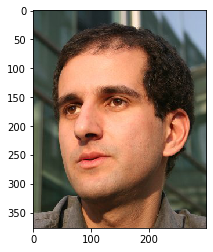
In order to do this we will use mahotas.rc method
Syntax : mahotas.rc(image)
Argument : It takes image object as argument
Return : It returns numpy.float64
Note: Input image should be filtered or should be loaded as grey
In order to filter the image we will take the image object which is numpy.ndarray and filter it with the help of indexing, below is the command to do this
image = image[:, :, 0]
Example 1:
# importing required libraries
import mahotas
import mahotas.demos
import numpy as np
from pylab import imshow, gray, show
from os import path

# loading the image
photo = mahotas.demos.load('luispedro')

# showing original image
print("Original Image")
imshow(photo)
show()

# loading image as grey
photo = mahotas.demos.load('luispedro', as_grey = True)

# converting image type to unit8
# because as_grey returns floating values
photo = photo.astype(np.uint8)

# riddler calvard
T_rc = mahotas.rc(photo)

# printing otsu value
print("R C value : " + str(T_rc))

print("Image threshold using riddler calvard method")
# showing image
# image values should be greater than T_rc value
imshow(photo > T_rc)
show()
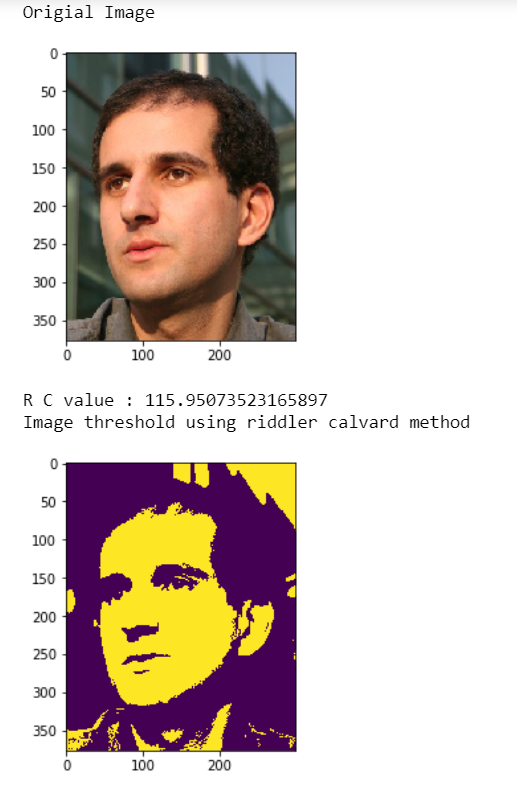
Output :
Example 2:
# importing required libraries
import mahotas
import numpy as np
from pylab import imshow, show
import os


# loading image
img = mahotas.imread('dog_image.png')


# setting filter to the image
img = img[:, :, 0]

imshow(img)
show()


# riddler calvard
T_rc = mahotas.rc(img)

# printing otsu value
print("R C value : " + str(T_rc))

print("Image threshold using riddler calvard method")
# showing image
# image values should be greater than T_rc value
imshow(img > T_rc)
show()
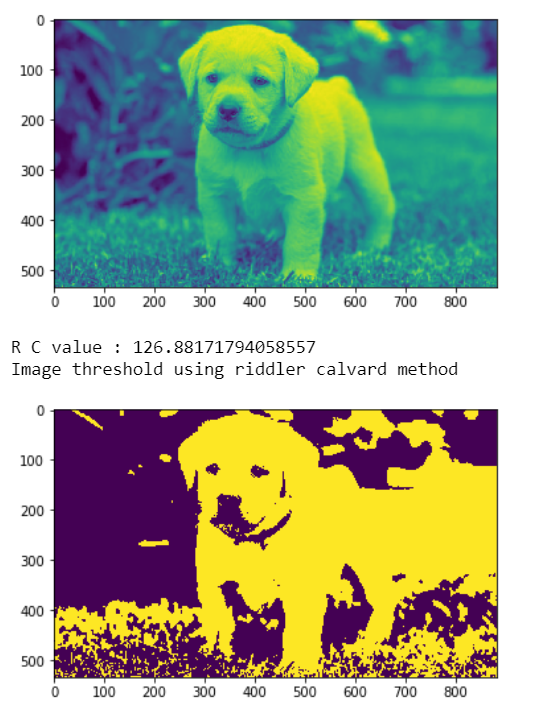
Output :