Matplotlib is a library in Python and it is numerical - mathematical extension for NumPy library. The Axes Class contains most of the figure elements: Axis, Tick, Line2D, Text, Polygon, etc., and sets the coordinate system. And the instances of Axes supports callbacks through a callbacks attribute.
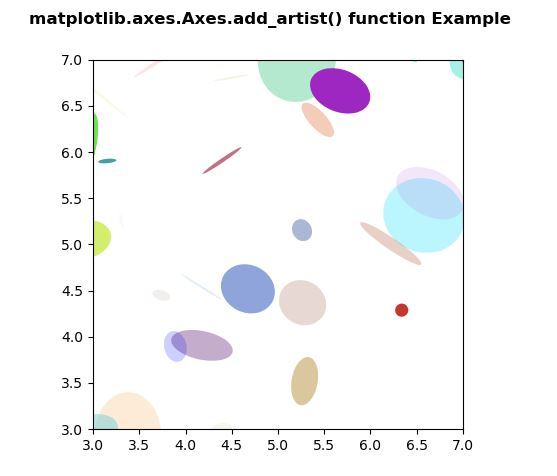
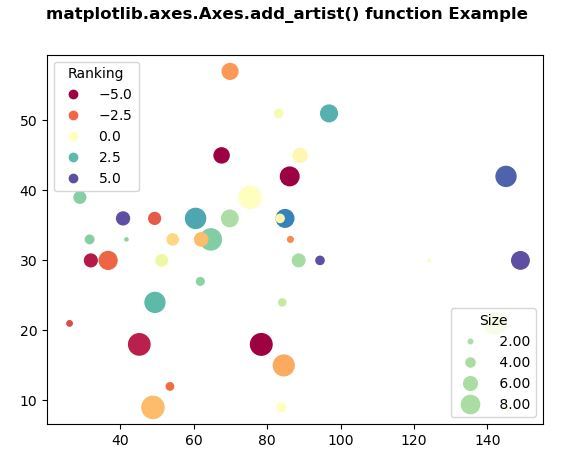
The Axes.add_artist() function in axes module of matplotlib library is used to add an Artist to the axes, and return the artist.
Python3
Output:
 Example 2:
Python3
matplotlib.axes.Axes.add_artist() Function
Syntax: Axes.add_artist(self, a) Parameters: This method accepts the following parameters.Below examples illustrate theReturn value: This method returns the artist.
- a: This parameter is the legend which is produced by legend() function .
matplotlib.axes.Axes.add_artist() function in matplotlib.axes:
Example 1:
# Implementation of matplotlib function
import numpy as np
np.random.seed(19680801)
import matplotlib.pyplot as plt

volume = np.random.rayleigh(27, size = 40)
amount = np.random.poisson(10, size = 40)
ranking = np.random.normal(size = 40)
price = np.random.uniform(1, 10, size = 40)

fig, ax = plt.subplots()

scatter = ax.scatter(volume * 2, amount * 3,
                     c = ranking * 3,
                     s = 0.3*(price * 3)**2,
                     vmin =-4, vmax = 4,
                     cmap ="Spectral")

legend1 = ax.legend(*scatter.legend_elements(num = 5),
                    loc ="upper left",
                    title ="Ranking")

ax.add_artist(legend1)

kw = dict(prop ="sizes", num = 5,
          color = scatter.cmap(0.7),
          fmt =" {x:.2f}",
          func = lambda s: np.sqrt(s/.3)/3)

legend2 = ax.legend(*scatter.legend_elements(**kw),
                    loc ="lower right",
                    title ="Size")

fig.suptitle('matplotlib.axes.Axes.add_artist() \
function Example\n\n', fontweight ="bold")
plt.show()
# Implementation of matplotlib function
import matplotlib.pyplot as plt
import numpy as np
from matplotlib.patches import Ellipse

NUM = 200

ells = [Ellipse(xy = np.random.rand(2) * 10,
                width = np.random.rand(),
                height = np.random.rand(),
                angle = np.random.rand() * 360)
        for i in range(NUM)]

fig, ax = plt.subplots(subplot_kw ={'aspect': 'equal'})

for e in ells:
    ax.add_artist(e)
    e.set_clip_box(ax.bbox)
    e.set_alpha(np.random.rand())
    e.set_facecolor(np.random.rand(4))

ax.set_xlim(3, 7)
ax.set_ylim(3, 7)


fig.suptitle('matplotlib.axes.Axes.add_artist() \
function Example\n\n', fontweight ="bold")

plt.show()
Output: