Matplotlib is a library in Python and it is numerical – mathematical extension for NumPy library. The figure module provides the top-level Artist, the Figure, which contains all the plot elements. This module is used to control the default spacing of the subplots and top level container for all plot elements.
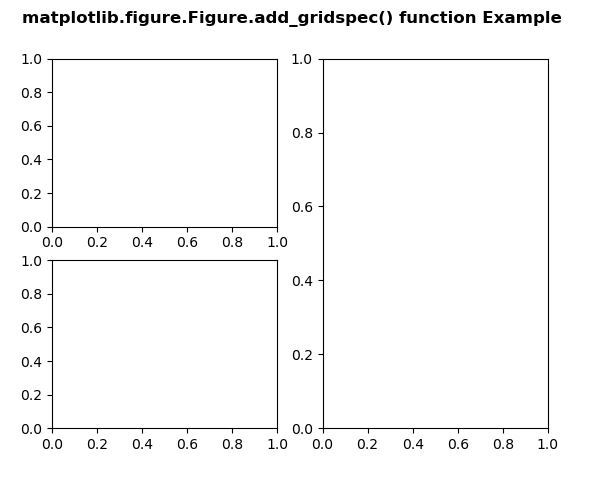
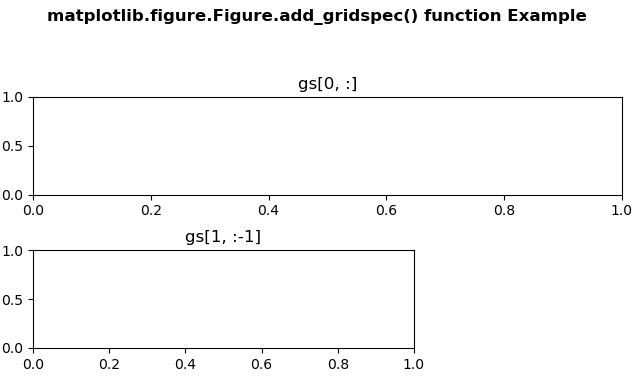
The add_gridspec() method figure module of matplotlib library is used to get the GridSpec that has this figure as a parent.
Python3
Output:
 Example 2:
Python3
matplotlib.figure.Figure.add_gridspec() function
Syntax: add_gridspec(self, nrows, ncols, **kwargs) Parameters: This accept the following parameters that are described below:Below examples illustrate the matplotlib.figure.Figure.add_gridspec() function in matplotlib.figure: Example 1:Returns: This method return the GridSpec.
- nrows : This parameter is the number of rows in grid.
- ncols : This parameter is the number or columns in grid.
# Implementation of matplotlib function
import matplotlib
import matplotlib.pyplot as plt
import matplotlib.gridspec as gridspec


fig = plt.figure(constrained_layout = True)
gs = fig.add_gridspec(3, 3)
ax = fig.add_subplot(gs[0, :])
ax.set_title('gs[0, :]')
ax2 = fig.add_subplot(gs[1, :-1])
ax2.set_title('gs[1, :-1]')


fig.suptitle('matplotlib.figure.Figure.add_gridspec() \
function Example\n\n', fontweight ="bold")

plt.show()
# Implementation of matplotlib function
import matplotlib
import matplotlib.pyplot as plt
import matplotlib.gridspec as gridspec


fig = plt.figure()
gs = fig.add_gridspec(2, 2)
ax1 = fig.add_subplot(gs[0, 0])
ax2 = fig.add_subplot(gs[1, 0])
ax3 = fig.add_subplot(gs[:, 1])


fig.suptitle('matplotlib.figure.Figure.add_gridspec()\
 function Example\n\n', fontweight ="bold")

plt.show()
Output: