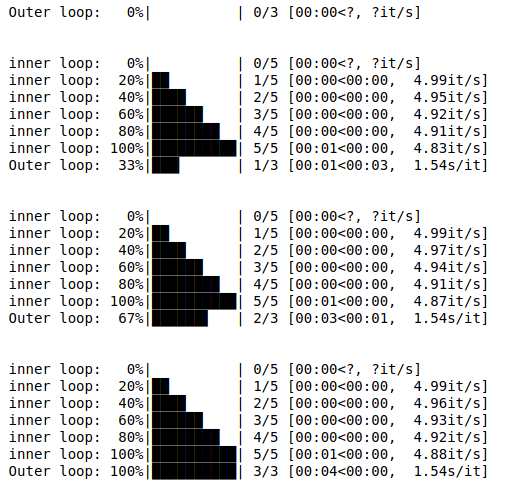
In this article we will see how to make progress bar with the help of tqdm module. A progress bar is a graphical control element used to visualize the progression of an extended computer operation, such as a download, file transfer, or installation. Sometimes, the graphic is accompanied by a textual representation of the progress in a percent format.
Required Modules :
Tqdm : Tqdm package is one of the more comprehensive packages for progress bars with python and is handy for those instances you want to build scripts that keep the users informed on the status of your application.
pip install tqdm
Time : This module provides various time-related functions, it is part of python's standard library.
Example 1:Python3 1==
# importing modulesfromtqdmimporttrangefromtimeimportsleep# creating loopforiintrange(10,desc="loop "):# slowing the for loopsleep(0.1)
Output :Example 2:Python3
# importing modulesfromtqdmimporttnrangefromtimeimportsleep# creating loopforiintnrange(2,desc="loop 1"):# creating nested loopforjintnrange(5,desc="loop 2"):# slowing the for loopsleep(0.2)
Output :Example 3:Python3
# importing modulesimporttimeimportsysfromtqdmimporttrange# random functiondefrandom_task():time.sleep(0.5)# another random functiondefanother_random_task():time.sleep(0.2)# Outer loopforiintrange(3,file=sys.stdout,desc='Outer loop'):random_task()# inner loopforjintrange(5,file=sys.stdout,desc='Inner loop'):another_random_task()