
PageLayout in Kivy is used to create a screen made of multiple pages where only one page is visible at a time. Users can move between pages by swiping left or right, which makes it useful for multi-screen interfaces such as app tutorials, forms or galleries.
For Example: In this example, a text input field is placed inside a PageLayout so the user can type text on a single page.
from kivy.app import App
from kivy.uix.pagelayout import PageLayout
from kivy.uix.textinput import TextInput

class MyPage(PageLayout):
    def __init__(self, **kwargs):
        super().__init__(**kwargs)
        t = TextInput(text="Enter name:")
        self.add_widget(t)

class Demo(App):
    def build(self):
        return MyPage()

Demo().run()
Output
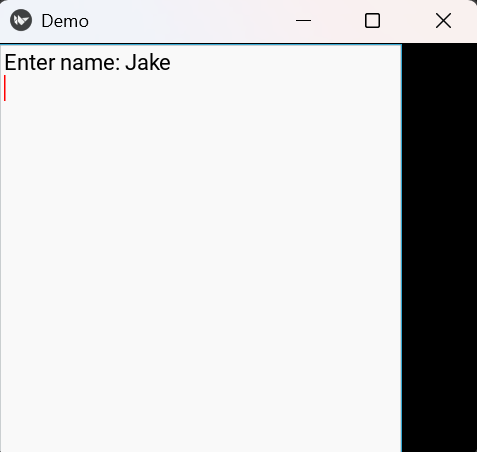
Explanation:
- PageLayout creates a swipe-based page container.
- TextInput(text="Enter name:") creates a text box for user input.
- add_widget(t) adds the text box as a page inside PageLayout.
- build() returns MyPage() so it becomes the main screen of the app.
Syntax
PageLayout()
Parameters: PageLayout does not use layout sizing properties.
It only accepts widgets added using:
add_widget(widget)
Each widget becomes a separate page.
Examples
Example 1: In this example, three buttons are placed on three different pages.
from kivy.app import App
from kivy.uix.pagelayout import PageLayout
from kivy.uix.button import Button

class MyPage(PageLayout):
    def __init__(self, **kwargs):
        super().__init__(**kwargs)
        self.add_widget(Button(text="Page 1"))
        self.add_widget(Button(text="Page 2"))
        self.add_widget(Button(text="Page 3"))

class Demo(App):
    def build(self):
        return MyPage()

Demo().run()
Output
Three pages that can be swiped:
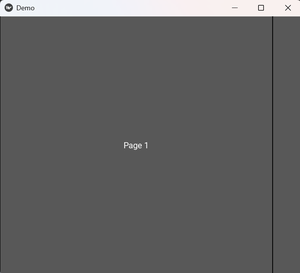
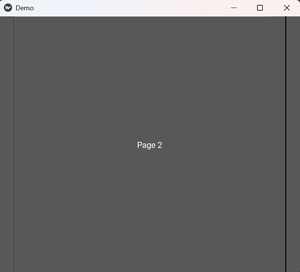
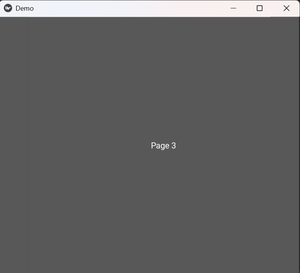
Explanation:
- PageLayout() creates the container for multiple pages.
- Button(text="Page 1"), Button(text="Page 2"), and Button(text="Page 3") create three page widgets.
- add_widget() adds each button as a separate page.
- Swiping changes the visible page.
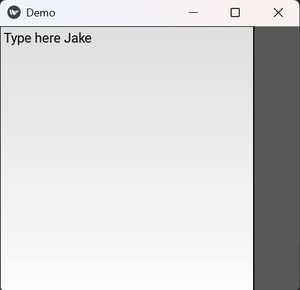
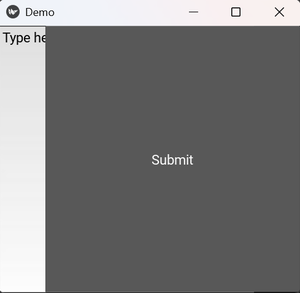
Example 2: In this example, one page contains a text box and another page contains a submit button.
from kivy.app import App
from kivy.uix.pagelayout import PageLayout
from kivy.uix.textinput import TextInput
from kivy.uix.button import Button

class MyPage(PageLayout):
    def __init__(self, **kwargs):
        super().__init__(**kwargs)
        self.add_widget(TextInput(text="Type here"))
        self.add_widget(Button(text="Submit"))

class Demo(App):
    def build(self):
        return MyPage()

Demo().run()
Output
Explanation:
- TextInput(text="Type here") creates the first page for typing text.
- Button(text="Submit") creates the second page.
- add_widget() places both widgets inside PageLayout.
- Swiping moves between the input page and the button page.
