Combining useContext with useReducer in React allows you to manage a global state more effectively by providing a centralized state management solution.
How to combine useContext with useReducer?
- Create a Context: First, you need to create a context to hold your global state and provide it to your component tree. You can use the
React.createContext()function for this purpose. - Define a Reducer: Define a reducer function that specifies how state transitions should occur in response to dispatched actions. The reducer takes the current state and an action as arguments and returns the new state.
- Use
useReducerHook: Inside your component, use theuseReducerhook to manage state transitions based on dispatched actions. This hook returns the current state and a dispatch function, which is used to send actions to the reducer. - Use
useContextHook: Use theuseContexthook to access the state and dispatch function provided by the context.
Example: Below is an example of combining useContext with useReducer.
- We create a context called
GlobalStateContext. - We define a reducer function that manages state transitions for a simple counter.
- We use the
useReducerhook inside theGlobalStateProvidercomponent to manage the global state. - We provide the state and dispatch function to the context using
GlobalStateContext.Provider. - We use
useContextto access the state and dispatch function in theCountercomponent. - Finally, we wrap our
Countercomponent with theGlobalStateProviderin theAppcomponent to make the global state available to it.
import React, {
    createContext,
    useContext,
    useReducer
}
    from 'react';

// Step 1: Define a context
const CounterContext = createContext();

// Step 2: Define a reducer function
const reducer = (state, action) => {
    switch (action.type) {
        case 'increment':
            return { count: state.count + 1 };
        case 'decrement':
            return { count: state.count - 1 };
        default:
            return state;
    }
};

/* Step 3: Create a component that provides the
 context and manages state with useReducer
 */

function CounterProvider({ children }) {
    const [state, dispatch] = useReducer(reducer,
        { count: 0 });

    // Log the state whenever it changes
    console.log('Counter state:', state);

    return (
        <CounterContext.Provider value={{
            state,
            dispatch
        }}>
            {children}
        </CounterContext.Provider>
    );
}

// Step 4: Create a custom
// hook to access the context
function useCounter() {
    const context = useContext(CounterContext);
    if (!context) {
        throw new Error(`useCounter must be used
                        within a CounterProvider`);
    }
    return context;
}

/*
    Step 5: Use the custom hook to access
    state and dispatch actions
 */
function Counter() {
    const { state, dispatch } = useCounter();

    return (
        <div>
            <h2>Counter: {state.count}</h2>
            <button onClick={
                () => dispatch({
                    type: 'increment'
                })
            }>
                Increment
            </button>
            <button onClick={
                () => dispatch({
                    type: 'decrement'
                })
            }>
                Decrement
            </button>
        </div>
    );
}

function App() {
    return (
        <CounterProvider>
            <Counter />
        </CounterProvider>
    );
}

export default App;
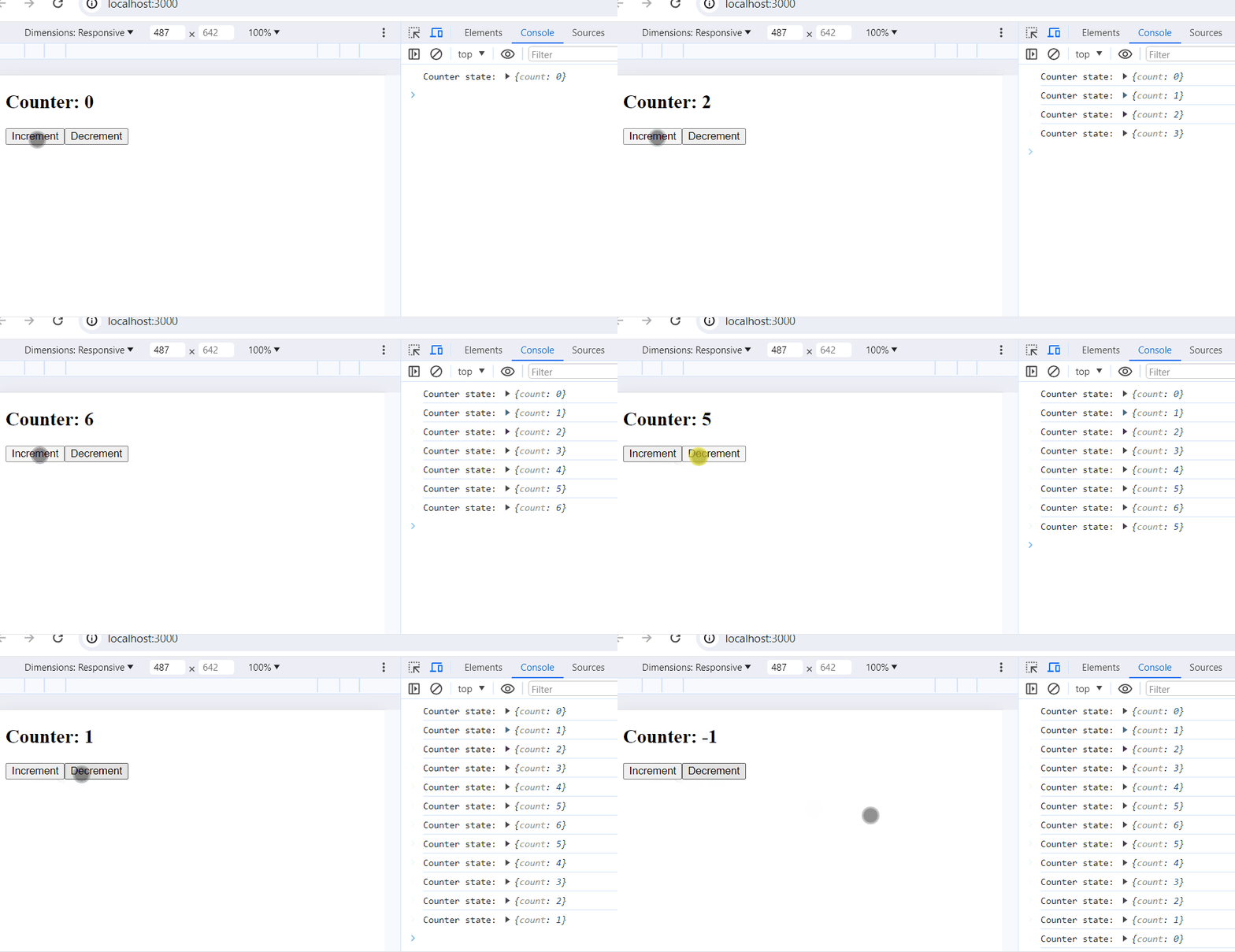
Output: