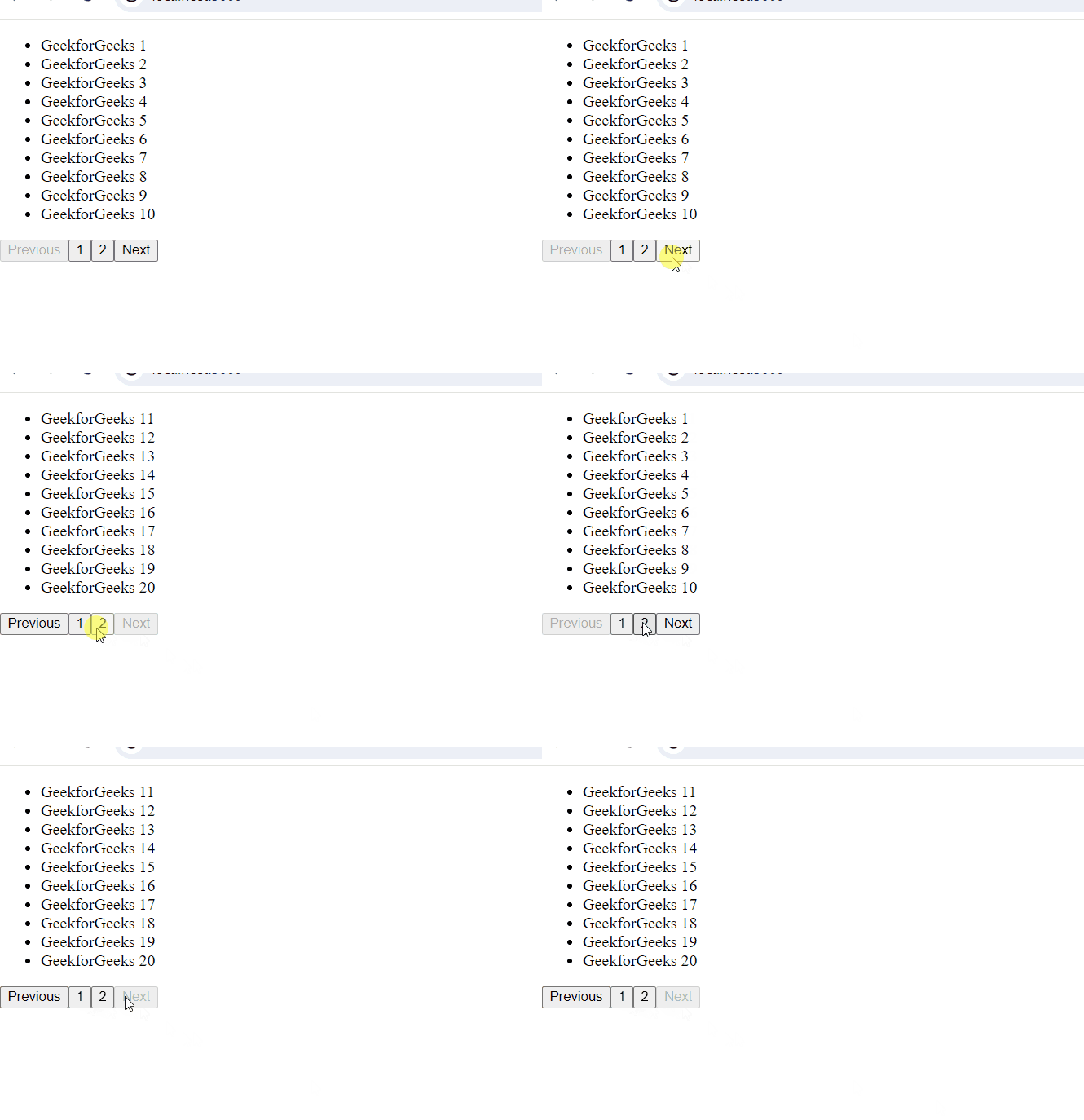
Implementing pagination in React using hooks involves managing the state of the current page and the number of items per page, as well as rendering the paginated data accordingly.
Implementing pagination in React using Hooks:
- Setup Initial State: Use the
useStatehook to manage the state for the current page and items per page.
import React,
{
    useState
} from 'react';
function App() {
    const [currentPage, setCurrentPage] = useState(1);
    const [itemsPerPage, setItemsPerPage] = useState(20);
    // write code
}
- Render Data Based on Pagination: Use the state variables to calculate which portion of the data to display.
- Handle Pagination Actions: Implement functions to handle navigation between pages.
- Render Pagination Controls: Render buttons or links to allow users to navigate through pages.
Example: Below is an example of pagination in React using Hooks.
import React,
{
    useState
} from 'react'

function App() {
    const [currentPage, setCurrentPage] = useState(1);
    const [itemsPerPage, setItemsPerPage] = useState(10);

    const data = [
        { id: 1, name: 'GeekforGeeks 1' },
        { id: 2, name: 'GeekforGeeks 2' },
        { id: 3, name: 'GeekforGeeks 3' },
        { id: 4, name: 'GeekforGeeks 4' },
        { id: 5, name: 'GeekforGeeks 5' },
        { id: 6, name: 'GeekforGeeks 6' },
        { id: 7, name: 'GeekforGeeks 7' },
        { id: 8, name: 'GeekforGeeks 8' },
        { id: 9, name: 'GeekforGeeks 9' },
        { id: 10, name: 'GeekforGeeks 10' },
        { id: 11, name: 'GeekforGeeks 11' },
        { id: 12, name: 'GeekforGeeks 12' },
        { id: 13, name: 'GeekforGeeks 13' },
        { id: 14, name: 'GeekforGeeks 14' },
        { id: 15, name: 'GeekforGeeks 15' },
        { id: 16, name: 'GeekforGeeks 16' },
        { id: 17, name: 'GeekforGeeks 17' },
        { id: 18, name: 'GeekforGeeks 18' },
        { id: 19, name: 'GeekforGeeks 19' },
        { id: 20, name: 'GeekforGeeks 20' },
    ];

    function renderData() {
        const startIndex =
            (currentPage - 1) * itemsPerPage;
        const endIndex =
            startIndex + itemsPerPage;
        const currentItems =
            data.slice(startIndex, endIndex);

        return (
            <ul>
                {
                    currentItems.map(item => (
                        <li key={item.id}>{item.name}</li>
                    ))
                }
            </ul>
        );
    }

    function goToNextPage() {
        setCurrentPage(prevPage => prevPage + 1);
    }

    function goToPrevPage() {
        setCurrentPage(prevPage => prevPage - 1);
    }

    function goToSpecificPage(pageNumber) {
        setCurrentPage(pageNumber);
    }

    function renderPaginationControls() {
        const totalPages =
            Math.ceil(data.length / itemsPerPage);

        return (
            <div>
                <button onClick={goToPrevPage}
                    disabled={currentPage === 1}>
                    Previous
                </button>
                {
                    Array.from({ length: totalPages },
                        (_, i) => (
                            <button key={i}
                                onClick={
                                    () => goToSpecificPage(i + 1)
                                }>
                                {i + 1}
                            </button>
                        ))
                }
                <button
                    onClick={goToNextPage}
                    disabled={currentPage === totalPages}>
                    Next
                </button>
            </div>
        );
    }

    return (
        <div>
            {renderData()}
            {renderPaginationControls()}
        </div>
    );
}

export default App;
Output: