
React suite is a library of React components, sensible UI design, and a friendly development experience. It is supported in all major browsers. It provides pre-built components of React which can be used easily in any web application.
In this article, we'll learn about React suite Pagination Used with Link in next/link. The pagination has a layout prop that defines the type of layout to be used in the pagination component. The pagination can also be used with Link in nextjs.
Syntax:
<Pagination linkAs={NavLink} />
Creating React Application And Installing Module:
Step 1: Create a React application using the given command:
npm create-react-app projectname
Step 2: After creating your project, move to it using the given command:
cd projectname
Step 3: Now Install the rsuite node package using the given command:
npm install rsuite
Project Structure: Now your project structure should look like the following:
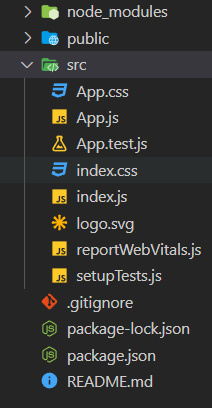
Step to Run Application: Run the application using the following command from the root directory of the project:
npm start
Example 1: Below example demonstrates the usage of Next Link pagination linking.
import { Pagination } from "rsuite";
import { forwardRef } from "react";
import "rsuite/dist/rsuite.min.css";

import Link from "next/link";

const NavLink = forwardRef((props, ref) => {
    const { href, active, eventKey, as, ...rest }
    = props;

    return (
        <Link
 href={`${'https://www.geeksforgeeks.org/'}/
            tag/${'react-suite'}`}
            className={active ? "active" : null}
            as={as}
        >
            <a ref={ref} {...rest} />
        </Link>
    );
});

function MyApp() {
    return (
        <center>
            <div>
                <h2>GeeksforGeeks</h2>
                <h4 style={{ color: "green" }}>
                 React Suite Pagination Used with Link
                 in next/link
                 </h4>
                 <div style={{ marginTop: 20, '
                  width: 400 }}>
                    <div>
                        <Pagination linkAs={NavLink}
                        total={100} limit={10} />
                    </div>
                </div>
            </div>
        </center>
    );
}

export default MyApp;
Output:
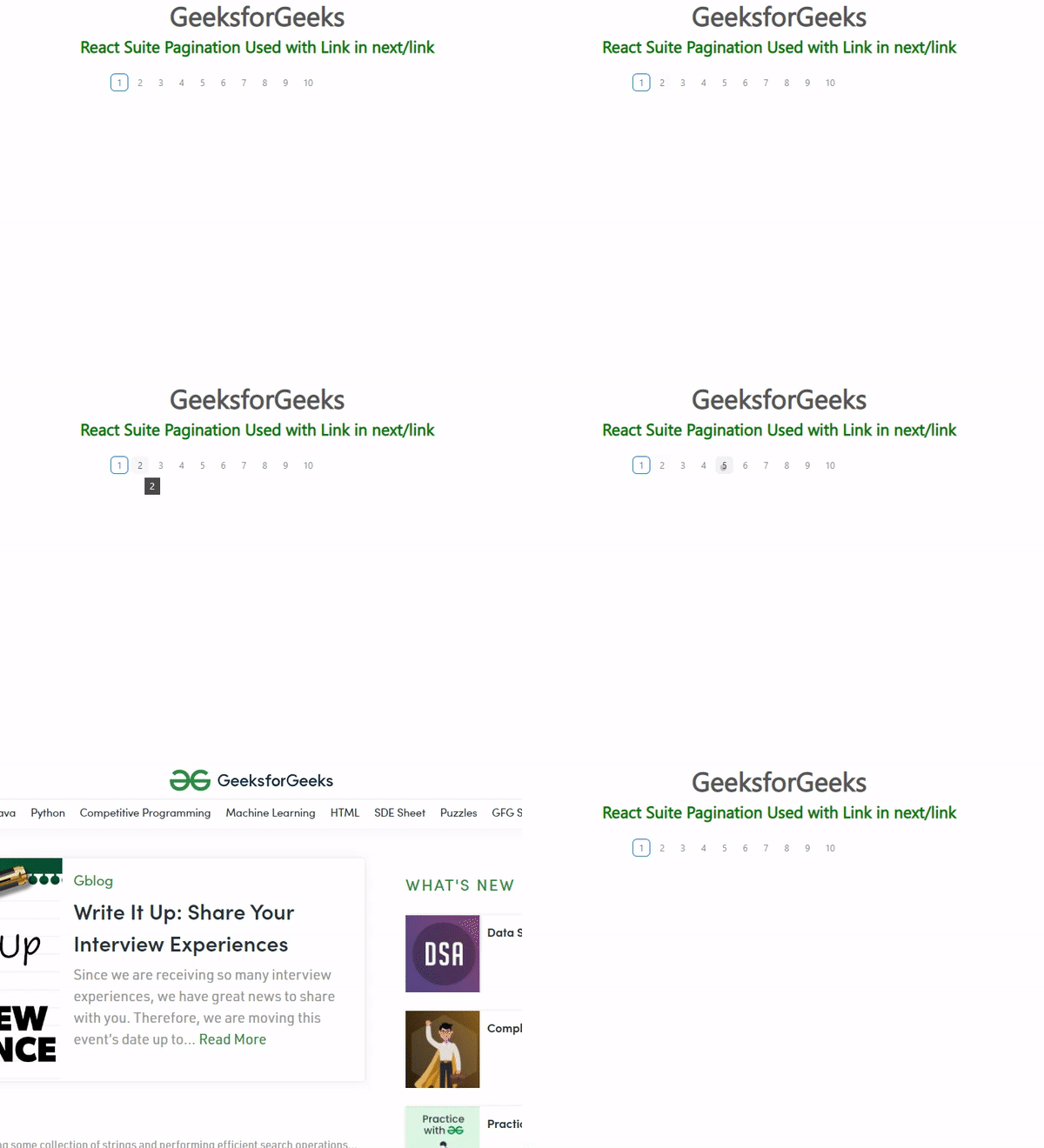
Example 2: Below example demonstrates the usage of Pagination Linking using Next Link with next and prev buttons.
import { Pagination } from "rsuite";
import { forwardRef } from "react";
import "rsuite/dist/rsuite.min.css";

import Link from "next/link";

const NavLink = forwardRef((props, ref) => {
    const { href, active, eventKey, as, ...rest }
    = props;

    return (
        <Link
            href="https://www.geeksforgeeks.org/"
            as={as}
        >
            <a ref={ref} {...rest} />
        </Link>
    );
});

function MyApp() {
    return (
        <center>
            <div>
                <h2>GeeksforGeeks</h2>
                <h4 style={{ color: "green" }}>
                  React Suite Pagination Used with Link
                  in next/link
                </h4>

                <div style={{ marginTop: 20,
                    width: 400 }}>
                    <div>
                        <Pagination next prev
                         linkAs={NavLink}
                         total={100} limit={10} />
                    </div>
                </div>
            </div>
        </center>
    );
}

export default MyApp;
Output:
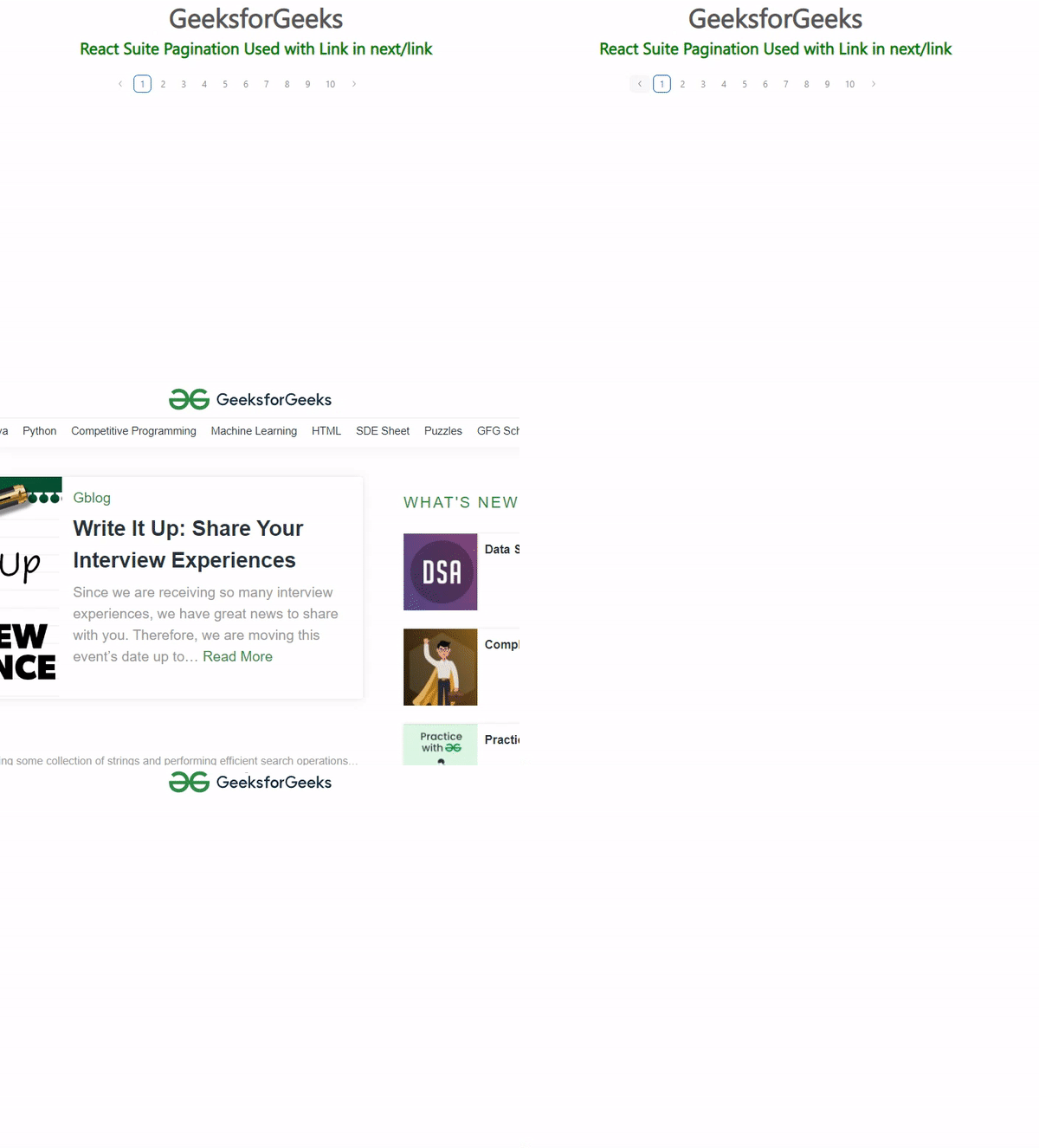
Reference: https://rsuitejs.com/components/pagination/?page=5#used-with-link-in-next-link
