
Google Chrome’s mobile version packs exclusive features you won’t find on desktop, designed for on-the-go browsing and touchscreen convenience. From data-saving tricks to gesture controls, these mobile-only tools help you browse faster, save battery, and multitask like a pro. Whether you’re using Android or iOS, discover how Chrome’s smartphone features outshine its desktop counterpart for everyday use.
Features Available Only in Google Chrome
Google Chrome offers unique features that enhance browsing speed, security, and customization, setting it apart from other browsers.
1. Desktop site feature
The desktop site mode enables you to view the website in desktop mode, particularly useful if some elements are going out of the screen due to not being capable of responsively downsizing to fit the screen's width.

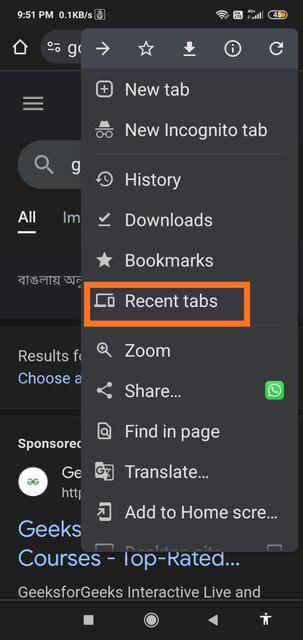
2. Pictorial views of recent web pages opened beside the current one
On clicking the above-underlined icon of multiple tabs, all the distinct recently viewed tabs are shown with a single tap without closing the website currently visited. This grid-based layout is very useful as due to the smaller sizes of mobile screens, very long text-based lists of recent tabs are inconvenient to quickly grasp.

3. Delete the last 15 minutes of the search history
Helps to delete the search history quickly when you are using someone else's phone and don't want them to know what websites you have visited, but also you don't want to delete their entire search history as well while deleting yours which will make them suspicious. When you have a minute or 2 to delete your searches, one-by-one deletion is not an option. This exclusive feature is not available in Chrome browser on desktop PCs and laptops, as the minimum length of time requirement for search history deletion is 1 day.

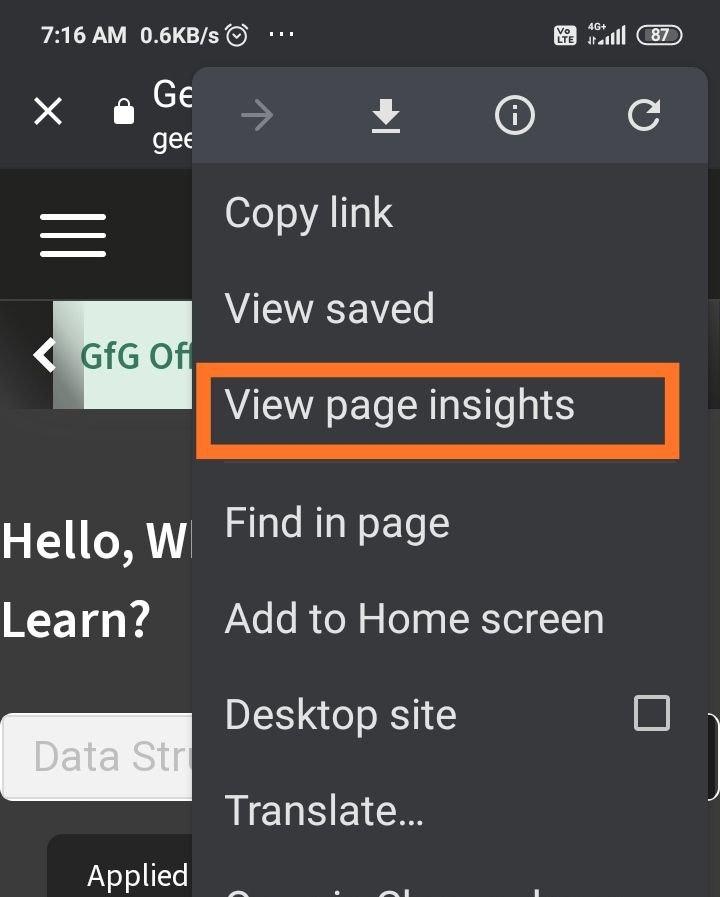
4. View Page insights
Shows websites with similar content relative to the one you're currently viewing, plus its reviews, also how many years ago was the current website first indexed by Google - thus altogether shows a host of resourceful features. This greatly personalizes the user search experience in a shorter time frame.
5. Simple sending
Google Chrome mobile browser directly allows you to send information from the current website to multiple apps, without having to close Chrome and going to the applications. On PC, the option to directly share to WhatsApp and more such installed applications is not available.

6. Seamless Syncing
Chrome shows you all the recent tabs that you have opened on any device, be it your laptop, desktop PC, or another mobile device, from the same Chrome profile on your smartphone. To access it, just click on the 3 dots while you're browsing a webpage, and click on "View recent".
7. Top-notch translating
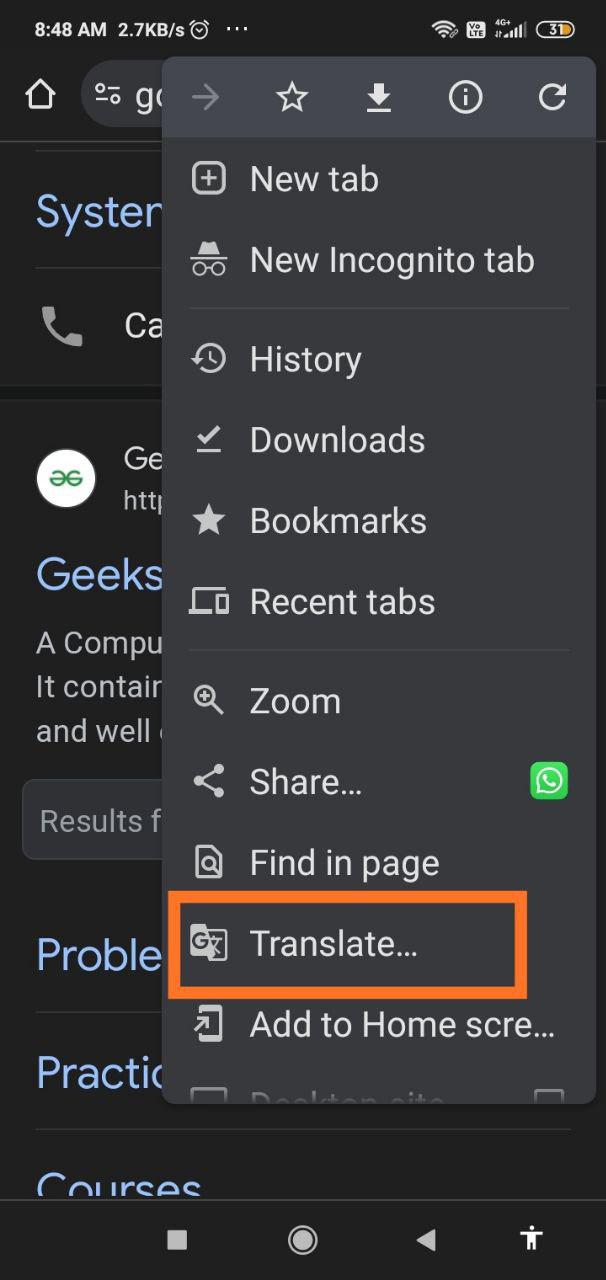
Offers you the facility to translate the contents of the entire webpage into a language of your choice. Chrome supports translation into 133 languages.
8. Extra protection
Chrome offers you the option to lock incognito Chrome tabs when you leave Chrome.
9. Shortcut Serenity
Google's mobile Chrome browser allows you to set your personalized custom shortcuts applicable to your personal Chrome profile.
10. Google-lens powered camera search
On tapping the Google lens icon, you can take a picture of something and search about it, from your camera. But in the computer's Google Chrome, you cannot just open your webcam to instantly search on Chrome, you need to save it as an image first before searching.
11. Search from the home screen
Search for information directly from the Chrome home screen without opening a new tab, as all the tabs open on the same application itself.
How Google Chrome Stands Out from Other Browsers
Google Chrome is known for its speed, simplicity, and robust security features, making it one of the most popular web browsers worldwide. Unlike other browsers, Chrome's minimalistic interface focuses on efficiency, while its powerful engine ensures faster page load times. Chrome also offers seamless integration with Google services, making tasks like signing into Gmail or using Google Drive effortless.
One key differentiator is Chrome's frequent updates and compatibility with a wide range of web technologies. It supports cutting-edge features like WebAssembly and Progressive Web Apps (PWA), which enhance web applications' performance and capabilities. Additionally, Chrome offers advanced security features like sandboxing, safe browsing, and phishing protection.
Conclusion:
Chrome Mobile’s unique capabilities—like Lite Mode, touch-to-search, and customizable toolbars—make it the superior choice for smartphone browsing. These features optimize mobile data, simplify navigation, and personalize your experience in ways desktop Chrome can’t match. Upgrade your mobile browsing game by mastering these exclusive tools today.
