
Typing in English with a standard English keyboard is generally straightforward. However, if you want to type in other languages - such as Hindi, Bengali, Spanish, or French using an English keyboard can be challenging.
To overcome these difficulties, you can use an essential writing tool: Google Input Tools. By installing Google Input Tools on your device, you can easily type in multiple languages. The tool converts the phrases you type into the selected language, enabling smooth multilingual typing with a simple keystroke.
We will discuss a handful of methods that can be used to get Windows Input Tools by Google without having any issues.
Methods to Download and Use Google Input Tools on Desktop
Below are two simple methods to install and use Google Input Tools on your Windows desktop.
Method 1: Install Google Input Tools on Windows
Step 1: Go to the official download page for Google Input Tools and click on the Download Page button.

Step 2: Locate and open the downloaded .exe installer file.

Step 3: Follow the on-screen instructions to complete the installation. Finally, click Finish to complete the setup.

Hence, we have successfully installed Google Input Tools on the Desktop by downloading it.
Method 2: Add Google Input Tools as a Chrome Extension
Step 1: Browse to the Official Page of Google Inputs.
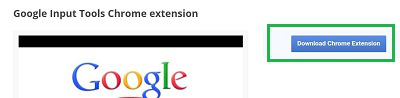
Step 2: Click on the Download Chrome Extension button to save it on Chrome.
Hence, we have successfully installed Google Input Tools on the Desktop by adding it to Chrome.
How Google Input Tools Helps
Once set up, Google Input Tools allows you to type naturally in your preferred language, even when using an English keyboard. It will offer suggestions and automatically convert your typed phrases into the chosen language. You can then select the most accurate word from the suggestions provided.
Conclusion
Google Input Tools is a valuable resource for anyone who wants to write in multiple languages with minimal effort. By using either the Windows installer or the Chrome extension, you can easily add support for dozens of languages and improve your typing speed and accuracy.
