
When used with React, TypeScript improves development speed, maintainability, and scalability by adding static typing, which provides better error detection and enhanced code clarity.

Setting Up TypeScript in a React Project
To get started with TypeScript in React, you can either create a new React app with TypeScript or add TypeScript to an existing project.
1. Create a New React App with TypeScript
To create a new React app with TypeScript, run:
npx create-react-app my-app --template typescript
cd my-app
npm start
2. Adding TypeScript to an Existing React Project
To add TypeScript to an existing project, run:
npm install --save-dev typescript @types/react @types/react-dom @types/node
Update tsconfig.json to configure TypeScript settings.
Best Practices for Using TypeScript in React
Below are the best practices for using typescript in react:
1. Use Type Annotations for Props and State
import React, { Component } from 'react';
//  Define the Props type
type GreetingProps = {
  name:string;
};
// Define the State type
type GreetingState = {
  isBirthday: boolean;
};
//  Class component with typed props and state
class Greeting extends Component<GreetingProps, GreetingState> {
  constructor(props: GreetingProps) {
    super(props);
    this.state = {
      isBirthday: false,
    };
  }
  toggleBirthday = () => {
    this.setState((prevState) => ({
      isBirthday: !prevState.isBirthday,
    }));
  };

  render() {
    const { name} = this.props;
    const { isBirthday } = this.state;

    return (
      <div style={{ fontFamily: 'Arial', padding: '20px' }}>
        <h2>Hello, {name}!</h2>
        {isBirthday && <p>🎉 Happy Birthday! 🎉</p>}
        <button onClick={this.toggleBirthday}>
          {isBirthday ? 'Hide Greeting' : 'Show Birthday Greeting'}
        </button>
      </div>
    );
  }
}
export default Greeting;
Output:
Intial Render:
Hello, Mahima!
[ Show Birthday Greeting ] ← (button)
After clicking the Button
Hello, Mahima!
🎉 Happy Birthday! 🎉
2. Use React.FC for Functional Components
import React, { useState } from 'react';

type GreetingProps = {
  name: string;
};

const Greeting: React.FC<GreetingProps> = ({ name }) => {
  const [isBirthday, setIsBirthday] = useState(false);

  const toggleBirthday = () => {
    setIsBirthday((prev) => !prev);
  };

  return (
    <div style={{ fontFamily: 'Arial', padding: '20px' }}>
      <h2>Hello, {name}!</h2>
      {isBirthday && <p>🎉 Happy Birthday! 🎉</p>}
      <button onClick={toggleBirthday}>
        {isBirthday ? 'Hide Greeting' : 'Show Birthday Greeting'}
      </button>
    </div>
  );
};

export default Greeting;
Output:
Hello, Mahima !
🎉 Happy Birthday! 🎉
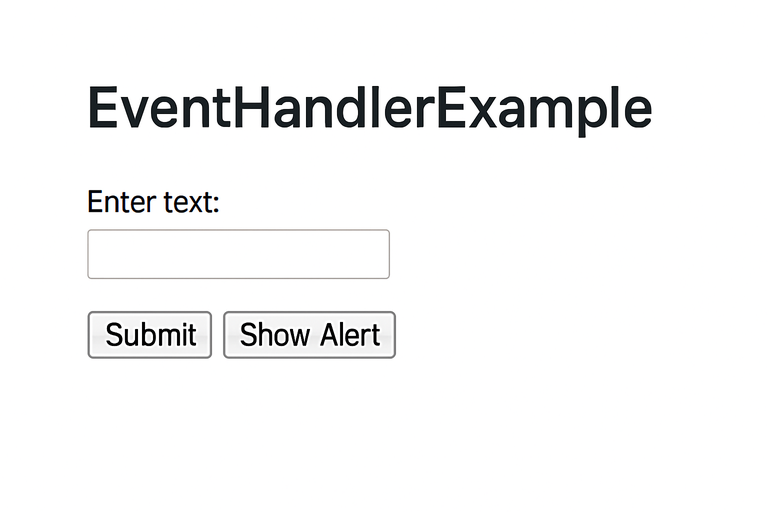
3. Define Types for Event Handlers
import React, { useState } from 'react';

const EventHandlerExample: React.FC = () => {
  const [text, setText] = useState<string>('');

  //  Typing for onChange event (input field)
  const handleChange = (event: React.ChangeEvent<HTMLInputElement>) => {
    setText(event.target.value);
  };

  // Typing for onClick event (button)
  const handleClick = (event: React.MouseEvent<HTMLButtonElement>) => {
    alert(`You entered: ${text}`);
  };

  // Typing for onSubmit event (form)
  const handleSubmit = (event: React.FormEvent<HTMLFormElement>) => {
    event.preventDefault();
    console.log(`Form Submitted: ${text}`);
  };

  return (
    <form onSubmit={handleSubmit} style={{ fontFamily: 'Arial', padding: '20px' }}>
      <label>
        Enter text:
        <input type="text" value={text} onChange={handleChange} />
      </label>
      <br />
      <button type="submit">Submit</button>
      <button type="button" onClick={handleClick} style={{ marginLeft: '10px' }}>
        Show Alert
      </button>
    </form>
  );
};

export default EventHandlerExample;
Output:
4. Use Enums for Constants
import React, { useState } from 'react';

// Define an enum for theme modes
enum Theme {
  Light = 'light',
  Dark = 'dark',
}

//  Functional component using the Theme enum
const ThemeToggle: React.FC = () => {
  const [theme, setTheme] = useState<Theme>(Theme.Light);

  const toggleTheme = () => {
    setTheme(prev => (prev === Theme.Light ? Theme.Dark : Theme.Light));
  };

  return (
    <div
      style={{
        backgroundColor: theme === Theme.Light ? '#ffffff' : '#222222',
        color: theme === Theme.Light ? '#000000'
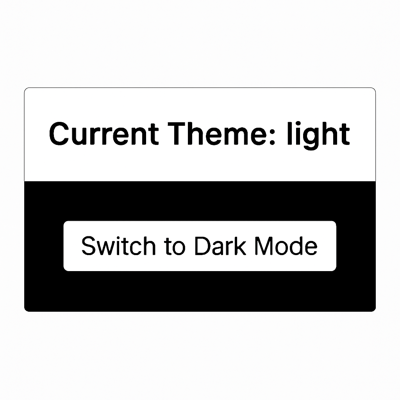
Output:
5. Use Interfaces for Complex Objects
//  Interface for Address
interface Address {
  street: string;
  city: string;
  state: string;
  zipCode?: string; // optional
}

//  Interface for Company
interface Company {
  name: string;
  location: Address;
}

//  Interface for User
interface User {
  id: number;
  name: string;
  email: string;
  isActive: boolean;
  address: Address;
  hobbies?: string[];
  company: Company;
}
Output:
{
  id: 1,
  name: 'Mahima',
  email: 'mahima@example.com',
  isActive: true,
  address: {
    street: '123 Main St',
    city: 'Delhi',
    state: 'DL',
    zipCode: '110001'
  },
  hobbies: [ 'Reading', 'Coding' ],
  company: {
    name: 'GeeksforGeeks',
    location: {
      street: '456 AI Street',
      city: ',Noida'
      state: 'KA'
    }
  }
}
6. Use Generics for Reusable Components
import React from 'react';
// 1 Generic Props Interface
interface ListProps<T> {
  items: T[];
  renderItem: (item: T, index: number) => React.ReactNode;
}
// Generic List Component
function List<T>({ items, renderItem }: ListProps<T>) {
  return (
    <ul>
      {items.map((item, index) => (
        <li key={index}>{renderItem(item, index)}</li>
      ))}
    </ul>
  );
}
export default List;
Output:
Fruit List
1. Apple
2. Banana
3. Cherry
7. Use Type Assertions Cautiously
import React, { useRef } from 'react';

const InputFocusComponent: React.FC = () => {
  const inputRef = useRef<HTMLInputElement | null>(null);

  const handleFocus = () => {
    // Type assertion used here (be cautious!)
    const inputElement = inputRef.current as HTMLInputElement;
    if (inputElement) {
      inputElement.focus();
    }
  };

  return (
    <div style={{ padding: '20px', fontFamily: 'Arial' }}>
      <input ref={inputRef} type="text" placeholder="Enter your name" />
      <button onClick={handleFocus} style={{ marginLeft: '10px' }}>
        Focus Input
      </button>
    </div>
  );
};

export default InputFocusComponent;
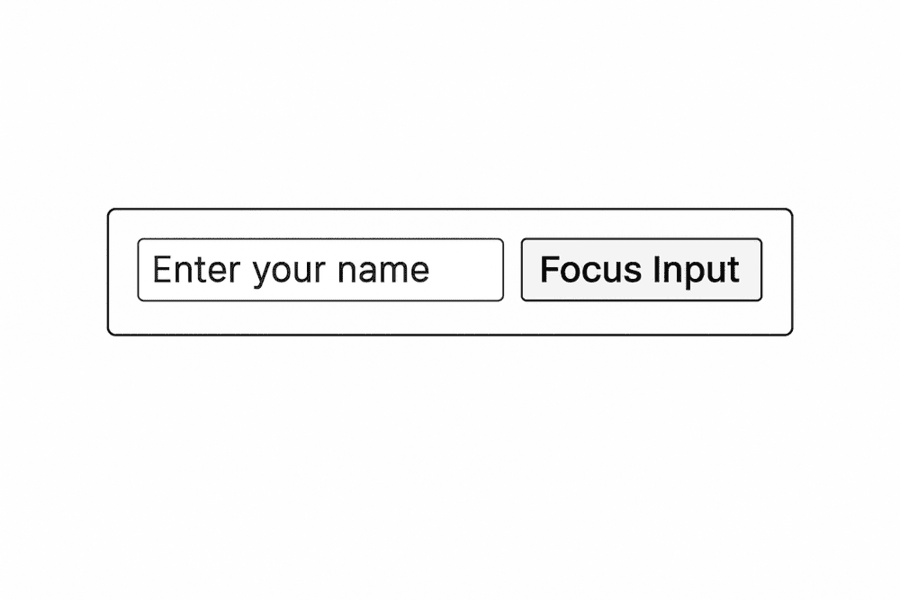
Output:
8. Enable Strict Mode in TypeScript
{
  "compilerOptions": {
    "strict": true
  }
}
Common TypeScript Errors in React and How to Fix Them
Here are some common TypeScript errors you may encounter in React and the solutions to resolve them.
1. Error: Property Does Not Exist on Type
Problem: Trying to access the undefined property
interface User {
    name: string;
}
const user: User = { name: 'John' };
console.log(user.age); // Error: Property 'age' does not exist
Solution: In the interface define all the properties
2. Error: Argument is Not Assignable to Parameter Type
Problem: Wrong prop types are passed
const User: React.FC<{ name: string }> = ({ name }) => <p>{name}</p>;

<User name={123} />; // Error: Type 'number' is not assignable to type 'string'
Solution: Make sure that the passed props matches the expected type
3. Error: Object is Possibly Undefined
Problem: Trying to access properties of an undefined object.
let user: { name?: string };
console.log(user.name.length); // Error
Solution: Use optional chaining ?. or provide a default value.
console.log(user?.name?.length ?? 0);