
The AudioNode.numberOfInputs property is used to return the number of inputs that are feeding the node. The Source node is used to define as nodes that contain a numberOfInputs property with a value zero.
Syntax:
html
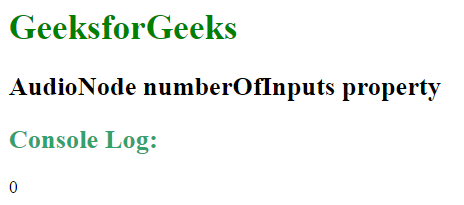
Output:
 Example 2:
html
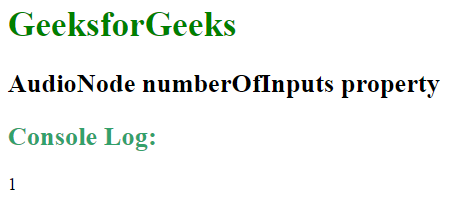
Output:
 Example 3:
html
Output:
Supported Browsers: The browser supported by AudioNode.numberOfInputs property are listed below:
var numInputs = audioNode.numberOfInputs;Return Value: It returns an integer value greater than equal to zero. Example 1:
<!DOCTYPE HTML>
<html>

<head>
    <title>
        Web Audio API | AudioNode numberOfInputs property
    </title>
</head>

<body>

    <h1 style = "color:green;" >
        GeeksforGeeks
    </h1>

    <h2>
        AudioNode numberOfInputs property
    </h2>

    <script>

        // Create new Audio context
        const audioContext = new AudioContext();

        // Create an OscillatorNode
        const oscillator = audioContext.createOscillator();

        // Create a gainNode
        const gainNode = audioContext.createGain();

        oscillator.connect(gainNode).connect(audioContext.destination);

        // Display the numberOfOutputs in console view
        console.log(oscillator.numberOfInputs);
    </script>
</body>

</html>
<!DOCTYPE HTML>
<html>

<head>
    <title>
        Web Audio API | AudioNode numberOfInputs property
    </title>
</head>

<body>

    <h1 style = "color:green;" >
        GeeksforGeeks
    </h1>

    <h2>
        AudioNode numberOfInputs property
    </h2>

    <script>

        // Create new Audio context
        const audioContext = new AudioContext();

        // Create an OscillatorNode
        const oscillator = audioContext.createOscillator();

        // Create a gainNode
        const gainNode = audioContext.createGain();

        oscillator.connect(gainNode).connect(audioContext.destination);

        // Display the numberOfOutputs in console view
        console.log(gainNode.numberOfInputs);
    </script>
</body>

</html>
<!DOCTYPE HTML>
<html>

<head>
    <title>
        Web Audio API | AudioNode numberOfInputs property
    </title>
</head>

<body>

    <h1 style = "color:green;" >
        GeeksforGeeks
    </h1>

    <h2>
        AudioNode numberOfInputs property
    </h2>

    <script>

        // Create new Audio context
        const audioContext = new AudioContext();

        // Create an OscillatorNode
        const oscillator = audioContext.createOscillator();

        // Create a gainNode
        const gainNode = audioContext.createGain();

        oscillator.connect(gainNode).connect(audioContext.destination);

        // Display the numberOfOutputs in console view
        console.log(audioContext.destination.numberOfInputs);
    </script>
</body>

</html>
- Google Chrome 14.0
- Edge 12.0
- Firefox 25.0
- Safari 6.0
- Opera 15.0
