Yes—but “free” does not mean unlimited or guaranteed access to one fixed model name.
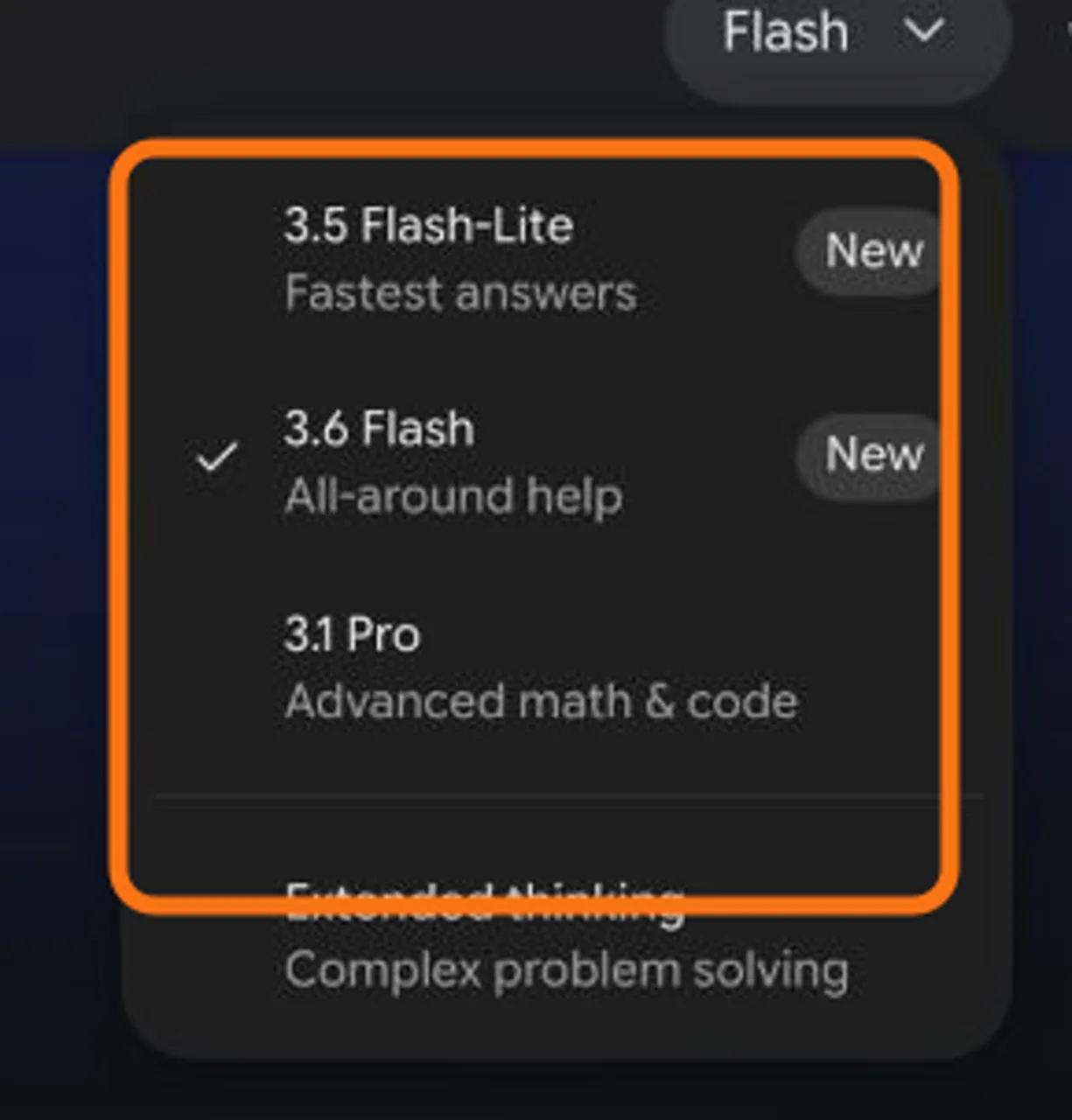
On August 13, 2026, the Gemini app’s visible picker included 3.1 Pro, and Google’s official access table marked Pro access as available without an AI plan. Usage is compute-based and can change with prompt complexity, model choice, feature use, chat length, account type, age and region. Google said usage refreshes every five hours until a weekly ceiling is reached. Check your own picker and limit notice before relying on a fixed number of prompts.
If your goal is to try a difficult prompt once or twice, start with Google’s free Gemini app. If your work moves between research, drafting, coding, images and video, GlobalGPT is a separate multi-model route worth comparing early—not because it duplicates a Google subscription, but because it can reduce tool switching across a broader workflow.
What “Gemini 3 Pro” means now
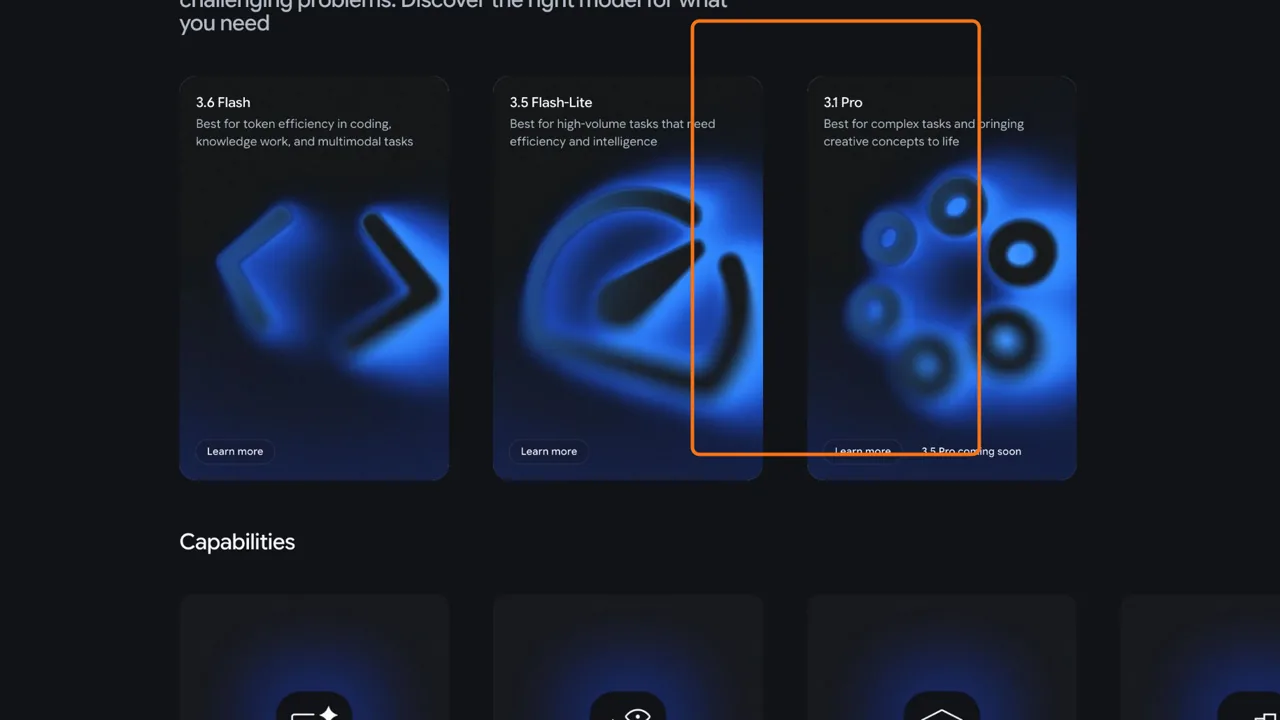
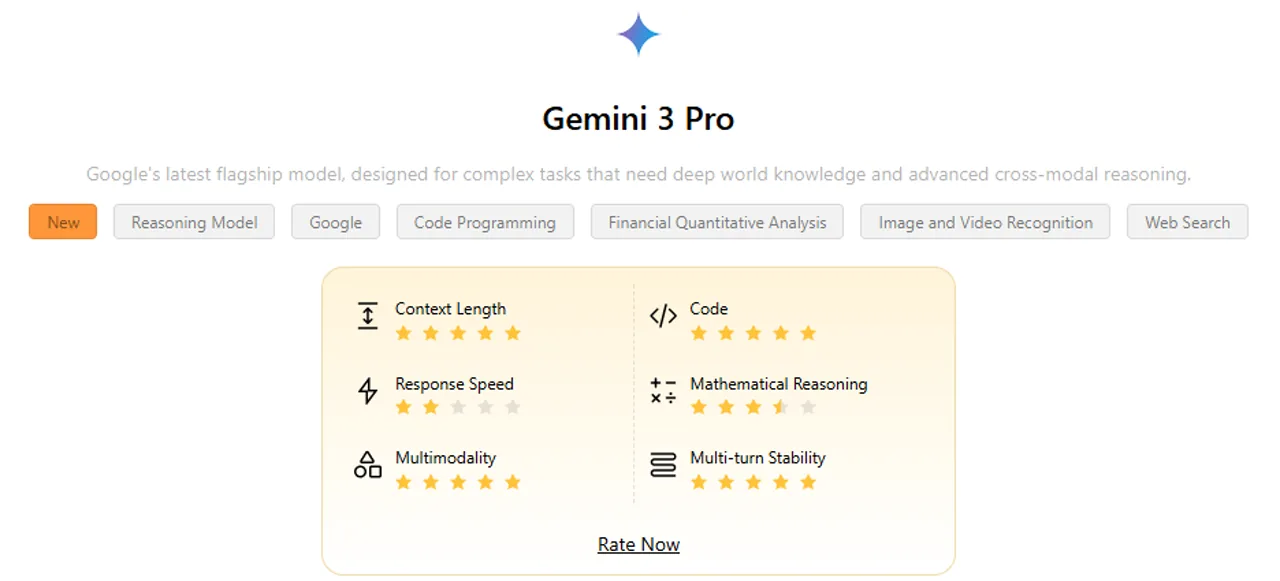
“Gemini 3 Pro” is still a useful search phrase, but it should not be treated as a permanent product label. Google can update the Gemini app, model directory and subscription pages on different schedules. On August 13, the live picker and DeepMind directory aligned on 3.6 Flash, 3.5 Flash-Lite and 3.1 Pro; DeepMind still marked 3.5 Pro as coming soon.
What free access actually includes
Free access is best understood as an opportunity to use Gemini within a changing capacity envelope. It is not a lifetime entitlement to one model, a fixed daily quota or a guarantee that every tool remains available.
- Model availability can change: rollout, experimentation and account eligibility can alter what appears.
- Capacity is shared with features: model choice, prompt complexity, chat length and tool use can affect consumption.
- Account context matters: personal, work and school accounts can follow different rules.
- Region and age matter: a plan or feature visible to one reader may not be available to another.
Start with the free Gemini app. On August 13, the visible picker included 3.1 Pro, but capacity remained variable.
A paid Google AI plan provides a larger relative allowance, but Google still does not describe it as unlimited.
Compare a multi-model platform when your work also needs writing, research, coding, images or video.
Scope: consumer access decision, not an account-specific quota. Evidence basis: Google Gemini picker, Gemini Apps limits and US Google AI plan pages checked August 13, 2026.
How Gemini’s free limits work
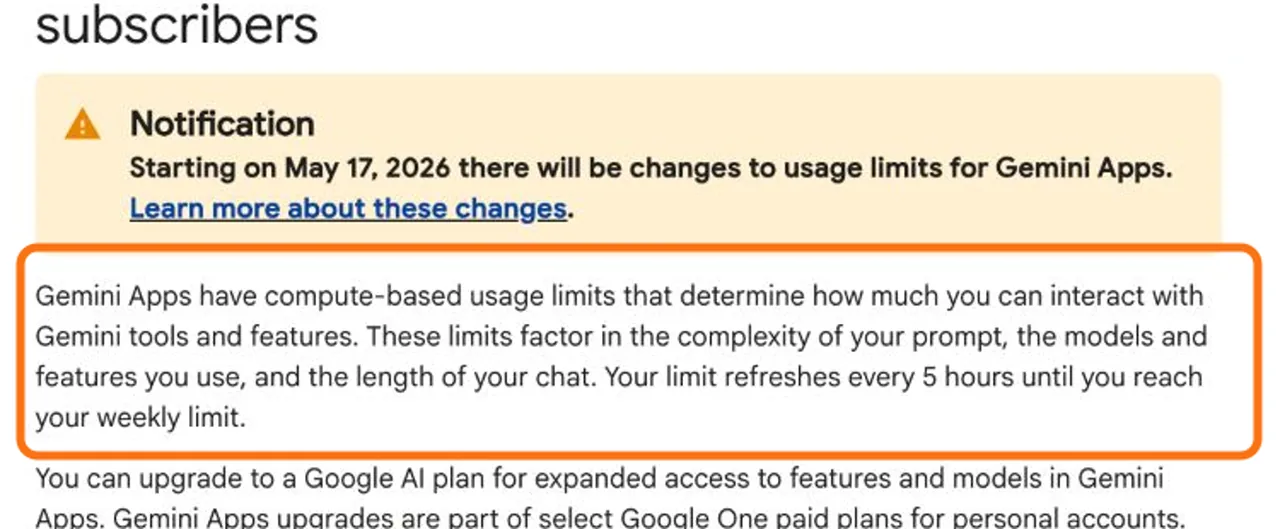
Google’s support page checked on August 13 did not publish one universal “prompts per day” number. It described compute-based limits that factor in prompt complexity, the model and features used, and the length of the conversation. That is why two people can appear to hit a limit after different amounts of work.
A practical way to stretch free access is to reserve the higher-reasoning option for tasks that genuinely need it:
- use a faster default model for summaries, rewriting and simple questions;
- start a fresh chat when an old conversation has accumulated unnecessary context;
- break a large task into clear stages, but avoid repeatedly regenerating the same answer;
- save your important output before changing models or reaching a limit.
Free vs paid: when should you upgrade?
Paying makes sense when interruptions cost more than the subscription. The strongest signals are repeated limit notices during real work, long documents that need sustained context, and workflows that consistently depend on higher-compute reasoning.
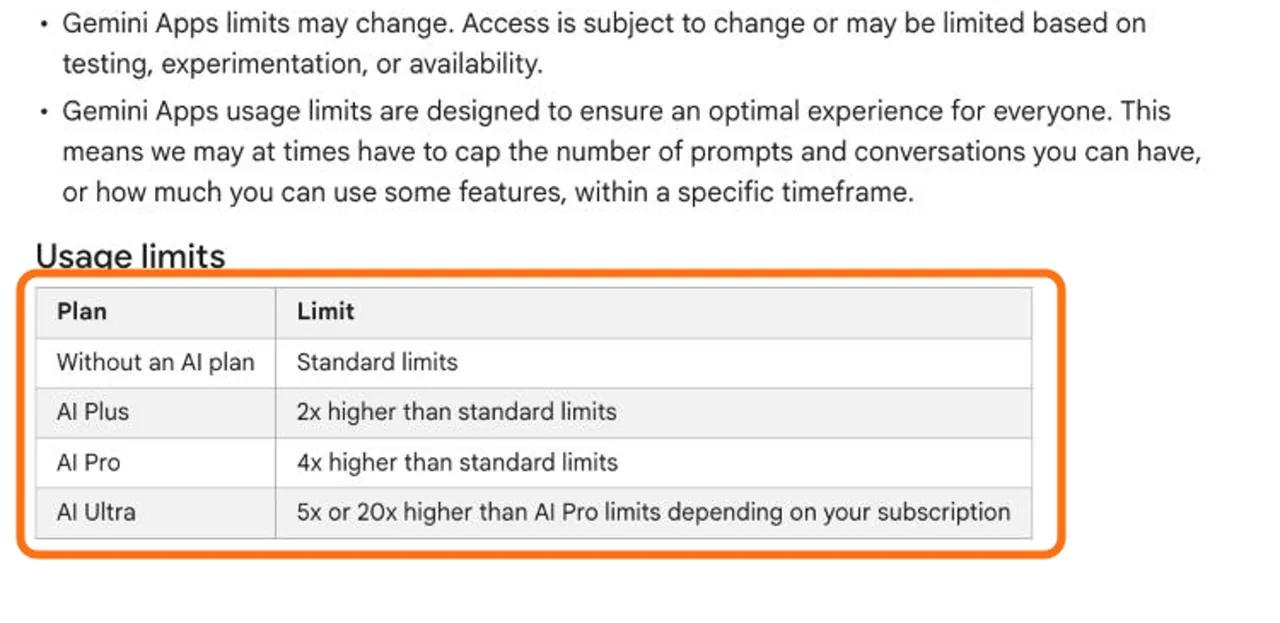
Standard limits
2× standard limits
4× standard limits
Unit: Google’s relative Gemini Apps allowance, not prompts per day. AI Ultra is omitted from the bars because Google expressed it as 5× or 20× AI Pro depending on subscription. Source: Google Gemini Apps support page checked August 13, 2026.
| Situation | Better starting point | Why |
|---|---|---|
| Occasional questions and short drafts | Free Gemini app | Lowest commitment; accept variable access. |
| Frequent long-context work centered on Google tools | Compare Google AI plans | Higher relative allowance and Google ecosystem benefits may matter. |
| Research, writing, coding and media across model families | Compare GlobalGPT | A separate multi-model workflow may reduce switching between subscriptions. |
Google AI plan context
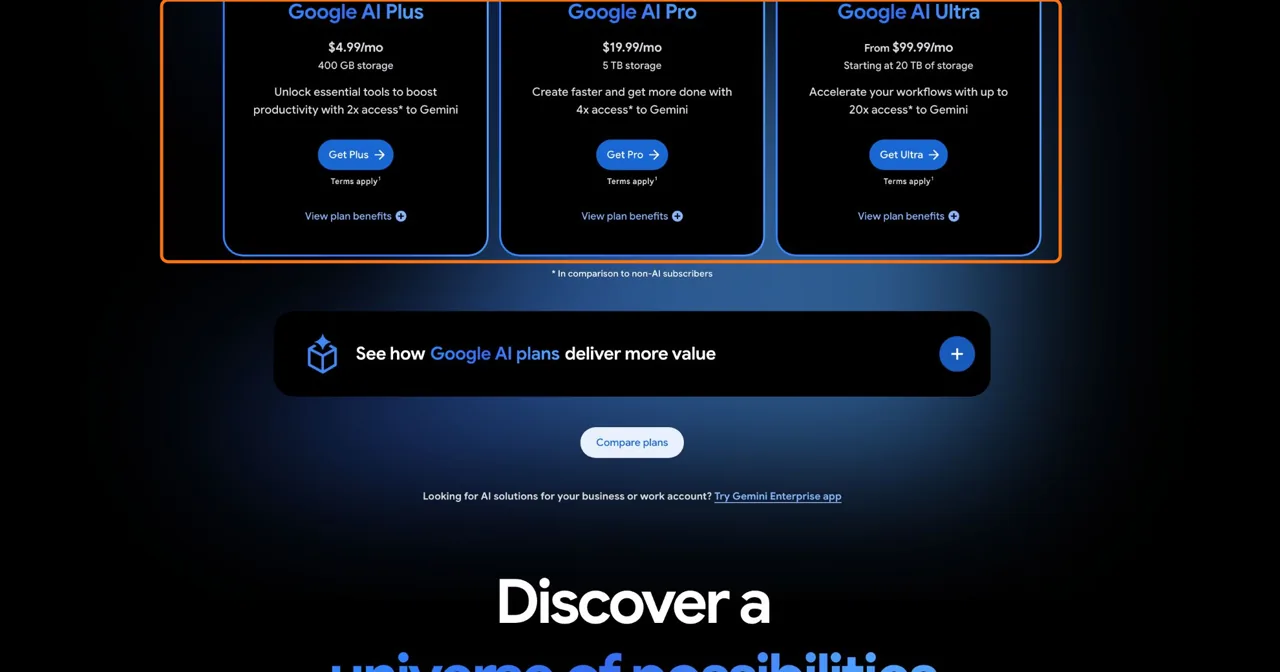
Pricing is especially dynamic because region, taxes, promotions and billing surface can change the checkout. The United States plan cards checked on August 13 showed Google AI Plus at $4.99/month, Google AI Pro at $19.99/month and Google AI Ultra from $99.99/month. Plus/Pro also displayed 400 GB/5 TB storage and 2×/4× access compared with non-AI subscribers. Treat these as US list prices, not universal checkout totals.
For a fuller feature-by-feature decision, read the Google AI Plus vs Pro comparison. If your issue is capacity rather than basic access, the separate guide to the Gemini Pro free limit goes deeper into reset and usage behavior.
Where GlobalGPT fits in the decision
Choose by workflow, not by one model label
A Google AI plan is designed around Google’s own products and benefits. GlobalGPT is a separate multi-model platform: it can make more sense when one project moves from Perplexity-style research to GPT or Claude drafting, Gemini reasoning, image generation and video tools. The comparison is about workflow breadth—not identical quotas or feature parity.
Open the GlobalGPT workspace or compare current GlobalGPT plans.
Compare the actual tasks you complete each week. A reader who only needs Gemini inside Google’s ecosystem may prefer a Google plan. A reader who repeatedly buys overlapping tools may find a multi-model subscription easier to evaluate. The ChatGPT vs Gemini guide can help when the decision is mainly between two model ecosystems.
How to check your own free access
- Open Gemini with the Google account you actually plan to use.
- Check the model picker; record the exact visible model label rather than assuming “Gemini 3 Pro.”
- Open a new chat and try one representative task—not repeated throwaway prompts.
- If a limit message appears, read its reset wording and whether it refers to a daily, rolling or weekly boundary.
- Open Google’s current plan page in the same region and account context before paying.
- For student eligibility, use the Gemini student guide; for upgrading steps, see how to upgrade Gemini access.
Frequently asked questions
Can I use a Gemini Pro model without paying?
A free account may show a Pro-class option, but access and capacity depend on Google’s current rollout, your account and your region. The model picker and limit message in your own account are the final check.
How many free Gemini Pro prompts do I get?
There is no safe universal prompt count. Google describes consumer-app usage as compute-based, so a complex prompt, a higher-compute model, a long chat or another feature can use capacity differently.
When does the free Gemini limit reset?
Google’s support page checked on August 13, 2026 said usage refreshes every five hours until the weekly limit is reached. Google can still change its limit system.
Is Gemini 3 Pro still the current model name?
Treat it as a historical or search-facing name. Google’s product surfaces can use different labels and change them at different times. Check the current Gemini app picker and Google’s model directory instead of assuming the old name is permanent.
Does Google AI Pro provide unlimited Gemini use?
No. The official limits table used relative allowances rather than unlimited access. On August 13, it showed AI Pro at four times the standard limit, with limits still subject to change.
Is Gemini API free access the same as the Gemini app?
No. The Gemini app uses consumer-product limits, while the API uses project and rate-limit dimensions. Do not convert API request limits into app prompt counts.
When is GlobalGPT the better option?
It can fit readers who want Gemini alongside other model families and creative tools in one workflow. It is a separate platform, not a claim of identical Google plan features, quotas or account benefits.