Troubleshooting
Problem
The service data schedule or periodic data stop executing after updating the HMC to a later version. The schedules no longer exist and cannot run and do not log any messages to alert the user. Call home of serviceable events continues to work without issue.
Symptom
Heartbeat, vpd and other scheduled operations if "enabled" do not execute anymore after a recent HMC update.
Cause
When viewing the Schedule of service data in the GUI, the schedules will show as present and enabled but they do not run as expected.
Environment
HMC Version 1062.2 and 1063.1 and higher
HMC Version 1110.3 and higher
Diagnosing The Problem
If email notifications are enabled for scheduled events after the update the scheduled operations stop executing and notifications are no longer received.
Resolving The Problem
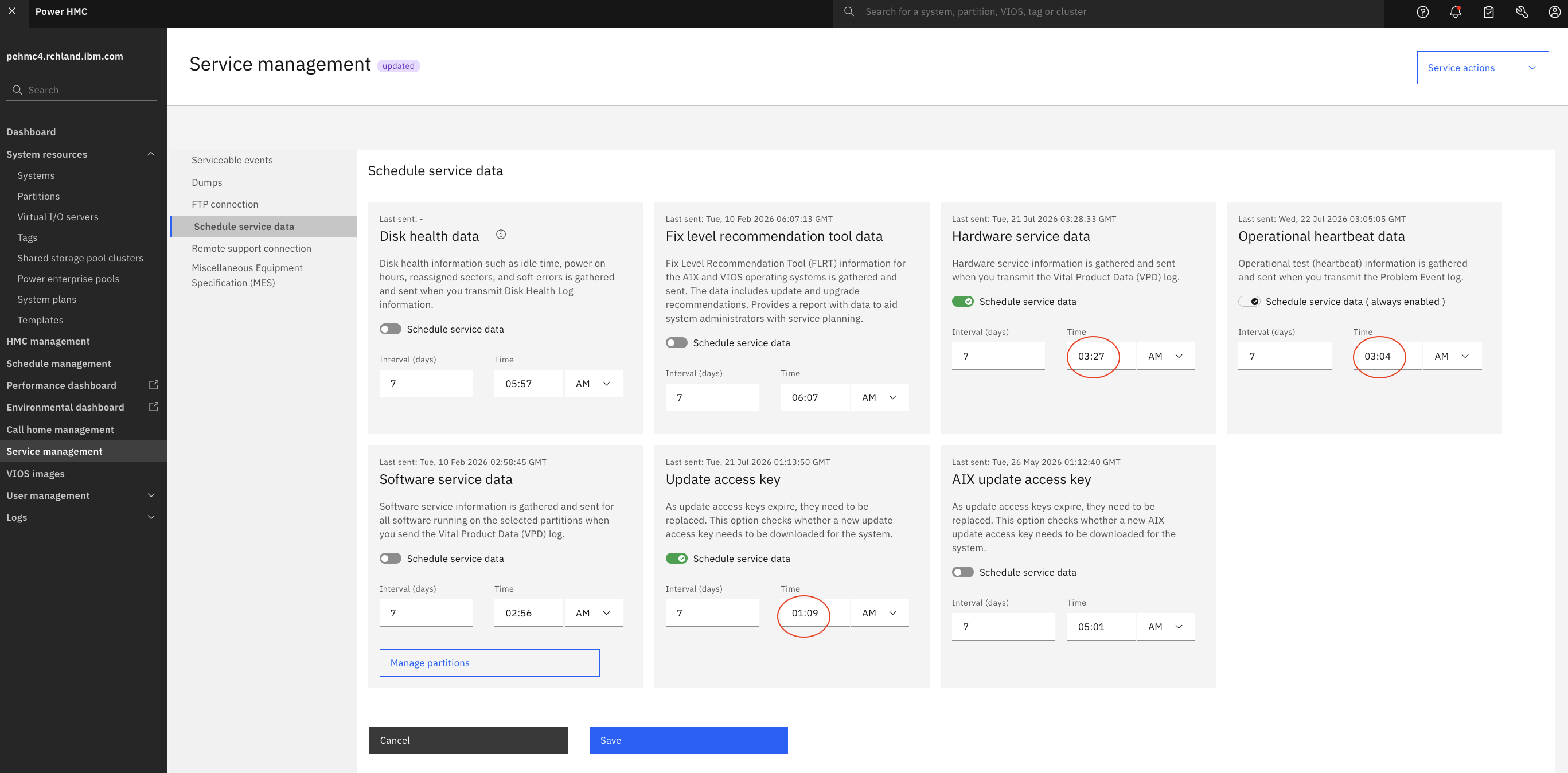
The schedule operations need to be re-saved with a change to the minute value. For example: if the current schedule is set to run at 5:57 AM every 7 days change the time to 5:58 AM, repeat for each schedule that is enabled moving the time up or down a minute and then click Save after all changes have been made to reinstate the scheduled operations.
On the HMC navigate to Service management -> Schedule service data.
This is the original schedules and times:
Adjust the time by one minute up or down for each enabled schedule and then click Save:
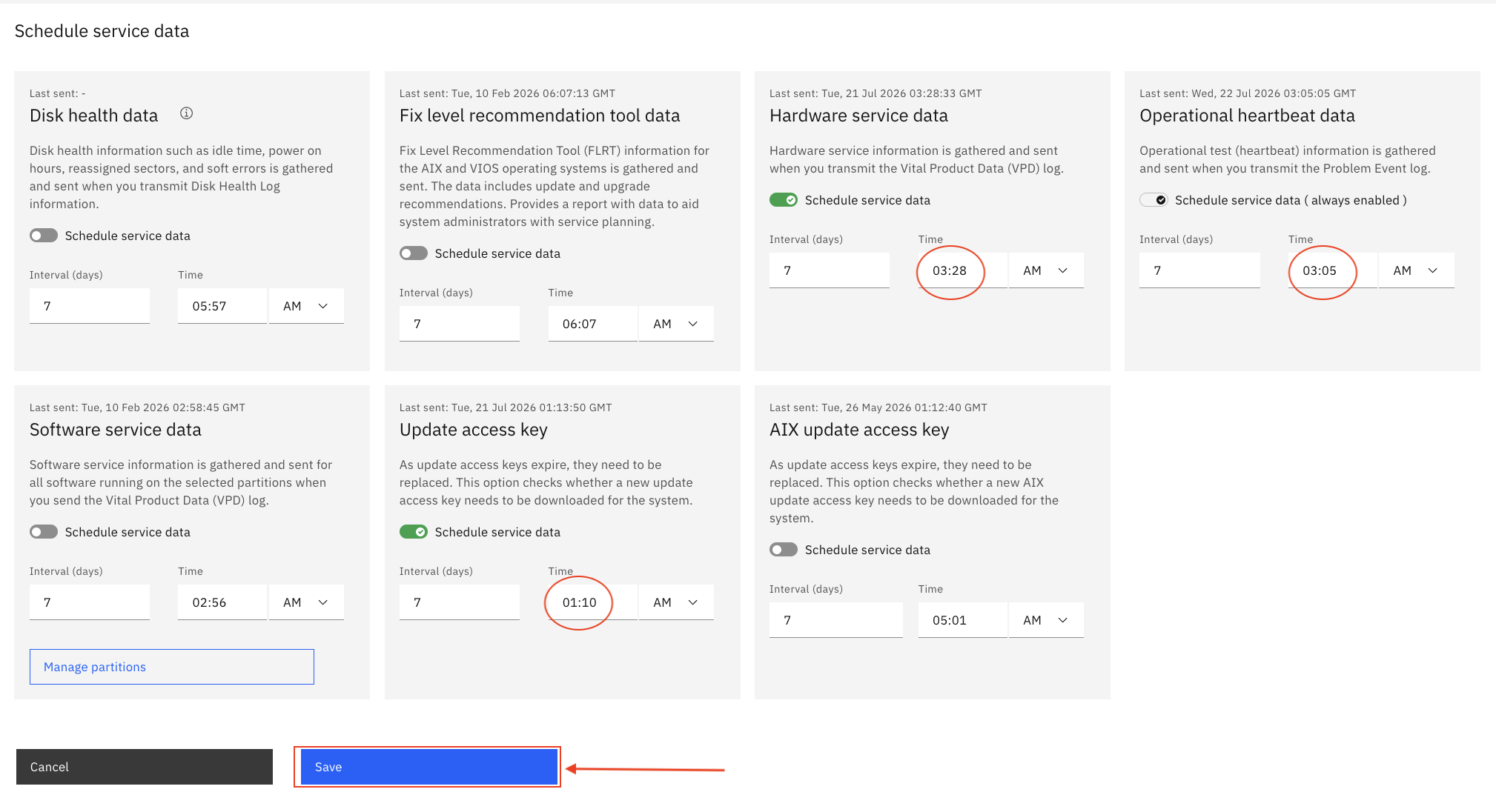
The scheduled operations should now run on the interval of days and time that has been saved. Repeat on any other HMC in the environment that is at the same impacted levels.
A fix is planned for a future HMC release.
Document Location
Worldwide
Was this topic helpful?
Document Information
Modified date:
24 July 2026
UID
ibm17281104
