

Table of contents
How to get your Grok API key (5 steps)



Grok consists of a family of large language models (LLMs) developed by xAI.
While the models are helpful within X (formerly Twitter), they can offer even more value when they’re integrated with your product or your internal applications.
For either integration scenario, you’ll need to start by creating your API key on xAI. We’ll help you do just that in 5 simple steps!
1. Click on the API tab
From the xAI homepage, click on the “API” tab.

{{this-blog-only-cta}}
2. Select “Start building now”
Above the fold, you should see a button that says, “Start building now.” Once you select that, you’ll be directed to xAI’s sign in page.

3. Create or log into your xAI account to access your API console
You can sign in in one of three ways: enter your email address and password manually or go through an OAuth flow to authenticate either via your Twitter or Google account.

Related: How to create an API key in Mistral AI
4. Select “Manage API keys”
Below the welcome message, you should see a small text block that reads, “Manage API keys.” Click on this.

5. Create your API key
Once you select “Create API key,” you should see a pop-up that prompts you to name the key, select the endpoints you want to grant it, and pick the models it can use. Finally, you’ll be able to preview and generate the key.
Once you’ve created it, you'll be able to view its usage and edit, disable, or delete it. You can also create an entirely new key by clicking on Create API key.

Other considerations for building to Grok’s API
Before building to Grok’s API, it’s worth familiarizing yourself with the following:
Pricing
Grok’s pricing varies depending on the type of output you’re hoping to generate and the specific model you want to use.
For instance, Grok 2’s price per million text tokens is $2 while Grok Beta's is $5.

Learn more about Grok’s pricing.
Rate limits
Every user is currently limited to 1 request per second and either 60 or 1,200 requests per hour (depending on the model).

Errors to look out for
You can get all kinds of errors. This includes the following:
- 403 Forbidden: you don't have the necessary permissions to make the request
- 404 Not Found: the requested resource either doesn’t exist or you made an error within your request (e.g., your request is missing a key parameter)
- 429 Too Many Requests: you’ve exceeded your predefined rate limit in the current window
- 500 Internal Server Error: this (along with other 5xx error codes) means there’s an issue with xAI’s backend servers
Discover additional API error codes and how you can go about addressing them in this blog post.
Leverage Grok’s models effectively with Merge Gateway
Merge Gateway is a single endpoint and control plane for production LLM workloads, designed to help teams route traffic intelligently, control spend, and understand what’s happening on every request.
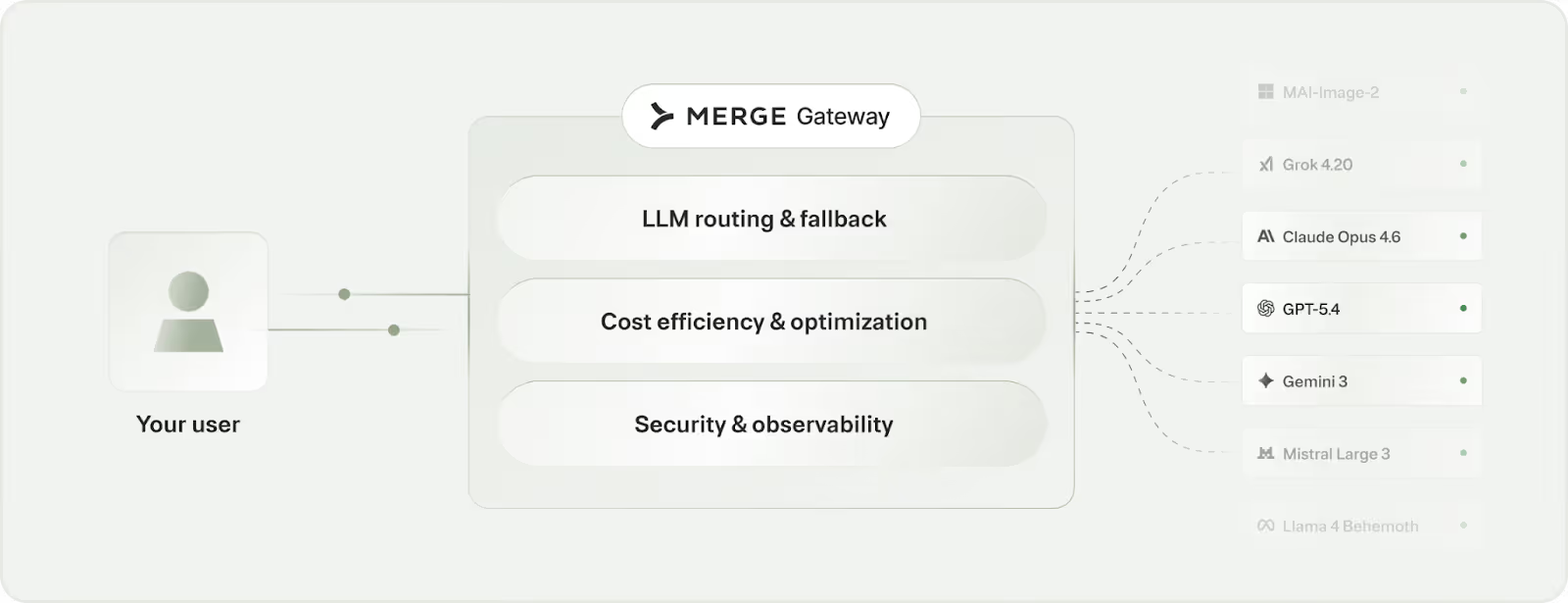
It offers:
- Intelligent traffic routing: Send requests to the best-fit model based on cost and performance targets, not a one-size-fits-all default
- Spend management and guardrails: Set budgets and usage rules by team, project, or customer tier to keep costs predictable
- Request-level observability + failover: Get detailed logs and routing context for every call, with automatic fallback when providers slow down or go offline
Try Merge Gateway for free today!
.jpg)
.png)
.png)


