For the VR version, see Fallout 4 VR.
Fallout 4
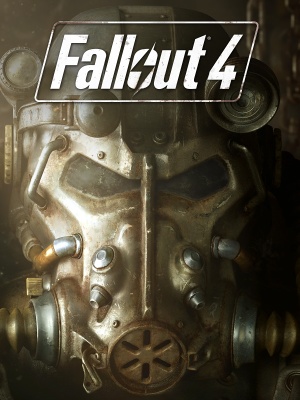 |
|
Bethesda Game Studios |
|
id Software |
|
Bethesda Softworks |
|
Creation Engine |
| Windows |
November 10, 2015 |
| Metacritic |
84 |
| OpenCritic |
87 |
| IGDB |
85 |
| Monetization |
One-time game purchase, DLC, Subscription gaming service |
| Microtransactions |
Cosmetic, Currency, Infinite spend, Unlock[1] |
| Modes |
Singleplayer |
| Pacing |
Real-time |
| Perspectives |
First-person, Third-person |
| Controls |
Direct control |
| Genres |
ARPG, Open world, Shooter |
| Art styles |
Realistic |
| Themes |
North America, Post-apocalyptic, Sci-fi |
| Series |
Fallout |
|
General information
- Official support knowledgebase
- GOG.com Community Discussions for game series
- GOG.com Support Page
- Steam Community Discussions
Availability
- The Fallout Pip-Boy App is available for Android, iOS, and Windows Phone. This feature can be enabled under Options, Gameplay, by setting Pip-Boy App Enabled to On.
Version differences
- Microsoft Store and Epic Games Store version do not support F4SE (Fallout 4 Script Extender) and therefore many mods.
Monetization
DLC and expansion packs
| Name |
Notes |
|
| Season Pass |
Contains all paid DLC. |
|
| Automatron |
|
|
| Wasteland Workshop |
|
|
| Far Harbor |
|
|
| Contraptions Workshop |
|
|
| Vault-Tec Workshop |
|
|
| Nuka World |
|
|
| High Resolution Texture Pack |
(Free) Optional, higher-quality textures for high-end machines. Requires an additional 58 GB of space. 8 GB of RAM and VRAM are recommended.[3]. Many of the textures are just stretched original textures without any improvements in quality. Use Best of Ultra DLC Pack for only improved textures. |
|
| Creations Bundle |
|
|
Microtransactions
| Type |
Notes |
| Cosmetic
| New outfits, mounts, pets, decorations, and material skins can be purchased with Creation Club Credits.[4] |
| Currency
| Creation Club Credits are a real money purchase that can be exchanged for exclusive content created by Bethesda and outside development partners.[4][5] Creation Club Credits can also be spent on content for The Elder Scrolls V: Skyrim Special Edition.[6] |
| Infinite spend
| Creation Club Credits can be purchased repeatedly without a practical limit.[5] |
| Unlock
| New types of gameplay (like survival mode), abilities, locations, enemies, companions, and items can be purchased with Creation Club Credits.[4] |
Essential improvements
- Open-source NSIS installer to downgrade all installed Steam depots to an earlier version.
- Can downgrade to four previous versions: v1.10.163, v1.10.984, v1.11.169 or v1.11.191
- Works with any game language and any game edition (base game, GOTY, or anything in between)
- Does not require Steam credentials
Skip intro videos
|
Modify Fallout4Custom.ini[7]
|
- Go to the configuration file(s) location.
- Open
Fallout4Custom.ini or create it if it does not exist.
- Add or modify the following lines under
[General]:
sIntroSequence=
fChancesToPlayAlternateIntro=0
uMainMenuDelayBeforeAllowSkip=0
|
Utilities
- Required by many mods for them to work correctly.
- Expands the scripting capabilities of the game.
- Bethini Pie is a .ini optimizer that also works as a configuration utility. It has well-tested and optimized presets that could improve performance and fidelity.
|
Download Bethini Pie[8]
|
- Download Bethini Pie.
- Extract the contents and run
Bethini.exe. If using Mod Organizer 2, instead add it as an executable and run via Mod Organizer.
- After launching, make sure Fallout 4 is the selected game and confirm your game paths.
- In the Basic tab choose either Vanilla or Bethini Presets and one of the available preset levels. Bethini Presets are optimized and trimmed versions of Vanilla Presets.
- Modify settings in each tab as desired.
- Once finished close the window and you will be prompted confirm quitting and then saving each .ini.
Notes
- It also supports other Bethesda titles such as The Elder Scrolls V: Skyrim Special Edition and Starfield.
|
Patches
- A comprehensive bug fixing mod that aims to eventually fix every bug with Fallout 4 not officially resolved by the developers.
Mods
- Adjusts shadow distance and volumetric lighting and godrays quality dynamically to achieve targeted frame rate.
- Disables frame capping during loading screen to accelerate loading speed.
- Does not support AE version.
|
Installation and configuration[9]
|
- Download the archived file and extract
dxgi.dll, dynaperf.ini and the corresponding fallout4-addresses-x.x.x.x.ini file depending on your game version to game directory.
- If no corresponding
fallout4-addresses-x.x.x.x.ini file is available for your game version either read the mod description page to create a new memory configuration file for your game version or download one that has been already created for your game version by the community. (e.g. Configuration Files For Dynamic Performance Tuner And Load Accelerator mod)
- Open
dynaperf.ini with a text editor and modify the following key settings:
fTargetFPS=[60] - Target FPS is the highest FPS that the game will be allowed to run at, and is also the baseline for 100% load.fShadowDirDistanceMin=[2500] - Minimum possible shadow distance. (e.g. 3000 from the Low quality preset)fShadowDirDistanceMax=[12000] - Maximum possible shadow distance. (e.g. 20000 from the Ultra quality preset)bLoadCapping=[0/1] - Setting it to 1 enables frame capping during loading screens which disables the loading speed acceleration.
Notes
- Since the values are changed dynamically by modifying the values in-memory, the mod is version-dependent and each update in the game executable requires a new memory mapping.
- To use it with ReShade graphics mod rename ReShade's
dxgi.dll to dxgi_linked.dll.[10]
|
- Improves frame pacing, introduces texture caching system to reduce VRAM consumption, eliminates texture streaming bottlenecks and prevent memory fragmentation.
- Will slowly cause memory leak, see https://www.pcgamingwiki.com/wiki/List_of_games_compatible_with_Special_K
- It is recommended to use an up-to-date version of Special K, since most of the settings described in the guide were added as core elements of it.[11]
- Rebuilds precombines and occlusion information for the entire game, leading to less draw calls and more FPS in CPU-bound situations depending on location.
- Requires Unoffical Fallout 4 Patch and All DLC's.
- A lightweight, mutually exclusive version designed for players using a large amount of worldspace-changing mods is available.
- This mod allows you to play Fallout 4 above 60 FPS with normal animation speed and without physics bugs.
- Offers the ability to turn off vertical sync on loading screens to speed up game loading.
- This mod is a replacement for Bethesda's official 58GB Ultra High Resolution DLC. It contains only the best HD textures, and leaves out the rest. You will get the same image quality with this 6GB mod as well as better performance, due to cutting out textures which were only stretched from original resolution to 4K without any improvements.
- Texture overhaul by the same author as "Best of Ultra DLC Pack", covering approximately 60–70% of in-game assets. Focuses on improving image quality through color correction, denoising, scaling adjustments, compression fixes, and detail restoration rather than increasing resolution. Around 18GB in size, offering a more optimized alternative to Bethesda's Ultra High Resolution DLC. Unlike "Best of Ultra DLC Pack", which selectively retains higher-quality textures from the official DLC, this mod extensively reworks vanilla textures to improve clarity and consistency, often achieving better visual results without relying on large 4K assets.
Game data
Configuration file(s) location
Save game data location
| System |
Native |
Notes |
| Epic Games Launcher |
|
|
| GOG Galaxy |
|
Stores up to 200 MB of game saves online. |
| OneDrive |
|
Requires enabling backup of the Documents folder in OneDrive on all computers. |
| Steam Cloud |
|
Stores up to 1 GB of game saves online (maximum 1000 files). |
| Xbox Cloud |
|
Only the Xbox Play Anywhere release supports cloud syncing |
Video
Launcher advanced settings.
|
FOV Slider and Player Height
|
- Download FOV Slider and Player Height.
- Adjust FOVs/PlayerScale with sliders without messing up the Terminal Display and Pipboy with ingame menu. Use it with Mod Configuration Menu and F4SE.
Notes
- The Mod Configuration Menu is a settings page for mods! It provides a central location for mod configuration, accessible via the Pause menu. ModSettings are stored in per-mod INI files under Data\MCM\Settings, making it easy to backup and restore settings and even change them outside the game if so desired should the mod support it.
|
|
Modify Fallout4Custom.ini[7]
|
- Go to the configuration file(s) location.
- Open
Fallout4Custom.ini or create it if it does not exist.
- Under
[Display] add or modify the following parameters:
fDefault1stPersonFOV=XX
fDefaultWorldFOV=XX
Notes
-
fDefault1stPersonFOV controls first person camera and PipBoy, fDefaultWorldFOV controls third person camera.
- Modifying
fDefault1stPersonFOV will also modify PipBoy's field of view which might be an undesirable side effect for some users. In that case consider using Flawless Widescreen.
|
|
Modify Fallout4Prefs.ini[12]
|
- Go to the configuration file(s) location.
- Open
Fallout4Prefs.ini.
- Under
[Display] change iPresentInterval to 0.
Notes
- Disabling vertical sync will cause frame rate to exceed 60 FPS which may cause physics issues and make the game unstable. See High FPS Physics Fix.
- As of "Next-Gen" update, this fix doesn't work.[14]
|
Depth of field
|
Modify Fallout4Prefs.ini[15]
|
- Go to the configuration file(s) location.
- Open
Fallout4Prefs.ini.
- Change
bDoDepthOfField=1 to bDoDepthOfField=0.
- Change
bScreenSpaceBokeh=1 to bScreenSpaceBokeh=0.
Notes
- Will cause underwater effects to disappear.
|
Input
- Vertical sensitivity is lower on widescreen monitors.
- Disabled Mouse Acceleration, Horizontal/Vertical Parity, Scalable ADS Multiplier, Normalized Sensitivity
This is an "all in one" fix for mouse sensitivity.
This is not just a dummy esp to load an ini. The esp is necessary and contains multiple edits to normalize mouse movement.
This mod has nothing to do with vsync, fps limits or game performance in general, but if you want to read and try out my findings, head down to the optional performance section.
- - Optional files - ADS Sensitivity options of 100%, 50% and 25%. "Immersive Gameplay" & "Horizon" Versions Available.
Audio
| Audio feature |
State |
Notes |
| Separate volume controls |
|
Master, voice, music, sound effects, footsteps, and radio. |
| Surround sound |
|
Up to 7.0 output.[19] |
| Subtitles |
|
|
| Closed captions |
|
|
| Mute on focus lost |
|
|
| EAX support |
|
Use X3DAudio HRTF. |
| Royalty free audio |
|
Combination of original and licensed music. |
Localizations
- Available in English, French, Italian, German and Spanish in most European countries.
- Russia and Poland are limited to Russian and Polish, the English language is also available.
- The global version has all the languages available, an example is purchasing the game on Green Man Gaming which has all languages, even Japanese.
- Most languages are region locked by default.
| Language |
UI |
Audio |
Sub |
Notes |
| English |
|
|
|
Not available in Japan.[20] |
| Simplified Chinese |
|
|
|
Fan translation by BN13 and tianmiao(天邈) team; download. |
| Traditional Chinese |
|
|
|
Asia only, not included in Japan. Traditional Chinese version lags behind the international version, cannot use the built-in mod store, and some functions do not support Chinese fonts[20] |
| Czech |
|
|
|
Fan translation; download. |
| French |
|
|
|
Europe and North America only.[20] |
| German |
|
|
|
|
| Italian |
|
|
|
|
| Japanese |
|
|
|
Japan only. No other languages are included.[20] |
| Polish |
|
|
|
|
| Polish |
|
|
|
AI dubbing; download. |
| Brazilian Portuguese |
|
|
|
Central and South America only.[20] |
| Brazilian Portuguese |
|
|
|
AI dubbing; download. |
| Russian |
|
|
|
|
| Russian |
|
|
|
Fan audio dub (machine translation); download. |
| Spanish |
|
|
|
Europe, North, Central and South America only.[20] |
| Latin American Spanish |
|
|
|
|
| Ukrainian |
|
|
|
Fan translation; download. |
Network
Ports
| Protocol |
Port(s) and/or port range(s)[21] |
| TCP |
27000 |
| UDP |
28000 |
- Universal Plug and Play (UPnP) support status is unknown.
- These ports are used to communicate with the Pip-Boy app.
VR support
Issues unresolved
Crash to desktop during Hunter/Hunted
- This issue blocks the continuation of a quest chain.
- Approaching the quest objective will result in a crash to desktop without any errors. As of current, if you wish to progress the quest-line, you will have to teleport into the related building and then teleport to an area that does not crash the game.
|
Teleport into building of interest to progress[24][25]
|
- Open the console and enter
player.moveto 00064dfc.
- Walk around until character of interest spawns. Deal with the situation accordingly.
- When you're done with your business inside the building, open the console and enter
coc sanctuaryExt.
Notes
- You may walk freely within the building, but exiting it will crash the game.
|
|
Go into Steam offline mode and turn off internet connection (or block the game in firewall)
|
Entering Cambridge Police Station makes the player fall through the ground
- This issue may block the continuation of a quest-chain.[25][26]
- You may speak to characters inside the building if you enable noclip: open the console and enter
tcl.
- To exit the building afterwards, as the doors did not spawn in, you must teleport to another location, i.e.
coc sanctuaryExt.
Issues fixed
Game's physics run too fast
- The game was designed to run at 60 FPS.
Black screen on displays with refresh rates above 240 Hz
- The game tries to limit the frame rate to at most 60 FPS with a SyncInterval. However, if the monitor's refresh rate is greater than 240 Hz, the SyncInterval will exceed the maximum allowed (4).
- See High FPS Physics Fix if the resulting FPS is too high.
- Tested on the latest versions of game in Steam and GOG.com as of January 8, 2026.
|
Modify the game executable to manually set sync interval[27]
|
- Open
<path-to-game>\Fallout4.exe with a hex editor such as HxD.
- Search(Ctrl+F) and replace hex value
41 03 40 14 41 f7 70 14 with one of the following:
b8 04 00 00 00 90 90 90. This will set max FPS to 1/4 of the refresh rate.b8 03 00 00 00 90 90 90. This will set max FPS to 1/3 of the refresh rate.b8 02 00 00 00 90 90 90. This will set max FPS to 1/2 of the refresh rate.b8 01 00 00 00 90 90 90. This will set max FPS to the refresh rate.
- Save the file, overwriting the original.
|
Blocky Textures using Ultra settings
- Some locations, like Thicket Excavations, can show blocky textures when you set quality on Ultra.
|
Change a value in Fallout4Prefs.ini.
|
- Locate and open the file
Fallout4Prefs.ini in the game's config file location.
- Search and change the value for fBlockLevel0Distance, to
45000.0000 or lower. (The default at Ultra settings is 60000.)
|
Game dialogue skips even at 60 FPS
- Depending on the player's hardware, dialogue may still skip and end too fast even if capped 60 FPS.
|
Cap the game to lower than 60 FPS (Such as 59 FPS)[28]
|
Crash to desktop on Nvidia Turing GPUs (RTX, GTX 16 series)
|
Turn off weapon debris in the launcher[29]
|
- Open the Fallout 4 launcher, then under Options, select Advanced.
- Click on the Weapon Debris drop down list, select Off.
Notes
- Nvidia FLEX features have to be disabled.
|
God rays performance fix and no pixelation
|
Modify configuration files
|
- Go to the configuration file(s) location.
- Inside of
Fallout4Prefs.ini, change iVolumetricLightingQuality= to iVolumetricLightingQuality=3. Or set god rays quality to Ultra in launcher.
- Open
Fallout4.ini.
- Add sStartingConsoleCommand=gr grid 12;gr scale .8;gr maxcascade 1 under [General] section
Notes
- Ultra quality god rays at same performance as low setting.
- Pixelation fix won't work at lower qualities. Value must be set to ultra.
- Launcher may not always set value to highest. Check configs to make sure isn't set at "2". Set configs to "read-only".
|
Graphical issues while raining
|
Instructions[citation needed]
|
- Open the Fallout 4 launcher, then under Options, select Advanced.
- Check the Screen Space Reflections checkbox as well as the Wetness checkbox.
Notes
- Unchecking Screen Space Reflections while Wetness is checked, Could result to this problem, whilst raining.
|
Broken shadows
- The default game does not support 21: 9 and 4k resolution, forcing it by modifying the game causes this problem. Even so, if you want to force 21: 9 resolutions and you don't want to have the problem with the shadows you must follow the steps described below. .[30][31]
Console not opening when pressing the tilde key
|
Instructions[citation needed]
|
- Press ⊞ Win+R and type
control input.dll then select OK.
- Click on the Add a language button, then find the English language and Double Click on it.
- Select English (United States), then push the Add button located on the bottom right side.
- Press Alt+⇧ Shift to switch to the English keyboard layout.
- Launch the game and push ~.
Alternatively, Spanish/Latin American keyboards can open the console using Ñ instead, without changing any settings. For Finnish keyboards the key to use is Ö.
|
No in-game audio
|
Set audio playback to 16bit 48000 Hz[34]
|
- Navigate to audio playback devices (right-click on speaker icon)
- Highlight speakers (will probably be one with a green tick)
- Click "properties" and select advanced tab
- Change the "default format" to 16bit 48000 Hz (DVD Quality)
|
Major screen tearing when Windows Aero is disabled while in a borderless mode
- This is due to Aero's double buffering.
|
Switch Theme to Windows Aero[35]
|
- Right-click on the desktop.
- Press Personalize.
- Choose a Windows Aero theme.
- Press Window Color.
- Save changes.
|
Permanent slow-motion
Frame rate locked at 48 FPS
- The game uses a Vsync activated by default and it blocks at 60hz that is, by default it blocks at 60fps / 60hz this cappeo method is not good with the Gsync and FreeSync monitors
|
Disable vertical sync and cap the game on rivaturner static server[citation needed]
|
- See Vertical sync (Vsync).
|
|
Disable G-sync (Nvidia) or FreeSync (AMD)[citation needed]
|
|
Instructions[citation needed]
|
- Go to the configuration file(s) location.
- Open
Fallout4Prefs.ini.
- Find the following line, and set it to this value.
bGamepadEnable=0
|
Slow loading screen
- GPU load at the loading screen will be higher.
Duel Bot enemy stuck in Restoring Order
- When confronting the Mechanist in Restoring Order, a Duel Bot may get stuck under the ground, preventing progress
|
Toggle no clip mode[37]
|
- Open the console with ~.
- Type in and enter
tcl to toggle no clip mode.
- Kill the duel bot, and use the same command to toggle no clip back off.
|
Bugged progression in Emogene Takes a Lover
- Brother Thomas unlocks the door to where Emogene is supposed to be, but she doesn't appear. Instead, the quest points back to Cabot House and the locked section of the house.
|
Workaround #1[38]
|
- If you did not receive quest objectives from Edward yet, then it is very easy. You can do this at any game stage until you accept the rescue mission.
- Open the console (~).
- Paste in
ssq ms09.
- Paste in
47ec4.ForceRefIntoAlias emogeneOld.
- Paste in
47ec4.ForceRefIntoAlias emogene.
- Close the console (~).
|
|
Workaround #2[15][38]
|
- If the quest objectives are already in your Pip-Boy Data log.
- Open the console (~).
- Paste in
ssq ms09.
- Paste in
prid 47ec4.
- Paste in
ForceRefIntoAlias emogeneOld.
- Paste in
ForceRefIntoAlias emogene.
- Paste in
MoveTo 518ce.
- Paste in
enable.
- Close the console (~).
|
Other information
API
| Technical specs |
Supported |
Notes |
| Direct3D |
11 |
|
| Executable |
32-bit |
64-bit |
Notes |
| Windows |
|
|
|
Middleware
Mod Manager
- Mod Managers simplify mod installations, use one of the following.
- Powerful and easy-to-use mod manager with mod virtualization, in order to keep the installation folder clean.
- Features a configuration editor, the F4SE executable can also be set to be launched through the configurator.
- The official mod manager made by Nexus Mods.
- It is designed to make modding your game as simple as possible for new users, while still providing enough control for more experienced veterans of the modding scene.
System requirements
| Windows |
|
Minimum | Recommended |
| Operating system (OS) |
7, 8, 10 | |
| Processor (CPU) |
Intel Core i5-2300 2.8 GHz
AMD Phenom II X4 945 3.0 GHz | Intel Core i7-4790 3.6 GHz
AMD FX-9590 4.7 GHz |
| System memory (RAM) |
8 GB | |
| Storage drive (HDD/SSD) |
30 GB | |
| Video card (GPU) |
Nvidia GeForce GTX 550 Ti
AMD Radeon HD 7870
2 GB of VRAM | Nvidia GeForce GTX 780
AMD Radeon R9 290X
3 GB (Nvidia), 4 GB (AMD) of VRAM |
- A 64-bit operating system is required.
Notes
- ↑ 1.0 1.1 Notes regarding Steam Play (Linux) data:
References





