
Kerbal Space Program
From PCGamingWiki, the wiki about fixing PC games
 |
|
| Developers | |
|---|---|
| Squad | |
| Publishers | |
| Private Division | |
| Engines | |
| Former | Unity 5[Note 1] |
| Unity 2019[Note 2] | |
| Release dates | |
| Windows | April 27, 2015[4] |
| macOS (OS X) | April 27, 2015[4] |
| Linux | April 27, 2015[4] |
| Reception | |
| Metacritic | 88 |
| OpenCritic | 80 |
| IGDB | 87 |
| Taxonomy | |
| Monetization | One-time game purchase |
| Pacing | Real-time |
| Genres | Simulation, Business |
| Vehicles | Flight |
| Themes | Sci-fi |
| Series | Kerbal Space Program |
 |
|
| Kerbal Space Program | |
|---|---|
| Kerbal Space Program | 2015 |
| Kerbal Space Program 2 | EA |
Kerbal Space Program is a simulation and business game in the Kerbal Space Program series.
General information
Availability
| Source | DRM | Notes | Keys | OS |
|---|---|---|---|---|
| Official website | |
|
||
| Epic Games Store | |
Can be launched directly from either Launcher.exe or KSP_x64.exe without Epic Games Store running.[5] |
|
|
 |
|
|
||
| GOG.com | |
|
||
| Green Man Gaming | |
|
||
| Humble Store | |
|
||
| Steam | |
Does not require the Steam client to run.[6] | |
Monetization
DLC and expansion packs
| Name | Notes | |
|---|---|---|
| Making History | |
|
| Breaking Ground | |
Essential improvements
Modifications
- Curse.com is the "official" source for modifications, but the player-made CKAN client has significantly better community support, in addition to an actual multi-platform mod manager.
Game data

In-game general settings.
Configuration file(s) location
| System | Location |
|---|---|
| Windows | <path-to-game>\settings.cfg[Note 3] |
| macOS (OS X) | |
| Linux | $HOME/.config/unity3d/Squad/Kerbal Space Program |
Save game data location
| System | Location |
|---|---|
| Windows | <path-to-game>\saves[Note 3] |
| macOS (OS X) | <path-to-game>/saves/ |
| Linux | <path-to-game>/saves/ |
- All saves are in the installation folder. If you're backing up, don't forget the ships folder! Saves from Windows version can also be used in OS X and Linux versions. Using saves from different versions (for instance, 0.19 save in a 0.20 version) may cause some issues, such as objects from the old save clipping through ground. Version 0.21 introduced a new save game patcher that will try to patch older save games in order to correct such issues. To use it, simply place the old save in the new saves folder. When you try to load the old save, a pop up will appear asking if you wish to patch the save.
- This game does not follow the XDG Base Directory Specification on Linux.
Save game cloud syncing
| System | Native | Notes |
|---|---|---|
| Epic Games Launcher | Caution: Uninstalling the game will delete all save files, see the Save game data location section above for more information. | |
| GOG Galaxy | ||
| Steam Cloud |
Video

In-game video settings.
| Graphics feature | State | WSGF | Notes |
|---|---|---|---|
| Widescreen resolution | |||
| Multi-monitor | |||
| Ultra-widescreen | |||
| 4K Ultra HD | |||
| Field of view (FOV) | Hold Alt and scroll the mouse wheel while in the flight scene.[7] | ||
| Windowed | Clicking outside of the game's screen will minimize the game. Use -popupwindow launch option to address this problem |
||
| Borderless fullscreen windowed | Enable windowed mode and use the -popupwindow parameter (or see the glossary page). |
||
| Anisotropic filtering (AF) | See the glossary page for potential workarounds. | ||
| Anti-aliasing (AA) | 2x,4x and 8x MSAA | ||
| Vertical sync (Vsync) | Also supports VSync at half refresh rate | ||
| 60 FPS and 120+ FPS | |||
| High dynamic range display (HDR) | HDR experience can be improved using: RenoDX See the glossary page for potential alternatives. |
||
| Color blind mode | See the glossary page for potential alternatives. | ||
- The game engine may allow for manual configuration of the game via its variables. See the Unity page for more details.
Input

In-game key/axis map settings.
| Keyboard and mouse | State | Notes |
|---|---|---|
| Remapping | ||
| Mouse sensitivity | ||
| Mouse acceleration | ||
| Mouse input in menus | ||
| Keyboard and mouse prompts | ||
| Mouse Y-axis inversion | ||
| Controller | ||
| Controller support | ||
| Full controller support | The mouse is essential for VAB. | |
| Controller remapping | Buttons and axis. | |
| Controller sensitivity | ||
| Controller Y-axis inversion |
| Controller types |
|---|
| XInput-compatible controllers | ||
|---|---|---|
| Xbox button prompts | ||
| Impulse Trigger support |
| DirectInput-compatible controllers | ||
|---|---|---|
| Directinput button prompts |
| PlayStation controllers | ||
|---|---|---|
| PlayStation button prompts | ||
| Motion sensors support | ||
| Light bar support | ||
| Adaptive trigger support | ||
| DualSense haptic feedback support | ||
| Connection modes | ||
| Nintendo controllers | ||
|---|---|---|
| Nintendo button prompts | ||
| Face button layout support | ||
| Motion sensors support | ||
| Connection modes | ||
| Other controller(s) | [8] | |
|---|---|---|
| Peripheral devices support | ||
| Additional button prompts |
| Additional information | ||
|---|---|---|
| Button Prompts | ||
| Controller hotplugging | ||
| Input prompt override | ||
| Haptic feedback | ||
| Simultaneous controller+KB/M |
| Steam Input | ||
|---|---|---|
| Steam Input API support | API usage is limited only to Action sets switching. | |
| Steam Input prompt modes | ||
| Steam Deck button prompts | ||
| Steam Controller (1st gen) button prompts | ||
| Motion sensors support | ||
| Official controller preset(s) |
-
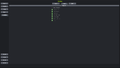 In-game TrackIR settings.
 -
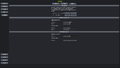 In-game 6-DOF controller settings.


Audio

In-game audio settings.
| Audio feature | State | Notes |
|---|---|---|
| Separate volume controls | ||
| Surround sound | ||
| Subtitles | All dialogue is text-based. | |
| Closed captions | ||
| Mute on focus lost | ||
| Royalty free audio |
Localizations
| Language | UI | Audio | Sub | Notes |
|---|---|---|---|---|
| English | ||||
| Simplified Chinese | ||||
| Czech | Fan - 📥 | |||
| French | ||||
| Italian | ||||
| Japanese | ||||
| Brazilian Portuguese | ||||
| Polish | Fan translation [1] | |||
| Spanish |
Network
Multiplayer types
| Type | Native | Notes | |
|---|---|---|---|
| Local play | |||
| LAN play | |||
| Online play | Use Luna Multiplayer. | ||
Connection types
| Type | Native | Notes |
|---|---|---|
| Matchmaking | ||
| Peer-to-peer | ||
| Dedicated | ||
| Self-hosting | ||
| Direct IP |
VR support
| 3D modes | State | Notes | |
|---|---|---|---|
| Nvidia 3D Vision | See Helix Mod: Kerbal Space Program. | ||
| Headsets | |||
|---|---|---|---|
| SteamVR | Use Kerbal-VR | ||
| Oculus VR (LibOVR) | This game might be playable with the SteamVR. | ||
| Windows Mixed Reality | This game might be playable with the Windows Mixed Reality for SteamVR. | ||
| Devices | |||
|---|---|---|---|
| Tracked motion controllers | |||
| Traditional controller | See Input for details. | ||
| Keyboard/Mouse | |||
| Tobii Eye Tracking | Supports: Extended View - Eye & Head Tracking and Camera Boost. Requires GameHub 4.0 for official support of Opentrack standard.[9] |
||
| TrackIR | |||
Other information
API
| Technical specs | Supported | Notes |
|---|---|---|
| Direct3D | 9, 11 | D3D12 can be forced with the launch parameter -force-d3d12 |
| OpenGL | 2.0 | OS X and Linux only. |
| Vulkan | Vulkan can be forced with the launch parameter -force-vulkan |
| Executable | 32-bit | 64-bit | Notes |
|---|---|---|---|
| Windows | |||
| macOS (OS X) | [10] | ||
| Linux |
System requirements
- As of 1.5, 64-bit OS is required.[11]
| Windows | ||||
|---|---|---|---|---|
| Minimum | Recommended | |||
| Operating system (OS) | 7 SP1+ | 10 | ||
| Processor (CPU) | Intel Core 2 Duo | Intel Core i5 | ||
| System memory (RAM) | 4 GB | 8 GB | ||
| Storage drive (HDD/SSD) | 3 GB | 4 GB | ||
| Video card (GPU) | 512 MB of VRAM DirectX 10 compatible Shader model 4.0 support | 1 GB of VRAM Shader model 4.0 support |
||
| macOS (OS X) | ||||
|---|---|---|---|---|
| Minimum | Recommended | |||
| Operating system (OS) | Sierra (10.12) | |||
| Processor (CPU) | Intel double core | Intel Core i5 | ||
| System memory (RAM) | 4 GB | 8 GB | ||
| Storage drive (HDD/SSD) | 3 GB | 4 GB | ||
| Video card (GPU) | 512 MB of VRAM Shader model 4.0 support | 1 GB of VRAM Shader model 4.0 support |
||
| Linux | ||||
|---|---|---|---|---|
| Minimum | Recommended | |||
| Operating system (OS) | Ubuntu 14.04 LTS | Ubuntu 18.04 LTS | ||
| Processor (CPU) | Intel Core 2 Duo | Intel Core i5 | ||
| System memory (RAM) | 4 GB | 8 GB | ||
| Storage drive (HDD/SSD) | 3 GB | 4 GB | ||
| Video card (GPU) | 512 MB of VRAM Shader model 4.0 support | 1 GB of VRAM Shader model 4.0 support |
||
- 64-bit Arch Linux users who experience crashes in the main menu when launched from Steam should set a launch option of
LC_ALL=C %command%_64
Notes
- ↑ Unity engine build: 5.4.0p4[1][2]
- ↑ Unity engine build: 2019.4.18f1[3]
- ↑ 3.0 3.1 When running this game without elevated privileges (Run as administrator option), write operations against a location below
%PROGRAMFILES%,%PROGRAMDATA%, or%WINDIR%might be redirected to%LOCALAPPDATA%\VirtualStoreon Windows Vista and later (more details).
References
- ↑ Kerbal Space Program Blog, Kerbal Space Program update 1.1 “Turbo Charged” is...
- ↑ Verified by User:Vetle on 2017-05-25
- ↑ Verified by User:Twokindsofpeople on 2026-06-27
- ↑ 4.0 4.1 4.2 Just 7 days til Kerbal Space Program 1.0 comes out!
- ↑ Verified by User:Dribbleondo on 2023-01-05
- After an excruciatingly long load time, I Ran "To the Mun" for 10 minutes and had no issues.
- ↑ Scott Manley Mod Tutorial - last accessed on May 2023
- ↑ View topic - Kerbal Space Program | WSGF - last accessed on 2025-07-04
- ↑ Verified by User:3dj on 2025-05-12
- ↑ Opentrack Tobii Gaming - last accessed on 2025-07-04
- ↑ Can KSP 64 Bit Run On My 64 Bit Mac? - last accessed on 14 March 2023
- ↑ Ending 32-Bit Support with Update 1.5 - last accessed on May 2023
