Although this product has been released, it remains under active development - information may change frequently and could be outdated or irrelevant.
Microsoft Flight Simulator (2020) is a singleplayer and multiplayer first-person and third-person simulation, open world and vehicle simulator game in the Microsoft Flight Simulator series.
Microsoft Flight Simulator 2020 is compatible with both windows-based PCs and Xbox X/S consoles. It went VR compatible in December 2020 as part of the free Sim 2 update. On November 18, 2021, the game was upgraded to the Game of the Year Edition for free for all players on all platforms, featuring 5 new aircraft, 8 handcrafted airports, 6 new Discovery Flights, 14 new tutorials, an updated weather system, early access to DX12 and a dev mode replay system. On May 25, 2022, a free expansion was released featuring F/A-18 Super Hornet livery, challenges and missions themed after the film Top Gun: Maverick. On November 11, 2022, the game was further upgraded to the 40th Anniversary Edition for free, with additional aircraft, airports and 24 classic missions from prior titles in the franchise.
General information
- Steam Community Discussions
- Official Forums
Availability
- All versions require Arxan Anti-Tamper DRM and a Microsoft account for both singleplayer and multiplayer.
Version differences
- Deluxe Edition includes everything from the standard edition plus an additional five aircraft and five international airports.
- Premium Edition includes everything from the standard and deluxe editions and adding an additional 10 planes and 10 international airports.
Monetization
Essential improvements
Skip intro videos
|
Replace the video files in the game folder[2]
|
- Download the replacement files from here and paste them in
<path-to-game>\Packages\fs-base-videos\Videos (Steam) or %PROGRAMFILES%\WindowsApps\Microsoft.FlightSimulator_1.17.3.0_x64__8wekyb3d8bbwe\Packages\fs-base-onboarding\logos (Microsoft Store).
|
Use the -FastLaunch command line argument (Microsoft Store)[3]
|
- For the Microsoft Store version, right-click the desktop and create a new shortcut.
- In the item location field, paste
powershell.exe -Command "Start-Process 'shell:AppsFolder\Microsoft.FlightSimulator_8wekyb3d8bbwe!App' -ArgumentList '-FastLaunch'".
- Change the default name from 'powershell.exe' to something more descriptive, e.g. 'Microsoft Flight Simulator (Skip Intro)'.
- Opening the newly created shortcut will launch the game without intro videos.
|
Use the -FastLaunch launch option (Steam)[4]
|
- For the Steam version, right-click Microsoft Flight Simulator in Steam library and select Properties...
- Add
-FastLaunch to the launch option field.
|
|
Using the SDK for the Microsoft Store version[5]
|
- Launch the game as you normally would and enable the developer mode (options menu > general > developers > toggle developer mode on.
- Towards the top left of the screen, select 'Help' and then select 'SDK Installer'. This will open up a new tab on your browser and prompt you to download the SDK installer.
- Once the installation is complete, navigate to
MSFS SDK\Tools\bin (located in your root C:\ drive folder by default).
- Opening 'fsdevmodelauncher.exe' will launch the game without intro videos. You can also create a shortcut from it.
|
Game data
Configuration file(s) location
Save game data location
Video
| Graphics feature |
State |
Notes |
| Widescreen resolution |
|
|
| Multi-monitor |
|
|
| Ultra-widescreen |
|
Hor+ gameplay and menus.[6] |
| 4K Ultra HD |
|
|
| Field of view (FOV) |
|
Camera X, Y and Z axis can be changed in Camera settings. |
| Windowed |
|
|
| Borderless fullscreen windowed |
|
Fullscreen option is borderless windowed, there is no exclusive fullscreen option. |
| Anisotropic filtering (AF) |
|
Off, 2x, 4x, 8x, 16x. |
| Anti-aliasing (AA) |
|
Off, FXAA, DLAA and TAA. SSAA is also available between 30 to 200 in increments of 1. |
| High-fidelity upscaling |
|
FSR 2.1, DLSS 2.4
|
| Frame generation |
|
DLSS Frame Generation
|
| Vertical sync (Vsync) |
|
Includes options for 33%/50%/100% refresh rate Vsync. |
| 60 FPS and 120+ FPS |
|
|
| High dynamic range display (HDR) |
|
|
| Ray tracing (RT) |
|
[7] |
| Color blind mode |
|
Protanopia, Deuteranopia and Tritanopia with high contrast variants |
Input
Controller vibration found in Accessibility settings
- The game support D-Box haptic/motion platforms through a proprietary protocol[8], but must have "Enable Automatic Start with Game" enabled in the Motion Code setting in D-BOX Game Center.[9]
-
Keyboard bindings
-
Mouse bindings
-
Controller bindings
Audio
| Audio feature |
State |
Notes |
| Separate volume controls |
|
Voices, Aircraft Engines, Aircraft Miscellaneous, Cockpit, Warnings, Other aircraft, Environment, User Interface and Music sliders. |
| Surround sound |
|
Up to 7.1.[12]
Main menu is stereo only. |
| Subtitles |
|
|
| Closed captions |
|
|
| Mute on focus lost |
|
Referred to as Mute Audio in Background. |
| Royalty free audio |
|
|
Localizations
| Language |
UI |
Audio |
Sub |
Notes |
| English |
|
|
|
|
| Simplified Chinese |
|
|
|
Added in 1.26.5.0.[13] |
| Dutch |
|
|
|
Added in 1.15.7.0.[14] |
| Finnish |
|
|
|
Added in 1.17.3.0.[15] |
| French |
|
|
|
|
| German |
|
|
|
|
| Italian |
|
|
|
|
| Japanese |
|
|
|
Added in 1.15.7.0.[14] |
| Korean |
|
|
|
Added in 1.31.22.0.[16] |
| Norwegian |
|
|
|
Added in 1.17.3.0.[15] |
| Polish |
|
|
|
|
| Portuguese |
|
|
|
Added in 1.24.5.0.[17] |
| Brazilian Portuguese |
|
|
|
|
| Russian |
|
|
|
|
| Spanish |
|
|
|
|
| Latin American Spanish |
|
|
|
Added in 1.26.5.0.[13] |
| Swedish |
|
|
|
Added in 1.17.3.0.[15] |
| Turkish |
|
|
|
Added in 1.31.22.0.[16] |
Network
Multiplayer types
VR support
Issues fixed
Installation Manager throttled
If you've played Microsoft Flight Simulator previously, such as on another PC, you may have set a Bandwidth Limit in the Settings of the game. If you did this, the Installation Manager will go incredibly slowly trying to stay under this cap (it frequently says "Please wait..." and goes back and forth between that text and information about the file(s) it's installing). Unfortunately, MSFS doesn't provide a way to change this configuration setting before the Installation Manager begins installing files, and so there's no way to fix this via the user interface.
If you have the game on Steam, you can go into the game Properties by right-clicking the game in your library and turning off Steam Cloud. Then, go into your userdata at `C:/Steam/userdata/<STEAMID>/1250410/remote`, and delete the files in the directory (you may wish to create a copy of these files to restore later).
After that, you can boot MSFS and the Installation Manager should no longer be constrained by a data bandwidth limit, because all your settings will have been reset.
Other information
API
| Technical specs |
Supported |
Notes |
| Direct3D |
11, 12 |
DX12 support added as of patch 1.21.13.0 GOTY Edition. |
| Executable |
32-bit |
64-bit |
Notes |
| Windows |
|
|
|
Middleware
|
Middleware |
Notes |
| Audio |
Wwise |
|
| Interface |
Coherent Gameface |
|
System requirements
| Windows |
|
Minimum | Recommended |
| Operating system (OS) |
10 | |
| Processor (CPU) |
Intel Core i5-4460
AMD Ryzen 3 1200 | Intel Core i5-8400
AMD Ryzen 5 1500X |
| System memory (RAM) |
8 GB | 16 GB |
| Storage drive (HDD/SSD) |
150 GB | |
| Video card (GPU) |
Nvidia GeForce GTX 770
AMD Radeon RX 570
2 GB of VRAM
DirectX 11 compatible | Nvidia GeForce GTX 970
AMD Radeon RX 590
4 GB of VRAM |
- A 64-bit operating system is required.
Notes
- ↑ Settings are serialized via Xbox SDK, but e.g. input profiles will be plain xml, so can just try opening each file in notepad until the desired file is found.
- ↑ 2.0 2.1 Notes regarding Steam Play (Linux) data:
References
- ↑ TotemTech ToonTech Zouna ACE BSSTech Opal Timeline - last accessed on 2022-01-15
- ↑ Tested the fix and it works with no issues.
- ↑ Tested with Steam release. Instructions for the Microsoft Store version inferred from How can I start an UWP application through a batch file? (Stack Overflow) - last accessed on September 4, 2020, and Start-Process (PowerShell | Microsoft Docs) - last accessed on September 4, 2020.
- ↑ Tested with Steam release. Instructions for the Microsoft Store version inferred from How can I start an UWP application through a batch file? (Stack Overflow) - last accessed on September 4, 2020, and Start-Process (PowerShell | Microsoft Docs) - last accessed on September 4, 2020.
- ↑ Tested using Xbox Game Pass for PC.
- ↑ Microsoft Flight Simulator - PC Ultra Quality (3440x1440) - last accessed on 2020-08-19
- ↑ MSFS2020 and raytracing - last accessed on 2022-09-23
- ↑ Flight Simulator 2020 - D-Box Catalogue - last accessed on November 5, 2023
- ↑ How to activate D-BOX in Microsoft Flight Simulator 2020 - D-Box Knowledge Base - last accessed on November 5, 2023
- ↑ Verified by User:AlRayes BRN on 2020-08-19
- Tested the game using Microsoft's Xbox One controller connected through a USB cable
- ↑ Verified by User:AlRayes BRN on 2020-08-19
- Tested the game using Sony's PlayStation DualShock 4 V2 controller connected through a USB cable
- ↑ Verified by User:SargeCassidy on 2025-09-04
- Tested using Voicemeeter and confirmed with Orban Loudness Meter. Center channel is mainly used for ATC communication, so it sees little activity besides.
- ↑ 13.0 13.1 Verified by User:DarkSonicPT on 2023-03-10
- https://www.flightsimulator.com/release-notes-1-26-5-0-world-update-x-usa-now-available/
- ↑ 14.0 14.1 Verified by User:DarkSonicPT on 2023-03-10
- https://www.flightsimulator.com/release-notes-1-15-7-0-world-update-iv-france-benelux-now-available/
- ↑ 15.0 15.1 15.2 Verified by User:DarkSonicPT on 2023-03-10
- https://www.flightsimulator.com/release-notes-1-17-3-0-world-update-v-nordics-now-available/
- ↑ 16.0 16.1 Verified by User:DarkSonicPT on 2023-03-29
- https://www.flightsimulator.com/release-notes-sim-update-12-1-31-22-0/
- ↑ Verified by User:DarkSonicPT on 2023-03-10
- https://www.flightsimulator.com/release-notes-1-24-5-0-world-update-viii-iberia-now-available/
- ↑ Microsoft Flight Simulator 2020 3D/VR Compatibility Database - last accessed on 2026-01-14
- ↑ Base Installation - VRto3D GitHub
- ↑ Interlaced, Checkerboard, and Anaglyph Installation - VRto3D GitHub
- ↑ Frame Sequential Installation - VRto3D GitHub - last accessed on 2026-01-14
- ↑ SR (Simulated Reality) Displays - VRto3D GitHub - last accessed on 2026-01-14
- ↑ post on "How to switch back to OpenVR API? (varjo aero)" -Flight Simulator forum - last accessed on June 15, 2023
- ↑ IMMERSE YOURSELF LIKE NEVER BEFORE in Microsoft Flight Simulator with the Tobii Eye Tracker 5 - last accessed on May 2023
- ↑ Microsoft Flight Simulator to Launch on Steam on August 18; TrackIR and VR Supported - last accessed on 2020-07-30


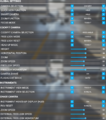 Camera settings


 Keyboard bindings
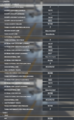 Mouse bindings
 Controller bindings


