Showing posts with label System. Show all posts

Tuesday, 8 October 2013

Registry Easy

Fix PC Errors with Ease.
Easily Scan, Repair and Speed up PC.

Registry Easy™ is an award-winning Windows Registry Cleaner that helps you scan your PC. Safely clean the errors & invalid entries which cause system slowdown, freezing and crashing! Repair registry problems! Improve your PC performance! 


Read More......

Thursday, 9 April 2009

FreeRAM XP Pro 1.52

Freeware application to free and optimize your computer's RAM (Random Access Memory), resulting in an increase in system performance and productivity. Automatically configures itself for ease of use and also features advanced options and customizability. FreeRAM XP Pro has been designed to be easy to use yet highly customizable by computer novices and experts alike.


Features and options include:

* Automatic, real-time memory monitoring and optimization
* Fast, threaded memory freeing with stop option
* AutoFree option intelligently optimizes RAM without sacrificing performance
* system metric and performance monitors
* Advanced tray support
* Memory reporting and diagnostic logging
* Simple, attractive interface
* RAM-cuts (RAM-freeing Windows shortcuts)
* Customizable Windows hotkey support
* Access to Windows memory-related tweaks that could enhance system performance (new in 1.50)
* Process memory usage reporting (new in 1.50)
* Unique memory compression technology directly reduces applications' "working set" memory requirements instantly and without swap file usage: completely unlike other memory programs (new in 1.50)

Download FreeRAM XP Pro 1.52

Read More......

Sunday, 25 January 2009

Advanced SystemCare Free 3.1.2

Advanced SystemCare Free (formerly Advanced WindowsCare Personal) has a one-click approach to helping protect, repair, clean, and optimize your PC. With over 20,000,000 downloads since 2006, this fantastic, award-winning, free program is a "must-have" tool for your computer, 100% safe and clean with no adware, spyware, or viruses. The tools is a spyware removal, registry cleaner, system optimizer and many moreutilities, all in to one.

Benefits :

  • Powerful Hard Drive Defragmentation
  • Next-generation Registry Clean and Optimization
  • Defends PC Security with Extra Protection
  • Quick and Extensive Clean-up for Hard Drives
  • Speeds Up PC Performance and Internet Access
  • Fixes Multiple System Errors
  • Extremely Easy to Use
  • Safe and Free
Download for free Advanced SystemCare Free 3.1.2

Read More......

Sunday, 14 September 2008

CCleaner

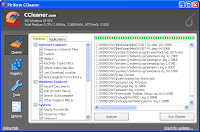
ccleanerCCleaner is a freeware system optimization, privacy and cleaning tool. It removes unused files from your system - allowing Windows to run faster and freeing up valuable hard disk space. It also cleans traces of your online activities such as your Internet history. Additionally it contains a fully featured registry cleaner. CCleaner allows Windows to run faster, more efficiently and gives you more hard disk space.The best part is that it's Small, Fast and Free


Features
1. Cleans the following Windows components:
ccleaner
* Internet Explorer
- Temporary File Cache
- URL History
- Cookies
- Hidden Index.dat files
- Last download file location
* Firefox
- Temporary File Cache
- URL History
- Cookies
- Download manager
* Recycle Binccleaner
* Clipboard
* Windows Temporary files
* Windows Log files
* Recent Documents (on the Start Menu)
* Run history (on the Start Menu)
* Windows XP Search Assistant history
* Windows XP old Prefetch data
* Windows memory dumps after crashes
* Chkdsk file fragments
2. Advanced Options allow cleaning of:
* Menu Order cache
* Tray Notifications Cache
* Window Size and Location Cache
* User Assist history
* IIS Log Files
* Custom Folders
3. Registry Cleaner
4. Safety
5. High Security
6. Multiple Languages

Site:Ccleaner
Download:here

Read More......

Sunday, 3 August 2008

Process Explorer

Process Explorer is an advanced task manager and security system. It is an indispensable tool for both beginners and power users. I use it all the time to kill tasks that refuse to be killed, or find what which processes are still holding on to a particular file or DLL so it refuses to be deleted.

The unique capabilities of Process Explorer make it useful for tracking down DLL-version problems or handle leaks, and provide insight into the way Windows and applications work.
Download:ProcessXP

Read More......