





 本文介绍了如何在安装Anaconda3后,通过Anaconda Prompt安装Jupyter Notebook扩展插件。遇到安装后不显示插件的问题,解决方案是通过Anaconda Prompt执行安装命令。推荐的插件包括:Autopep8、Code Prettify、Codefolding、Collapsible Headings、ExecuteTime等,这些插件分别用于代码美化、折叠、执行时间显示等功能,提高代码编辑和笔记本的使用体验。

安装Jupyter扩展插件
问题:
网上搜到的都是直接在cmd里输入
pip install jupyter_contrib_nbextensions
jupyter contrib nbextension install --user
但我安装完后重启了Jupyter Notebook依然没有显示扩展插件选项
原因:
可能因为我的jupyter不是通过pip安装的,而是通过安装Anaconda3自带的
(具体原因还不太明白)
解决:
打开Anaconda Prompt (Anaconda3)
在命令行依次输入上面的两个语句


等待安装完毕重启Jupyter就可以啦

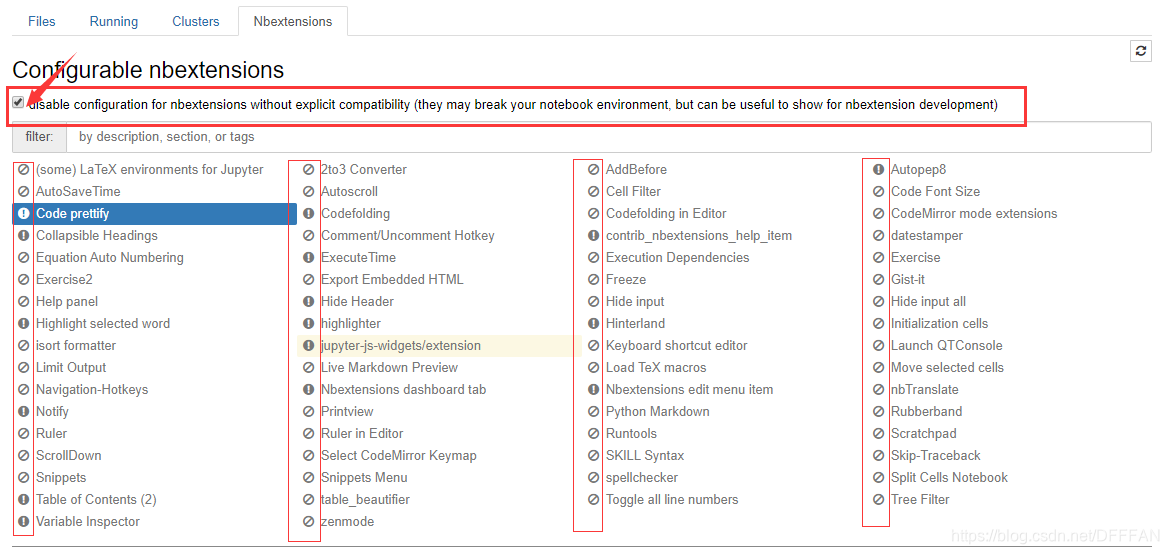
如果出现所有插件禁止选择的情况,把√取消就可以了
推荐Jupyter扩展插件
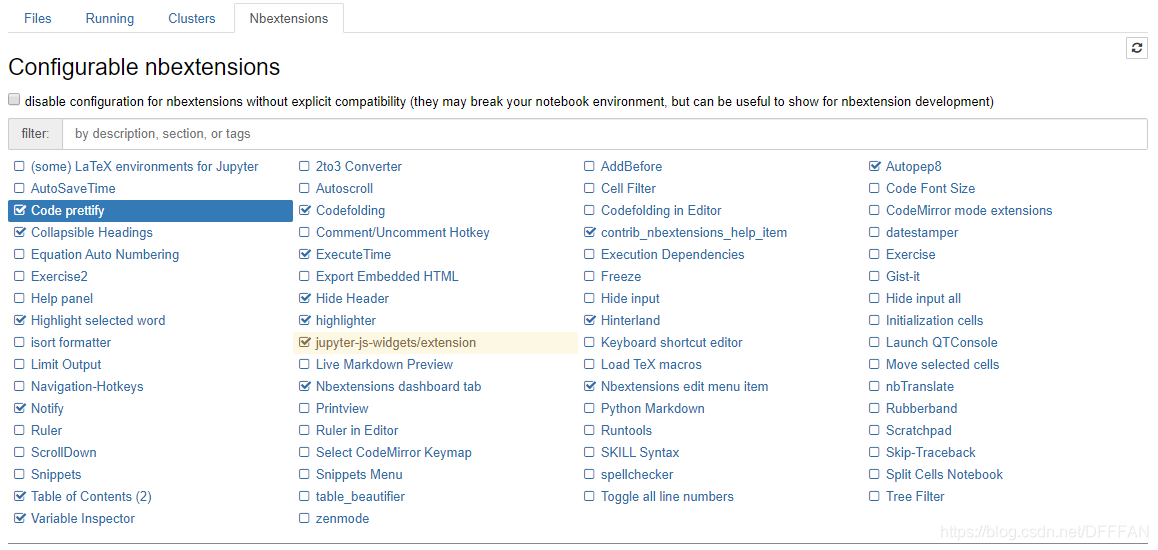
Autopep8 - 格式化/美化代码
Use kernel-specific code to reformat/prettify the contents of code cells
⭐Code prettify - 格式化/美化代码
Use kernel-specific code to reformat/prettify the contents of code cells
Codefolding - 折叠代码
This extension enables the CodeMirror feature to allow codefolding in code cells
Collapsible Headings - 笔记本按标题折叠
Allows notebook to have collapsible sections, separated by headings
contrib_nbextensions_help_item
The contrib_nbextensions_help_item is a tiny extension that just adds an item in the notebook’s help menu, pointing to the jupyter_contrib_nbextensions at readthedocs.
⭐ExecuteTime - 显示执行时间
Display when each cell has been executed and how long it took
Hide Header - 热键切换可见性
Toggle visibility of all of header, menubar, toolbar using a hotkey
⭐Highlight selected word - 高亮所选词
Enables the CodeMirror addon “Match Highlighter”
highlighter - 高亮markdown中文本
Enable to highlight select text in a markdown cell
⭐Hinterland - 自动补全代码
Enable code autocompletion menu for every keypress in a code cell, instead of only enabling it with tab
Nbextensions dashboard tab
An nbextension that renders the nbextensions configurator interface as a dashboard tab.
Nbextensions edit menu item - 编辑菜单项
Add an edit-menu item to open the nbextensions configurator page
⭐Notify - 后台运行完通知
Show a browser notification when kernel becomes idle again after being busy for some time - configurable after 0, 5, 10, or 30 seconds busy.
⭐Table of Contents (2) - 目录
The toc2 extension enables to collect all running headers and display them in a floating window, as a sidebar or with a navigation menu. The extension is also draggable, resizable, collapsable, dockable and features automatic numerotation with unique links ids, and an optional toc cell.
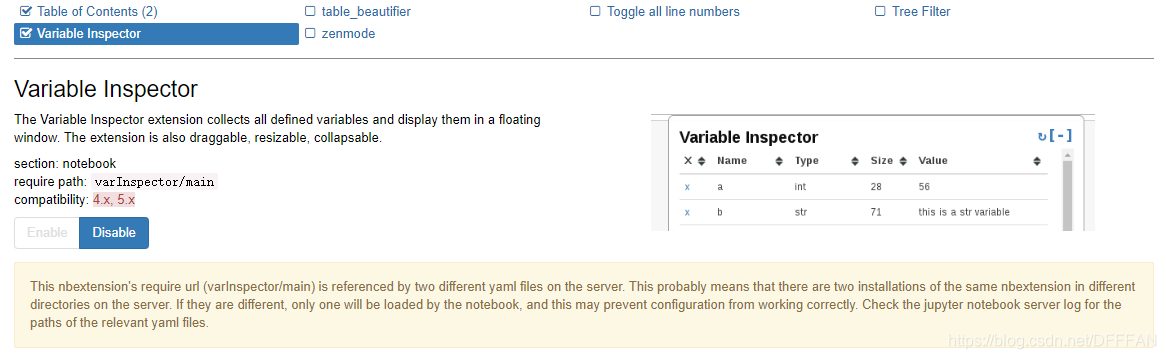
Variable Inspector - 检查变量
The Variable Inspector extension collects all defined variables and display them in a floating window. The extension is also draggable, resizable, collapsable.
当选择一个插件下面都有对应的介绍,也可以根据自己的需求添加





 扫一扫
扫一扫


 2228
2228

 被折叠的 条评论
为什么被折叠?
被折叠的 条评论
为什么被折叠?
 到【灌水乐园】发言





