



提示:文章写完后,目录可以自动生成,如何生成可参考右边的帮助文档
前言
例项目中经常需要设计界面进行自定义的功能,需要对一些数据面板进行拖拽,日常方法经常会使界面拖拽到屏幕外,所以这次对界面拖拽的方式和范围限制功能进行一个功能编辑。
一、效果演示
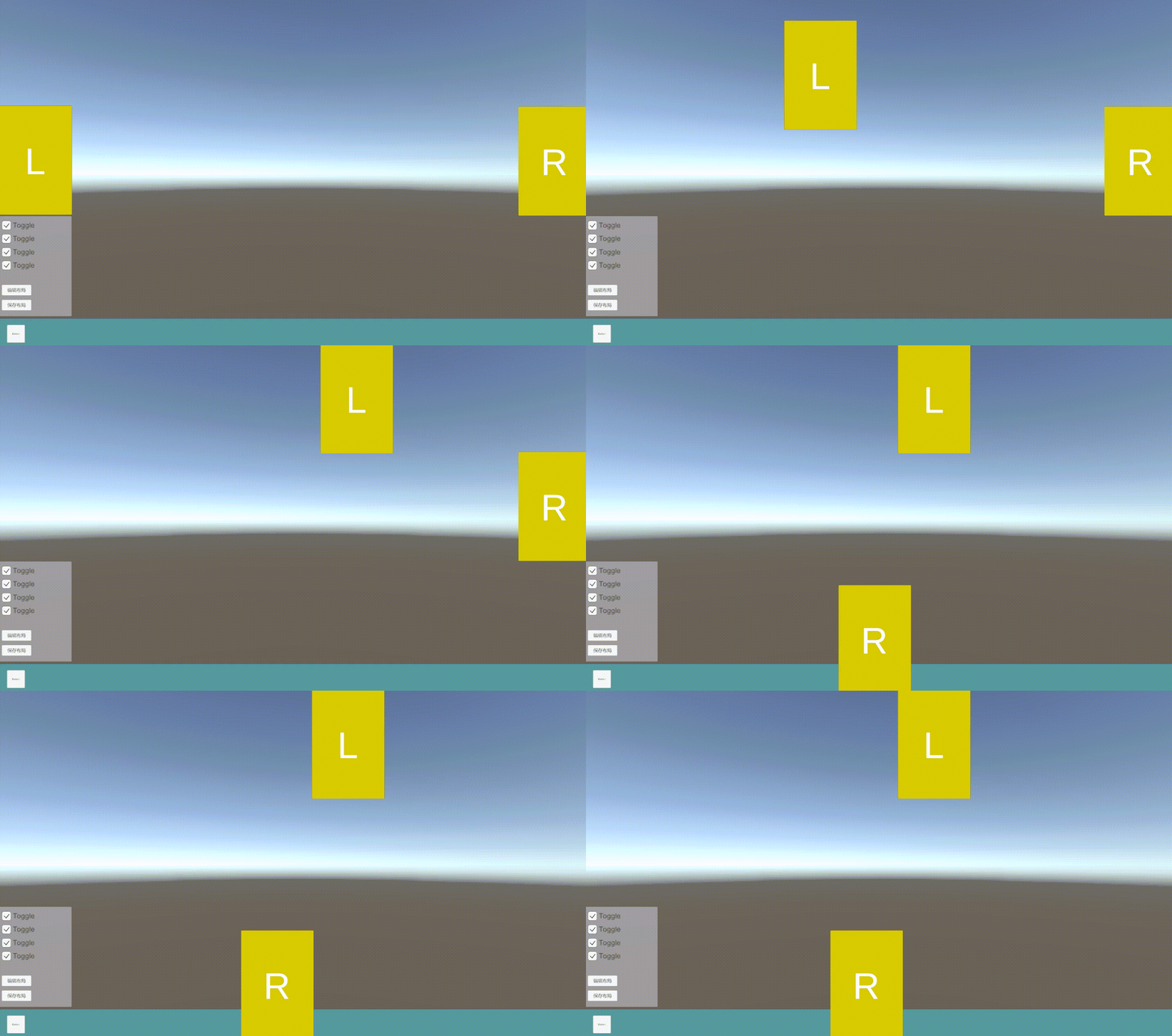
二、使用步骤
1.工程内添加脚本
代码如下:
using System.Collections;
using System.Collections.Generic;
using UnityEngine;
using UnityEngine.EventSystems;

public class UIDragClamp : MonoBehaviour, IBeginDragHandler, IDragHandler
{
    [Header("UI限制拖拽位置")]
    public RectTransform container;

    RectTransform rt;

    // 位置偏移量
    Vector3 offset = Vector3.zero;
    // 最小、最大X、Y坐标
    float minX, maxX, minY, maxY;

    void Start()
    {
        rt = GetComponent<RectTransform>();
    }

    public void OnBeginDrag(PointerEventData eventData)
    {
        if (RectTransformUtility.ScreenPointToWorldPointInRectangle(rt, eventData.position, eventData.enterEventCamera, out Vector3 globalMousePos))
        {
            // 计算偏移量
            offset = rt.position - globalMousePos;
            // 设置拖拽范围
            SetDragRange();
        }
    }

    public void OnDrag(PointerEventData eventData)
    {
        // 将屏幕空间上的点转换为位于给定RectTransform平面上的世界空间中的位置
        if (RectTransformUtility.ScreenPointToWorldPointInRectangle(rt, eventData.position, eventData.pressEventCamera, out Vector3 globalMousePos))
        {
            rt.position = DragRangeLimit(globalMousePos + offset);
        }
    }
	//通过计算忽略Scale和pivot对UI的影响
    // 设置最大、最小坐标
    void SetDragRange()
    {
        if (container)
        {
            // 最小x坐标 = 容器当前x坐标 - 容器轴心距离左边界的距离 + UI轴心距离左边界的距离
            minX = container.position.x
            - container.pivot.x * container.rect.width
            + rt.rect.width * rt.localScale.x * rt.pivot.x;

            // 最大x坐标 = 容器当前x坐标 + 容器轴心距离右边界的距离 - UI轴心距离右边界的距离
            maxX = container.position.x
            + (1 - container.pivot.x) * container.rect.width
            - rt.rect.width * rt.localScale.x * (1 - rt.pivot.x);

            // 最小y坐标 = 容器当前y坐标 - 容器轴心距离底边的距离 + UI轴心距离底边的距离
            minY = container.position.y
            - container.pivot.y * container.rect.height
            + rt.rect.height * rt.localScale.y * rt.pivot.y;

            // 最大y坐标 = 容器当前x坐标 + 容器轴心距离顶边的距离 - UI轴心距离顶边的距离
            maxY = container.position.y
            + (1 - container.pivot.y) * container.rect.height
            - rt.rect.height * rt.localScale.y * (1 - rt.pivot.y);
        }
        else
        {
            minX = rt.rect.width * rt.pivot.x;
            maxX = Screen.width - rt.rect.width * (1 - rt.pivot.x);
            minY = rt.rect.height * rt.pivot.y;
            maxY = Screen.height - rt.rect.height * (1 - rt.pivot.y);
        }
    }


    // 限制坐标范围
    Vector3 DragRangeLimit(Vector3 pos)
    {
        pos.x = Mathf.Clamp(pos.x, minX, maxX);
        pos.y = Mathf.Clamp(pos.y, minY, maxY);
        return pos;
    }
}
2.脚本挂载
如果需要设置拖拽范围的话,在变量内拖入限制面板物体;否则的不用拖入物体;

总结
这样的话能够满足鼠标对界面的一个拖拽功能,后续的话可以补充界面靠近的吸附连接和前后遮挡的优化处理。





 扫一扫
扫一扫


 9324
9324

 被折叠的 条评论
为什么被折叠?
被折叠的 条评论
为什么被折叠?
 到【灌水乐园】发言





