


移动开发:微信门户界面设计(Android Studio)
1.APP主界面
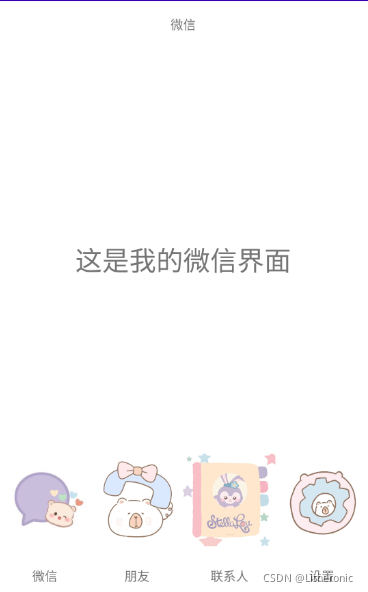
实现类似微信主界面,如下图
2.布局(layouts)
1.activity_main.xml
将界面分成三部分
顶部、 中间、 底部
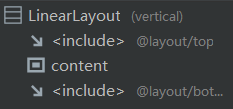
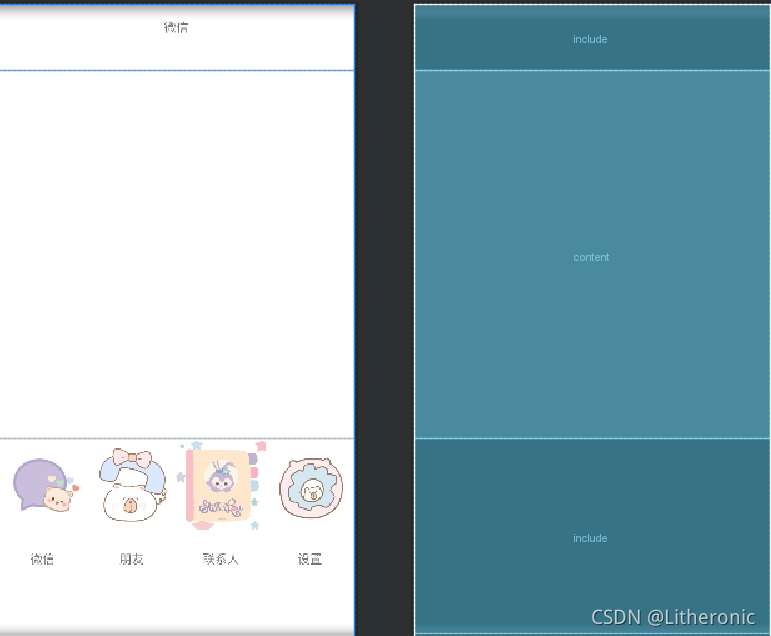
包含top、content、bottom
核心代码片:
<include
        layout="@layout/top"
        android:layout_width="match_parent"
        android:layout_height="77dp" />

    <FrameLayout
        android:id="@+id/content"
        android:layout_width="match_parent"
        android:layout_height="424dp" />

    <include
        layout="@layout/bottom"
        android:layout_width="match_parent"
        android:layout_height="225dp" />
- top.xml
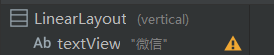
核心代码片
<TextView
        android:id="@+id/textView"
        android:layout_width="match_parent"
        android:layout_height="52dp"
        android:gravity="center"
        android:text="微信" />
- bottom.xml
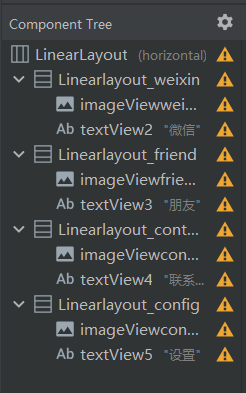
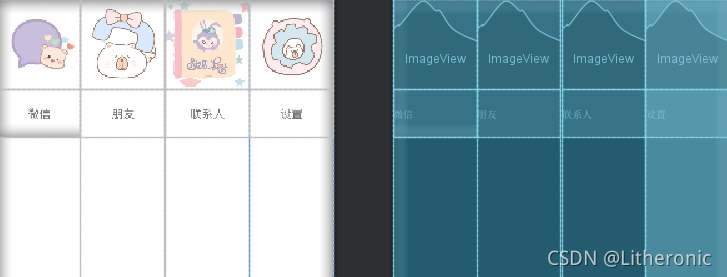
核心代码片
    <LinearLayout
        android:id="@+id/Linearlayout_weixin"
        android:layout_width="match_parent"
        android:layout_height="wrap_content"
        android:layout_weight="1"
        android:orientation="vertical">

        <ImageView
            android:id="@+id/imageViewweixin"
            android:layout_width="match_parent"
            android:layout_height="110dp"
            app:srcCompat="@drawable/weixin" />

        <TextView
            android:id="@+id/textView2"
            android:layout_width="match_parent"
            android:layout_height="60dp"
            android:gravity="center"
            android:text="微信" />
    </LinearLayout>
3. 分段(fragment)
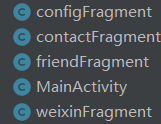
建立4个fragmnt
在xml输入每个界面的文本
4.MainActivity的import
import androidx.appcompat.app.AppCompatActivity;
import androidx.fragment.app.Fragment;
import androidx.fragment.app.FragmentManager;
import androidx.fragment.app.FragmentTransaction;
import android.os.Bundle;
import android.util.Log;
import android.view.View;
import android.view.Window;
import android.widget.ImageView;
import android.widget.LinearLayout;
5.Fragment、LinearLayout、Imageview的定义
    private Fragment weixinFragment =new weixinFragment();
    private Fragment friendFragment =new friendFragment();







 扫一扫
扫一扫


&spm=1001.2101.3001.5002&articleId=120665677&d=1&t=3&u=e286000cff0c4d67831b367d469b529d)
 1057
1057

 被折叠的 条评论
为什么被折叠?
被折叠的 条评论
为什么被折叠?
 到【灌水乐园】发言





