



第一个开发的项目,记录一下开发过程
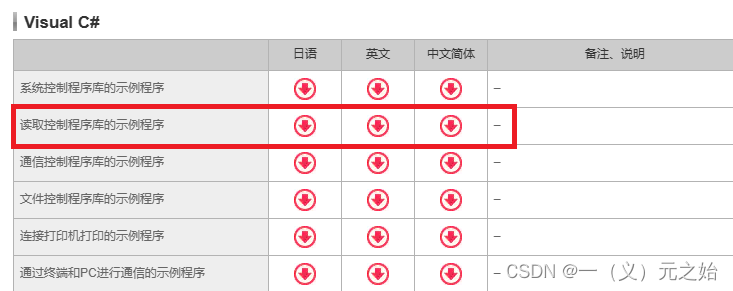
一、去官网下载案例程序,在案例程序上做自己的功能
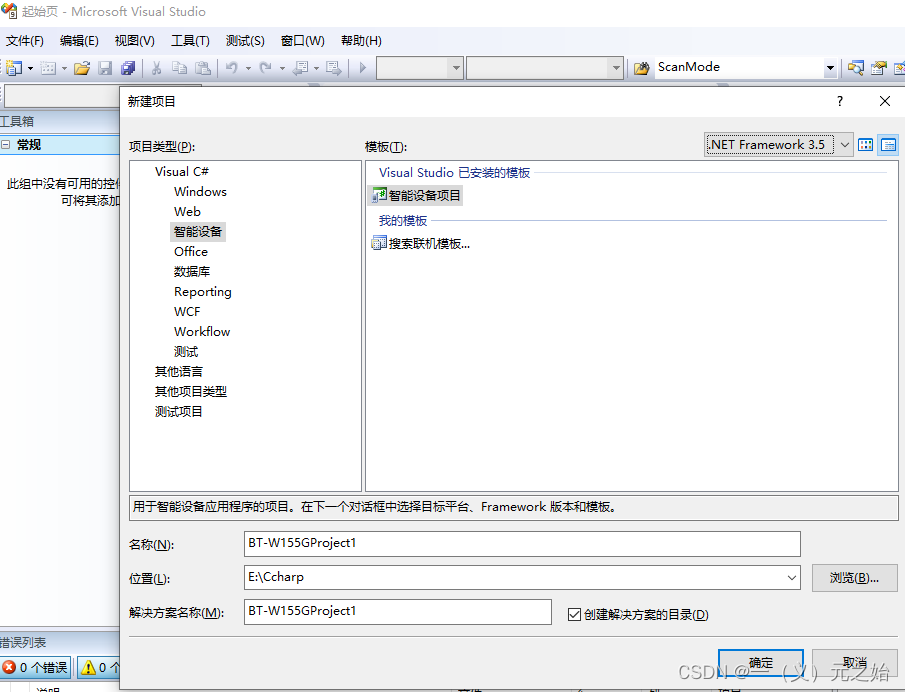
二、新建一个智能设备项目
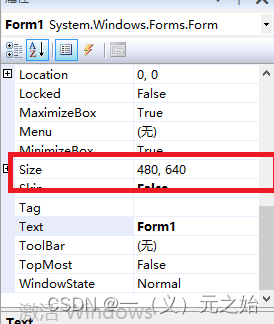
三、调整窗口的大小,与PDA窗口大小一致
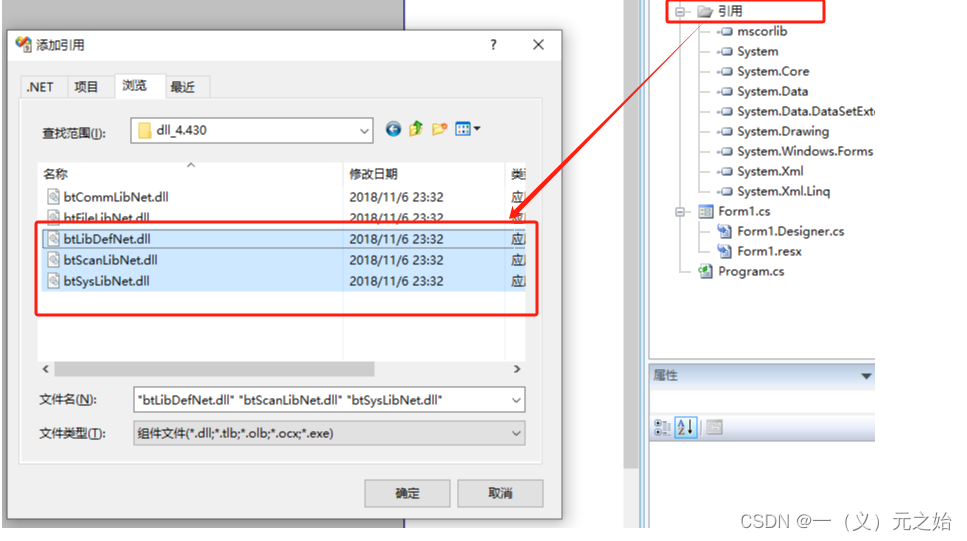
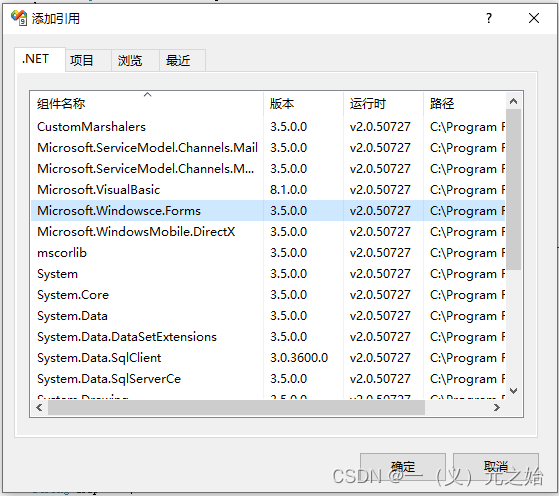
四、在之间下载的安装包内,找到DLL_4.430.zip,解压后,将dll文件引用到项目中,同时引用windowsce.forms
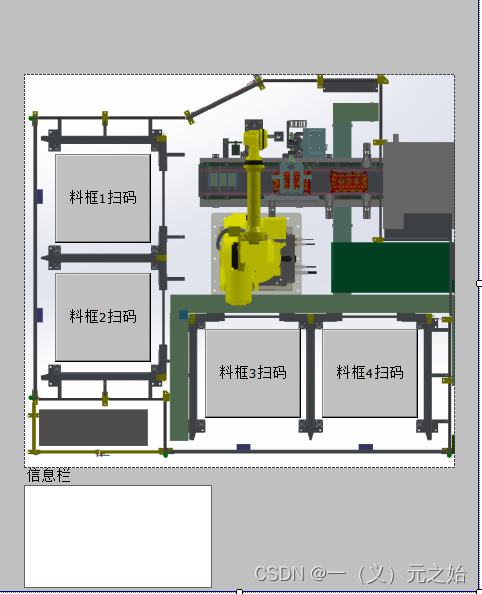
五、添加项目布局图及扫码按钮
六、将基恩士案例程序中的代码copy过来,主要是将初始化、窗口读取、触发、数据读取相关的复制过来。
using System;
using System.Linq;
using System.Collections.Generic;
using System.ComponentModel;
using System.Data;
using System.Drawing;
using System.Text;
using System.Windows.Forms;
using System.Runtime.InteropServices;
using Bt.ScanLib;
using Bt;

namespace BT_W155GProject2
{
    public partial class Form1 : Form
    {
        MsgWindow MsgWin;								// 消息窗口
        public static Form1 _MainForm1Instance;		    // 窗体
        public String AppPath = "";						// 应用执行路径

        //--------------------------------------------------------------
        // DLLImport
        //--------------------------------------------------------------
        [DllImport("coredll.dll", EntryPoint = "DeleteObject")]
        public static extern bool DeleteObject(IntPtr hObject);

        public Form1()
        {
            InitializeComponent();
            this.MsgWin = new MsgWindow();  // 生成消息窗口
        }

        private void Form1_Load(object sender, EventArgs e)
        {
            // 画面尺寸调整
            if (System.Windows.Forms.Screen.PrimaryScreen.Bounds.Width == 240)
            {
                resolution.ScreenSize.VGAtoQVGA(this);
            }

            //  不显示窗体的最大化,最小化按钮
            this.MaximizeBox = !this.MaximizeBox;
            this.MinimizeBox = !this.MinimizeBox;
            _MainForm1Instance = this;

            // 取得执行路径
            String path = this.GetType().Assembly.GetModules()[0].FullyQualifiedName;
            Int32 en = path.LastIndexOf("\\");
            AppPath = path.Substring(0, en);
        }

        /********************************************************************************
         * 機能 :功能 :开始进行读取。※将条码信息一次性读取
         *         (用MsgWindow.WndProc取得读取结果)
         * API  :btScanEnable, btScanSoftTrigger
        ********************************************************************************/
        private void btn_ScanString_Click(object sender, EventArgs e)
		{
			Int32 ret = 0;
			String disp = "";

			try
			{
                // 扫描模式=设定为「一次性」
				ScanMode = 2;

				ret = Bt.ScanLib.Control.btScanEnable();
				if (ret != LibDef.BT_OK)
				{
					disp = "btScanEnable error ret[" + ret + "]";
					MessageBox.Show(disp, "错误");
					return;
				}

				ret = Bt.ScanLib.Control.btScanSoftTrigger(1);
				if (ret != LibDef.BT_OK)
				{
					disp = "btScanSoftTrigger error ret[" + ret + "]";
					MessageBox.Show(disp, "错误");
					return;
				}
			}
			catch (Exception ex)
			{
				MessageBox.Show(ex.ToString());
			}
		}

        //---------------------------------------------------------------------------------
        // MessageWindow类
		//---------------------------------------------------------------------------------
        public class MsgWindow : Microsoft.WindowsCE.Forms.MessageWindow
        {
            public MsgWindow()
            {
            }

            protected override void WndProc(ref Microsoft.WindowsCE.Forms.Message msg)
            {
                switch (msg.Msg)
                {
                    case (Int32)LibDef.WM_BT_SCAN:
                        // 读取成功的场合
                        if (msg.WParam.ToInt32() == (Int32)LibDef.BTMSG_WPARAM.WP_SCN_SUCCESS)
                        {
                            if (ScanMode == 1)
                            {
                                // 读取(逐个)
                                ScanData_kobetu();
                            }
                            else if (ScanMode == 2)
                            {
                                // 读取(一次性)
                                ScanData_ikkatu();
                            }
                        }
                        break;
                }
                base.WndProc(ref msg);
            }
        }

        /********************************************************************************
         * 功能 :一次性取得读取到的条码数据。
         * API  :btScanGetStringSize, btScanGetString
        ********************************************************************************/
        public static void ScanData_ikkatu()
		{

			Int32 ret = 0;
			String disp = "";

			Byte[] codedataGet;
			String strCodedata = "";
			Int32 codeLen = 0;
			UInt16 symbolGet = 0;

			try
			{
				//-----------------------------------------------------------
                // 读取(一次性)
				//-----------------------------------------------------------
				codeLen = Bt.ScanLib.Control.btScanGetStringSize();
				if (codeLen <= 0)
				{
					disp = "btScanGetStringSize error ret[" + codeLen + "]";
					MessageBox.Show(disp, "错误");
					goto L_END;
				}
				codedataGet = new Byte[codeLen];

				ret = Bt.ScanLib.Control.btScanGetString(codedataGet, ref symbolGet);
				if (ret != LibDef.BT_OK)
				{
					disp = "btScanGetString error ret[" + ret + "]";
					MessageBox.Show(disp, "错误");
					goto L_END;
				}
				strCodedata = System.Text.Encoding.GetEncoding(932).GetString(codedataGet, 0, codeLen);
				disp =
                    "数据尺寸        :" + codeLen + "\r\n" +
                    "条码种类        :" + symbolGet + "\r\n" +
                    "代码字符内容  :" + strCodedata + "\r\n";
                MessageBox.Show(disp, "读取(一次性)");

			L_END:
				ret = Bt.ScanLib.Control.btScanDisable();
				if (ret != LibDef.BT_OK)
				{
					disp = "btScanDisable error ret[" + ret + "]";
					MessageBox.Show(disp, "错误");
				}
			}
			catch (Exception e)
			{
				MessageBox.Show(e.ToString());
			}
		}


	}
}
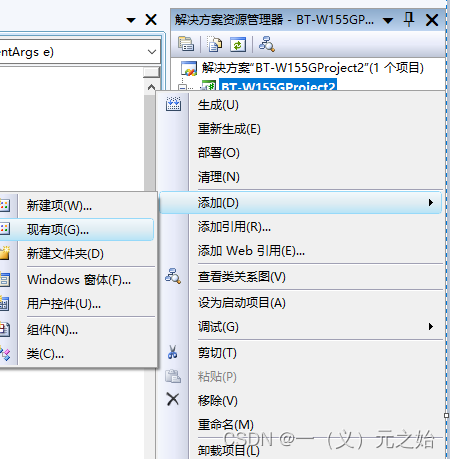
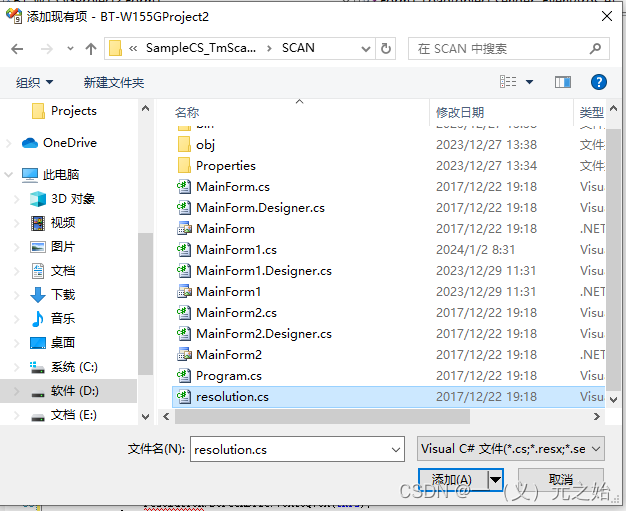
七、接下来处理异常及安照自己的需求修改代码了,先把resolution类拷贝过来,右键项目名称,将案例中的resolution类添加进来
八、调整代码,将触发条件改为点击料框一后扫码并在textBox和MessageBox中显示
using System;
using System.Linq;
using System.Collections.Generic;
using System.ComponentModel;
using System.Data;
using System.Drawing;
using System.Text;
using System.Windows.Forms;
using System.Runtime.InteropServices;
using System.IO;
using Bt.ScanLib;
using Bt;

namespace BT_W155GProject2
{
    public partial class Form1 : Form
    {
        MsgWindow MsgWin;								// 消息窗口
        public static Form1 _Form1Instance;		    // 窗体
        public String AppPath = "";						// 应用执行路径

        //--------------------------------------------------------------
        // DLLImport
        //--------------------------------------------------------------
        [DllImport("coredll.dll", EntryPoint = "DeleteObject")]
        public static extern bool DeleteObject(IntPtr hObject);

        public Form1()
        {
            InitializeComponent();
            this.MsgWin = new MsgWindow();  // 生成消息窗口
        }

        private void Form1_Load(object sender, EventArgs e)
        {
            // 画面尺寸调整
            if (System.Windows.Forms.Screen.PrimaryScreen.Bounds.Width == 240)
            {
                resolution.ScreenSize.VGAtoQVGA(this);
            }

            //  不显示窗体的最大化,最小化按钮
            this.MaximizeBox = !this.MaximizeBox;
            this.MinimizeBox = !this.MinimizeBox;
            _Form1Instance = this;

            // 取得执行路径
            String path = this.GetType().Assembly.GetModules()[0].FullyQualifiedName;
            Int32 en = path.LastIndexOf("\\");
            AppPath = path.Substring(0, en);
        }

        /********************************************************************************
         * 機能 :功能 :开始进行读取。※将条码信息一次性读取
         *         (用MsgWindow.WndProc取得读取结果)
         * API  :btScanEnable, btScanSoftTrigger
        ********************************************************************************/
        private void ScanStart()
		{
			Int32 ret = 0;
			String disp = "";

			try
			{
                // 开启扫瞄
                ret = Bt.ScanLib.Control.btScanEnable();  //使得代码读取功能可用
				if (ret != LibDef.BT_OK)
				{
					disp = "btScanEnable error ret[" + ret + "]";
					MessageBox.Show(disp, "错误");
                    System.Threading.Thread.Sleep(1000);
					return;
				}

                //在代码读取条件设定的基础上,按下触发器键(=硬件要因)
                //或执行 btScanSoftTrigger 函数,进行读取操作
                //使用SDK后,PDA扫码按钮将失效,只能通过btScanSoftTrigger 函数启动扫码
				ret = Bt.ScanLib.Control.btScanSoftTrigger(1);
				if (ret != LibDef.BT_OK)
				{
					disp = "btScanSoftTrigger error ret[" + ret + "]";
					MessageBox.Show(disp, "错误");

                    ret = Bt.ScanLib.Control.btScanDisable();   //使得代码读取功能不可用
                    if (ret != LibDef.BT_OK)
                    {
                        disp = "btScanSoftTrigger error ret[" + ret + "]";
                        MessageBox.Show(disp, "错误");
                    }
                    System.Threading.Thread.Sleep(1000);
					return;
				}
			}
			catch (Exception ex)
			{
				MessageBox.Show(ex.ToString());
			}
		}

        //---------------------------------------------------------------------------------
        // MessageWindow类
		//---------------------------------------------------------------------------------
        public class MsgWindow : Microsoft.WindowsCE.Forms.MessageWindow
        {
            public MsgWindow()
            {
            }

            protected override void WndProc(ref Microsoft.WindowsCE.Forms.Message msg)
            {
                switch (msg.Msg)
                {
                    case (Int32)LibDef.WM_BT_SCAN://扫码读取事件
                        // 读取成功的场合
                        if (msg.WParam.ToInt32() == (Int32)LibDef.BTMSG_WPARAM.WP_SCN_SUCCESS) //WP_SCN_SUCCESS:读取个数
                        {
                                // 读取(一次性)
                                ScanData_ikkatu();
                        }
                        break;
                }
                base.WndProc(ref msg);
            }
        }

        /********************************************************************************
         * 功能 :一次性取得读取到的条码数据。
         * API  :btScanGetStringSize, btScanGetString
        ********************************************************************************/
        public static void ScanData_ikkatu()
		{

			Int32 ret = 0;
			String disp = "";

			Byte[] codedataGet;
			String strCodedata = "";
			Int32 codeLen = 0;
			UInt16 symbolGet = 0;

			try
			{
				//-----------------------------------------------------------
                // 读取(一次性)
				//-----------------------------------------------------------
				codeLen = Bt.ScanLib.Control.btScanGetStringSize();
				if (codeLen <= 0)
				{
					disp = "btScanGetStringSize error ret[" + codeLen + "]";
					MessageBox.Show(disp, "错误");
					goto L_END;
				}
				codedataGet = new Byte[codeLen];

				ret = Bt.ScanLib.Control.btScanGetString(codedataGet, ref symbolGet);
				if (ret != LibDef.BT_OK)
				{
					disp = "btScanGetString error ret[" + ret + "]";
					MessageBox.Show(disp, "错误");
					goto L_END;
				}
				strCodedata = System.Text.Encoding.GetEncoding(932).GetString(codedataGet, 0, codeLen);
				disp =
                    "数据尺寸        :" + codeLen + "\r\n" +
                    "条码种类        :" + symbolGet + "\r\n" +
                    "代码字符内容  :" + strCodedata + "\r\n";
                _Form1Instance.textBox1.Text = disp;         //将二维码写入textBox中
                MessageBox.Show(disp, "读取(一次性)");     //将二维码在MessageBox弹窗中显示出来

			L_END:
				ret = Bt.ScanLib.Control.btScanDisable();
				if (ret != LibDef.BT_OK)
				{
					disp = "btScanDisable error ret[" + ret + "]";
					MessageBox.Show(disp, "错误");
				}
			}
			catch (Exception e)
			{
				MessageBox.Show(e.ToString());
			}
		}

        private void button1_Click(object sender, EventArgs e)
        {
            ScanStart();
        }


	}
}
九、扫码效果如下,但发现Message弹窗闪现一下就关了,待研究,萌新一枚,有大佬知道的评论区告知一下,谢谢。
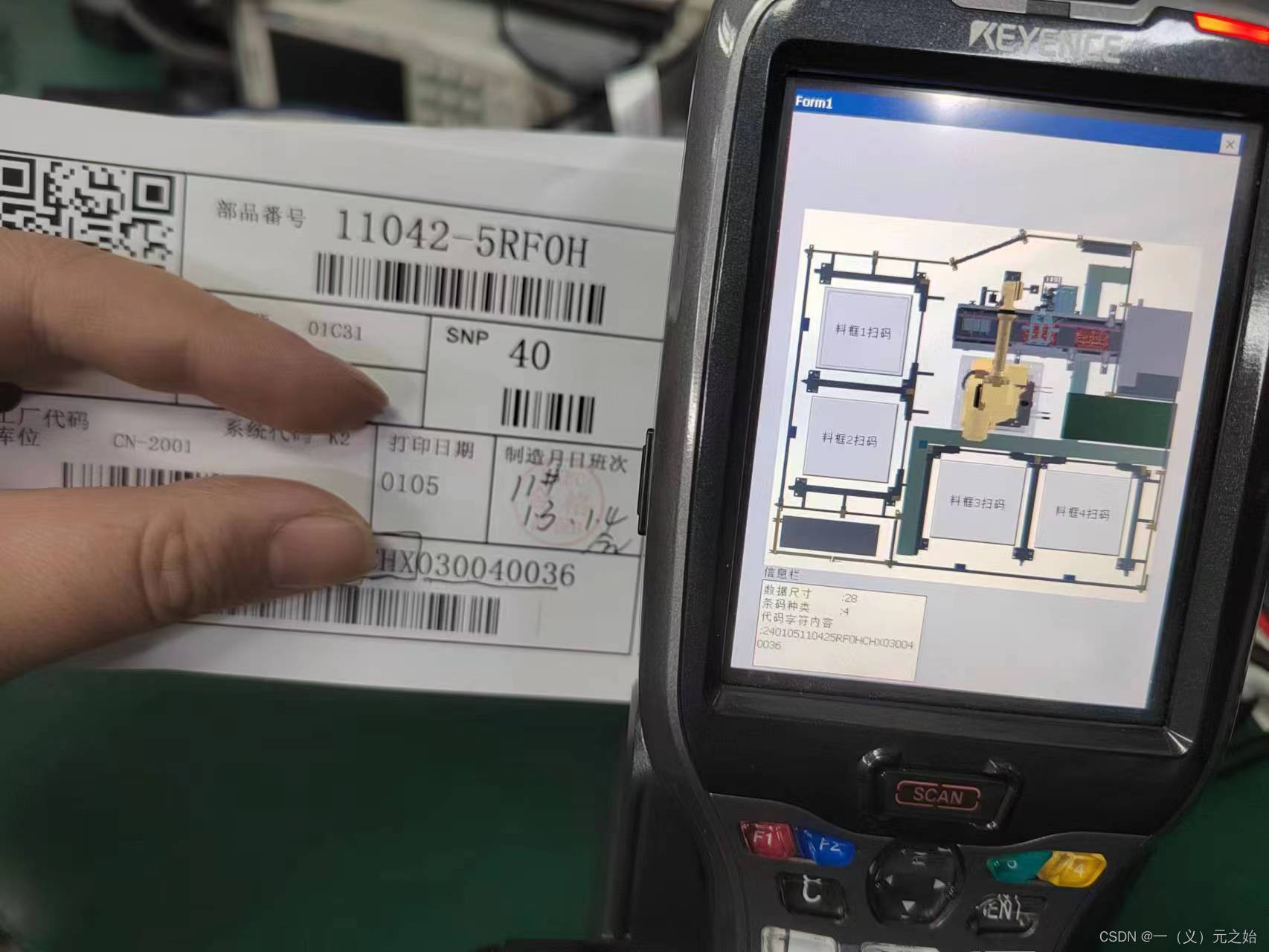
总结: 通过研究案例程序和说明文档,实现了扫码读取功能。





 扫一扫
扫一扫


 1431
1431

 被折叠的 条评论
为什么被折叠?
被折叠的 条评论
为什么被折叠?
 到【灌水乐园】发言





