



 公司开发小程序需进行微信公众号网页授权,作者分享实现过程。调用接口需公众号认证,先设置网页授权域名,创建Spring Boot工程,引入相关maven包,修改配置文件,封装HttpClient类,实现微信授权登录Controller,最后用外网地址在微信访问。
微信公众号网页授权登录
最近公司需要做个小程序的功能,一开始就涉及到微信公众号的网页授权,我在百度上搜索了蛮久,但是一直看不到想要的,有些写的太复杂,有些写的不清不楚,我这边来写一下我的例子。
调用接口需要微信公众号认证后才可!!!!
第一步:在开发->接口权限->网页服务->网页授权->网页授权获取用户基本信息
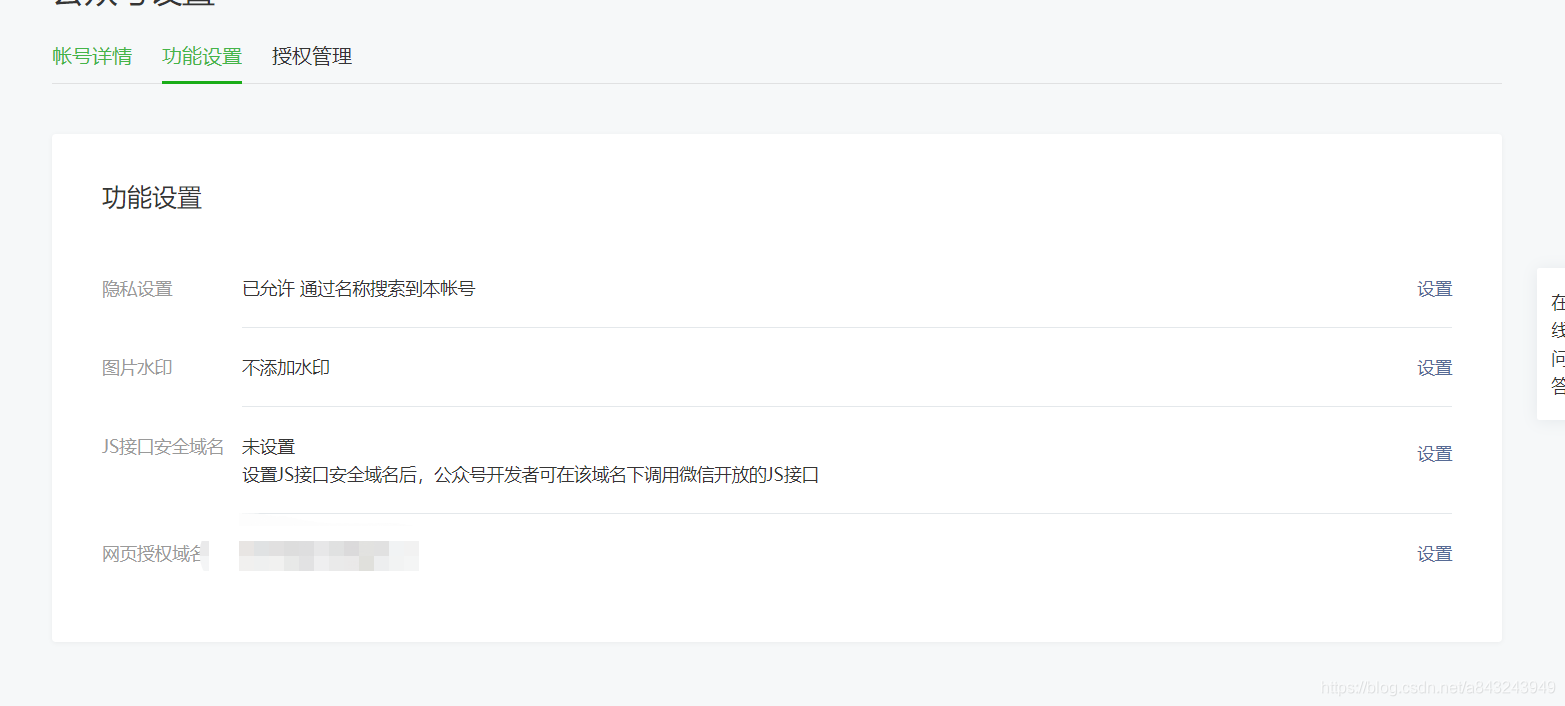 点击网页授权域名的设置。
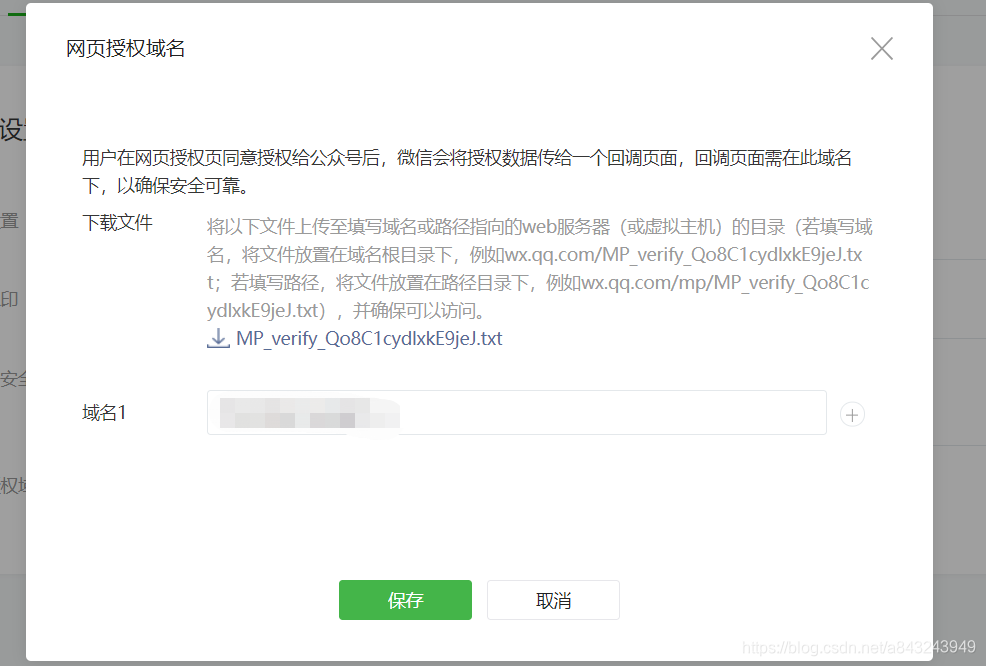 此处按提示将文件放入项目中,我的是springboot项目,将文件放置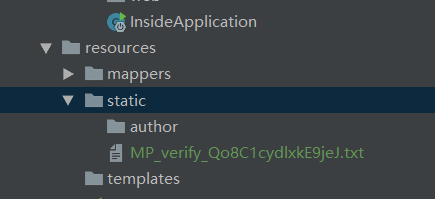
即可。域名不要带http/https。
设置成功后,看下面即可
1 创建一个Spring boot工程
引入相关maven包
修改application.yml文件
server:
port: 80
oauth:
wx:
appid: wxeadf53935631ac92
appsecret: f01fd7238bec6ae603be799a08d06304
callback:
http: http://java-j2ee.eicp.net/wxcallback
封装一个HttpClient的类
package com.spring.wxoauth.utils;
import com.alibaba.fastjson.JSONObject;
import org.apache.http.HttpEntity;
import org.apache.http.HttpResponse;
import org.apache.http.client.methods.HttpGet;
import org.apache.http.impl.client.CloseableHttpClient;
import org.apache.http.impl.client.HttpClients;
import org.apache.http.util.EntityUtils;
import java.io.IOException;
public class HttpClientUtils {
/**
 * 发起GET请求
 * @param url
 * @return
 * @throws IOException
 */
public static JSONObject doGet(String url) throws IOException {
    JSONObject jsonObject = null;
    CloseableHttpClient client = HttpClients.createDefault();

    HttpGet httpGet = new HttpGet(url);
    HttpResponse response = client.execute(httpGet);
    HttpEntity entity = response.getEntity();

    if (entity != null) {
        String result = EntityUtils.toString(entity, "UTF-8");
        jsonObject = JSONObject.parseObject(result);
    }

    httpGet.releaseConnection();
    return jsonObject;
}
}
开始实现微信授权登录Controller
package com.spring.wxoauth.controller;
import com.alibaba.fastjson.JSONObject;
import com.spring.wxoauth.utils.HttpClientUtils;
import org.springframework.beans.factory.annotation.Value;
import org.springframework.stereotype.Controller;
import org.springframework.ui.ModelMap;
import org.springframework.web.bind.annotation.GetMapping;
import java.io.IOException;
import java.net.URLEncoder;
@Controller
public class LoginController {
@Value("${oauth.wx.appid}")
private String appid;

@Value("${oauth.wx.appsecret}")
private String appsecret;

@Value("${oauth.callback.http}")
private String http;

@GetMapping("/index")
public String index() {
    return "/index";
}

@GetMapping("/wxlogin")
public String wxlogin() {
    String url = "https://open.weixin.qq.com/connect/oauth2/authorize?appid=" + appid +
            "&redirect_uri=" + URLEncoder.encode(http) +
            "&response_type=code" +
            "&scope=snsapi_userinfo" +
            "&state=STATE#wechat_redirect";
    return "redirect:" + url;
}

//@ResponseBody
@GetMapping("/wxcallback")
public String wxcallback(String code,       ModelMap map    ) throws IOException {
    String url = "https://api.weixin.qq.com/sns/oauth2/access_token?appid=" + appid +
            "&secret=" + appsecret +
            "&code=" + code +
            "&grant_type=authorization_code";
    JSONObject jsonObject = HttpClientUtils.doGet(url);
    System.out.println(jsonObject.toJSONString());

    String openid = jsonObject.getString("openid");
    String accessToken = jsonObject.getString("access_token");


    String userInfoUrl = "https://api.weixin.qq.com/sns/userinfo?access_token=" + accessToken +
            "&openid=" + openid +
            "&lang=zh_CN";
    JSONObject userInfoJson = HttpClientUtils.doGet(userInfoUrl);
    System.out.println(userInfoJson);

    //return "SUCCESS";

    // 1种情况, 使用微信帐号做为本系统帐号
    map.put("userinfo", userInfoJson);
    return "/home";
}
}
弄好后,将外网地址给自己的微信上访问下就可以啦!!!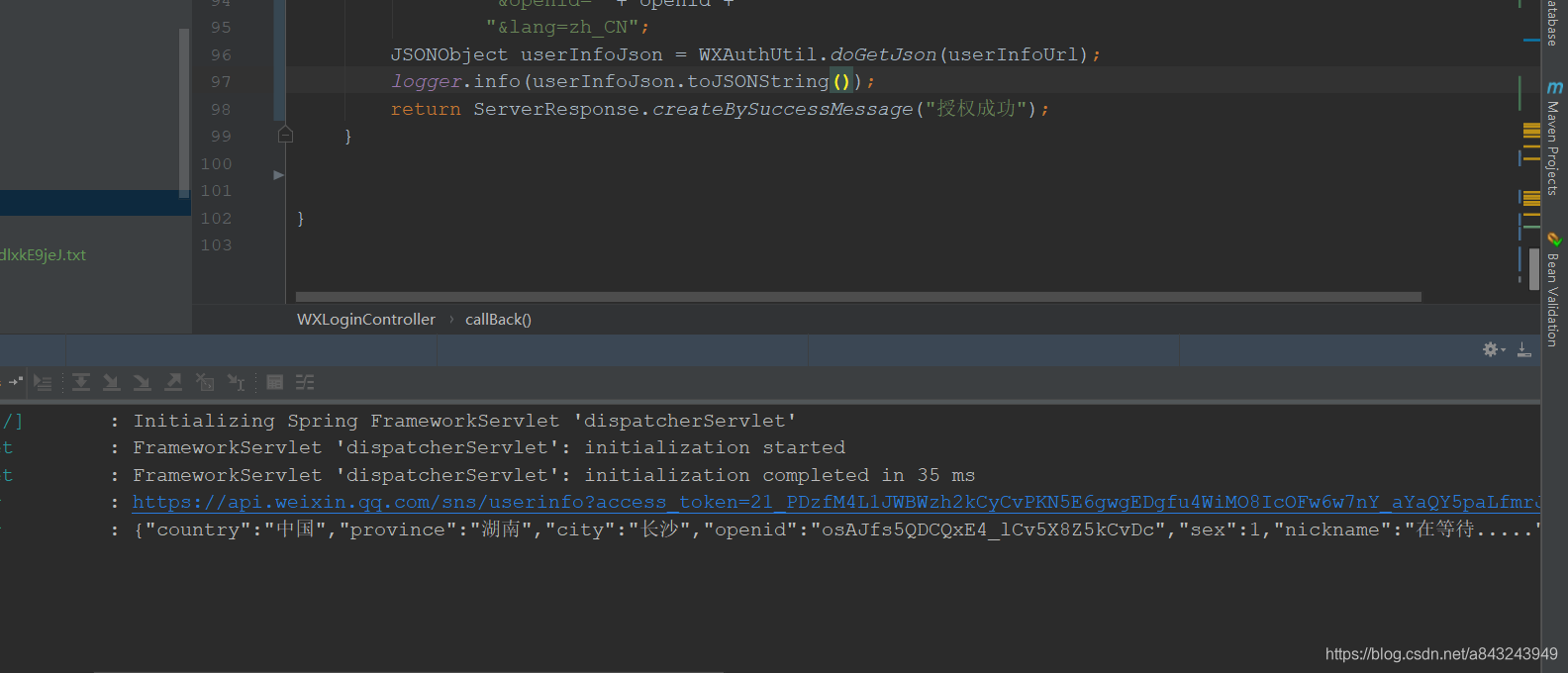





 扫一扫
扫一扫


 9738
9738

 被折叠的 条评论
为什么被折叠?
被折叠的 条评论
为什么被折叠?
 到【灌水乐园】发言





