



 本文提供了一段注册表编辑代码,用于将Windows系统中程序的默认安装目录还原至C盘,包括Program Files等关键路径。通过运行提供的.reg文件,可以轻松解决因路径更改导致的安装问题。
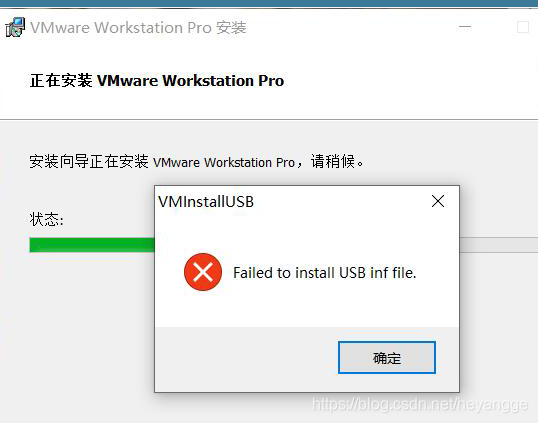
Windows Registry Editor Version 5.00

[HKEY_LOCAL_MACHINE\SOFTWARE\Microsoft\Windows\CurrentVersion]
"ProgramFilesDir"="C:\\Program Files"
"CommonFilesDir"="C:\\Program Files\\Common Files"
"ProgramFilesDir (x86)"="C:\\Program Files (x86)"
"CommonFilesDir (x86)"="C:\\Program Files (x86)\\Common Files"
"CommonW6432Dir"="C:\\Program Files\\Common Files"
"DevicePath"=hex(2):25,00,53,00,79,00,73,00,74,00,65,00,6d,00,52,00,6f,00,6f,\
  00,74,00,25,00,5c,00,69,00,6e,00,66,00,00,00
"MediaPathUnexpanded"=hex(2):25,00,53,00,79,00,73,00,74,00,65,00,6d,00,52,00,\
  6f,00,6f,00,74,00,25,00,5c,00,4d,00,65,00,64,00,69,00,61,00,00,00
"ProgramFilesPath"=hex(2):25,00,50,00,72,00,6f,00,67,00,72,00,61,00,6d,00,46,\
  00,69,00,6c,00,65,00,73,00,25,00,00,00
"ProgramW6432Dir"="C:\\Program Files"
把上述代码保存在记事本中,改名为 “还原程序的默认安装目录到C盘.reg”
双击 “还原程序的默认安装目录到C盘.reg”
 





 扫一扫
扫一扫


 7653
7653

 被折叠的 条评论
为什么被折叠?
被折叠的 条评论
为什么被折叠?
 到【灌水乐园】发言





