



 本文介绍了WebSocket作为全双工通信技术对比HTTP的优势,并详细阐述了WebSocket连接的建立与关闭过程。通过Netty构建WebSocket服务端示例,展示如何处理WebSocket连接及消息。最后,展示了客户端HTML页面与服务端交互的运行效果。
WebSocket是HTML5开始提供的一种浏览器与服务器之间进行全双工通信的网络技术。
在WebSocketAPI中,浏览器和服务器只需要做一个握手的动作,然后,浏览器和服务器之间就形成了一条快速通道,两者就可以直接互相传送数据了。WebSocket基于TCP双向全双工进行消息传递,在同一时刻,既可以发送消息,也可以接收消息,相比于HTTP的半双工协议,性能得到很大提升。
与WebSocket相比,HTTP协议的弊端:
(1)HTTP协议为半双工协议。半双工协议指数据可以在客户端和服务端两个方向上传输,但是不能同时传输。它意味着在同一时刻,只有一个方向上的数据传送。
(2)HTTP消息冗长而繁琐。HTTP包含消息头、消息体、换行符等,通常情况下采用文本方式传输,相比于其他的二进制通信协议,冗长而繁琐。
(3)想要实现服务器推送只能使用长轮询。
WebSocket连接建立
建立WebSocket连接时,需要通过客户端或者浏览器发出握手请求,请求消息如下:

为了建立一个WebSocket连接,客户端浏览器首先要向服务器发起一个HTTP请求,这个请求和通常的HTTP请求不同,其中附加头信息“Upgrade:websocket”表明这是一个申请协议升级的HTTP请求。
服务端解析这些请求附加的头消息,然后生成应答消息返回客户端,客户端和服务端的WebSocket连接就建立起来了,双方可以通过这个连接自由地传递信息,并且这个连接会一直存在知道客户端或者服务端的任意一方主动关闭连接。

请求消息中的“Sec-WebSocket-Key”是随机的,服务器端会用这些数据来构造出一个SHA-1的信息摘要,把“Sec-WebSocket-Key”加上一个字符串“258EAFA5-E914-47DA-95CA-C5AB0DC85B11”,使用SHA-1加密,然后进行BASE-64编码,将结果作为“Sec-WebSocket-Accept”头的值,返回客户端。
WebSocket连接关闭
为了关闭WebSocket连接,客户端和服务端需要安全的关闭底层TCP连接以及TLS会话。
底层的TCP连接,在正常情况下,应该首先由服务器关闭。在异常情况下(例如在一个合理的时间周期后没有接收到服务器的TCPClose),客户端可以发起TCP Close。因此,当服务器被指示关闭WebSocket连接时,它应该立即发起一个TCPClose操作;客户端应该等待服务器的TCPClose。
WebSocket的握手关闭消息带有一个状态码和一个可选的关闭原因,它必须按照协议要求发送一个Close控制帧,当对端接收到关闭控制帧指令时,需要主动关闭WebSocket连接。
Netty构建WebSocket服务端示例
启动类WebSocketServer:
package com.netty.websocket.server;

import io.netty.bootstrap.ServerBootstrap;
import io.netty.channel.Channel;
import io.netty.channel.ChannelInitializer;
import io.netty.channel.ChannelPipeline;
import io.netty.channel.EventLoopGroup;
import io.netty.channel.nio.NioEventLoopGroup;
import io.netty.channel.socket.SocketChannel;
import io.netty.channel.socket.nio.NioServerSocketChannel;
import io.netty.handler.codec.http.HttpObjectAggregator;
import io.netty.handler.codec.http.HttpServerCodec;
import io.netty.handler.stream.ChunkedWriteHandler;

public class WebSocketServer {

	public void run(int port) throws Exception {
		EventLoopGroup bossGroup = new NioEventLoopGroup();
		EventLoopGroup workerGroup = new NioEventLoopGroup();
		try {
			ServerBootstrap b = new ServerBootstrap();
			b.group(bossGroup, workerGroup).channel(NioServerSocketChannel.class)
					.childHandler(new ChannelInitializer<SocketChannel>() {

						@Override
						protected void initChannel(SocketChannel ch) throws Exception {
							// 创建一个管道,每一个通道都有一个管道
							ChannelPipeline pipeline = ch.pipeline();
							// 添加http-codec处理程序,它包含http-encoder和http-decoder
							pipeline.addLast("http-codec", new HttpServerCodec());
							// 添加构建一个指定maxContentLength大小的HttpObjectAggregator
							// 其将HttpMessage及其后续的HttpContent汇总为单个FullHttpRequest或FullHttpResponse
							pipeline.addLast("aggregator", new HttpObjectAggregator(65536));
							// 添加一个支持异步写入大数据流的handler
							ch.pipeline().addLast("http-chunked", new ChunkedWriteHandler());
							// 添加自定义的websocket处理程序
							pipeline.addLast("handler", new WebSocketServerHandler());
						}

					});
			// b.bind(port)将绑定端口port,并返回一个ChannelFuture对象
			// 调用sync()方法将会等待这个ChannelFuture运行,直到完成
			// 调用channel()方法将返回此ChannelFuture关联的Channel
			Channel ch = b.bind(port).sync().channel();
			System.out.println("Web socket server started at port " + port + ".");
			System.out.println("Open your browser and navigate to http://localhost:" + port + "/");
			ch.closeFuture().sync();
		} finally {
			bossGroup.shutdownGracefully();
			workerGroup.shutdownGracefully();
		}

	}

	public static void main(String[] args) throws Exception {
		int port = 8080;
		new WebSocketServer().run(port);
	}

}
业务消息处理类WebSocketServerHandler:
package com.netty.websocket.server;

import java.util.logging.Level;
import java.util.logging.Logger;

import io.netty.buffer.ByteBuf;
import io.netty.buffer.Unpooled;
import io.netty.channel.ChannelFuture;
import io.netty.channel.ChannelFutureListener;
import io.netty.channel.ChannelHandlerContext;
import io.netty.channel.SimpleChannelInboundHandler;
import io.netty.handler.codec.http.DefaultFullHttpResponse;
import io.netty.handler.codec.http.FullHttpRequest;
import io.netty.handler.codec.http.FullHttpResponse;
import io.netty.handler.codec.http.HttpResponseStatus;
import io.netty.handler.codec.http.HttpUtil;
import io.netty.handler.codec.http.HttpVersion;
import io.netty.handler.codec.http.websocketx.CloseWebSocketFrame;
import io.netty.handler.codec.http.websocketx.PingWebSocketFrame;
import io.netty.handler.codec.http.websocketx.PongWebSocketFrame;
import io.netty.handler.codec.http.websocketx.TextWebSocketFrame;
import io.netty.handler.codec.http.websocketx.WebSocketFrame;
import io.netty.handler.codec.http.websocketx.WebSocketServerHandshaker;
import io.netty.handler.codec.http.websocketx.WebSocketServerHandshakerFactory;
import io.netty.util.CharsetUtil;

public class WebSocketServerHandler extends SimpleChannelInboundHandler<Object> {

	private static final Logger logger = Logger.getLogger(WebSocketServerHandler.class.getName());
	private WebSocketServerHandshaker handshaker;

	@Override
	protected void channelRead0(ChannelHandlerContext ctx, Object msg) throws Exception {
		// 传统的HTTP接入
		if (msg instanceof FullHttpRequest) {
			handleHttpRequest(ctx, (FullHttpRequest) msg);
		}
		// WebSocket接入
		else if (msg instanceof WebSocketFrame) {
		    handleWebSocketFrame(ctx, (WebSocketFrame) msg);
		}
	}

	public void channelReadComplete(ChannelHandlerContext ctx) throws Exception {
		ctx.flush();
	}


	private void handleHttpRequest(ChannelHandlerContext ctx, FullHttpRequest req) throws Exception {
		// 如果HTTP解码异常,返回HTTP异常
		if (!req.decoderResult().isSuccess() || (!"websocket".equals(req.headers().get("Upgrade")))) {
			sendHttpResponse(ctx, req, new DefaultFullHttpResponse(HttpVersion.HTTP_1_1, HttpResponseStatus.BAD_REQUEST));
			return;
		}

		// 构造握手响应返回,本机测试
		WebSocketServerHandshakerFactory wsFactory = new WebSocketServerHandshakerFactory(
			"ws://localhost:8080/websocket", null, false);
		handshaker = wsFactory.newHandshaker(req);
		if (handshaker == null) {
		    WebSocketServerHandshakerFactory
			    .sendUnsupportedVersionResponse(ctx.channel());
		} else {
		    handshaker.handshake(ctx.channel(), req);
		}
	}

	private void handleWebSocketFrame(ChannelHandlerContext ctx,
		    WebSocketFrame frame) {

		// 判断是否是关闭链路的指令
		if (frame instanceof CloseWebSocketFrame) {
		    handshaker.close(ctx.channel(),
			    (CloseWebSocketFrame) frame.retain());
		    return;
		}
		// 判断是否是Ping消息
		if (frame instanceof PingWebSocketFrame) {
		    ctx.channel().write(
			    new PongWebSocketFrame(frame.content().retain()));
		    return;
		}
		// 本例程仅支持文本消息,不支持二进制消息
		if (!(frame instanceof TextWebSocketFrame)) {
		    throw new UnsupportedOperationException(String.format(
			    "%s frame types not supported", frame.getClass().getName()));
		}

		// 返回应答消息
		String request = ((TextWebSocketFrame) frame).text();
		if (logger.isLoggable(Level.FINE)) {
		    logger.fine(String.format("%s received %s", ctx.channel(), request));
		}
		ctx.channel().write(
			new TextWebSocketFrame(request
				+ " , 欢迎使用Netty WebSocket服务,现在时刻:"
				+ new java.util.Date().toString()));
	    }

	private static void sendHttpResponse(ChannelHandlerContext ctx, FullHttpRequest req, FullHttpResponse res) {
		// 返回应答给客户端
		if (res.status().code() != 200) {
			ByteBuf buf = Unpooled.copiedBuffer(res.status().toString(), CharsetUtil.UTF_8);
			res.content().writeBytes(buf);
			buf.release();
			HttpUtil.setContentLength(res, res.content().readableBytes());
		}

		// 如果是非Keep-Alive,关闭连接
		ChannelFuture f = ctx.channel().writeAndFlush(res);
		if (!HttpUtil.isKeepAlive(req) || res.status().code() != 200) {
		    f.addListener(ChannelFutureListener.CLOSE);
		}
	}

	public void exceptionCaught(ChannelHandlerContext ctx, Throwable cause) throws Exception {
		cause.printStackTrace();
		ctx.close();
	}

}
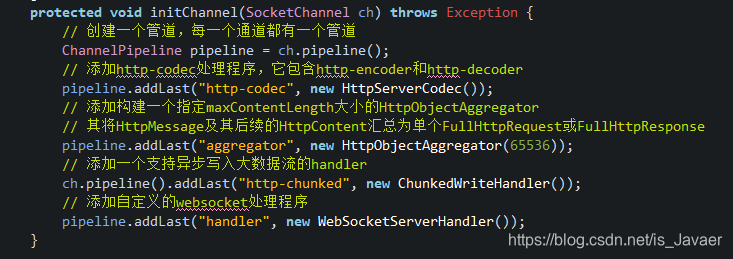
因为要建立WebSocket连接需要先通过HTTP请求,所以需要在ChannelPipeline中添加HTTP协议所需的Handler。
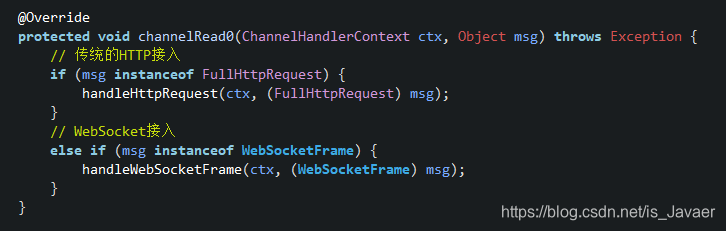
在请求处理中需要先处理HTTP请求,主要是建立WebSocket连接。当WebSocket连接建立之后,后续的通信都是通过WebSocket来进行的。
客户端HTML页面代码:
<!DOCTYPE html>
<html>
<head>
<meta charset="UTF-8">
Netty WebSocket 时间服务器
</head>
<br>
<body>
<br>
<script type="text/javascript">
var socket;
if (!window.WebSocket)
{
	window.WebSocket = window.MozWebSocket;
}
if (window.WebSocket) {
	socket = new WebSocket("ws://localhost:8080/websocket");
	socket.onmessage = function(event) {
		var ta = document.getElementById('responseText');
		ta.value="";
		ta.value = event.data
	};
	socket.onopen = function(event) {
		var ta = document.getElementById('responseText');
		ta.value = "打开WebSocket服务正常,浏览器支持WebSocket!";
	};
	socket.onclose = function(event) {
		var ta = document.getElementById('responseText');
		ta.value = "";
		ta.value = "WebSocket 关闭!";
	};
}
else
	{
	alert("抱歉,您的浏览器不支持WebSocket协议!");
	}

function send(message) {
	if (!window.WebSocket) { return; }
	if (socket.readyState == WebSocket.OPEN) {
		socket.send(message);
	}
	else
		{
		  alert("WebSocket连接没有建立成功!");
		}
}
</script>
<form onsubmit="return false;">
<input type="text" name="message" value="Netty最佳实践"/>
<br><br>
<input type="button" value="发送WebSocket请求消息" onclick="send(this.form.message.value)"/>
<hr color="blue"/>
<h3>服务端返回的应答消息</h3>
<textarea id="responseText" style="width:500px;height:300px;"></textarea>
</form>
</body>
</html>
在HTML中用JavaScript代码构建WebSocket,首先要判断浏览器是否支持WebSocket协议,随后新建WebSocket与服务端进行通信。
运行结果
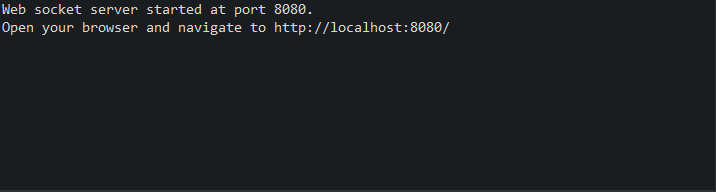
先运行服务端程序:
再用火狐浏览器打开HTML页面,浏览器支持WebSocket协议:
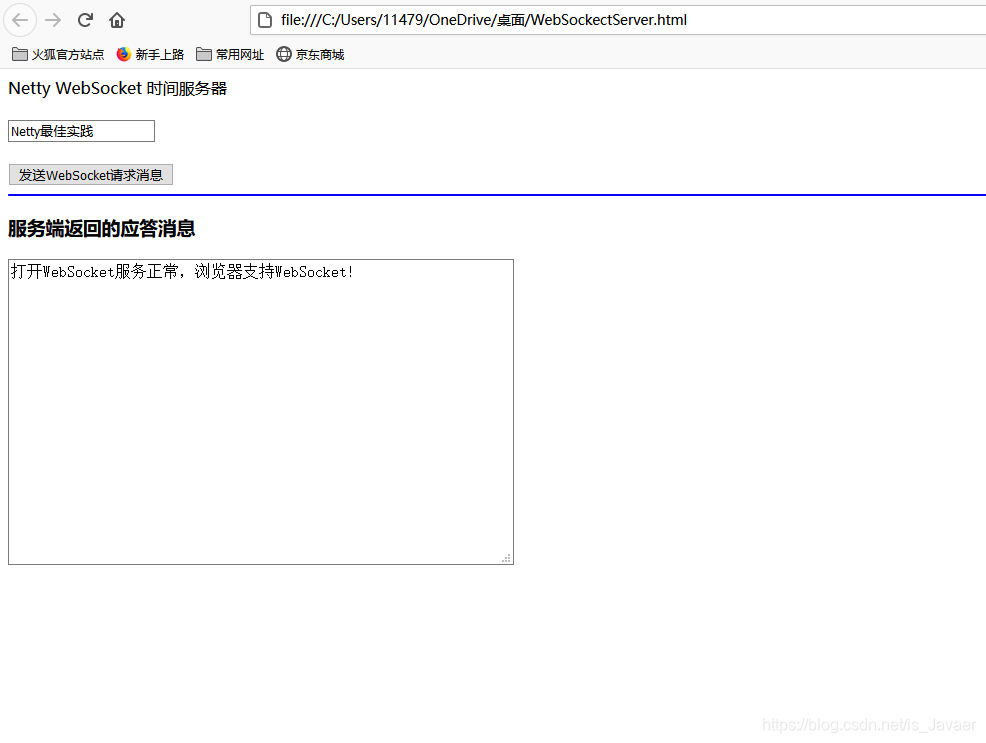
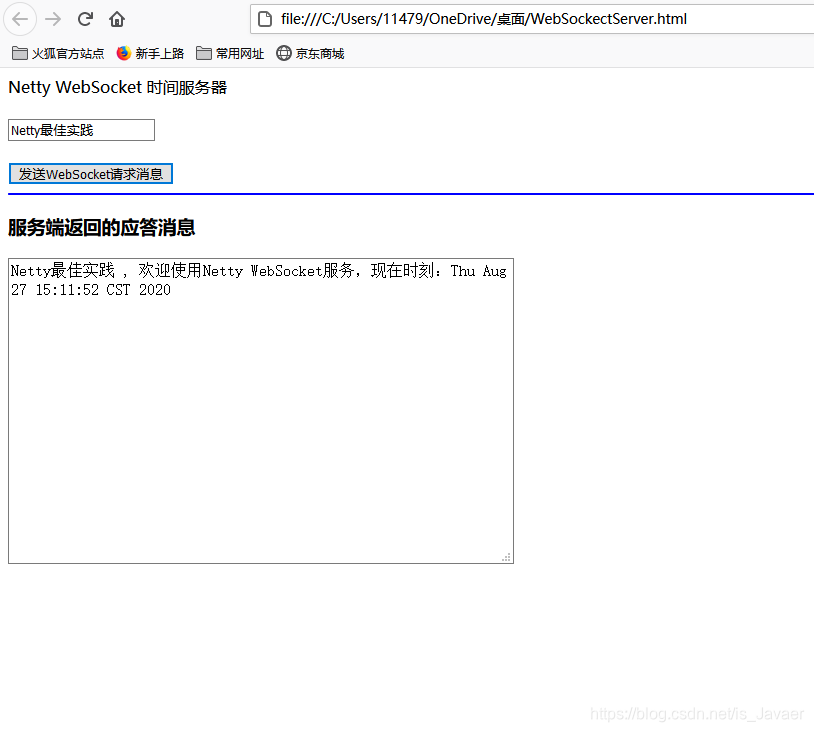
点击“发送WebSocket请求消息”则会想服务端发送WebSocket请求,服务端根据请求消息返回相应内容。
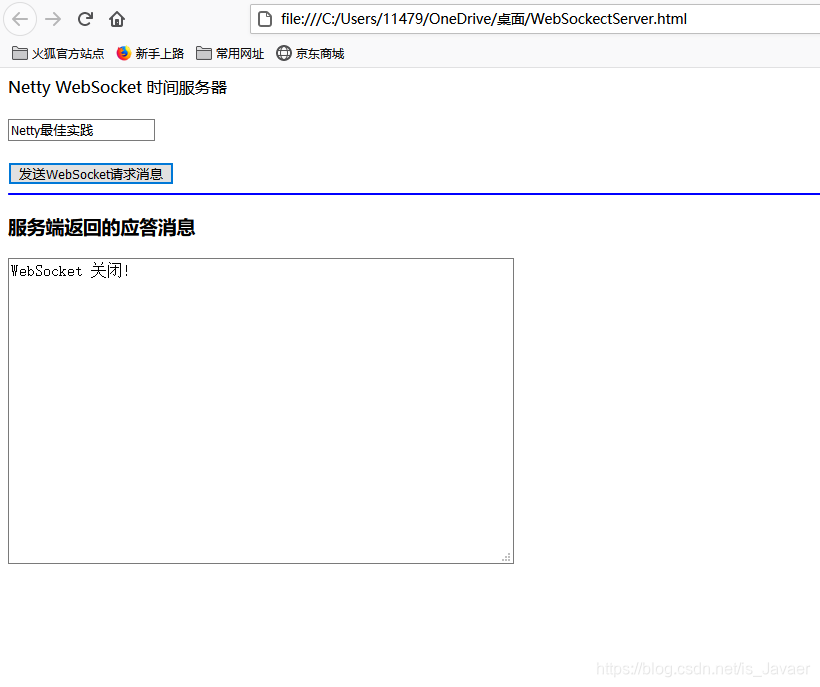
当服务端关闭,客户端页面将会实时收到关闭通知





 扫一扫
扫一扫


 8866
8866

 被折叠的 条评论
为什么被折叠?
被折叠的 条评论
为什么被折叠?
 到【灌水乐园】发言





