


首先我们需要区分一下用的是Swagger2还是Swagger3,Swagger3指路[Swagger3.0]swagger-ui.html无法访问的解决方案-CSDN博客
我这里用的是Swagger2,第一步需要在pom.xml文件里面进行配置
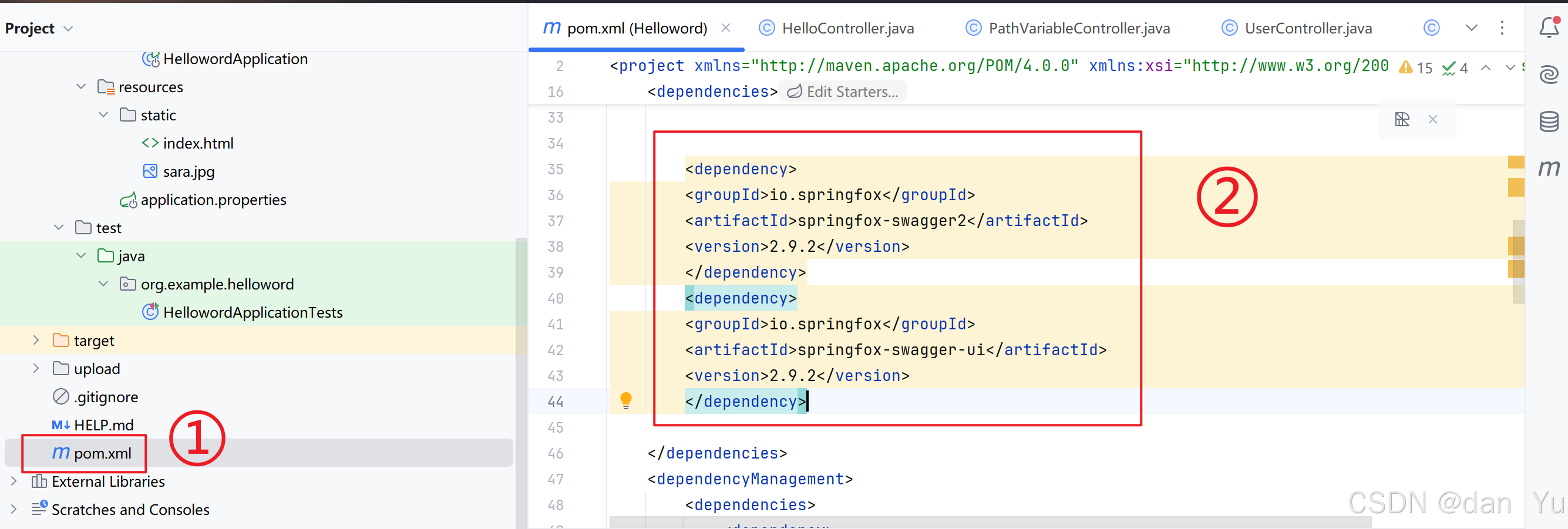
<dependency>
<groupId>io.springfox</groupId>
<artifactId>springfox-swagger2</artifactId>
<version>2.9.2</version>
</dependency>
<dependency>
<groupId>io.springfox</groupId>
<artifactId>springfox-swagger-ui</artifactId>
<version>2.9.2</version>
</dependency>
第二步,在SwaggerController类里面写入如下代码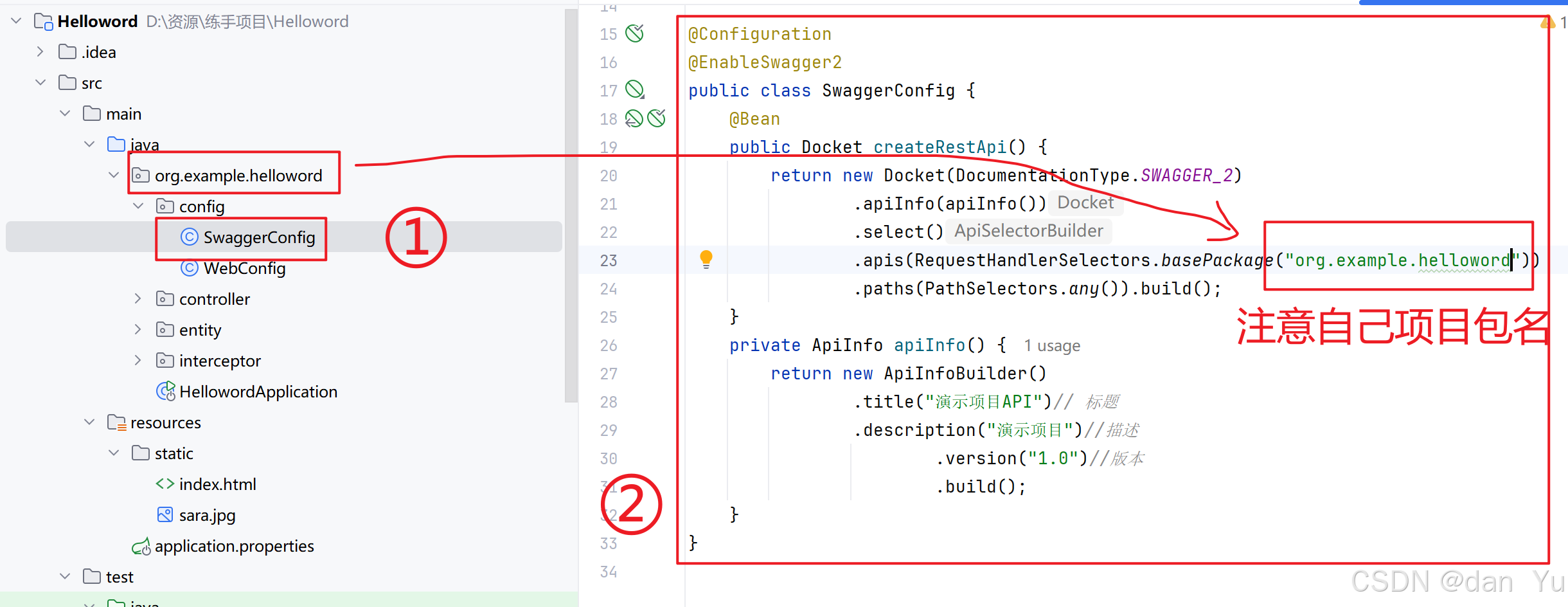
package org.example.helloword.config;
import org.springframework.context.annotation.Bean;
import org.springframework.context.annotation.Configuration;
import springfox.documentation.builders.ApiInfoBuilder;
import springfox.documentation.builders.PathSelectors;
import springfox.documentation.builders.RequestHandlerSelectors;
import springfox.documentation.service.ApiInfo;
import springfox.documentation.spi.DocumentationType;
import springfox.documentation.spring.web.plugins.Docket;
import springfox.documentation.swagger2.annotations.EnableSwagger2;
@Configuration
@EnableSwagger2
public class SwaggerConfig {
@Bean
public Docket createRestApi() {
return new Docket(DocumentationType.SWAGGER_2)
.apiInfo(apiInfo())
.select()
.apis(RequestHandlerSelectors.basePackage("org.example.helloword"))
.paths(PathSelectors.any()).build();
}
private ApiInfo apiInfo() {
return new ApiInfoBuilder()
.title("演示项目API")// 标题
.description("演示项目")//描述
.version("1.0")//版本
.build();
}
}
第四步,在application这个文件里面,写入代码
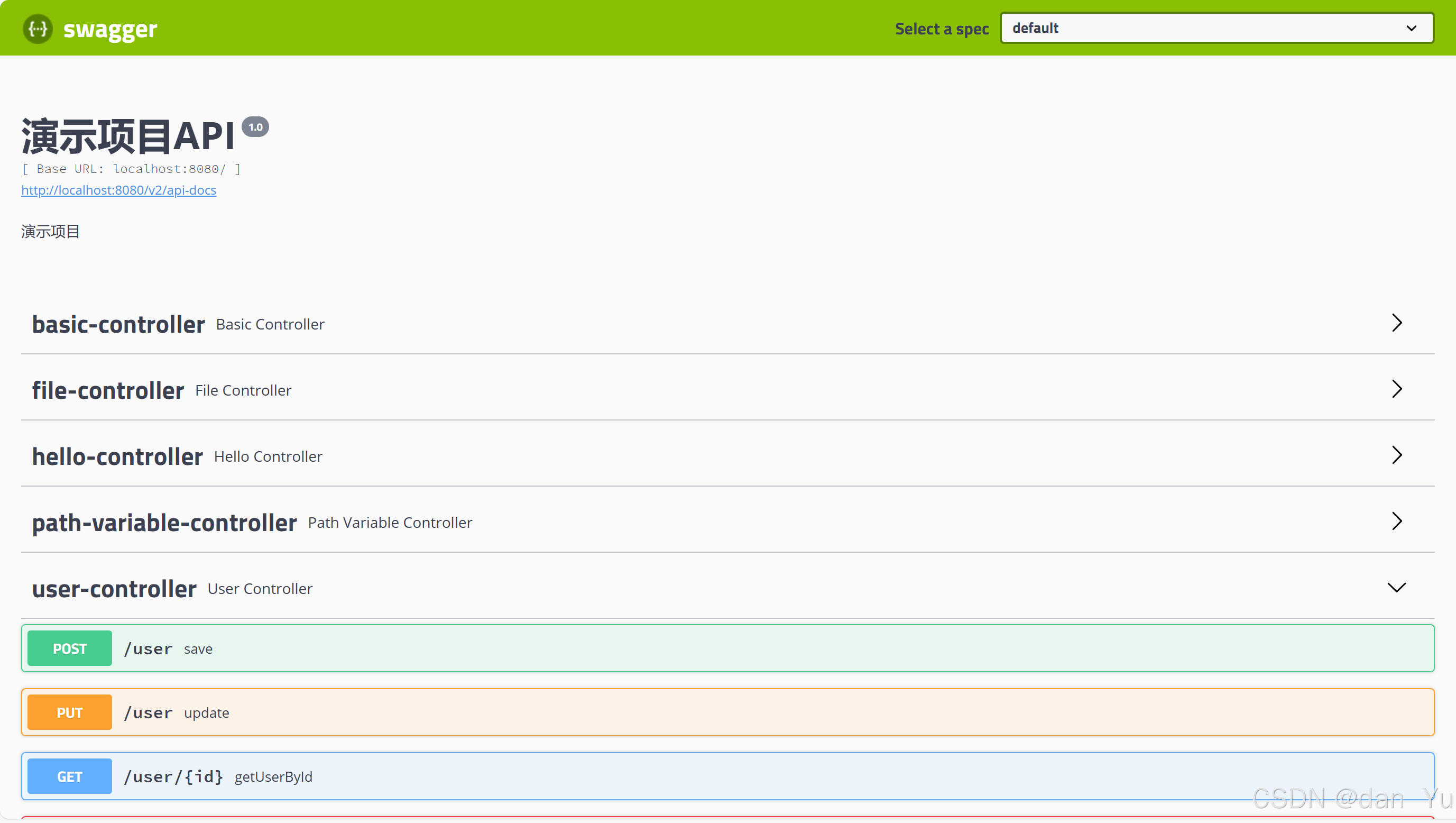
spring.mvc.pathmatch.matching-strategy=ant_path_matcher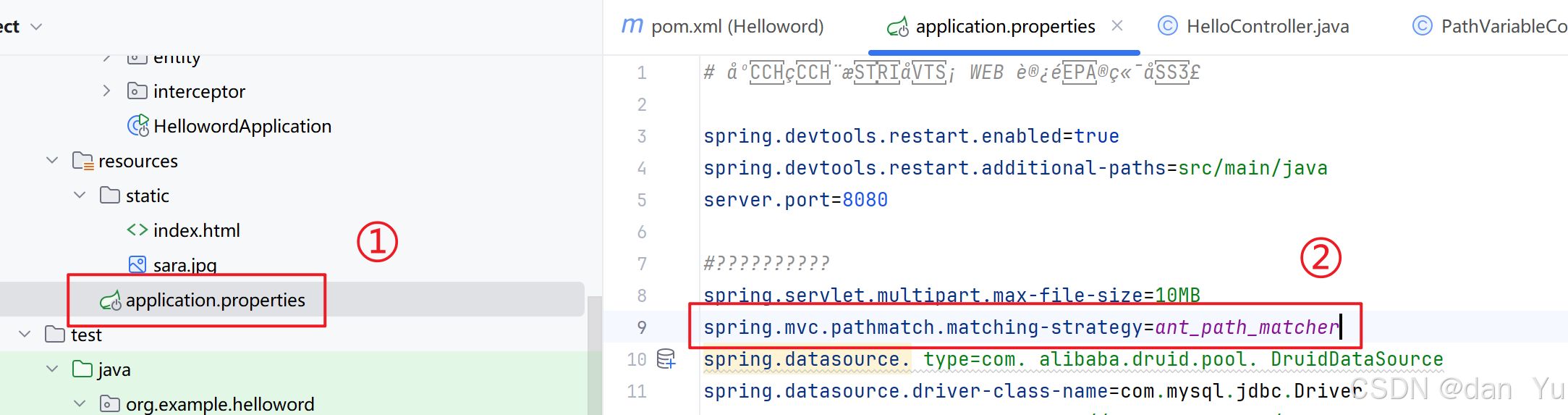 第四步,在浏览器搜索http://localhost:8080/swagger-ui.html。注意:如果自己项目端口不是8080不能用这个默认网址,指路springboot集成swagger3+解决页面无法访问问题_springboot swagger 地址无法访问-CSDN博客





 扫一扫
扫一扫


 1721
1721

 被折叠的 条评论
为什么被折叠?
被折叠的 条评论
为什么被折叠?
 到【灌水乐园】发言





