



前置条件
立创泰山派SDK
-
tspi_linux_sdk_repo_20240131.tar.gz
https://tmp.link/f/65f7265e94536 -
编译debian>生成img>烧录 详情查看地址
-
MIPI屏幕 这里使用31pin 800*1280MIPI屏幕 进行演示 请自行选用并点亮屏幕 详情查看
-
SSH搭建 必须 因为运行必须要关闭图形化界面 这里我在开发板上安装了宝塔面板使用终端
https://lceda001.feishu.cn/wiki/NggWw6XZliI5D1k9aircDS2Jnkb
下载 lv_port_linux v8.2
下载 lv_port_linux v8.2 https://github.com/lvgl/lv_port_linux/tree/release/v8.2
以下推荐直接点击链接下载压缩包 并解压
下载 lv_drivers https://github.com/lvgl/lv_drivers/tree/49c4b178494625efefb07891d1c8b9c13914edff
下载 lvgl https://github.com/lvgl/lvgl/tree/0b5a1d4b23975b920ff841ea9cd038802f51711b
下载并解压完成后复制两个文件夹中的内容到 lv_port_linux 文件夹中的lv_drivers、lvgl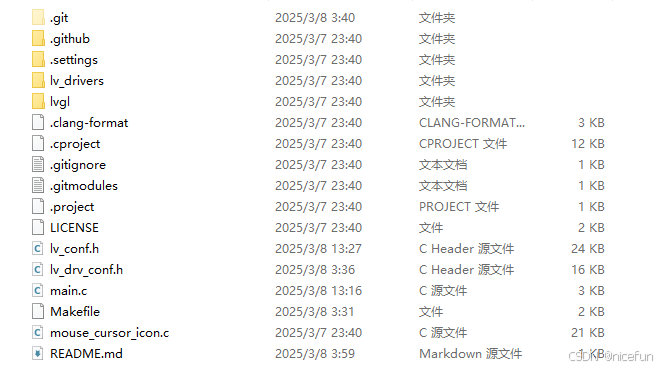
至此完成了基础整备
开始编译工作
编译lv_port_linux
将lv_port_linux移动至开发板>>>>使用命令进入lv_port_linux文件夹运行命令
make -j4
ls
等待编译成功查看文件夹 内容为
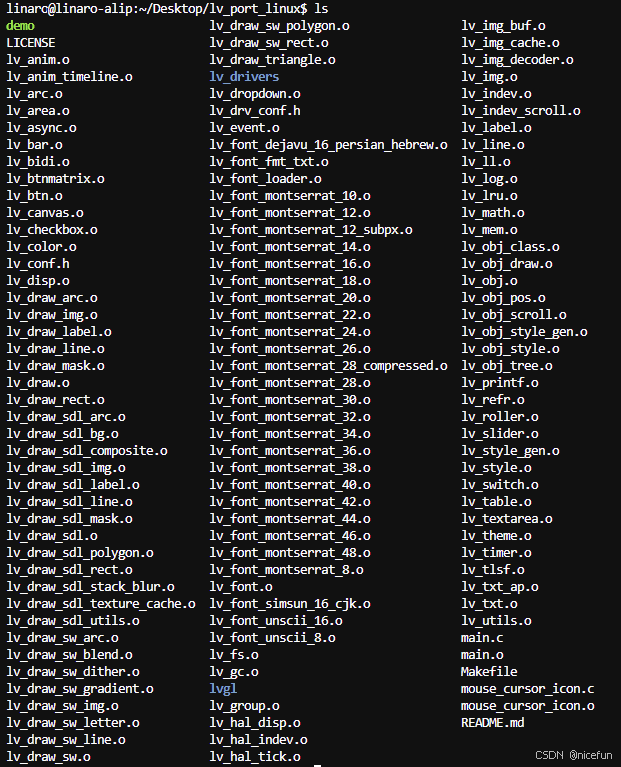
可以看到生成了demo文件
关闭图形化界面 并重启
关闭图形化命令 没有SSH 关闭后无法操作开发板 只能重新烧录img文件
sudo systemctl set-default multi-user.target # 设置默认目标为命令行模式 :ml-citation{ref="2" data="citationList"}
启用图形化命令
sudo systemctl set-default graphical.target # 设置默认目标为图形模式 :ml-citation{ref="1,2" data="citationList"}
重启命令
sudo reboot #重启
完成操作为 显示立创泰山派LOGO 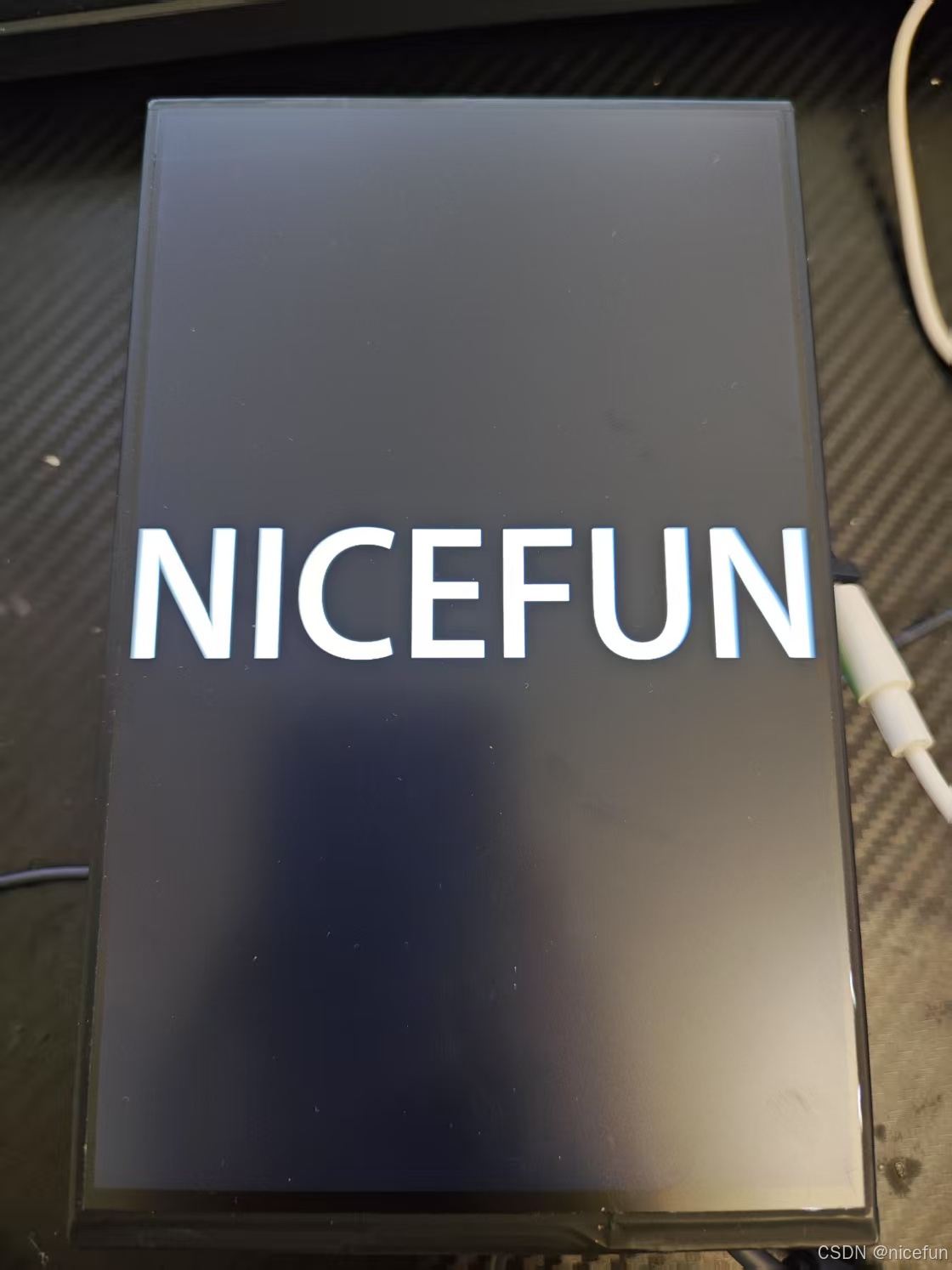
运行demo 以下操作均依赖SSH
使用SSH 进入lv_port_linux
sudo ./demo
启动完成后现象为
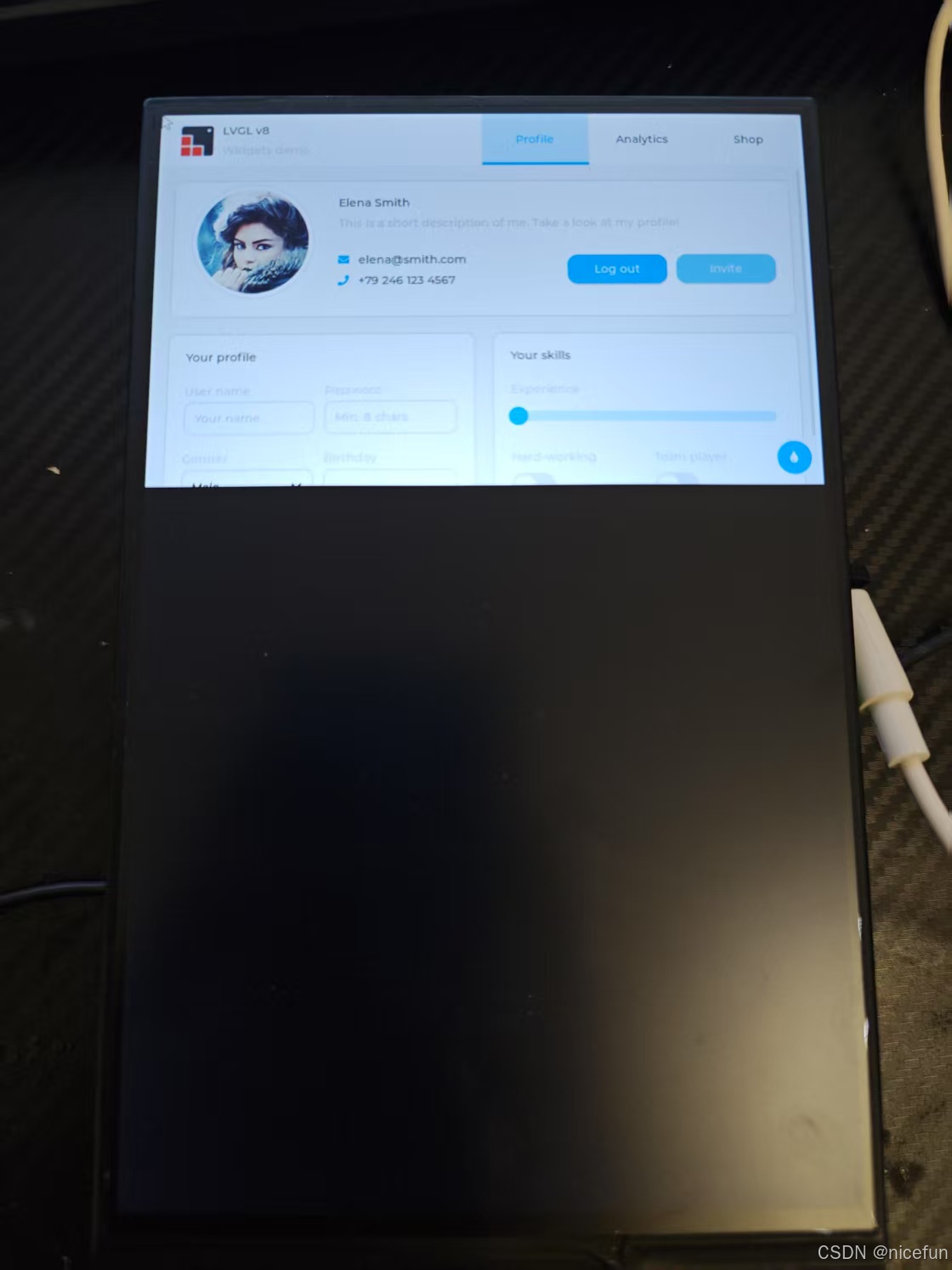
进行代码适配
进入/lv_port_linux/main.c 修改你的屏幕大小
    disp_drv.hor_res  = 800;
    disp_drv.ver_res  = 1280;
进入/lv_port_linux/lv_drv_conf.h 修改鼠标输入事件
开发板插入鼠标
sudo evtest
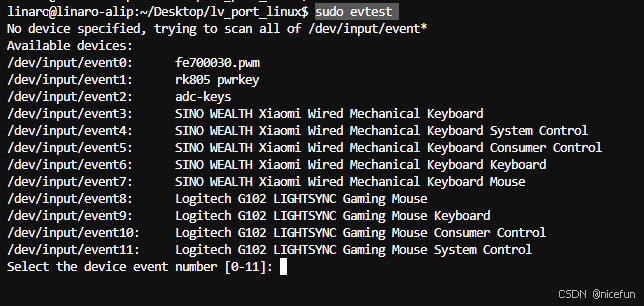
我的鼠标事件为8 键入8
8
移动插入开发板的鼠标 输出鼠标事件为
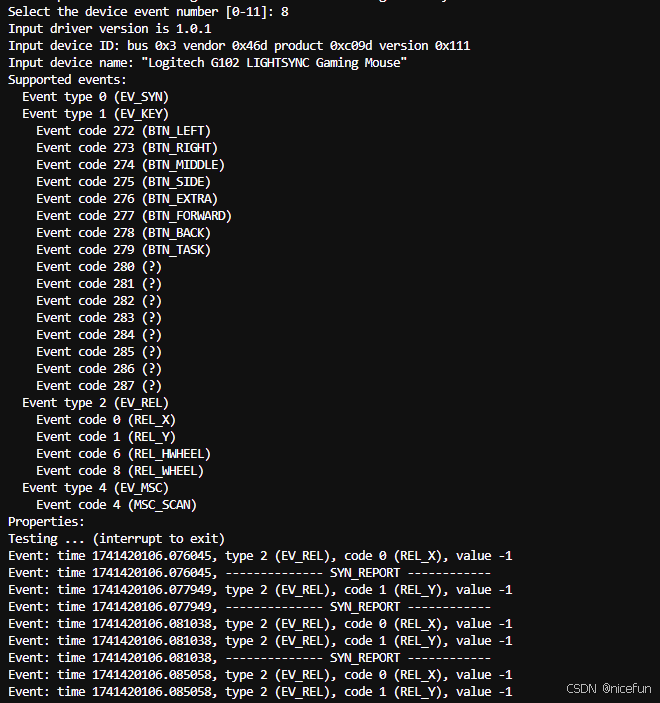
修改 进入/lv_port_linux/lv_drv_conf.h 修改鼠标输入事件 为你的鼠标事件
# define EVDEV_NAME "/dev/input/event10"
进入/lv_port_linux/lv_conf.h 修改显示帧率和性能监测
#define LV_DISP_DEF_REFR_PERIOD 16      /*[ms]*/


#define LV_INDEV_DEF_READ_PERIOD 16     /*[ms]*/
16为62帧
/*1: Show CPU usage and FPS count*/
#define LV_USE_PERF_MONITOR 1
#if LV_USE_PERF_MONITOR
    #define LV_USE_PERF_MONITOR_POS LV_ALIGN_BOTTOM_RIGHT
#endif

/*1: Show the used memory and the memory fragmentation
 * Requires LV_MEM_CUSTOM = 0*/
#define LV_USE_MEM_MONITOR 1
#if LV_USE_MEM_MONITOR
    #define LV_USE_MEM_MONITOR_POS LV_ALIGN_BOTTOM_LEFT
#endif
LV_USE_PERF_MONITOR 和 LV_USE_MEM_MONITOR 置为1
重新编译 lv_port_linux
清除之前编译的内容
make clean
make -j4
运行demo
sudo ./demo
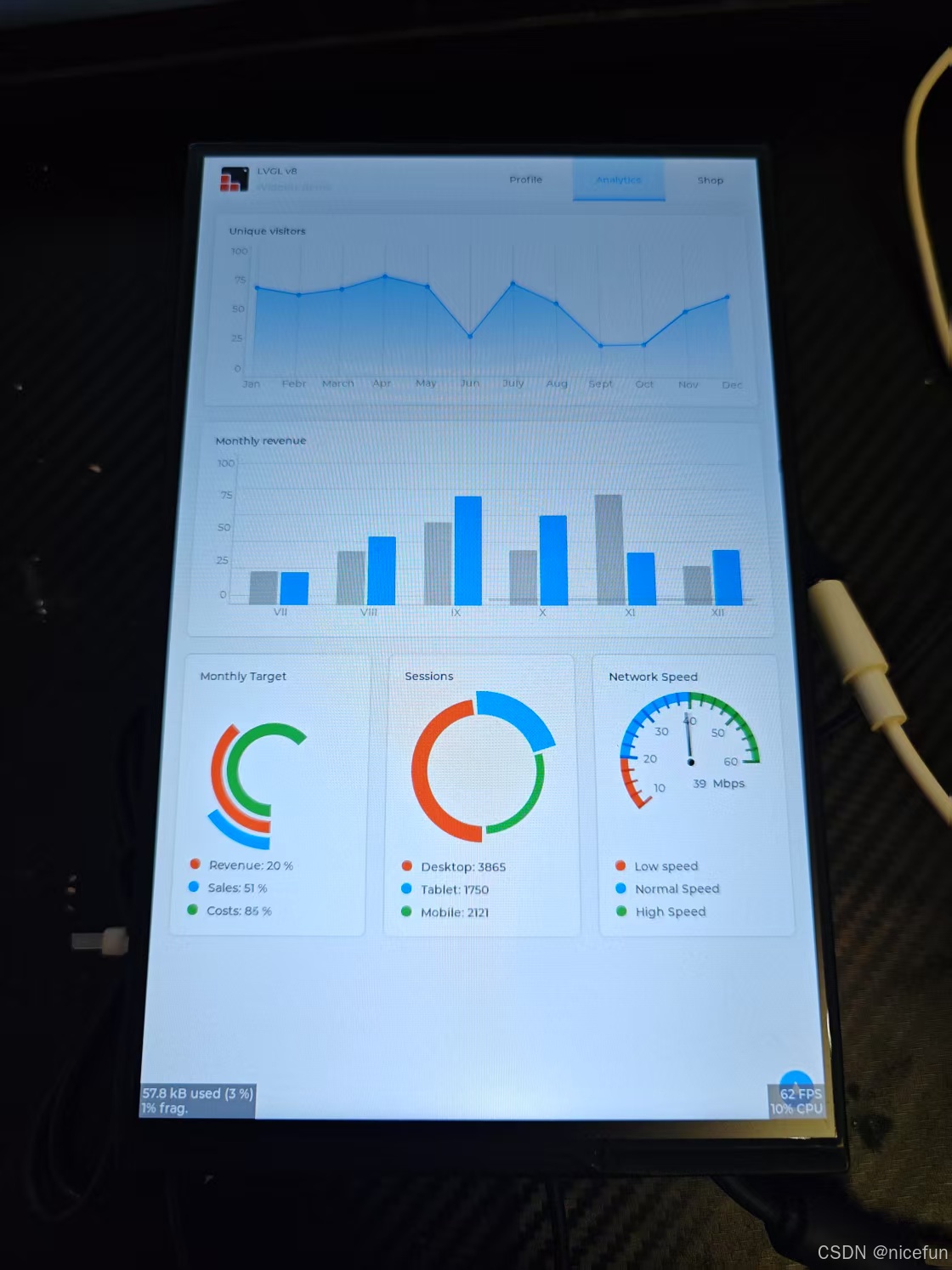
切换demo显示
进入/lv_port_linux/lv_conf.h 修改显示文字大小 必须修改否则编译报错
显示文字大小统统置为 1
#define LV_FONT_MONTSERRAT_8  1
#define LV_FONT_MONTSERRAT_10 1
#define LV_FONT_MONTSERRAT_12 1
#define LV_FONT_MONTSERRAT_14 1
#define LV_FONT_MONTSERRAT_16 1
#define LV_FONT_MONTSERRAT_18 1
#define LV_FONT_MONTSERRAT_20 1
#define LV_FONT_MONTSERRAT_22 1
#define LV_FONT_MONTSERRAT_24 1
#define LV_FONT_MONTSERRAT_26 1
#define LV_FONT_MONTSERRAT_28 1
#define LV_FONT_MONTSERRAT_30 1
#define LV_FONT_MONTSERRAT_32 1
#define LV_FONT_MONTSERRAT_34 1
#define LV_FONT_MONTSERRAT_36 1
#define LV_FONT_MONTSERRAT_38 1
#define LV_FONT_MONTSERRAT_40 1
#define LV_FONT_MONTSERRAT_42 1
#define LV_FONT_MONTSERRAT_44 1
#define LV_FONT_MONTSERRAT_46 1
#define LV_FONT_MONTSERRAT_48 1
/*Show some widget. It might be required to increase `LV_MEM_SIZE` */
#define LV_USE_DEMO_WIDGETS        0
#if LV_USE_DEMO_WIDGETS
#define LV_DEMO_WIDGETS_SLIDESHOW  0
#endif

/*Demonstrate the usage of encoder and keyboard*/
#define LV_USE_DEMO_KEYPAD_AND_ENCODER     0

/*Benchmark your system*/
#define LV_USE_DEMO_BENCHMARK   1

/*Stress test for LVGL*/
#define LV_USE_DEMO_STRESS      0

/*Music player demo*/
#define LV_USE_DEMO_MUSIC       0
LV_USE_DEMO_WIDGETS 置为 0 LV_USE_DEMO_BENCHMARK 置为 1
进入/lv_port_linux/main.c 修改显示demo
    /*Create a Demo*/
    lv_demo_widgets();                  //修改为    lv_demo_benchmark();  与上面LV_USE_DEMO后的地方一致就行 **小写**
重新编译 lv_port_linux
清除之前编译的内容
make clean
make -j4
运行demo
sudo ./demo
运行结果为
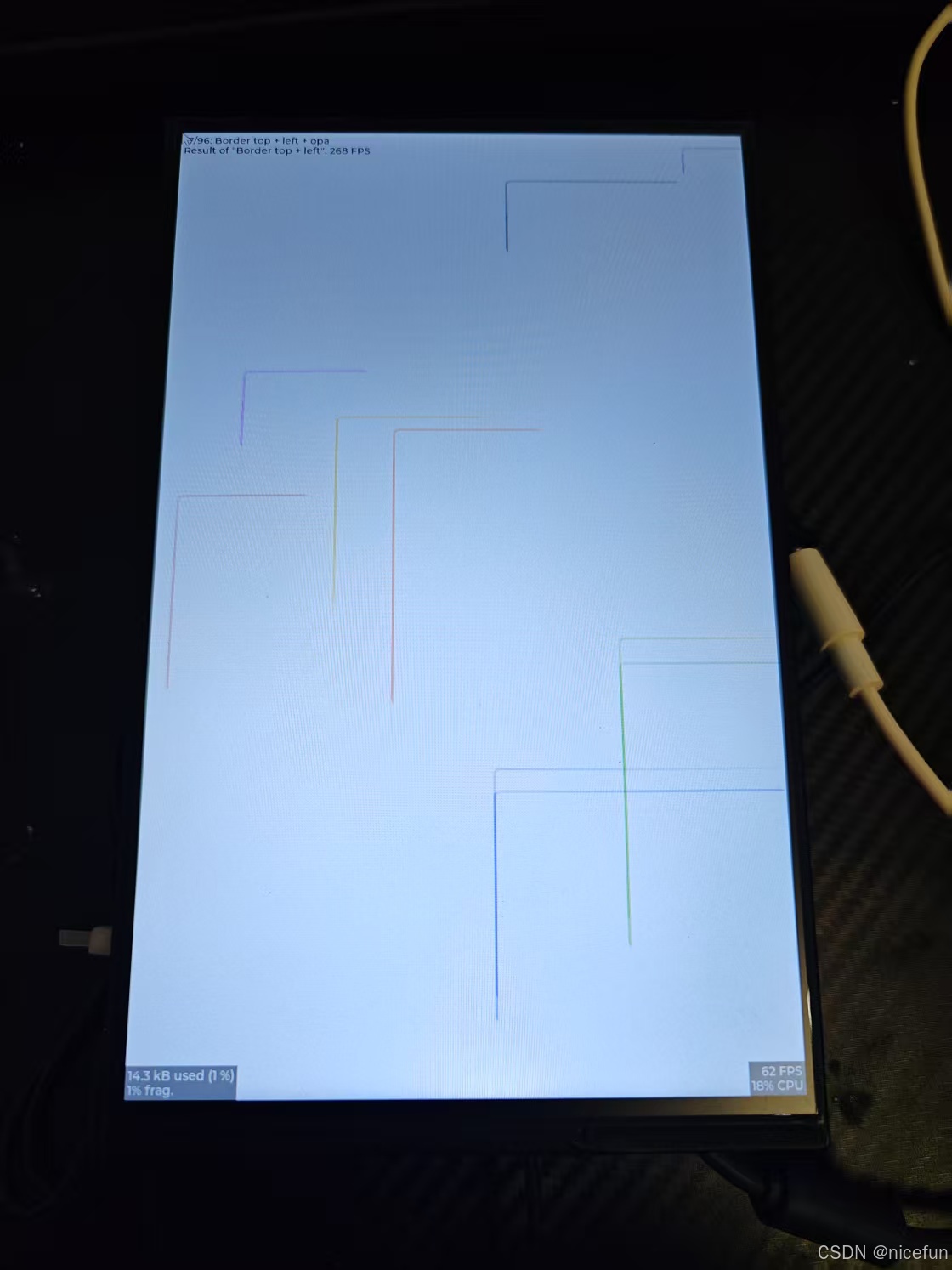
运行完成显示测试结果 这是一个性能测试
重新启用图形化界面
启用图形化命令
sudo systemctl set-default graphical.target # 设置默认目标为图形模式 :ml-citation{ref="1,2" data="citationList"}
重启命令
sudo reboot #重启





 扫一扫
扫一扫


 555
555

 被折叠的 条评论
为什么被折叠?
被折叠的 条评论
为什么被折叠?
 到【灌水乐园】发言





