



 博客介绍了在.NET 中使用 CefNet 的相关操作。首先引用 Nuget 包 CefNet.Avalonia.Eleven,需注意版本号并下载对应版本的 cef 基础环境,将其解压并拷贝到程序目录的 cef 文件夹。接着在代码入口处初始化 cef 环境,添加 WebView 控件,最后在适当位置释放 cef。
引用 Nuget 包
引用 CefNet.Avalonia.Eleven
看清楚 CefNet.Avalonia.Eleven 的版本号,例如我用的是 105.3.22248.146 ,表示 cef 基础环境也应该下载 105.3 版本的
下载 cef 基础环境
到下面地址搜索 CefNet.Avalonia.Eleven 对应版本号的cef环境
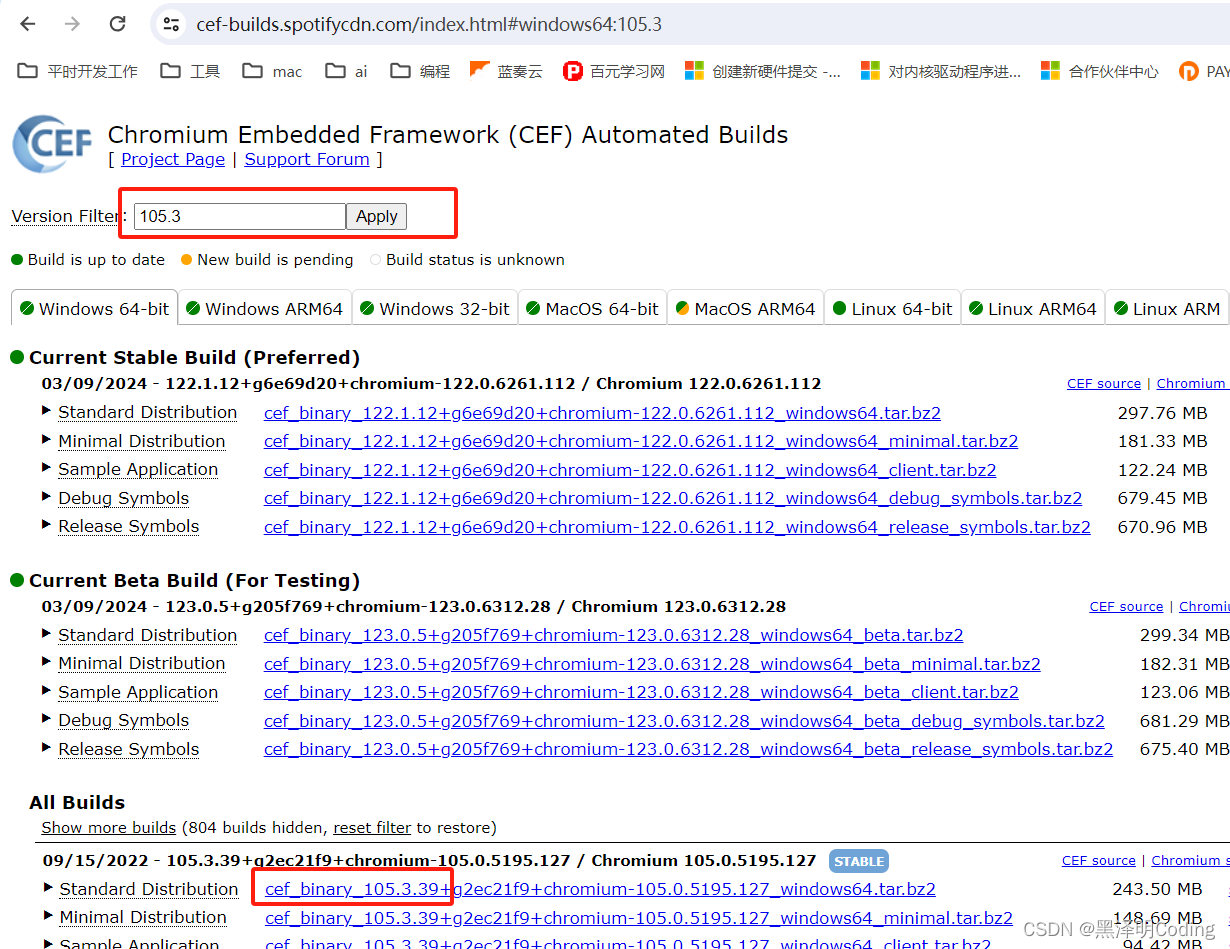
- 把 Standard Distribution 下载,解压,然后在程序的目录下,创建一个 cef 文件夹,把 Standard Distribution 里面的 Release 和 Resources 文件夹,都拷贝到 cef 文件夹里;
- 把 Resources\icudtl.dat 文件剪切到 Release 文件夹
代码中初始化 cef
在程序入口处,先初始化 cef 环境
        if (Design.IsDesignMode == false)
        {
            var settings = new CefSettings();
            settings.MultiThreadedMessageLoop = true;
            settings.ResourcesDirPath = Path.Combine(AppDomain.CurrentDomain.BaseDirectory, "cef", "Resources");
            settings.LocalesDirPath = Path.Combine(AppDomain.CurrentDomain.BaseDirectory, "cef", "Resources", "locales");

            var app = new CefNetApplication();

            app.Initialize(Path.Combine(AppDomain.CurrentDomain.BaseDirectory, "cef", "Release"), settings);

        }
添加 WebView 控件
        WebView webview = new() { Focusable = true };
        webview.InitialUrl = "https://www.baidu.com";

        rootControl.Children.Add(webview);
释放 cef
在适当位置,释放 cef
    private void MainWindow_Closing(object? sender, WindowClosingEventArgs e)
    {
        CefNetApplication.Instance.Shutdown();
    }





 扫一扫
扫一扫


 988
988

 被折叠的 条评论
为什么被折叠?
被折叠的 条评论
为什么被折叠?
 到【灌水乐园】发言





