You signed in with another tab or window. Reload to refresh your session.You signed out in another tab or window. Reload to refresh your session.You switched accounts on another tab or window. Reload to refresh your session.Dismiss alert
{{ message }}
Repository navigation
Display Database and Server settings in Studio #776


Activity
feat: global setting divided by scope + console filtering
Divided settings in 3 tables by scope: jvm, server and database
lvca commentedon Jan 16, 2023
Added SCOPE to the global configuration:
JVM, as the settings applied at the JVM level, so to both clients and serversSERVER, as the settings that only apply to the ArcadeDB Server.If you're embedding a server in your Java application you can use these settings
DATABASEare all the settings that can be saved in the database configuration and are restored once the database is openNow the console checks the setting and doesn't allow setting a server setting.
Leaving this issue open to support server settings from Studio by setting them at database level (database page) and server level (server page)
lvca commentedon Jan 17, 2023
Added Server Setting Panel
[-]Server settings vs Database settings[/-][+]Display Database and Server settings in Studio[/+]lvca commentedon Jan 17, 2023
Added Database Settings Panel
feat: studio 2 new panels for database and server settings
lvca commentedon Jan 17, 2023
Server settings are modifiable via Studio.
lvca commentedon Jan 17, 2023
Same for database settings
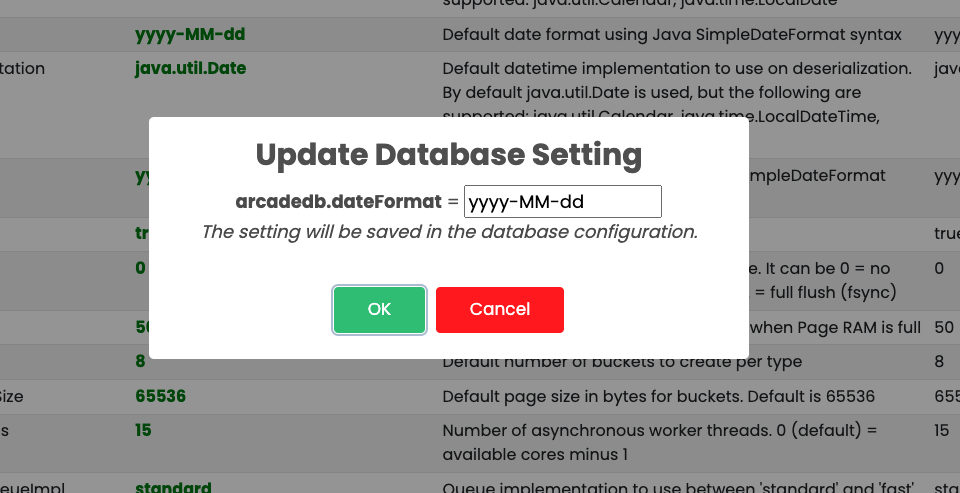
lvca commentedon Jan 17, 2023
Both server and database setting update use the HTTP /server generic command.
feat: studio update of server and database settings
feat: global setting divided by scope + console filtering
feat: studio 2 new panels for database and server settings
feat: studio update of server and database settings