Loading image...Kiro

Product

  • About Kiro
  • IDE
  • CLI
  • Web
  • Mobile
  • Crew
  • Pricing
  • Downloads

For

  • Enterprise
  • Startups
  • Students

Community

  • Overview
  • Ambassadors
  • Discord
  • Events
  • Powers
  • Shop
  • Showcase

Resources

  • Docs
  • Blog
  • Changelog
  • FAQs
  • Report a bug
  • Suggest an idea
  • Billing support

Social

Site TermsLicenseResponsible AI PolicyLegalPrivacy PolicyCookie Preferences
Loading image...Kiro
  • Enterprise
  • Pricing
  • Docs
SIGN INDOWNLOADS
Loading image...Kiro

Get Started

InstallationAuthenticationYour first project

Models

OverviewAvailable modelsReasoning effort

Features

How Kiro works
Specs
Steering
Hooks
MCP
Permissions
Custom agents
Agent Skills
Powers
Cloud sessionsCompactionKiroignoreCheckpoints and rewind
Built-in tools
Configuration scopes

IDE 1.x

What's new in 1.0
Setup & First Run
Editor
Chat
Experimental
Troubleshooting0.x reference

CLI

What's new in 3.0
Setup & First Run
Terminal UI
Chat
Voice modeHeadless modeACPAuto complete
Experimental
2.x reference

Crew

Quick startInstallationRunning 24/7
Chat
Agent Capabilities
Features
Interfaces
Apps
ConfigurationSecurityTroubleshooting

Web - Preview

Setup & First RunIdentity Center
Connect your repositories
Working with the agent
Autonomous modeAutomationsMemory
Sandbox

Mobile - Preview

Overview

Commands and Reference

CLI commandsSlash commandsBuilt-in toolsExit codesSettings

Billing

OverviewManaging your subscriptionUpgrading your planDowngrading your planCancelling your planPurchasing add-on creditsManaging your paymentsManaging usage notificationsManaging your taxesContacting billing supportDeleting your accountRelated questions

Enterprise

ConceptsOnboarding quickstart
Connecting your identity provider
Subscribe your teamManage subscriptions
Governance
Monitor and track
SettingsManaged updatesBillingIAMSupported regions

Privacy and Security

OverviewData protectionCode referencesCompliance validationInfrastructure securityIAM permissionsFirewalls, proxies, and data perimetersVPC endpoints (AWS PrivateLink)

Guides

Overview
Language support
Learn by playing
Setup dev environment and launch the game
Steering Kiro, and improving the game homepage
Fixing a subtle physics bug
Fixing an interactions bug across several files
Vibe refactoring is 50% of vibe coding
Using specifications for complex work
Managing game assets with agent hooks
Extending Kiro with MCP
Conclusion

Migration

Migrating from Q DeveloperMigrating from VSCodeUpgrading from Q CLI
  1. Docs
  2. Guides
  3. Learn by playing
View as Markdown

Learn by playing

View as Markdown

In this guide, you will learn how to use Kiro by completing tasks in the codebase for a sample video game called Spirit of Kiro.

95% of the code for Spirit of Kiro has been written by prompting Kiro. You are going to be using Kiro to fix bugs and add features to the game to complete it.

Loading image...A cartoon ghost stands in front of a large industrial lever labeled "PULL"
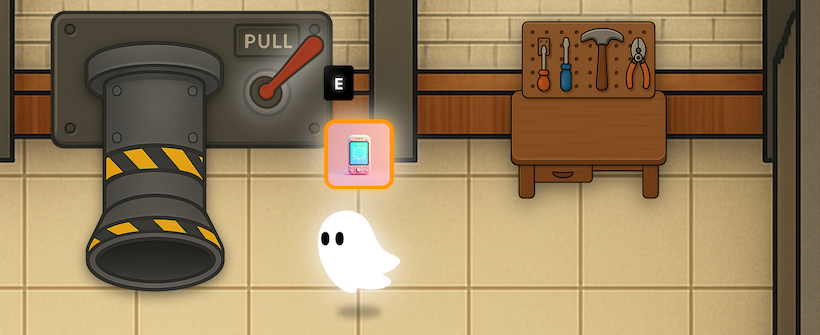
and a workbench with tools. The ghost is next to a glowing card and a prompt
showing the "E" key.

Spirit of Kiro is an infinite crafting game in which you can:

  1. Discover unique, randomly generated objects
  2. Utilize these items on each other via simulated interactions like "cut", "paint", "glue", "enchant". Item's combine, break apart, and change in response to these interactions.
  3. Sell your resulting creations to an AI appraiser.

Every object in the game is generated by AI. Interactions between objects are also simulated by AI. This gives Spirit of Kiro infinite replayability and potential.

In the following diagram you can see how the game's core crafting mechanic works. The player has discovered two items: a spoon, and a glass jar of vegetables. The player can use the spoon to extract a sample of the vegetables.

Loading image...A crafting workbench interface from a game, showing a grid of unique items
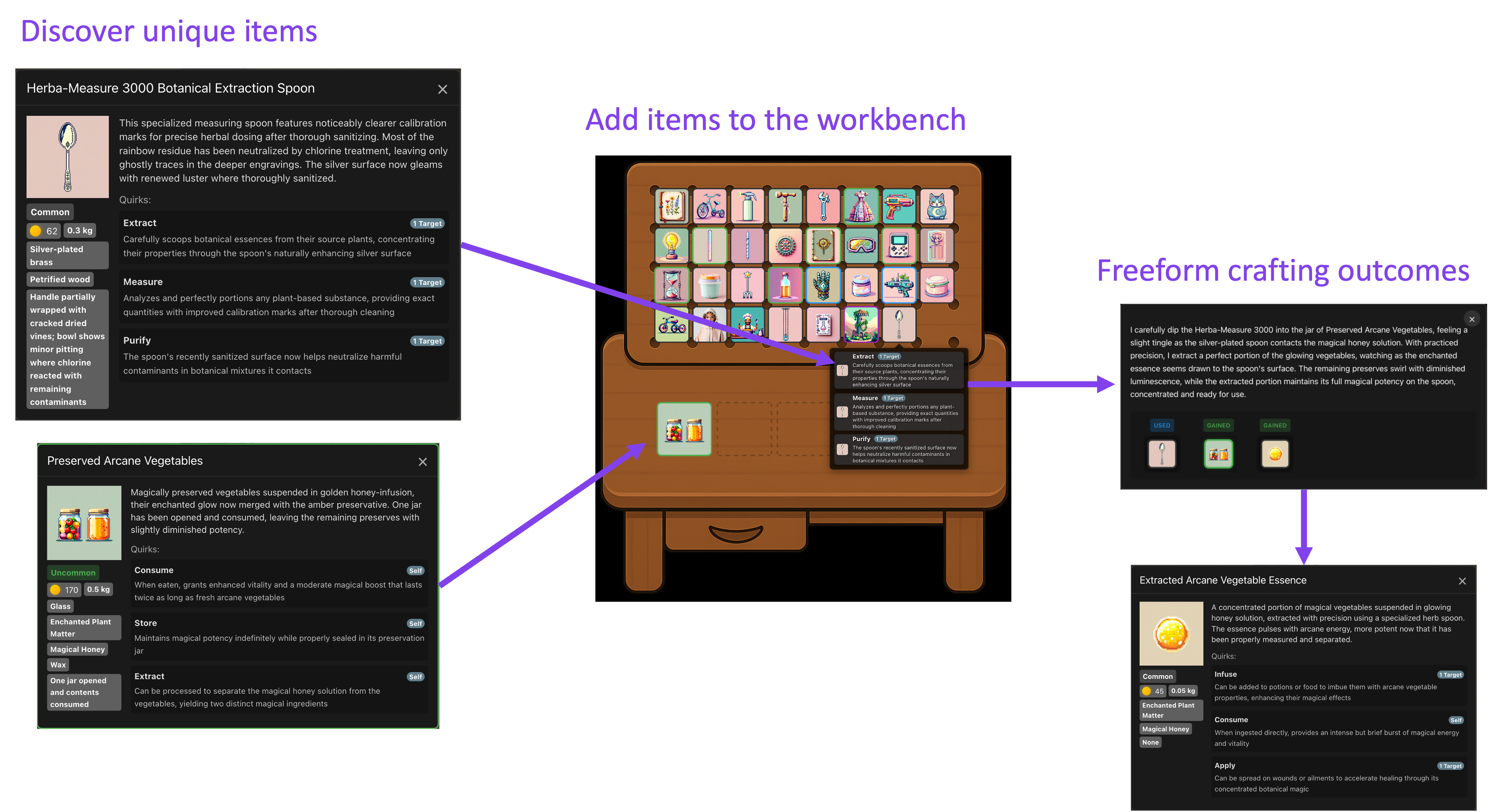
and pop-up descriptions for items like a botanical extraction spoon, and jar of vegetables,
Purple arrows connect the workbench to detailed item info
panels, with the text 'Discover Unique Items' and 'Add items to workbench',
and "Freeform crafting outcomes" above.

While the game’s core loop is complete, the game is not quite done yet. There is an extensive roadmap for the game, full of additional ideas to build, and there a few bugs that have been left in the game on purpose so you can try out solving them using Kiro.

In this guide you will learn to use Kiro by completing a series of tasks on a challenge branch of the open source code for this game. Ready to get started? Let's go!

1

Setup

First, we ensure that you have an AWS account. We setup a Cognito user pool for authentication, build and launch the game stack using a Docker Compose file, then bootstrap DynamoDB tables. Then we verify that the game runs on your local machine:

  • Setup dev environment and launch the game
2

Task: Improve game homepage

We setup steering files to help Kiro understand the project. With a full understanding of the project, we put Kiro to work improving the home landing page for the game.

  • Steering Kiro, and improving the game homepage
3

Bug Fix: Physics Glitch

When we tab out of game, the physics goes haywire when tabbing back in. Can Kiro fix it?

  • Investigating and fixing a subtle bug with physics
4

Bug Fix: Interactions Oversight

The original pass at game interactions was "vibe coded". But it looks like AI missed something. Can Kiro correct its own mistake?

  • Fixing a complex issue across multiple files
5

Refactor: DRY up code with Kiro

It's not just vibe coding, we do vibe refactoring here as well.

  • Vibe refactoring is 50% of vibe coding
6

New Feature: Implementing something complex

The game is currently missing email verification and password reset. We implement this relatively complex new feature across client and server.

  • Using specifications for complex work
7

Automation: Managing assets with agent hooks

We identify some boilerplate asset management work that that is error prone. Fortunately Kiro agent hooks can help us automate this.

  • Managing assets with agent hooks
8

Extending Kiro with MCP

Not only can you make this game your own, you can also make Kiro your own, by extending its context and behaviors with Model Context Protocol (MCP).

  • Extending Kiro with MCP
9

Conclusion

Wrap up your learning journey and explore next steps.

  • Conclusion
Page updated: August 4, 2026
Java
Setup dev environment and launch the game