
विवरण
Advanced Google reCAPTCHA protects your WordPress site from spam comments & brute force login attacks using captcha. This captcha plugin, quickly adds Google reCAPTCHA and other captcha tests to WordPress comment form, login form, and other forms.
Using Advanced Google reCAPTCHA (most popular captcha on the market), you’ll be safe from spam comments and protect user accounts, WooCommerce, Easy Digital Downloads, BuddyPress and other forms from brute-force login attacks.
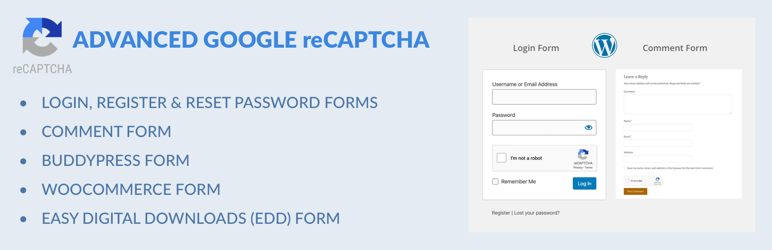
reCaptcha works for:
- Login Form
- Registration Form
- Reset Password Form
- Comment Form
- BuddyPress Form
- WooCommerce Form
- Easy Digital Downloads (EDD) Login Form
- Easy Digital Downloads (EDD) Registration Form
Captcha uses these 3rd party libs:
- Chart.js, 2017 Nick Downie, MIT
- DataTables, 2008-2017 SpryMedia Ltd, MIT
- moment.js, Tim Wood, Iskren Chernev, MIT
- SweetAlert 2, github.com/Sweetalert2/Sweetalert2, MIT
- tooltipster, www.heteroclito.fr/modules/tooltipster/, MIT
स्क्रिनसटहरू


स्थापना
- Upload Advanced Google reCAPTCHA files to the “/wp-content/plugins/advanced-google-recaptcha” directory, or install Advanced Google reCAPTCHA through the WordPress Plugins page directly.
- Activate Advanced Google reCAPTCHA through the WordPress Plugins page.
- Use the menu Advanced Google reCAPTCHA to configure it.
प्रश्नोत्तर
-
How to disable this plugin?
-
Just use standard Plugin overview page in WordPress admin section and deactivate it or rename plugin folder /wp-content/plugins/advanced-google-recaptcha over FTP access.
-
Does Captcha work for comment form?
-
Yes, it works for WordPress comment form.
-
Will it slow my site down?
-
No, it won’t. It’s only loaded on the pages it protects.
-
How can I report security bugs?
-
You can report security bugs through the Patchstack Vulnerability Disclosure Program. The Patchstack team help validate, triage and handle any security vulnerabilities. Report a security vulnerability.
समीक्षाहरू


योगदानकर्ता र डेभलपरहरू
“Advanced Google reCAPTCHA” खुला स्रोत सफ्टवेयर हो। निम्न व्यक्तिहरूले यो प्लगिनमा योगदान गरेका छन्।
योगदानकर्ताहरू
“Advanced Google reCAPTCHA” 19 लोकेलहरूमा अनुवाद गरिएका छन्। योगदानको लागि अनुवादकहरूलाई धन्यवाद।
“Advanced Google reCAPTCHA” लाई आफ्नो भाषामा अनुवाद गर्नुहोस्
विकासमा रुचि छ?
आरएसएस द्वारा कोड ब्राउज गर्नुहोस्, एसभीएन रिपजिटरी हेर्नुहोस्, वा विकास लग को सदस्यता लिनुहोस्।
चेन्जलग
5.39 – 08/06/2026
- Updated the free version number to keep the free and PRO releases aligned and avoid confusion around public security advisories. The reported issue (CVE-2026-5411) affected the PRO version only (not the free one) and was already patched, but because both versions share the same plugin slug, some users and automated tools could and did misinterpret the version numbers. Aligning the free version with the PRO version makes it clearer that the installed plugin is current and helps prevent unnecessary concerns
1.35 – 05/05/2026
- Added option to customize “Are you human? Please solve:” text
- Fixed reCaptcha v3 token expiration
1.34 – 09/04/2026
- Minor fixes
1.33 – 26/03/2026
- Wordfence compatibility fix
1.32 – 19/03/2026
- added captcha to WooCommerce payment endpoint
- improved checkout error handling
1.31 – 30/07/2025
- minor code fixes
1.30 – 26/03/2025
- security fixes
1.29 – 28/02/2025
- Easy Digital Downloads (EDD) registration fix
- math captcha bug fix
1.28 – 21/02/2025
- improved math captcha security
- math captcha now printed inline to avoid direct php file request getting blocked by some firewalls
- 200k active installs
1.27 – 23/01/2025
- fixed password reset form error message
1.26 – 16/12/2024
- increased randomness of recovery URL
1.25 – 22/10/2024
- reCAPTCHA v3 minimum score is now 0.5
1.24 – 17/10/2024
- Jetpack compatibility fix
- comment form captcha bug fix
1.23 – 02/10/2024
- security fixes
- added wp_login_form() support
1.22 – 30/06/2024
- minor security fix
= 1.21 – 13/04/2024
* reCAPTCHA validation request error handling fix
= 1.20 – 13/03/2024
* double slash on images bug fix
= 1.19 – 04/02/2024
* fixed reCAPTCHA bug sometimes preventing checkout form re-submission after form errors are corrected in Woo
= 1.18 – 24/01/2024
* minor bug fix for Buddypress
1.17 – 09/12/2023
- security/fatal error fix
1.16 – 05/12/2023
- Woo registration fix
1.15 – 30/11/2023
- Woo compatibility fixes
1.14 – 19/11/2023
- Theme My Login and Woo compatibility fixes
1.13 – 16/11/2023
- compatibility fixes
1.12 – 02/11/2023
- small bug fixes for Woo
1.11 – 01/11/2023
- small bug fixes
1.1 – 31/10/2023
- new GUI
- new features
- introduced the PRO version
1.0.15 – 29 May 2023
- Update packages
1.0.14 – 20 Feb 2023
- Fix PHP 8 issue
1.0.13 – 15 Dec 2022
- Fix admin links
1.0.12 – 2 Nov 2022
- Add option for Woo checkout
1.0.11 – 17 Oct 2022
- Fix Woo reset password
- Minor bug fixes
1.0.10 – 10 Oct 2022
- Minor bug fixes
1.0.9 – 26 Jul 2022
- Fix WooCommerce checkout registration
- Minor bug fixes
1.0.8 – 26 May 2022
- Minor bug fixes
1.0.7 – 6 May 2022
- Minor bug fixes
1.0.6 – 23 Apr 2022
- Minor bug fixes
1.0.5 – 22 Apr 2022
- Minor bug fixes
1.0.4 – 31 Jan 2022
- Minor bug fixes
1.0.3 – 15 Jul 2021
- Update links
- Minor bug fixes
1.0.2 – 13 Jun 2021
- Minor bug fixes
1.0.1 – 12 May 2021
- Admin style updated
- Documentation and other important links added
1.0.0 – 10 Mar 2021
- Initial release
