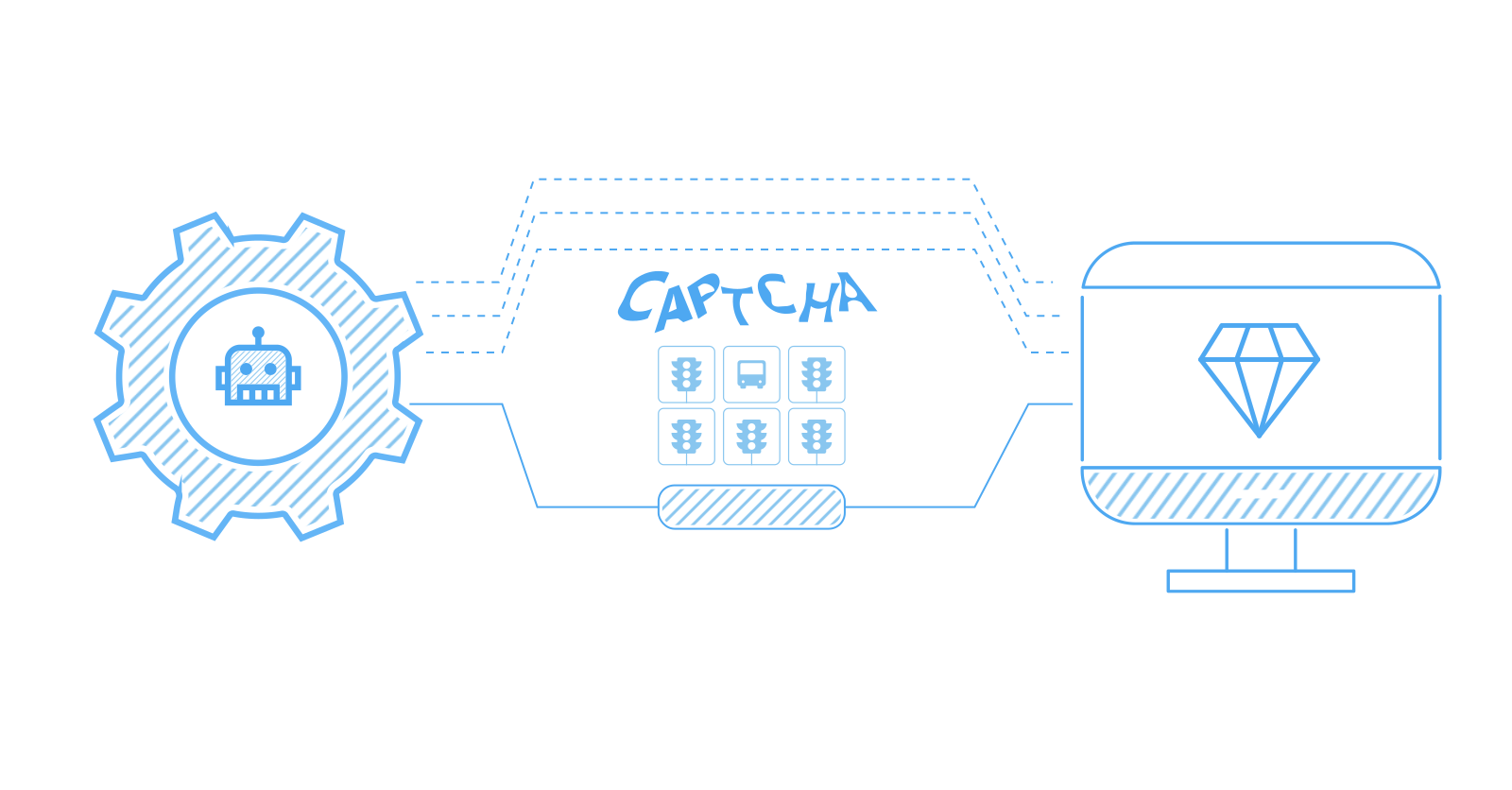
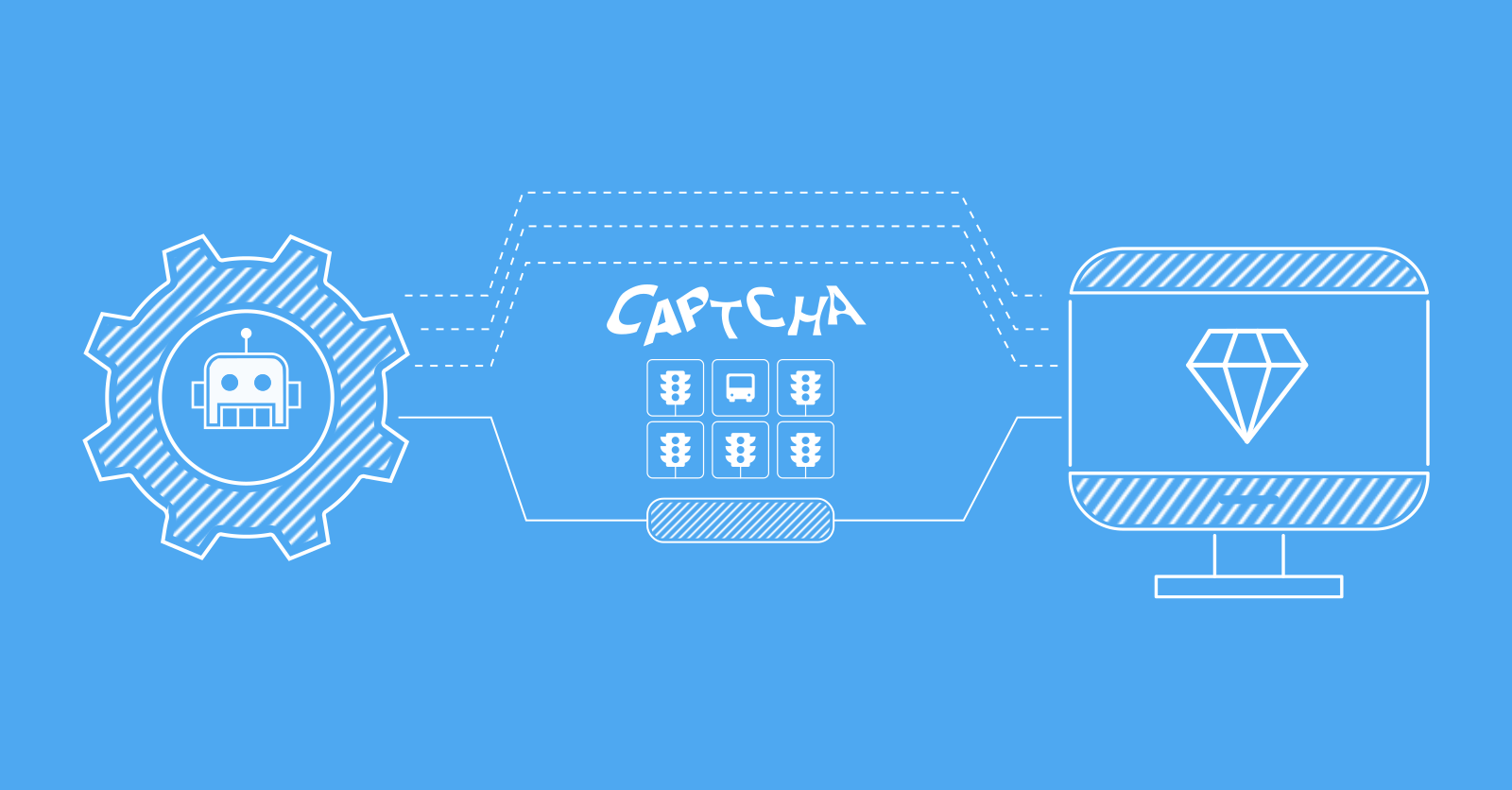
CAPTCHAs are the symptom, not the disease. Anti-bot systems calculate a trust score for every request based on signals like TLS fingerprint, IP reputation, request headers, and browser environment, and a CAPTCHA only appears when that score drops below the site's threshold. Solving each challenge after it appears is slow, expensive, and unreliable. Fixing the upstream signals so CAPTCHAs never trigger is faster, cheaper, and works at scale.
In this guide, you'll learn the five methods that cover the full CAPTCHA bypass playbook for Python scrapers: stealth HTTP requests, browser automation, proxy rotation, solver APIs with token injection, and all-in-one scraping APIs. You'll get a decision framework for prevention vs solving, working code for each method, type-specific strategies for reCAPTCHA, hCaptcha, and Cloudflare Turnstile, and diagnostic code for troubleshooting why your bypass isn't working. Let's get started.
Key Takeaways
- CAPTCHAs are a trust-score symptom. Anti-bot systems weigh TLS fingerprint, IP reputation, headers, and JavaScript environment before deciding to challenge. Fix the upstream signals and the CAPTCHA never appears.
- Prevention scales; solving doesn't. Solver APIs add 5–30 seconds per challenge and a per-solve fee, while stealth requests and proxy rotation run at full request speed.
- Every layer has to agree. A Chrome TLS fingerprint paired with Python-default headers or a datacenter IP still gets flagged. curl_cffi (impersonate="chrome"), consistent sec-ch-ua headers, residential proxies, and playwright-stealth or undetected-chromedriver only work when stacked.
- Solvers are a fallback, not a strategy. Token injection (g-recaptcha-response, h-captcha-response, cf-turnstile-response) clears CAPTCHAs that always appear, but the IP and session that solved must match the ones that submit or the token is rejected.
- Invisible CAPTCHAs are trust-first. reCAPTCHA v3 and most Turnstile flows score requests silently. If your signals are wrong you get blocked or rate-limited with no challenge to solve.
- For production scraping at scale, Scrapfly's Web Scraping API handles TLS impersonation, residential proxies, stealth browsers, and CAPTCHA solving behind a single asp=True call, so teams ship features instead of maintaining fingerprint detection in-house.
Why Do Web Scrapers Trigger CAPTCHAs?
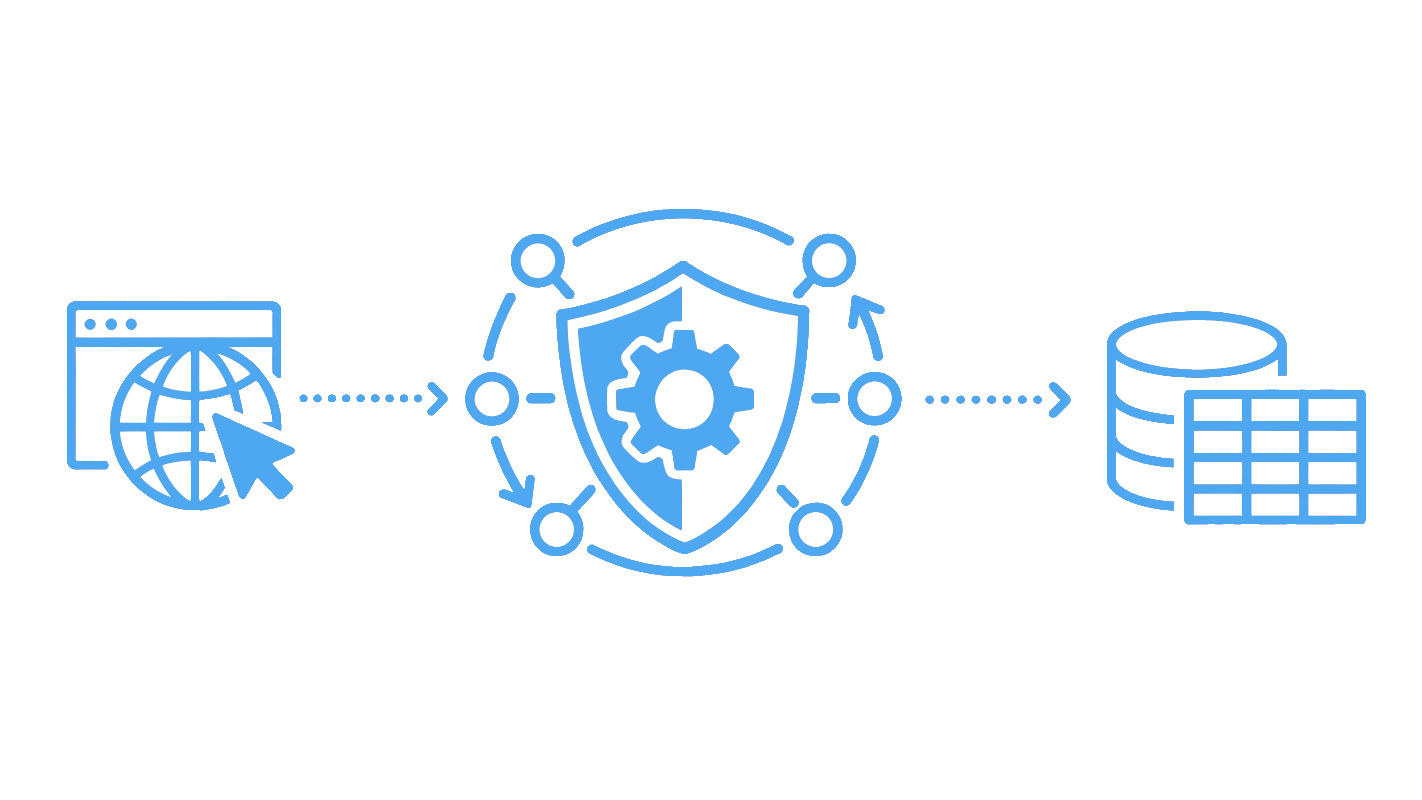
Web scrapers trigger CAPTCHAs when anti-bot systems compute a low trust score for the request. Modern anti-bot stacks like Cloudflare, Akamai, DataDome, and PerimeterX evaluate dozens of signals before deciding to challenge. The signals include your TLS fingerprint, IP reputation, request headers, JavaScript execution, mouse movement, cookies, and request timing. The CAPTCHA only appears once the score drops below the site's threshold.
The practical consequence is that CAPTCHAs are downstream of the detection decision. A scraper that fixes the upstream signals (TLS, IP, headers, browser fingerprint) raises its trust score and never sees a challenge. A scraper that ignores those signals and tries to solve every CAPTCHA burns money and time on something that didn't need to happen.
This article's structure follows that logic. Methods 1-3 fix upstream signals so CAPTCHAs don't appear. Method 4 covers the solving path for cases where prevention isn't enough. Method 5 covers the all-in-one approach that handles both. Before the methods, the next section gives you a decision framework for choosing between them.
Should You Prevent CAPTCHAs or Solve Them?
Prevent when you can, solve only when prevention fails. Prevention runs at full request speed with no per-solve cost. Solver APIs add 5-30 seconds of latency per challenge and a fee per solve. Prevention also scales: a single proxy pool and stealth client handle thousands of requests per minute, while solver queues cap solver throughput.
When Does Prevention Work Best?
Prevention is the right answer for sites with score-based CAPTCHAs like reCAPTCHA v3 and Cloudflare Turnstile. Raising your trust score above the threshold means no challenge appears. It also works for most sites running standard anti-bot stacks (Cloudflare Free/Pro, basic reCAPTCHA v2, hCaptcha at default sensitivity). Reach for prevention by default when:
- Request volume is low to medium (a few thousand requests per day)
- The target uses a score-based CAPTCHA
- You control the HTTP client and can swap to
curl_cffior a stealth browser - You can afford 100-300 ms of extra latency for proper TLS impersonation
When Do You Need a Solver?
Solvers are the fallback for CAPTCHAs that always appear regardless of trust score. Examples: hCaptcha image grids on flagged subnets, mandatory CAPTCHA gates on login or checkout pages, sites configured to challenge every Nth request as policy. Reach for a solver when:
- You've already implemented prevention (Methods 1-3) and CAPTCHAs still appear
- The page has a mandatory CAPTCHA gate that no trust score can bypass
- You're targeting a small number of high-value pages where the per-solve fee is acceptable
A simple decision flow:
- Score-based CAPTCHA → fix trust signals first
- Always-visible CAPTCHA → try prevention, fall back to solver
- Aggressive anti-bot at scale → consider an all-in-one API
Use solvers selectively, not as your primary strategy.
Method 1: How to Avoid CAPTCHAs with Stealth HTTP Requests
The simplest way to avoid CAPTCHAs is to make your HTTP requests look like a real browser. Start with the TLS handshake. Python's default requests library produces a TLS fingerprint that anti-bot systems instantly flag. The fix is curl_cffi, which impersonates Chrome's exact fingerprint in one parameter.
How Does TLS Fingerprinting Trigger CAPTCHAs?
When your client opens an HTTPS connection, the TLS handshake exposes a fingerprint (JA3 or JA4). The fingerprint hashes the client's cipher list, extension order, and supported curves. Anti-bot systems keep a running database of fingerprints and know what real Chrome, Firefox, and Safari look like. Python's urllib3-based stack produces a unique signature that doesn't match any browser. The request gets flagged before the server reads the headers. The fix is to use a client that performs the handshake the way Chrome does:
from curl_cffi import requests

# Impersonate Chrome's TLS fingerprint in one parameter
response = requests.get(
    "https://tls.browserleaks.com/json",
    impersonate="chrome",
)

print(response.json())  # JA3 hash should match real Chrome
Sample output (truncated)
{
  "ja3_hash": "9d12b104a6304f09f692edb1e893915e",
  "ja3_text": "771,4865-4866-4867-49195-49199...",
  "tls_version": "TLS 1.3",
  "user_agent": "Mozilla/5.0 (Windows NT 10.0; Win64; x64)..."
}
The impersonate parameter accepts current Chrome, Firefox, Safari, and Edge identifiers. For depth on how JA3 fingerprinting works, see our TLS fingerprinting guide.
How to Build Consistent Request Headers
A correct TLS fingerprint isn't enough on its own. If your User-Agent says Chrome 131 but your Accept header is the urllib3 default, the inconsistency flags the request. Modern Chrome sends a specific cluster of headers (sec-ch-ua, sec-ch-ua-mobile, sec-ch-ua-platform, sec-fetch-dest, sec-fetch-mode, sec-fetch-site, sec-fetch-user) that anti-bot systems expect to see together:
from curl_cffi import requests

CHROME_HEADERS = {
    "Accept": "text/html,application/xhtml+xml,application/xml;q=0.9,image/avif,image/webp,*/*;q=0.8",
    "Accept-Language": "en-US,en;q=0.9",
    "Accept-Encoding": "gzip, deflate, br",
    "sec-ch-ua": '"Not_A Brand";v="8", "Chromium";v="131", "Google Chrome";v="131"',
    "sec-ch-ua-mobile": "?0",
    "sec-ch-ua-platform": '"Windows"',
    "sec-fetch-dest": "document",
    "sec-fetch-mode": "navigate",
    "sec-fetch-site": "none",
    "sec-fetch-user": "?1",
    "upgrade-insecure-requests": "1",
}

# Use a Session to keep cookies across requests (builds session trust)
with requests.Session() as session:
    session.headers.update(CHROME_HEADERS)
    response = session.get(
        "https://httpbin.org/headers",
        impersonate="chrome",
    )
    print(response.json()["headers"])
Sample output (truncated)
{
  "Accept": "text/html,application/xhtml+xml,...",
  "Accept-Encoding": "gzip, deflate, br",
  "Accept-Language": "en-US,en;q=0.9",
  "Sec-Ch-Ua": "\"Not_A Brand\";v=\"8\", \"Chromium\";v=\"131\", \"Google Chrome\";v=\"131\"",
  "Sec-Ch-Ua-Mobile": "?0",
  "Sec-Ch-Ua-Platform": "\"Windows\"",
  "Sec-Fetch-Dest": "document",
  "Sec-Fetch-Mode": "navigate",
  "Sec-Fetch-Site": "none"
}
The Session keeps cookies across requests, which matters because anti-bot systems track session continuity. A cold session (no cookies, fresh on every request) gets flagged faster than a session that builds up cookies organically. For more on header rules, see our request headers guide.
Method 2: How to Bypass CAPTCHAs with Browser Automation and Stealth Plugins
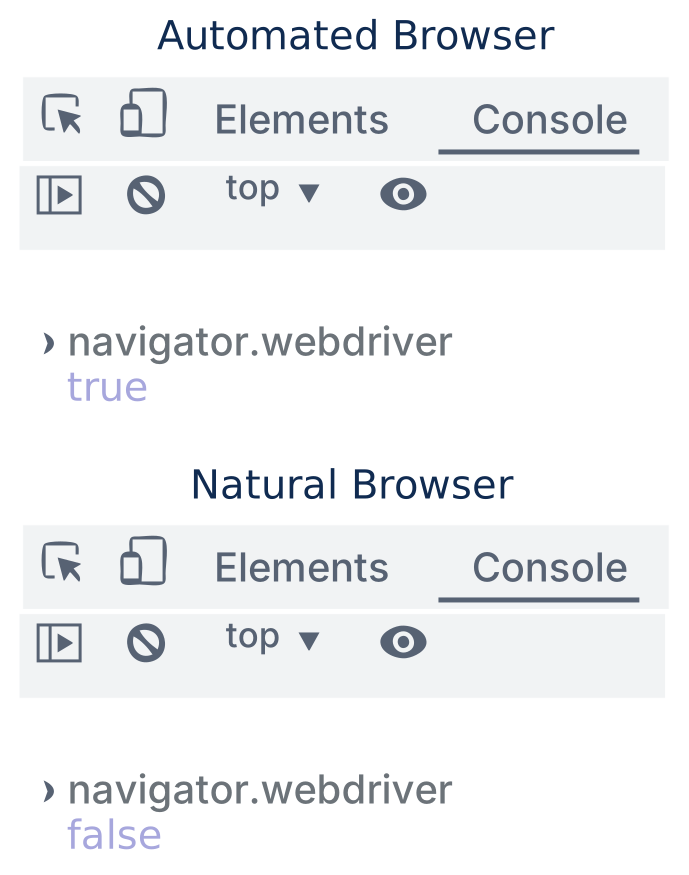
When a site requires JavaScript execution or runs browser-level fingerprint checks (canvas, WebGL, audio context), HTTP clients alone won't cut it. Browser automation tools like Playwright and Selenium render pages like a real browser. But their default configurations leak automation tells. Examples: navigator.webdriver === true, missing plugins, headless-mode signatures. Anti-bot systems spot these instantly.
How to Set Up Playwright with Stealth for CAPTCHA Avoidance
The playwright-stealth package patches the most common automation indicators: it removes navigator.webdriver, fakes window.chrome, populates navigator.plugins, and fixes a dozen other browser-environment flags. Wrap sync_playwright() in Stealth().use_sync() and the browser passes most fingerprint checks:
from playwright.sync_api import sync_playwright
from playwright_stealth import Stealth

def scrape_with_stealth(url: str) -> str:
    # Stealth patches Chromium before any browser launches
    with Stealth().use_sync(sync_playwright()) as p:
        browser = p.chromium.launch(
            headless=False,  # headful mode passes more fingerprint checks
            args=["--disable-blink-features=AutomationControlled"],
        )
        page = browser.new_page(
            user_agent=(
                "Mozilla/5.0 (Windows NT 10.0; Win64; x64) AppleWebKit/537.36 "
                "(KHTML, like Gecko) Chrome/131.0.0.0 Safari/537.36"
            ),
        )
        page.goto(url, wait_until="networkidle")
        # navigator.webdriver should now be False, plugins.length > 0
        print("webdriver:", page.evaluate("navigator.webdriver"))
        print("plugins:", page.evaluate("navigator.plugins.length"))
        html = page.content()
        browser.close()
        return html

scrape_with_stealth("https://httpbin.org/html")
Sample output
webdriver: False
plugins: 3
The patches apply before any browser launch, so every page in the session inherits the stealth scripts. Headful mode (headless=False) passes more checks than headless because Chrome's headless variant has hardcoded fingerprint differences.
How to Use Undetected ChromeDriver with Selenium
For Selenium users, undetected-chromedriver is the equivalent of playwright-stealth. It patches the Chrome binary at startup so the running browser doesn't broadcast Selenium-specific markers:
import undetected_chromedriver as uc

driver = uc.Chrome(headless=False, use_subprocess=True)
driver.get("https://httpbin.org/html")
print(driver.page_source[:300])
driver.quit()
The package handles the patching automatically on each run. No flags or configuration needed for the basic case. For Puppeteer users, see our guide on puppeteer-stealth.
Method 3: How Does IP Rotation Help Bypass CAPTCHAs?
Anti-bot systems check IP reputation before any of the other layers. A flagged IP gets challenged regardless of how good your TLS or browser fingerprint is. Rotating through a pool of high-trust IPs raises your chances of passing the IP check. Pacing the rotation prevents a single IP from tripping rate limits.
Why Do Datacenter IPs Trigger CAPTCHAs More Than Residential IPs?
Datacenter IPs come from cloud providers (AWS, GCP, Azure, DigitalOcean) and host providers. Anti-bot systems know real users don't browse from ec2-...amazonaws.com, so datacenter IPs carry an inherently low trust score. The hierarchy looks like this:
- Mobile IPs (cellular carriers): highest trust, hardest to track since cell towers rotate them often
- Residential IPs (ISP-assigned home networks): high trust, the standard for production scrapers
- Datacenter IPs (cloud providers, hosting companies): low trust, fine for unprotected sites only
The same IP making hundreds of requests to a single domain in a short window also trips rate-limit rules independent of trust score. Rotating through a proxy pool fixes both problems. See our introduction to proxies for the full breakdown of proxy types.
How to Implement Proxy Rotation in Python
The pattern: pair curl_cffi (Method 1's TLS fingerprinting) with a residential proxy pool. Randomize the proxy on each request, and add jitter between calls so the timing doesn't look robotic.
from curl_cffi import requests
import random
import time

# A pool of residential proxies (use a real provider in production)
PROXIES = [
    "http://user:pass@residential-1.example.com:8080",
    "http://user:pass@residential-2.example.com:8080",
    "http://user:pass@residential-3.example.com:8080",
]

def scrape_with_rotation(url: str) -> requests.Response:
    proxy = random.choice(PROXIES)
    response = requests.get(
        url,
        proxy=proxy,
        impersonate="chrome",
        timeout=30,
    )
    # Random pacing prevents same-IP rate limits even with rotation
    time.sleep(random.uniform(2, 5))
    return response

for _ in range(3):
    r = scrape_with_rotation("https://httpbin.org/ip")
    print(r.json())
For session-based scraping (multi-page flows where cookies matter), pin one proxy per session and rotate between sessions, not within a session. Switching IPs mid-session breaks cookie continuity and looks suspicious.
See our IP hiding guide and the residential proxy provider comparison for more.
Method 4: How to Solve CAPTCHAs with Token Injection and Solver APIs
When prevention fails, solver APIs handle CAPTCHAs by solving the challenge remotely (with AI models or human workers) and returning a verification token. Your code injects the token into the page's hidden form field, then submits the form. This is the mechanism most articles skip when they say "use a solver service".
How Does Token Injection Work?
The injection flow is the same across reCAPTCHA, hCaptcha, and Turnstile, only the field name and sitekey extraction change:
- Extract the sitekey. The CAPTCHA widget on the page exposes a
data-sitekeyattribute in its HTML (or asitekeyparameter in the iframe URL). Read it with your scraper. - Send sitekey + page URL to the solver API. The solver needs both because some CAPTCHAs validate against the requesting domain.
- Wait for the token. Solvers return either an
idto poll or a webhook URL. Polling typically takes 5-30 seconds. - Inject the token. For reCAPTCHA, write the token into the
<textarea name="g-recaptcha-response">element. For hCaptcha, usename="h-captcha-response". For Turnstile,name="cf-turnstile-response". - Submit the form. The token has to reach the server within ~2 minutes or it expires.
A working pattern with Selenium and a generic solver API:
import time
from selenium import webdriver
from selenium.webdriver.common.by import By
import requests as r  # plain requests is fine for solver API calls

API_KEY = "YOUR_SOLVER_API_KEY"
PAGE_URL = "https://example.com/login"

driver = webdriver.Chrome()
driver.get(PAGE_URL)

# 1. Extract the sitekey from the page
sitekey = driver.find_element(By.CSS_SELECTOR, ".g-recaptcha").get_attribute("data-sitekey")

# 2. Submit the challenge to the solver API
job = r.post(
    "https://api.solver-example.com/in",
    data={"key": API_KEY, "method": "userrecaptcha", "googlekey": sitekey, "pageurl": PAGE_URL},
).text.split("|")[1]

# 3. Poll for the token (5-30 seconds is typical)
token = None
for _ in range(30):
    time.sleep(5)
    res = r.get(f"https://api.solver-example.com/res?key={API_KEY}&action=get&id={job}").text
    if res.startswith("OK|"):
        token = res.split("|")[1]
        break

# 4. Inject the token into the hidden textarea
driver.execute_script(
    f'document.getElementById("g-recaptcha-response").innerHTML = "{token}";'
)

# 5. Submit the form (page-specific selector)
driver.find_element(By.ID, "submit").click()
One non-obvious detail: the IP that solved the CAPTCHA must match the IP submitting the form. If you solve from a residential proxy in the US and submit from a datacenter IP in Europe, the token gets rejected. This is why solver APIs work best when paired with a stable session, not rotating proxies.
What Are the Limits of CAPTCHA Solver APIs?
Solver APIs aren't a free lunch. The trade-offs are:
- Latency. 5-30 seconds per solve, vs milliseconds for prevention. Multiplied across thousands of requests, this kills throughput
- Cost. Paid per solve. The fee scales with the CAPTCHA type and how many human workers vs AI models the service uses
- Token expiration. reCAPTCHA and hCaptcha tokens expire in roughly 2 minutes. Slow solving paths burn tokens before they reach the server
- Session consistency. Token from IP A + form submission from IP B = rejection. The cookies and headers used to load the page must match the ones used to submit
- Accuracy. AI solvers handle reCAPTCHA v2 and Turnstile reasonably well. Complex hCaptcha image grids still need human workers, which is slower and more expensive
For depth on which services work best for which CAPTCHA types, see our best CAPTCHA solving APIs comparison.
Method 5: How Do All-in-One Scraping APIs Handle CAPTCHAs?
ScrapFly is a single HTTP endpoint for collecting web data at scale, with a 99.99% success rate across 130M+ proxies in 120+ countries.
- Anti-Scraping Protection bypass - automatically defeats Cloudflare, DataDome, PerimeterX, Akamai, and 90+ other bot systems.
- Smart proxy rotation - residential and datacenter pools with country and ASN level geo-targeting.
- JavaScript rendering - render SPAs and dynamic pages through real cloud browsers.
- Browser automation scenarios - scroll, click, fill forms, and wait for elements without managing a browser fleet.
- Format conversion - return pages as HTML, JSON, clean text, or LLM ready Markdown.
- Session management - keep cookies, headers, and IPs consistent across multi step flows.
- Smart caching - cache successful responses to cut cost on repeat scraping jobs.
- Python, TypeScript, Scrapy, and no-code integrations including Make, n8n, Zapier, LangChain, and LlamaIndex.
A complete request that handles a CAPTCHA-protected page:
from scrapfly import ScrapflyClient, ScrapeConfig

scrapfly = ScrapflyClient(key="YOUR_SCRAPFLY_API_KEY")

result = scrapfly.scrape(ScrapeConfig(
    url="https://target-with-captcha.example.com",
    asp=True,          # handles all 4 prior methods automatically
    country="us",      # residential proxy in the US
    render_js=True,    # browser rendering for JS-only sites
))

print(result.scrape_result["content"])  # rendered HTML, no CAPTCHA in the way
Self-hosted approaches (Methods 1-4 stitched together) remain viable for teams with DevOps capacity who can maintain proxy pools and stealth browser fleets. All-in-one APIs trade per-request cost for zero setup maintenance. The right choice when you'd rather ship features than debug fingerprint detection.
Web Scraping API
Scrape any website with our powerful API. Anti-bot bypass, JavaScript rendering, and rotating proxies built-in.
Which CAPTCHA Types Will You Face When Scraping?
The four CAPTCHAs you'll encounter most are reCAPTCHA (v2 and v3), hCaptcha, and Cloudflare Turnstile. Each works differently, so the right bypass method depends on which one is in your way.
How to Handle reCAPTCHA v2 vs v3
reCAPTCHA v2 (the "I'm not a robot" checkbox) is score-based with an image-grid fallback. A high trust score lets you click through silently; a low score forces the image puzzle. Prevention (Methods 1-3) raises the score so the puzzle never appears. If the puzzle does appear, a solver API returns a g-recaptcha-response token you inject as shown in Method 4.
reCAPTCHA v3 is invisible and score-only. There's no challenge to solve. The widget runs in the background and computes a score from 0.0 to 1.0. The site decides what to do based on the score. Prevention is the only approach for v3. No solver can help because there's no puzzle to answer. If your trust signals are wrong, you get blocked silently or rate-limited. No visible CAPTCHA to react to.
The takeaway: v2 has a solver fallback, v3 does not. If you're targeting a v3 site, your only lever is fixing your TLS, headers, browser environment, and IP.
How to Handle hCaptcha and Cloudflare Turnstile
hCaptcha runs aggressive image-based challenges (click on objects matching a description). It triggers more readily than reCAPTCHA at the same trust level. Prevention helps but doesn't always eliminate the challenge, so solver APIs are a common fallback. Token injection works the same as reCAPTCHA, with name="h-captcha-response".
Cloudflare Turnstile runs background browser checks without visible challenges in most cases. Turnstile relies heavily on JavaScript environment signals, so Method 2 (stealth browser automation) is highly effective. When Turnstile does require a challenge, solvers return a cf-turnstile-response token.
Friendly Captcha uses a proof-of-work system instead of image puzzles. The client solves a cryptographic puzzle in JavaScript, which makes browser automation (Method 2) the only working approach. HTTP-only clients can't run the JavaScript engine that solves the puzzle.
Which Sites Are Hardest to Bypass CAPTCHAs On?
Site difficulty doesn't scale linearly with how famous the site is. The actual difficulty depends on the protection stack the site runs and how aggressively it's tuned. The tier breakdown:
| Difficulty | Example targets | Typical protection | Recommended methods |
|---|---|---|---|
| Extreme | LinkedIn, authenticated marketplaces, high-risk financial/public-record portals, betting platforms | Cloudflare Enterprise + custom WAF + reCAPTCHA v3 + behavior analysis | Method 5 (managed API) or full stack of 1+2+3+4 |
| Hard | Amazon, Google SERPs, travel/insurance aggregators | Aggressive rate limits + Turnstile or reCAPTCHA v2/v3 | Methods 1+2+3 stacked, Method 4 as fallback |
| Medium | E-commerce behind Cloudflare, news sites, job boards | Standard Cloudflare + hCaptcha or reCAPTCHA v2 | Methods 1+3 (curl_cffi + residential proxies) often enough |
| Easier | Public data portals, open APIs, basic news | Basic reCAPTCHA v2 or no CAPTCHA | Method 1 alone (stealth HTTP) usually works |
The jump from Medium to Hard is where most scrapers fail. Teams fix one layer (proxies) and neglect another (TLS fingerprint still screams Python). The methods stack intentionally, and partial stacks fail loudly. For one of the hardest targets specifically, see our LinkedIn scraping guide.
Why Isn't Your CAPTCHA Bypass Working?
If you've implemented the methods above and CAPTCHAs still appear, the cause is usually a mismatch between layers. Your TLS says Chrome but your headers say Python, or your IP is already flagged. Diagnose each layer independently before adding more complexity to the scraper.
How to Diagnose TLS and Header Mismatches
Two test endpoints expose your client's signals so you can compare them against a real browser. Visit them in actual Chrome first, then run your scraper against the same URLs and diff the output:
from curl_cffi import requests

# Check your TLS fingerprint
tls = requests.get(
    "https://tls.browserleaks.com/json",
    impersonate="chrome",
).json()
print(f"JA3 hash: {tls.get('ja3_hash')}")
print(f"TLS version: {tls.get('tls_version')}")

# Check your headers
hdrs = requests.get(
    "https://httpbin.org/headers",
    impersonate="chrome",
).json()
print(hdrs["headers"])
The TLS test prints the JA3 hash and TLS version your client sent, while the headers test prints the exact header dictionary the server received. Run both, then diff against a real Chrome session to spot mismatches.
What to compare:
- The
ja3_hashshould match a real Chrome hash. If it doesn't, yourimpersonateparameter isn't taking effect (check curl_cffi version) sec-ch-uashould be present and consistent with the User-Agent. If User-Agent says Chrome 131 butsec-ch-uasays Chrome 100, that's an instant flagAccept-Encodingshould includebr(Brotli) on Chrome. Missingbris a Python signal
For a side-by-side comparison, test your fingerprint against Scrapfly's JA3 fingerprint tool.
How to Check If Your IP Is Already Flagged
A flagged IP gets challenged regardless of how good your other signals are. Two checks tell you whether your IP is the problem:
from curl_cffi import requests

# 1. Get your current outbound IP
ip = requests.get("https://httpbin.org/ip", impersonate="chrome").json()["origin"]
print(f"Current IP: {ip}")

# 2. Check its provenance
info = requests.get(f"https://ipapi.co/{ip}/json/").json()
print(f"Org: {info.get('org')}, ASN: {info.get('asn')}, Type: {info.get('country')}")
Sample output:
Current IP: 102.41.49.90
Org: TE Data, ASN: AS8452 TE-AS, Type: EG
The first request returns your outbound IP. The second request returns the IP's organization, ASN, and country code. These tell you whether the IP looks residential or like a known datacenter range.
What to look for:
- The
orgfield. If it's a cloud provider (Amazon, Google, OVH, DigitalOcean), the IP is datacenter and carries low trust - ASN reputation. If the ASN belongs to a known proxy provider, it may be on shared block lists
- If you're rotating proxies and ALL of them fall in the same ASN, rotation isn't happening from the anti-bot system's perspective
A flagged IP makes TLS fingerprinting irrelevant. Switch to residential or mobile proxies. If your headers and TLS are clean but you still hit CAPTCHAs, check rate next. Add longer delays, maintain a session across requests, and don't burn through pages at machine speed.
FAQ
Is it legal to bypass CAPTCHAs when web scraping?
The legal picture varies by jurisdiction and use case. We can't give legal advice. Check the terms of service for any site you scrape, and review the legal disclaimer at the bottom of this article before proceeding.
Does CAPTCHA prevent web scraping?
CAPTCHAs don't stop scraping. They raise the cost and reduce throughput. Each solved challenge adds 5-30 seconds of latency and a per solve fee. At scale, that erodes margins fast. Teams that prevent challenges from appearing in the first place run at full speed with no per-solve cost.
What's the difference between avoiding and solving CAPTCHAs?
Avoiding means configuring your scraper so CAPTCHA triggers never occur by fixing TLS fingerprint, headers, IP reputation, and browser environment. Solving means using a third-party service to answer the challenge after it appears. Avoiding is faster, cheaper, and more reliable. Solving is the fallback when avoidance isn't enough.
Do you need residential proxies to bypass CAPTCHAs?
Not always, but they help a lot. Residential IPs carry higher trust scores than datacenter IPs because anti-bot systems know real users don't browse from AWS or GCP. For lightly protected sites, datacenter proxies plus good TLS fingerprinting can be enough. For heavily protected sites, residential or mobile proxies are usually necessary.
How does Scrapfly handle CAPTCHAs automatically?
Scrapfly's Anti-Scraping Protection (ASP) combines TLS fingerprinting, residential proxy rotation, browser rendering, and built-in CAPTCHA solving into a single API call. With asp=True, Scrapfly applies prevention techniques first, falls back to solving where needed, and returns the rendered HTML without you managing stealth setup or solver integrations.
Summary
CAPTCHA bypass in Python comes down to fixing the signals that trigger challenges before resorting to solvers. Methods 1-3 (stealth HTTP requests with curl_cffi, browser automation with playwright-stealth, residential proxy rotation) cover the prevention path that handles most cases. Method 4 (solver APIs with token injection) is the fallback for CAPTCHAs that always appear. Method 5 (all-in-one APIs) bundles everything for teams that want to skip the setup work.
The decision framework is straightforward: start with prevention, since it's free and fast, and only reach for solvers on requests that still get challenged. For score-based CAPTCHAs (reCAPTCHA v3, Turnstile), prevention is the only option since there's no challenge to solve. For aggressive anti-bot stacks at scale, an all-in-one API is often cheaper than maintaining the prevention layers yourself.
For teams that want managed CAPTCHA handling, Scrapfly's web scraping API combines all five methods into a single API call. Fingerprinting, proxy rotation, and CAPTCHA solving handled end-to-end.
Legal Disclaimer and Precautions
This tutorial covers popular web scraping techniques for education. Interacting with public servers requires diligence and respect:
- Do not scrape at rates that could damage the website.
- Do not scrape data that's not available publicly.
- Do not store PII of EU citizens protected by GDPR.
- Do not repurpose entire public datasets which can be illegal in some countries.
Scrapfly does not offer legal advice but these are good general rules to follow. For more you should consult a lawyer.