Ebay is the world's biggest peer to peer e-commerce web market, making it an attractive target for public data collection in 2026 eBay also offers an official SDK for programmatic API access, though web scraping remains popular for data not covered by the official endpoints.
In this guide, we'll explain how to scrape Ebay search and listing pages for various details, including pricing, variant information, features, and descriptions.
We'll use Python, a few community packages, and some clever parsing techniques.
Key Takeaways
Build a full eBay scraper in Python using the Scrapfly SDK, covering single-variant listings, multi-variant products, and search results while handling eBay's anti-bot protection reliably.
- Scrape single-variant eBay listings with CSS and XPath selectors to capture price, seller info, description, and product features
- Extract multi-variant products (model, storage, color) from eBay's hidden
MSKUweb data, including per-variant price, stock, and images - Parse eBay search results and paginate concurrently using
_nkw,_sacat,_sop,_pgn, and_ipgURL parameters - Capture sold and completed listings by appending
LH_Complete=1&LH_Sold=1to any eBay search URL - Bypass eBay's anti-bot protection and CAPTCHA challenges using Scrapfly's ASP (
asp=True)
Why Scrape Ebay?
Ebay is one of the world's biggest product marketplaces, especially for more niche and rare items. This makes Ebay a great target for e-commerce data analytics.
Scraping Ebay data empowers various use cases, including:
- Competitor analysis by gathering data on competitors' sales and reviews.
- Market research by tracking product prices for hot deals or trends.
- Empowered navigation through automated search patterns and custom alerts.
For further details, refer to our introduction on web scraping use cases.
Setup
Web scraping Ebay requires using a few Python community packages:
In this tutorial, we'll be using Python with two important community libraries:
- scrapfly-sdk: A Python SDK for ScrapFly, a web scraping API that bypasses web scraping blocking
- jmespath: For refining and parsing JSON datasets
- nested-lookup: To find nested keys in the Ebay JSON datasets
The above packages can be installed using the below pip command:
pip install scrapfly-sdk jmespath nested-lookupScraping Ebay Listings
We'll start by scraping Ebay for single listing pages. Ebay listings consists of two types:
- Single variant listings with fixed selections
- Multiple variant listings with different selections, like tech devices
First, we'll start scraping single variants since they are more straightforward to extract.
We'll be using single variants since they are more straightforward to extract. Open any eBay listing page and use the Browser Developer Tools (F12 key or right click -> inspect option).
To scrape the above Ebay listing data, we'll be using CSS and XPath selectors:
import json
import os
import re
import asyncio

from typing import Dict, List
from nested_lookup import nested_lookup
from scrapfly import ScrapeApiResponse, ScrapeConfig, ScrapflyClient, ScrapflyScrapeError

BASE_CONFIG = {
    "asp": True,
    "country": "US",
    "lang": ["en-US"]
}

SCRAPFLY = ScrapflyClient(key="SCRAPFLY_KEY")

def parse_product(result: ScrapeApiResponse):
    """Parse Ebay's product listing page for core product data"""
    sel = result.selector
    css_join = lambda css: "".join(sel.css(css).getall()).strip()  # join all selected elements
    css = lambda css: sel.css(css).get("").strip()  # take first selected element and strip of leading/trailing spaces

    item = {}
    item["url"] = css('link[rel="canonical"]::attr(href)')
    item["id"] = item["url"].split("/itm/")[1].split("?")[0]  # we can take ID from the URL
    item["price_original"] = css(".x-price-primary>span::text")
    item["price_converted"] = css(".x-price-approx__price ::text")  # ebay automatically converts price for some regions

    item["name"] = css_join("h1 span::text")
    item["seller_name"] = sel.xpath("//div[contains(@class,'info__about-seller')]/a/span/text()").get()
    item["seller_url"] = sel.xpath("//div[contains(@class,'info__about-seller')]/a/@href").get().split("?")[0]
    item["photos"] = sel.css('.ux-image-filmstrip-carousel-item.image img::attr("src")').getall()  # carousel images
    item["photos"].extend(sel.css('.ux-image-carousel-item.image img::attr("src")').getall())  # main image
    # description is an iframe (independant page). We can keep it as an URL or scrape it later.
    item["description_url"] = css("iframe#desc_ifr::attr(src)")
    # feature details from the description table:
    feature_table = sel.css("div.ux-layout-section--features")
    features = {}
    for feature in feature_table.css("dl.ux-labels-values"):
        # iterate through each label of the table and select first sibling for value:
        label = "".join(feature.css(".ux-labels-values__labels-content > div > span::text").getall()).strip(":\n ")
        value = "".join(feature.css(".ux-labels-values__values-content > div > span *::text").getall()).strip(":\n ")
        features[label] = value
    item["features"] = features
    return item


async def scrape_product(url: str) -> Dict:
    """Scrape ebay.com product listing page for product data"""
    print(f"scraping product: {url}")
    page = await SCRAPFLY.async_scrape(ScrapeConfig(url, **BASE_CONFIG))
    product = parse_product(page)
    return product


async def main():
    product_data = await scrape_product("https://www.ebay.com/itm/<LISTING_ID>")

    # save the results to a json file
    with open("product_data.json", "w", encoding="utf-8") as f:
        json.dump(product_data, f, indent=2, ensure_ascii=False)


if __name__ == "__main__":
    asyncio.run(main())
The code above defines a Scrapfly client and two functions:
parse_product: to parse the product HTML pages using CSS and XPath selectorsscrape_product: To request Ebay product pages using Scrapfly to bypass its antibot and retrieve the HTML
Next, for products with variants we'll have to go a bit further and extract the page's hidden web data. It might seem like a complex process, though we'll cover it step by step!
Scraping Ebay Listing Variant Data
Ebay's listings can contain multiple products through a feature called variants. Pick any listing with multiple options (phones and laptops often have model, storage, and color selectors). These options are updated using JavaScript each time you select one.
Ebay is using JavaScript to update the page with a different price every time we choose a different option. That means that the variant data exists in a JavaScript variable. Extracting these data is commonly known as hidden web data.
We'll briefly mention the hidden web data extraction in this guide. For the full details, refer to our dedicated tutorial.

To scrape the product variant data, we'll extract them as JSON under hidden script tags:
import json
import os
import re
import asyncio

from typing import Dict, List
from collections import defaultdict
from nested_lookup import nested_lookup
from scrapfly import ScrapeApiResponse, ScrapeConfig, ScrapflyClient

BASE_CONFIG = {
    "asp": True,
    "country": "US",
    "lang": ["en-US"]
}

SCRAPFLY = ScrapflyClient(key=os.environ["SCRAPFLY_KEY"])

def _find_json_objects(text: str, decoder=json.JSONDecoder()):
    """Find JSON objects in text, and generate decoded JSON data"""
    pos = 0
    while True:
        match = text.find("{", pos)
        if match == -1:
            break
        try:
            result, index = decoder.raw_decode(text[match:])
            yield result
            pos = match + index
        except ValueError:
            pos = match + 1

def parse_variants(result: ScrapeApiResponse) -> dict:
    """
    Parse variant data from Ebay's listing page of a product with variants.
    This data is located in a js variable MSKU hidden in a <script> element.
    """
    script = result.selector.xpath('//script[contains(., "MSKU")]/text()').get()
    if not script:
        return {}
    all_data = list(_find_json_objects(script))
    msku_data = nested_lookup("MSKU", all_data)
    if not msku_data:
        return {}  # No variants found for this product
    data = msku_data[0]
    # First retrieve names for all selection options (e.g. Model, Color)
    selection_names = {}
    for menu in data["selectMenus"]:
        for id_ in menu["menuItemValueIds"]:
            selection_names[id_] = menu["displayLabel"]
    # example selection name entry:
    # {0: 'Model', 1: 'Color', ...}

    # Then, find all selection combinations:
    selections = []
    for v in data["menuItemMap"].values():
        selections.append(
            {
                "name": v["valueName"],
                "variants": v["matchingVariationIds"],
                "label": selection_names[v["valueId"]],
            }
        )
    # example selection entry:
    # {'name': 'Gold', 'variants': [662315637181, 662315637177, 662315637173], 'label': 'Color'}

    # Finally, extract variants and apply selection details to each
    results = []
    variant_data = nested_lookup("variationsMap", data)[0]
    for id_, variant in variant_data.items():
        result = defaultdict(list)
        result["id"] = id_
        for selection in selections:
            if int(id_) in selection["variants"]:
                result[selection["label"]] = selection["name"]
        result["price_original"] = variant["binModel"]["price"]["value"]["convertedFromValue"]
        result["price_original_currency"] = variant["binModel"]["price"]["value"]["convertedFromCurrency"]
        result["price_converted"] = variant["binModel"]["price"]["value"]["value"]
        result["price_converted_currency"] = variant["binModel"]["price"]["value"]["currency"]
        result["out_of_stock"] = variant["quantity"]["outOfStock"]
        results.append(dict(result))
    return results


async def scrape_product_varaiants(url: str) -> Dict:
    """Scrape ebay.com product listing page for product variants data"""
    print(f"scraping product variants: {url}")
    page = await SCRAPFLY.async_scrape(ScrapeConfig(url, **BASE_CONFIG))
    variant_data = parse_variants(page)
    return variant_data


async def main():
    variant_data = await scrape_product_varaiants("https://www.ebay.com/itm/<LISTING_ID>")

    # save the results to a json file
    with open("variant_data.json", "w", encoding="utf-8") as f:
        json.dump(variant_data, f, indent=2, ensure_ascii=False)


if __name__ == "__main__":
    asyncio.run(main())
In the above Ebay scraper, we extract the variant listing data using the below steps:
- Selecting the
scripttag containing theMSKUvariable. - Extracting the JSON datasets using the
find_json_objectsutility. - Iterating over the various options and selecting the useful fields.
Next up: scraping Ebay search.
Scraping Ebay Search
When a search query is submitted, eBay redirects to a search results page with the query encoded in the URL. For example, searching for iphone lands on this search page.
The search URL accepts several parameters that control what results come back:
_nkw: search keyword_sacat: category restriction_sop: sort order_pgn: page number_ipg: listings per page (default 60)
The scraper below uses these five parameters to paginate through results:
Scraping eBay Sold and Completed Listings
eBay exposes sold and completed listing history through the same search results page. Two URL parameters unlock it: LH_Complete=1 shows all completed listings, and LH_Sold=1 filters down to items that actually sold. Combine them on any search URL:
https://www.ebay.com/sch/i.html?_nkw=iphone&LH_Complete=1&LH_Sold=1The result page uses the same markup as a standard search, so the scrape_search() function above handles it without any changes. Just append the two parameters to the URL you pass in. The price field on sold listings reflects the final transaction value rather than an asking price, which makes this the most reliable way to research what items actually sell for.
Price tracking and resale research workflows lean heavily on this endpoint because it reflects real market outcomes, not speculative listings.
Avoiding Ebay Scraping Blocking
Creating an Ebay scraper seems straightforward. However, attempting the scale is the tricky part! Ebay can differentiate our requests as being automated, hence asking for CAPTCHA challenges or even block the scraping process entirely!
Learn more about Web Scraping API and how it works.
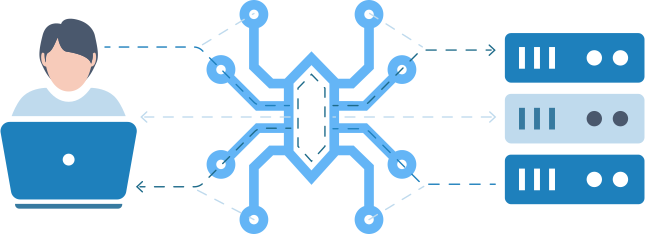
ScrapFly's Web Scraping API is a single HTTP endpoint for collecting web data at scale, with a 99.99% success rate across 130M+ proxies in 120+ countries.
- Anti-Scraping Protection bypass - automatically defeats Cloudflare, DataDome, PerimeterX, Akamai, and 90+ other bot systems.
- Smart proxy rotation - residential and datacenter pools with country and ASN level geo-targeting.
- JavaScript rendering - render SPAs and dynamic pages through real cloud browsers.
- Browser automation scenarios - scroll, click, fill forms, and wait for elements without managing a browser fleet.
- Format conversion - return pages as HTML, JSON, clean text, or LLM ready Markdown.
- Session management - keep cookies, headers, and IPs consistent across multi step flows.
- Smart caching - cache successful responses to cut cost on repeat scraping jobs.
- Python, TypeScript, Scrapy, and no-code integrations including Make, n8n, Zapier, LangChain, and LlamaIndex.
All the scraper code in this guide already uses the scrapfly-sdk with anti-scraping protection bypass enabled (asp=True). Scrapfly handles blocking, proxy rotation, and rendering so the scraper code can focus on parsing and data logic.
FAQ
Is it legal to scrape ebay.com?
Yes. Ebay's data is publically available - scraping Ebay at slow, respectful rates would fall under the ethical scraping definition.
That being said, be aware of GDPR compliance in the EU when storing personal data such as sellers personal details like names or location. For more, see our Is Web Scraping Legal? article.
How to crawl Ebay.com?
To web crawl Ebay we can adapt the scraping techniques covered in this article. Every ebay listing contains related products which we can extract and feed into our scraping loop turning our scraper into a crawler that is capable of finding new details to crawl.
Does eBay have an official API?
Yes. eBay offers the Browse API, Finding API, and Marketplace Insights API for structured catalog data. They work within eBay's rate limits but don't cover full variant data, sold-price history at scale, or detailed seller feedback. Web scraping fills those gaps and returns exactly what a visitor sees on the page.
Can you scrape eBay sold and completed listings?
Yes. Add LH_Complete=1&LH_Sold=1 to any eBay search URL to pull completed and sold listings. The search results page uses the same markup as a live search, so the scrape_search() function in this guide works without modification. The price field reflects the final sale value rather than an asking price, making this the most reliable source for researching what items actually sell for.
Can I scrape eBay seller ratings and feedback?
Yes. Seller name, feedback score, and positive-feedback percentage appear on both the listing page and the seller's profile page. The parse_product function in this guide already extracts the seller name and profile URL. To retrieve full feedback history, follow the seller_url to the seller's profile page and scrape it using the same approach.
How do I scrape an eBay item description if it loads in an iframe?
eBay renders item descriptions inside a separate <iframe> rather than inline in the listing HTML. The scraper in this guide captures that iframe's source as description_url rather than the description text itself. To get the full description, make a second request to that URL and parse the returned HTML.
What is the best format to export scraped eBay data?
CSV works well for flat listing data and imports directly into spreadsheets or most analytics tools. For nested structures like multi-variant product data, JSON is easier to work with because CSV cannot represent nested fields cleanly. For very large datasets, Parquet offers better compression and faster read performance than CSV.
Ebay Scraping Summary
In this guide, we wrote a Python Ebay scraper for product listing data using Python.
We've scraped data from three parts of the Ebay domain:
- Single variant products - using basic CSS selector parsing logic.
- Multiple variant products - using hidden web data extraction.
- Search pages - using search parameters and basic crawling rules.
Finally, to avoid Ebay scraping blocking, we used ScrapFly's API to automatically configure the HTTP connection. For more about ScrapFly, see our documentation and try it out for free
Legal Disclaimer and Precautions
This tutorial covers popular web scraping techniques for education. Interacting with public servers requires diligence and respect:
- Do not scrape at rates that could damage the website.
- Do not scrape data that's not available publicly.
- Do not store PII of EU citizens protected by GDPR.
- Do not repurpose entire public datasets which can be illegal in some countries.
Scrapfly does not offer legal advice but these are good general rules to follow. For more you should consult a lawyer.