
外掛說明
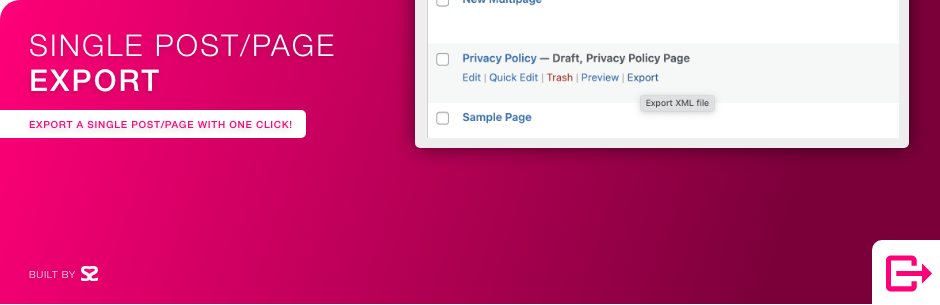
Say goodbye to exporting your entire content database or manually copying and pasting individual posts or pages. Export exactly the content you need as a standard WordPress (WXR) XML file, then bring it into any other site with the official WordPress Importer.
Features
- One-click export from the Posts, Pages, Media and custom post type lists.
- Bulk export. Select several items and choose “Export” from the Bulk actions menu to get them all in one file.
- Export from the editor. Use the block editor’s options (⋮) menu, or the Publish box in the classic editor.
- Export with media. Include the featured image, attached media, and images, galleries, video, audio and files used in the content. The importer downloads them and updates the links.
- Only the terms you need. Categories, tags and custom taxonomy terms used by the exported content are included, along with their parent terms.
- Clear file names. Single exports are named after the post slug.
- Secure. Export links are protected with nonces and are only shown to users who can export and edit the content.
Check out our other plugins:
- 🦄 Unicorn Panel – the new web hosting control panel built for multi-server fleets; FREE!
- 🎉 Media Library File Size
- 🔒 Two Factor (2FA) Authentication via Email
- 🙍♂️ View User Metadata
- 🔠 Enable Turnstile (Cloudflare) for Gravity Forms
- ⭐️⭐️⭐️⭐️⭐️ Gravity Forms to FreeScout
螢幕擷圖

安裝方式
Use the automatic installer via WordPress or download the plugin and:
- Upload the plugin files to the
/wp-content/plugins/single-post-page-exportdirectory. - Activate the plugin through the ‘Plugins’ screen in WordPress.
- Go to any list of Posts, Pages, Media or a custom post type.
- Hover over an item, click ‘Export’ and choose what to export, or select several items and use the Bulk actions menu.
- Import the XML file on another site with Tools > Import > WordPress.
常見問題集
-
Who can export?
-
Users with the
exportcapability (Administrators by default) who can also edit the content. -
What does “Export with media” include?
-
The featured image, any media attached to the post, and media used in the content (image, gallery, video, audio, file, cover and media & text blocks,
wp-image-classes in classic content, and[gallery]/[playlist]shortcodes). When importing, tick “Download and import file attachments”.Developers can add more attachment IDs with the
ss88_sppe_media_idsfilter. -
Which post types are supported?
-
Any post type registered with
can_exportenabled, which is the default.
使用者評論


參與者及開發者

變更記錄
1.4
- New: Bulk export from the Bulk actions menu
- New: Export from the block editor options menu and the classic editor Publish box
- New: “Export with media” includes the featured image, attached media and media used in the content
- New: Single exports are named after the post slug
- New: “Need help?” link on the Plugins screen
- Security: Export links now use nonces and check user permissions
- Fix: More reliable export query that can no longer fall back to exporting the whole site
- Fix: Exporting a post in a child category no longer hangs when the parent category wasn’t included
- Tested for WP 7.1
1.3
- Tested for WP 6.5
- Plugin name change
1.2
- Rewrite to use query instead of custom code for export
1.1.1
- Category/CDATA fix
1.1
- Translation ready
1.0
- Initial release.
