Just a week since the last 4.6 version, the lightweight Audacious music player announced new 4.6.1 bug-fix release.
The new version of this free open-source application adopted XDG cache dir, added new Georgian translation, and fixed some bugs.
News, Tutorials, Howtos for Ubuntu Linux
Just a week since the last 4.6 version, the lightweight Audacious music player announced new 4.6.1 bug-fix release.
The new version of this free open-source application adopted XDG cache dir, added new Georgian translation, and fixed some bugs.

After a few weeks of Beta testing, the lightweight Audacious music player finally announced the new 4.6 version.
The new version of this free open-source music player app features built-in file browser, macOS Now Playing, new audio format support and various bug-fixes.

After more than a month of beta testing, Audacious music player version 4.5 was finally released today!
The new release of this lightweight free open-source player features new plugin, new lyrics provider, and various other improvements. See what’s new & how to install for Ubuntu users.

Audacious audio player announced the 4.5 beta release few days ago. Here’s how to install it in Ubuntu using PPA.
The new release of this lightweight free open-source XMMS fork added new plugins, new lyrics provider, fixed various bugs, and improved PipeWire output support.

The Audacious audio player 4.2 was released a few days ago. Here’s PPA with the deb binary packages for Ubuntu 18.04, Ubuntu 20.04, Ubuntu 22.04, Linux Mint 20, and derivatives.
Following the lead of Debian and Fedora, the new release now features dual Qt5 + GTK2 build by default. And it offers an option in the Settings to make it easy to switch between Qt and classic GTK interfaces.
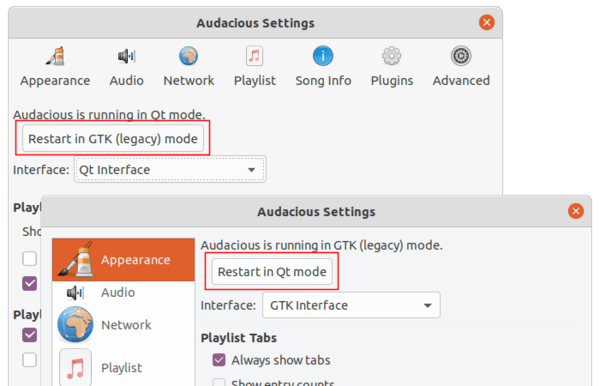
Audacious has been updated to version 4.2, feature new dark mode support and Flat icon set in both light and dark mode.
Other changes include:
The new release package has been made into the Ubuntu PPA. Due to a compile issue and lack of time for debugging, Ubuntu 16.04 build is excluded.
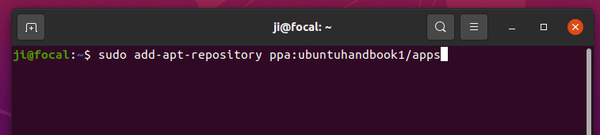
1. Open terminal by either pressing Ctrl+Alt+T on keyboard or searching for ‘terminal’ from application menu. When it opens, run command to add the PPA:
sudo add-apt-repository ppa:ubuntuhandbook1/apps
Type your password (no asterisk feedback) when it prompts and hit Enter to continue.
2. Then run commands one by one in terminal to install or upgrade the audio player:
sudo apt update

sudo apt install audacious audacious-plugins
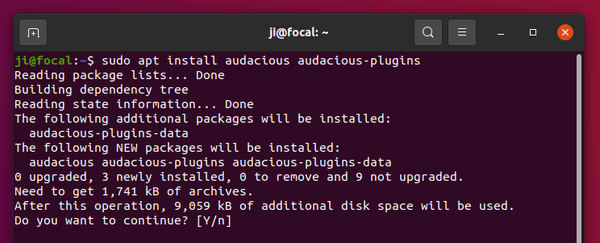
NOTE: If you got problem installing / updating the audio player, remove the old packages first by running the command in the bottom.
You can easily remove the PPA either by going to Software & Updates utility -> Other Software tab, or by running command:
sudo add-apt-repository --remove ppa:ubuntuhandbook1/apps
To remove audacious, either use your system package manager or run command:
sudo apt remove --autoremove audacious audacious-plugins audacious-dev
Audacious music player 4.0.5 was released a day ago with some important bug-fixes. Here’s how to install it in Ubuntu 20.04, Ubuntu 19.10, Ubuntu 18.04, Ubuntu 16.04, and derivatives.
Audacious 4.0.5 release highlights:
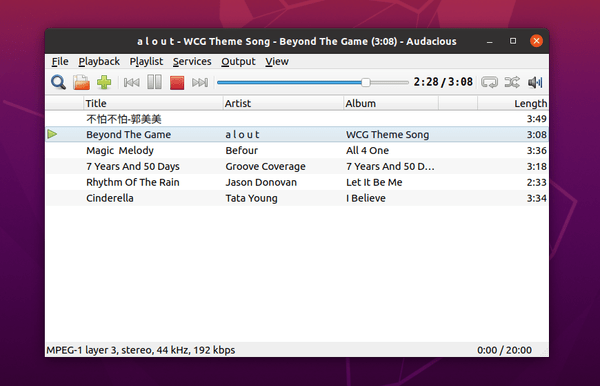
All users of current Ubuntu releases and Linux Mint 18.x, 19.x, 20 can install the new release via Ubuntu PPA by running following commands one by one.
1. Open terminal by either pressing Ctrl+Alt+T on keyboard or searching for ‘terminal’ from application menu. When it opens, run command to add the PPA:
sudo add-apt-repository ppa:ubuntuhandbook1/apps
Type your password (no asterisk feedback) when it prompts and hit Enter to continue.

2. Then run commands one by one in terminal to install or upgrade the audio player:
sudo apt update

sudo apt install audacious audacious-plugins
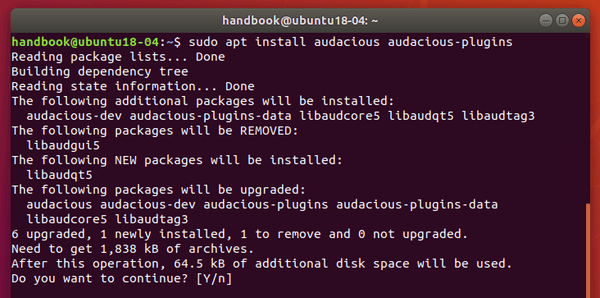
You can easily remove the PPA either by going to Software & Updates utility -> Other Software tab, or by running command:
sudo add-apt-repository --remove ppa:ubuntuhandbook1/apps
To remove audacious, either use your system package manager or run command:
sudo apt remove --autoremove audacious audacious-plugins
Audacious music player 4.0.4 was released 2 days ago with further improvements to the new Qt5 UI. Ubuntu PPA updated for all current Ubuntu releases.
Changes in the Qt interface include:
For the Qt Winamp interface, some old features are added back:
There are also translation updates and more bug-fixes, see Audacious 4.0.4 release note.
The unofficial PPA contains the latest packages for Ubuntu 16.04, Ubuntu 18.04, Ubuntu 19.10, and Ubuntu 20.04.
1. Open terminal by either pressing Ctrl+Alt+T on keyboard or searching for ‘terminal’ from application menu. When it opens, run command to add the PPA:
sudo add-apt-repository ppa:ubuntuhandbook1/apps
Type your password (no asterisk feedback) when it prompts and hit Enter to continue.
2. Then run commands one by one in terminal to install or upgrade the audio player:
sudo apt update

sudo apt install audacious audacious-plugins
You can easily remove the PPA either by going to Software & Updates utility -> Other Software tab, or by running command:
sudo add-apt-repository --remove ppa:ubuntuhandbook1/apps
To remove audacious, either use your system package manager or run command:
sudo apt remove --autoremove audacious audacious-plugins
The second bug-fix release for Audacious 4.0 was released a day ago. Here’s how to install it in all current Ubuntu releases.
While the first bug-fix release brings KDE Plasma 5.18 compatibility, Audacious audio player 4.0.2 includes mainly bug fixes and tweaks for the Qt interface:
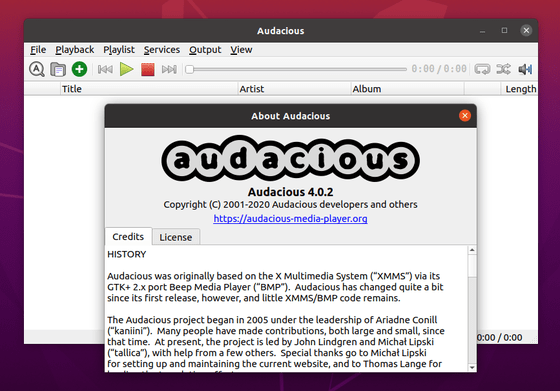
The unofficial PPA contains the latest packages for Ubuntu 16.04, Ubuntu 18.04, Ubuntu 19.10, and Ubuntu 20.04.
1. Open terminal by either pressing Ctrl+Alt+T on keyboard or searching for ‘terminal’ from application menu. When it opens, run command to add the PPA:
sudo add-apt-repository ppa:ubuntuhandbook1/apps
Type your password (no asterisk feedback) when it prompts and hit Enter to continue.
2. Then run commands one by one in terminal to install or upgrade the audio player:
sudo apt update

sudo apt install audacious audacious-plugins
The PPA repository also contains some other applications. You may remove the PPA either by going to Software & Updates utility -> Other Software tab, or by running command in terminal:
sudo add-apt-repository --remove ppa:ubuntuhandbook1/apps
To remove audacious, either use your system package manager or run command:
sudo apt remove --autoremove audacious audacious-plugins
Audacious audio player 4.0 was finally announced as the new stable release. Here’s how to install it in Ubuntu 16.04, Ubuntu 18.04, Ubuntu 19.10, and Ubuntu 20.04.
Audacious 4.0 switches to Qt 5 UI by default, though GTK2 is still available as a build option. New features in the release include:
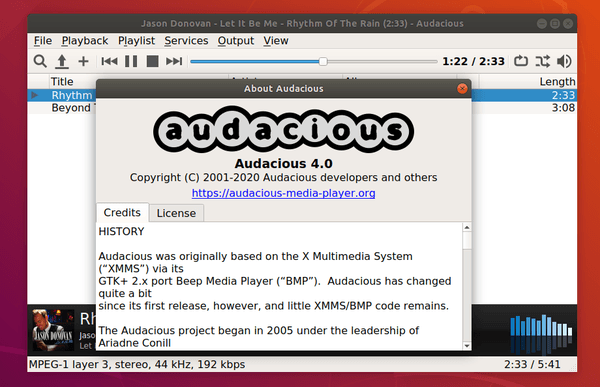
Users of the Winamp-like UI may build with GTK2 yourself, or keep the old version.
The unofficial PPA contains the latest packages for Ubuntu 16.04, Ubuntu 18.04, Ubuntu 19.10, and Ubuntu 20.04.
1. Open terminal by either pressing Ctrl+Alt+T on keyboard or searching for ‘terminal’ from application menu. When it opens, run command to add the PPA:
sudo add-apt-repository ppa:ubuntuhandbook1/apps
Type your password (no asterisk feedback) when it prompts and hit Enter to continue.
2. Then run commands one by one in terminal to install or upgrade the audio player:
sudo apt update

sudo apt install audacious audacious-plugins
Upgrade via Software Updater may not work this time as new libaudqt5 library breaks old libaudgui5 library.
You can easily remove the PPA either by going to Software & Updates utility -> Other Software tab, or by running command:
sudo add-apt-repository --remove ppa:ubuntuhandbook1/apps
To remove audacious, either use your system package manager or run command:
sudo apt remove --autoremove audacious audacious-plugins
Audacious audio player released version 3.10.1 today with some important bugs fixed. Here’s how to install it in Ubuntu 18.04, Ubuntu 16.04, and Ubuntu 18.10.
Audacious 3.10.1 fixed following issues:
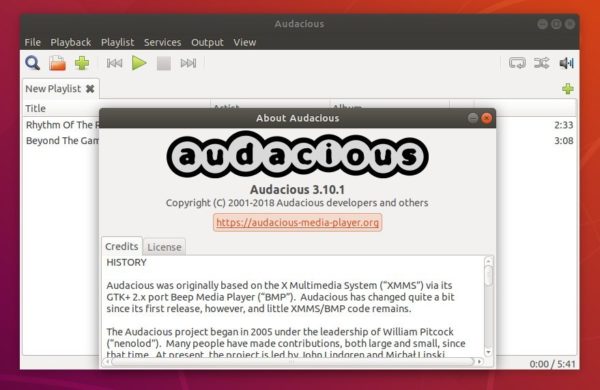
You can install the new release packages in Ubuntu 18.04, Ubuntu 16.04, and Ubuntu 18.10 via the unofficial PPA.
1. Open terminal by either pressing Ctrl+Alt+T on keyboard or searching for ‘terminal’ from software launcher. When it opens, run command:
sudo add-apt-repository ppa:ubuntuhandbook1/apps
Type your password (no asterisks feedback) when it prompts and hit Enter to continue.
2. Then you can upgrade Audacious via Software Updater:
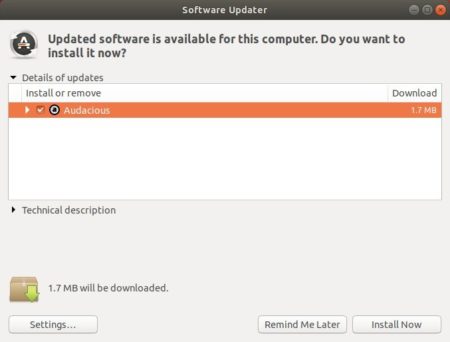
or run commands one by one in terminal to install or upgrade the audio player:
sudo apt update

sudo apt install audacious audacious-plugins
You can easily remove the PPA either by going to Software & Updates utility -> Other Software tab, or by running command:
sudo add-apt-repository --remove ppa:ubuntuhandbook1/apps
To remove audacious, either use your system package manager or run command:
sudo apt remove --autoremove audacious audacious-plugins