
If you’re looking to mirror your Android screen to a PC, scrcpy is one of the best open-source tools available. Whether you're a developer or simply want to protect your phone’s display on your computer, this guide will walk you through how to use scrcpy Android screen mirroring. This lightweight tool works over USB or wirelessly, making it easy to mirror Android to Windows or other platforms. Follow this scrcpy setup guide to get started.
Table of Content
How to Mirror Android Screen to PC using scrcpy?
Requirements:-
- Android 5.0 or later.
- A USB cable.
- Enable USB debugging.
Installation:-
1. For Windows
A zip file with all dependencies is available for Windows. You can download it here. adb tool is also included in this package, so, you don't have to download it separately. Extract this folder in the current working directory.
2. For Linux
On Linux, it can be installed directly using the standard package manager.
For example, on Debian based OS, run the following command to install it:
$ sudo apt-get install scrcpy It can also be downloaded using snap.
3. For macOS
This application is also available in Homebrew. Run the following command to install it.
brew install scrcpyHow to run?
Note: USB Debugging mode needs to be turned on before connecting the android device in any mode.
Wireless connection
To communicate with the android devices, scrcpy uses the Android debugging tool (adb). adb can connect to the device over TCP/IP. To connect wirelessly, connect the android device with the PC using USB first. Then, run the following command to enable TCP/IP on your device. The port 5555 is used here. You can use any port number you want.
adb tcpip 5555Now, disconnect the android device from the PC and run the following command to connect with the device over TCP/IP. Replace IP_ADDR with the IP Address of your device.
adb connect IP_ADDR:5555Now, run scrcpy as usual and it will start displaying your device's screen wirelessly.
USB Connection
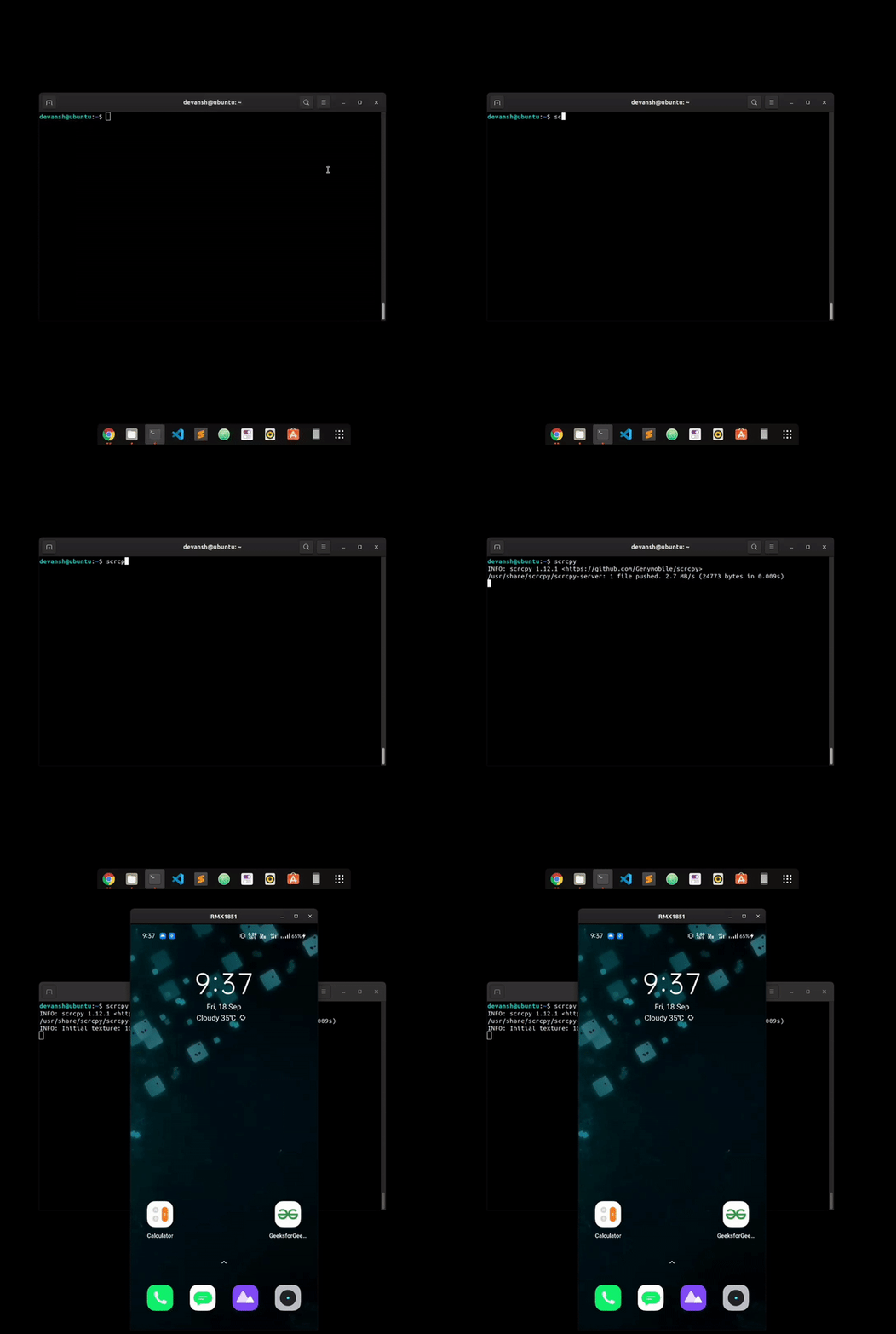
To connect the device using a USB Cable, You just need to connect the device to the PC and run scrcpy on command prompt:
scrcpyAfter you run it, it will start displaying the device's screen.
Real-time manipulations on mobile
There are many manipulations that can be done on mobile using scrcpy. Some of them are listed below with an example. Type the following commands in the command prompt.
Connect multiple devices
This tool allows users to connect multiple devices simultaneously. You just need to follow these simple steps to make it work. First, turn USB debugging on for all the devices and connect them to the PC. Then, list all the devices which are recognized by adb by running the following command.
adb devices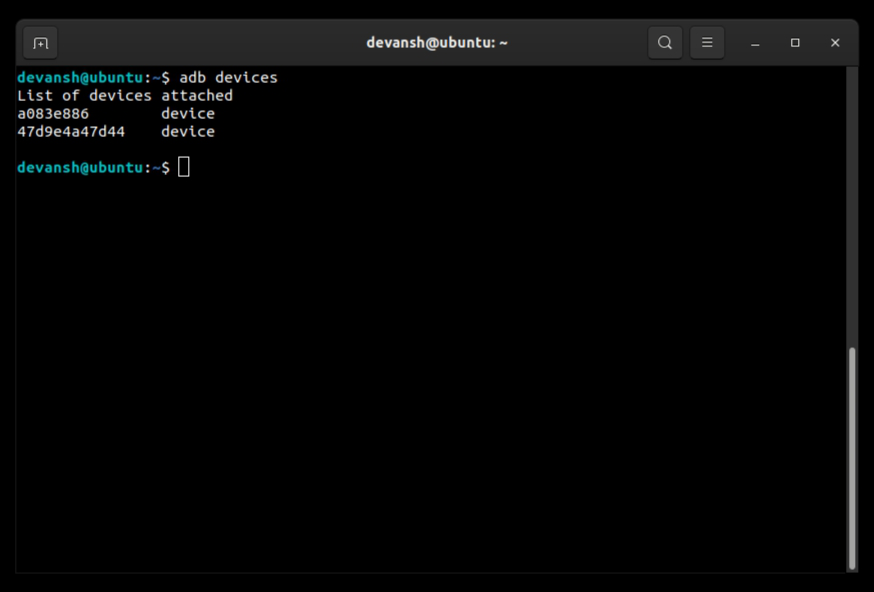
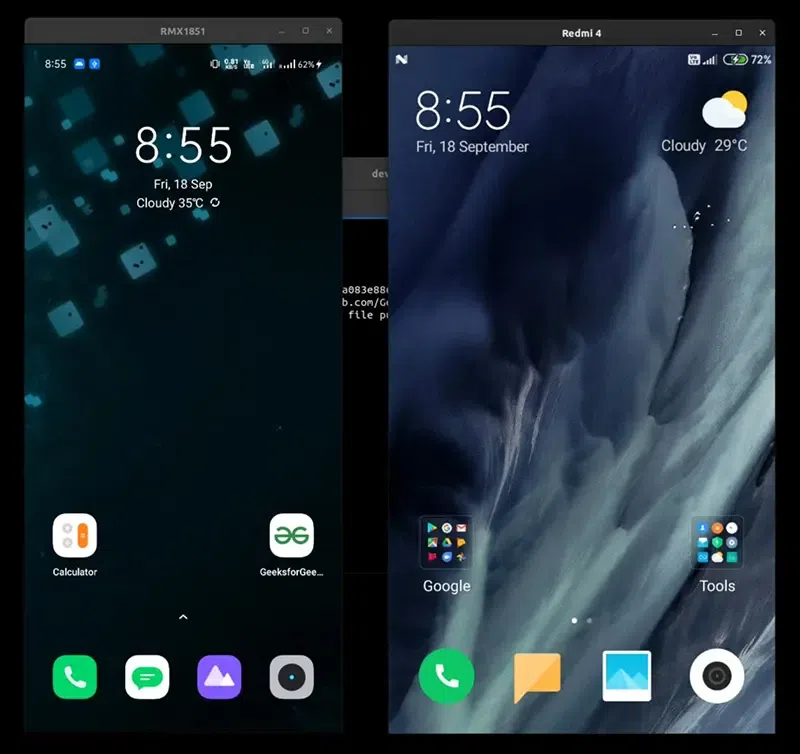
Now, for each device listed in the output, copy its serial number and run the following command. Replace SERIAL_NUM with the serial number of the device.
scrcpy --serial SERIAL_NUMIt will display all the devices on the screen.
Reduce size
You can also mirror the device's screen at a lower resolution to increase performance.
scrcpy --max-size 720 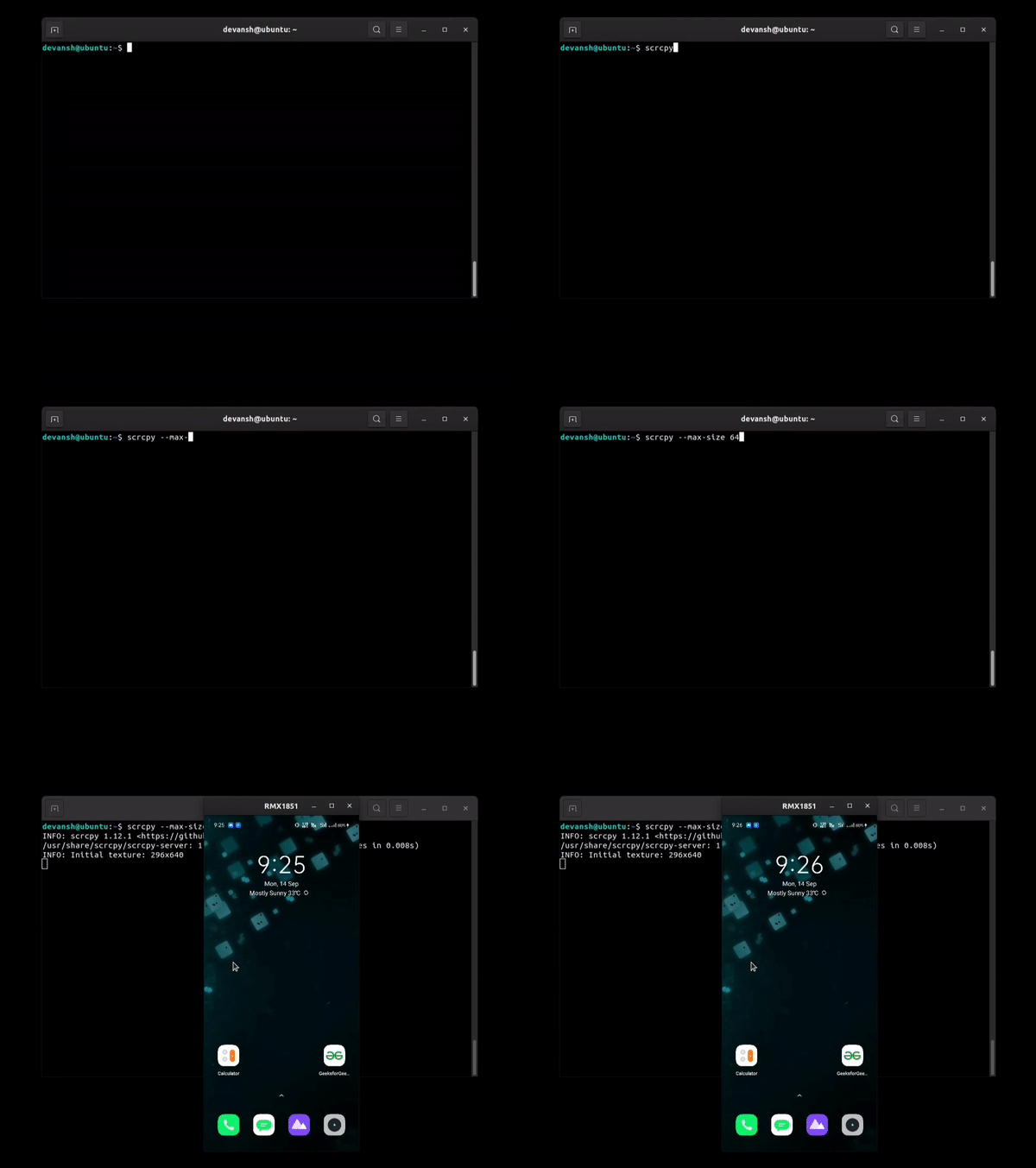
It preserves the aspect ratio of the screen.
Limit frame rate
You can also change the frame rate of the captured screen.
scrcpy --max-fps 10 Crop screen
Sometimes, you only need to display a part of the screen, so, you can so that with this feature.
scrcpy --crop 1224:1440:0:0 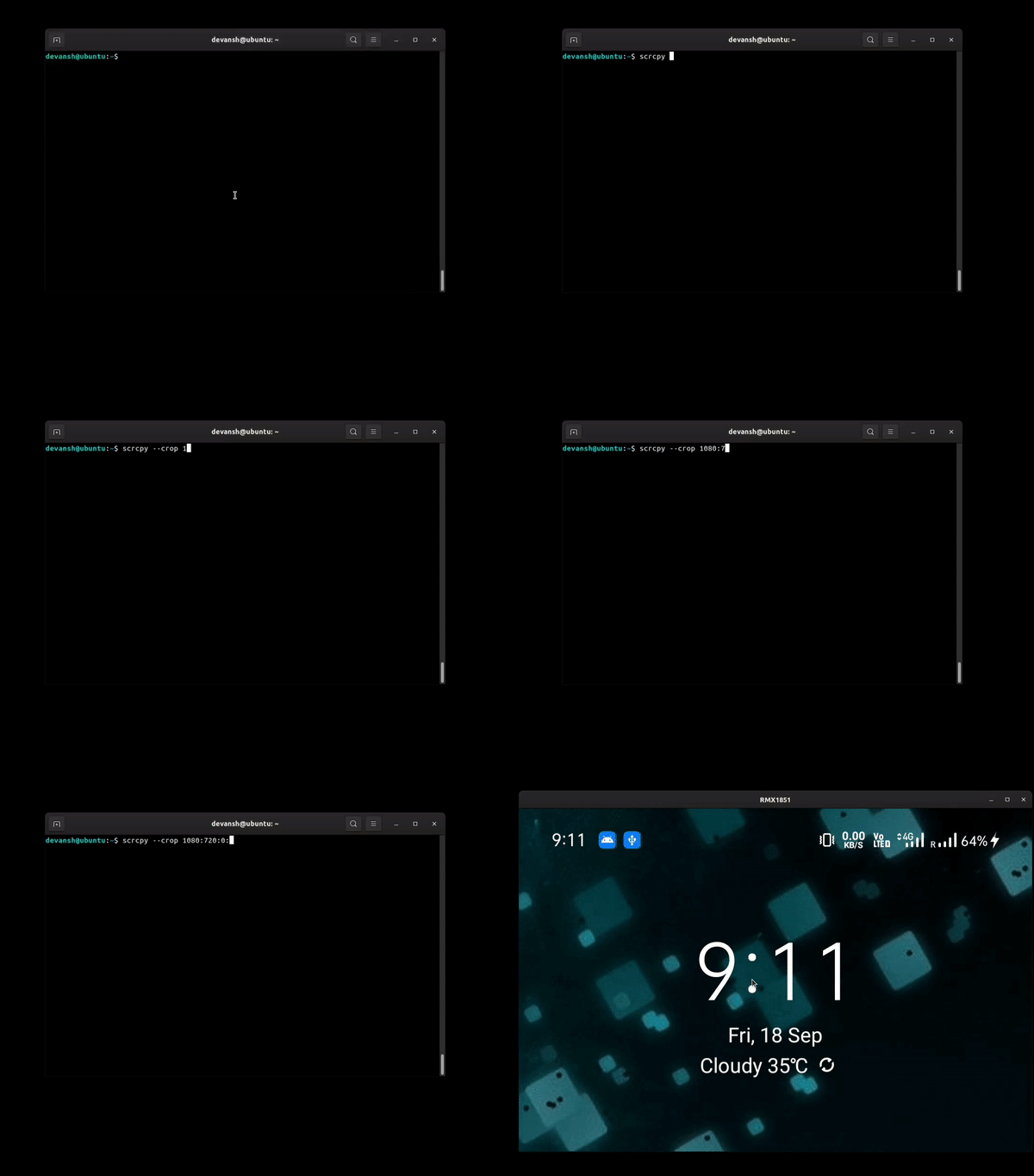
Record screen
You can also record the screen while mirroring.
scrcpy --record myrecording.mp4 Full-screen
You can start the app directly in full-screen mode.
scrcpy --fullscreen 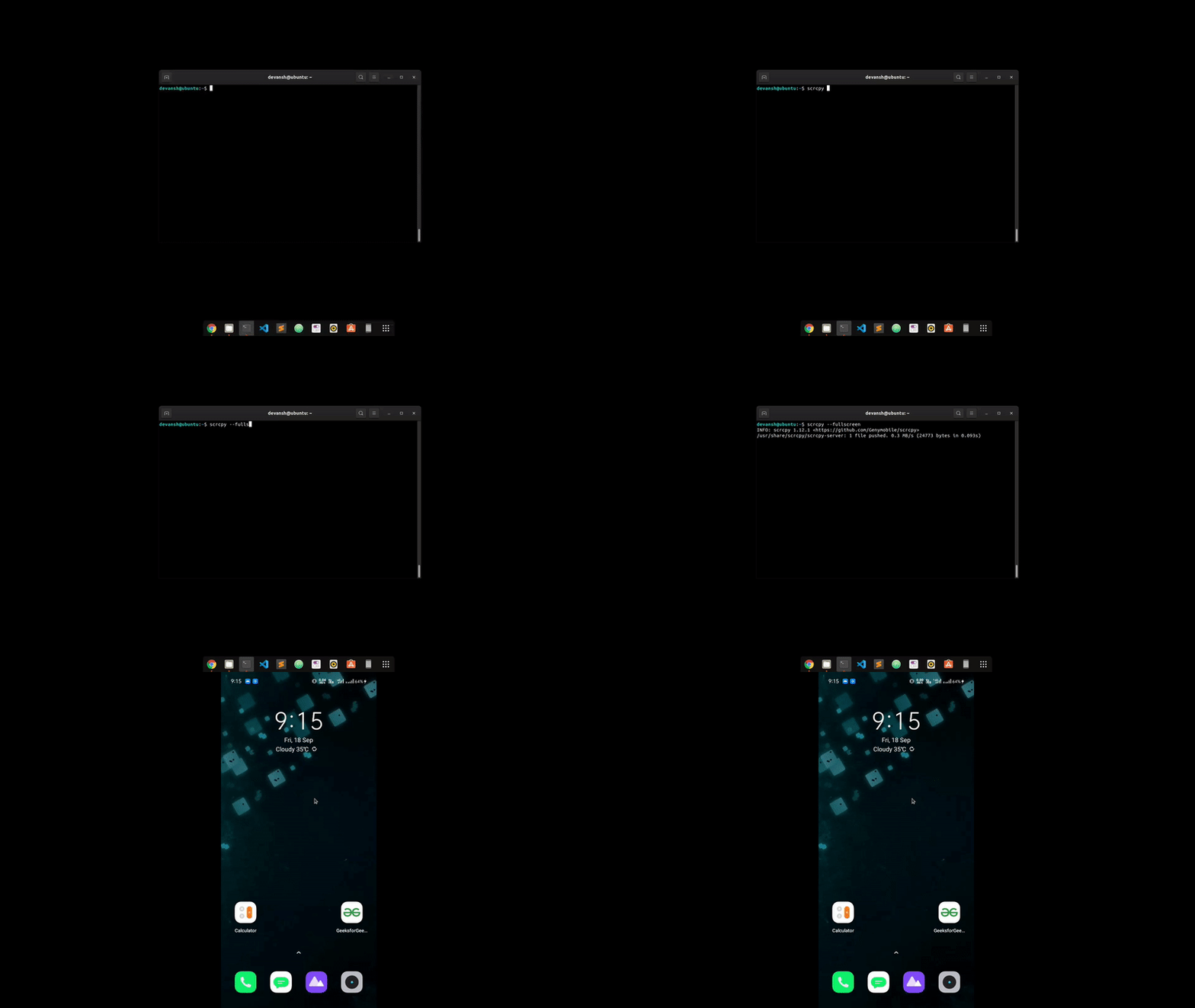
Show touches
Sometimes, you need to show the physical touches. This feature will help you in that case.
scrcpy --show-touches Stay Awake
Prevent the device from sleeping after some delay.
scrcpy --stay-awake Conclusion
Using scrcpy to mirror Android screen to PC is an efficient way to display your phone on a larger screen. Whether for presentations, debugging, or personal use, scrcpy provides a simple and reliable solution. By following the scrcpy tutorial, you can quickly set up a connection and enjoy seamless Android to PC screen mirroring. This tool is flexible, allowing both wired and wireless screen mirroring with scrcpy for your convenience.
