
Compression and archiving commands in Linux are used to reduce file sizes, combine multiple files into a single archive, and extract compressed data when needed. These commands help save disk space, speed up file transfers, and simplify backup and distribution of files.
- Reduce storage usage by compressing large files
- Bundle multiple files into a single archive
- Transfer files efficiently over networks
- Backup and restore data easily
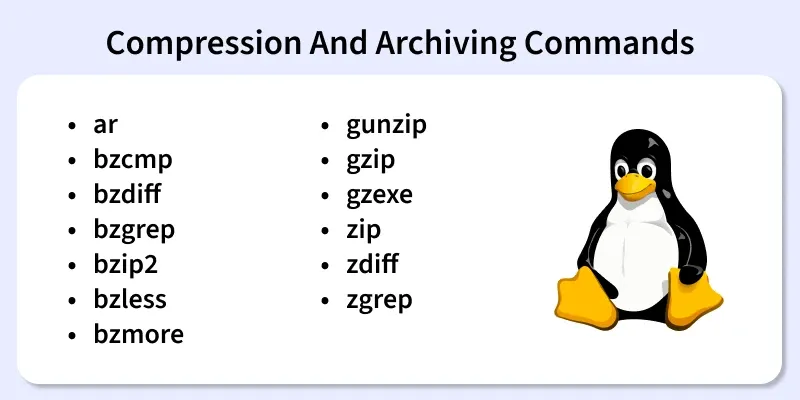
Below are the commonly used Compression and Archiving Commands in Linux
1. ar
The ar command is used to create, modify, and extract files from archives, mainly used for static libraries.
- Creates archive files
- Extracts archived files
- Commonly used in software development
Syntax:
ar [options] archive_name file_nameExample:
ar p super.a
This is used to print the specified members of a archive in a standard output file if you do not use modifier it will print member as it is an output file whereas if you use modifier v then it will show member name before it is copied to output file.
2. bzcmp
The bzcmp command compares two bzip2-compressed files.
- Works like the cmp command
- Compares compressed files without manual extraction
Syntax:
bzcmp file1.bz2 file2.bz2Example:

bzcmp compares the file1.bz2 and file2.bz2 and returns the first-byte position where the data differs
3. bzdiff
The bzdiff command compares bzip2-compressed files line by line.
- Works like diff
- Useful for checking differences in compressed files
Syntax:
bzdiff file1.bz2 file2.bz2Example:
compressing two files
bzip2 file1
bzip2 file2
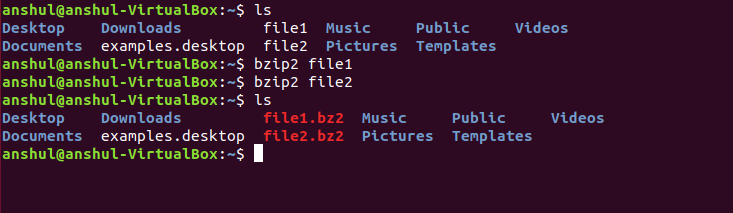
- After that compares both the files as follows:
bzdiff file1.bz2 file2.bz2
4. bzgrep
The bzgrep command searches text inside bzip2-compressed files.
- Finds patterns without extracting files
- Useful for searching logs and text archives
Syntax:
bzgrep "pattern" file.bz2Example:
Take a normal text file, use grep on it. Then compress it using bzip2 and search the specific pattern in the compressed file with bzgrep.

5. bzip2
The bzip2 command compresses files using the bzip2 algorithm.
- Produces .bz2 compressed files
- Provides better compression than gzip
Syntax:
bzip2 [OPTIONS] filenames ...Example:
- Creates input.txt.bz2 while keeping file1.txt due to -k; without -k, file1.txt would be removed after compression.
bzip2 -k file1.txt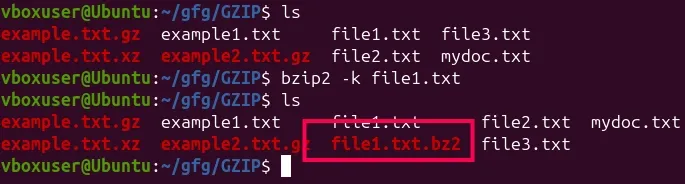
6. bzless
The bzless command views bzip2-compressed files page by page.
- Works like less
- Does not require decompression
Syntax:
bzless [less_options] file.Example:
bzless file1.bz2
7. bzmore
The bzmore command displays compressed file content one screen at a time.
- Similar to more
- Used for quick file viewing
Syntax:
bzmore file.bz2Example:
A text file named GFG.txt is compressed via bzip2. After the compression, the file is saved as GFG.txt.bz2. In this file, for instance contains numbers ranging from 1 to 40 like this:
1
2
3
.
.
.
40
Now, To view the contents of this file execute the following command:
bzmore GFG.txt.bz2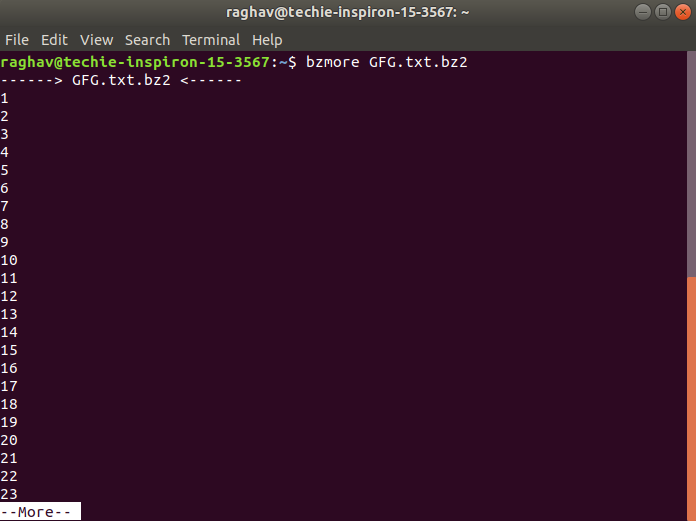
8. gunzip
The gunzip command decompresses gzip-compressed files.
- Extracts .gz files
- Restores original file
Syntax:
gunzip file.gzExample: Decompress a Single .gz File
gunzip example.txt.gz 
- Extracts example
.txt.gzand restores it as example.txt, deleting the .gz file after decompression.
9. gzip
The gzip command compresses files using the GNU zip algorithm.
- Creates .gz files
- Fast and widely supported
Syntax:
gzip file_nameExample:
Compress a file using the gzip command in Linux
gzip mydoc.txt- Creates mydoc.txt.gz in the same directory and removes mydoc.txt by default; use -k to keep the original.
Decompress a gzip File in Linux
gzip -d mydoc.txt.gzThis command decompresses the specified gzip file, leaving the original uncompressed file intact.
Output:
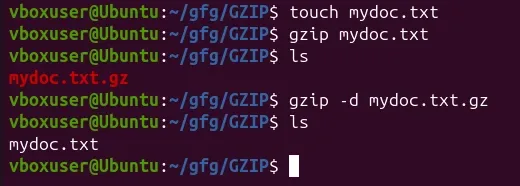
Here,
- touch mydoc.txt: Creates an empty file.
- gzip mydoc.txt: Compresses it into mydoc.txt.gz and deletes the original.
- gzip -d mydoc.txt.gz: Decompresses it back to mydoc.txt and deletes the .gz file.
10. gzexe
The gzexe command compresses executable files.
- Compresses executables to save space
- Automatically decompresses during execution
Syntax:
gzexe file_nameExample:
grexe hello.sh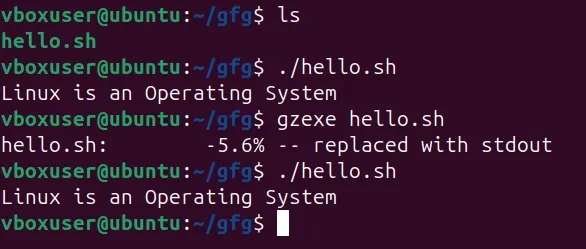
- The ./hello.sh command executes the shell script, which prints the message “Linux is an Operating System” to the terminal.
- The gzexe hello.sh command compresses the executable script while keeping it runnable, so the script still executes normally after compression.
11. zip
The zip command creates ZIP archives.
- Combines and compresses files
- Compatible with Windows and Linux
Syntax:
zip archive_name.zip file_name12. zdiff
The zdiff command compares gzip-compressed files.
- Similar to diff
- No manual extraction needed
Syntax:
zdiff file1.gz file2.gzExample:
zdiff file1.gz file2.gzzdiff compares file1.gz and file2.gz and returns the lines in which the difference occurs.
Creating two files and compressing them.

Now comparing the two given files.

13. zgrep
The zgrep command searches inside gzip-compressed files.
- Searches text in .gz files
- Useful for compressed logs
Syntax:
zgrep "pattern" file.gzExample:
zgrep -c "linux" GFG.txt.gz
This option is used to display the number of matching lines for each file.
