
Yarn is a fast, reliable, and secure package manager for Node.js applications. It offers improved dependency management compared to npm, the default package manager for Node.js. In this beginner-friendly guide, we'll walk you through the step-by-step process of installing Yarn on Ubuntu 20.04, ensuring you have everything you need to start managing your Node.js projects effectively.
6 Simple Steps to Install Yarn on Ubuntu 20.04
Update Package Index:
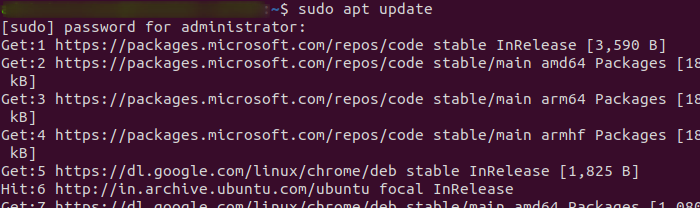
Before installing any new software, it's crucial to update the local package index to ensure you're installing the latest versions available in the repositories.
sudo apt update
Install Node.js:
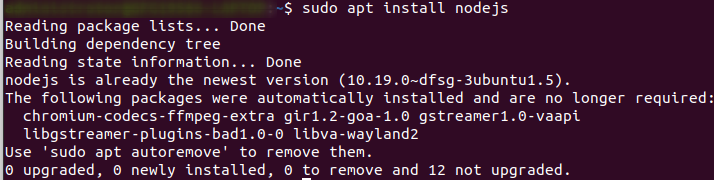
Yarn requires Node.js to be installed on your system. If you haven't already installed Node.js, you can do so using the following command:
sudo apt install nodejs
Add Yarn Repository:
Yarn is not available in the default Ubuntu repositories, so you'll need to add the Yarn repository to your system.
curl -sS https://dl.yarnpkg.com/debian/pubkey.gpg | sudo apt-key add -

Add the Yarn repository to your sources list:
echo "deb https://dl.yarnpkg.com/debian/ stable main" | sudo tee /etc/apt/sources.list.d/yarn.list

Install Yarn on Ubuntu 20.04 :
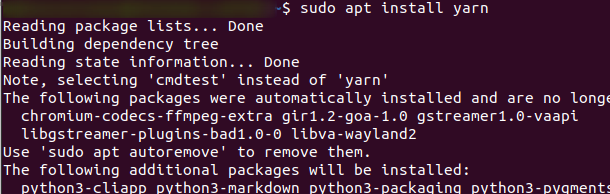
After adding the Yarn repository, update the package index again and install Yarn:
sudo apt update
sudo apt install yarn
Verify Installation:
Once the installation is complete, you can verify that Yarn has been installed correctly by checking its version:
yarn --version

Using Yarn:
Now that Yarn is installed, you can use it to manage your Node.js projects. Here are some common Yarn commands to get you started:
- yarn init: Initialize a new Node.js project.
- yarn add [package]: Install a package and add it to the dependencies.
- yarn remove [package]: Remove a package from the dependencies.
- yarn install: Install all dependencies listed in the package.json file.
- yarn start: Run the start script defined in the package.json file.
- yarn build: Run the build script defined in the package.json file.
Conclusion:
Congratulations! You've successfully installed Yarn on your Ubuntu 20.04 system. With Yarn, you now have a powerful tool at your disposal for managing Node.js projects efficiently. Whether you're a beginner or an experienced developer, Yarn's intuitive interface and robust features make it a valuable asset for any Node.js development workflow. Start exploring Yarn today and take your Node.js projects to the next level!
