
Mail and user communication commands in Linux are used to send messages, notify users, and manage mail-related information on a multi-user system. These commands help system administrators and users communicate directly through the terminal and monitor mail activity.
Mail and communication commands are mainly used to:
- Send messages to logged-in users
- Broadcast announcements to all users
- Receive mail notifications
- Check mail queue status
Below are the commonly used Mail and User Communication Commands in Linux
1. biff
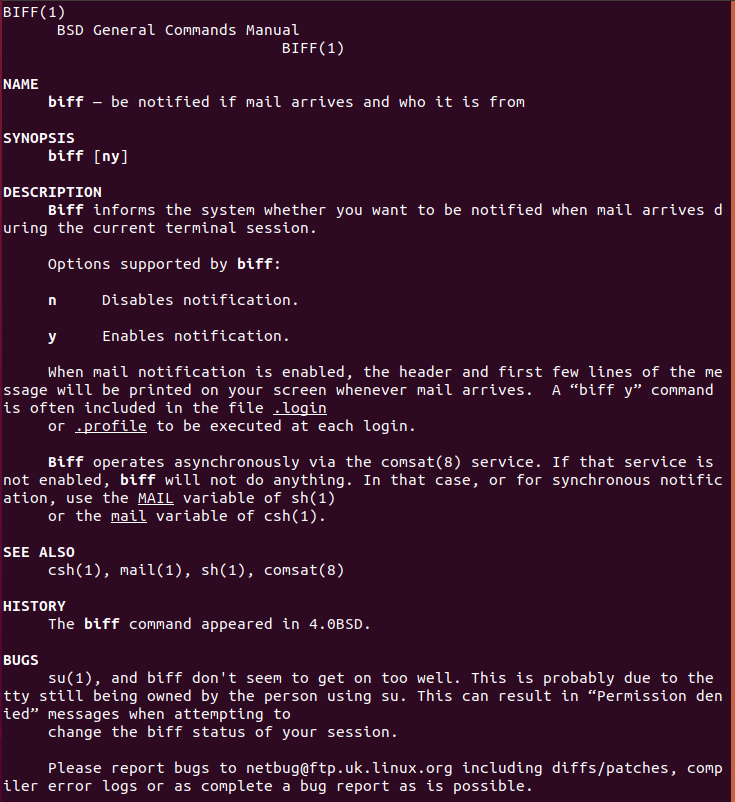
The biff command is used to enable or disable mail notification alerts for a user.
- Notifies users when new mail arrives
- Displays sender and subject information
- Works with the local mail system
Syntax:
biff y | biff nExample:
Options:
- Y : This option is to enable the mail notification.
- N : This option is to disable the mail notification.
2. mailq
The mailq command displays the list of emails waiting in the mail queue.
- Shows pending emails
- Useful for mail server monitoring
- Helps troubleshoot mail delivery issues
Syntax:
mailqExample:
mailqThis displays all messages currently waiting in the mail queue.
3. write
The write command allows one user to send messages directly to another logged-in user.
- Enables real-time user communication
- Useful in multi-user environments
- Messages appear instantly on the recipient’s terminal
Syntax:
write usernameExample:
write user1This sends a message to the user user1.
4. wall
The wall command sends a message to all logged-in users on the system.
- Broadcasts system-wide messages
- Used for system alerts and announcements
- Requires appropriate permissions
Syntax:
wall "message"Example:
wall "System maintenance will start in 10 minutes."This sends a message to all logged-in users.
Why Mail and Communication Commands Are Important
Mail and communication commands are important in Linux because they allow users and administrators to send messages, notifications, and system alerts efficiently in a multi-user environment.
Enable Communication Between Logged-In Users
- Allows users to send direct messages to each other through the terminal
- Helps in quick coordination without using external messaging tools
Notify Users About System Events or Messages
- Sends important alerts such as maintenance notices or warnings
- Ensures users receive real-time system-related updates
Useful for System Administration and Monitoring
- Helps administrators inform users about system status changes
- Assists in managing multi-user environments efficiently
Allow Message Broadcasting to Multiple Users
- Enables sending a single message to all logged-in users
- Commonly used for announcements and emergency notifications
Mail and communication commands are used in Linux to exchange messages, send notifications, and communicate important information between users and system administrators on a multi-user system.
Sending Alerts During System Maintenance
- Informs users in advance about planned maintenance activities
- Helps reduce disruption by keeping users prepared
Notifying Users About System Shutdowns or Reboots
- Alerts users to save their work before shutdown or restart
- Prevents unexpected data loss and interruptions
Communicating With Users in Multi-User Servers
- Enables real-time communication between logged-in users
- Helps coordinate tasks in shared server environments
Monitoring and Managing Mail Delivery
- Allows administrators to track pending or failed emails
- Helps troubleshoot mail queue and delivery issues
Common Mail Utilities in Linux
- Used to send, receive, and manage emails directly from the command line
- Help system administrators monitor mail delivery status and mail queues
- Support both local user messages and system-generated notifications
- Commonly used for alerts, reports, and automated system emails
Difference Between User Messaging and Mail Services
- User messaging is real-time and works only when both users are currently logged in
- Mail services allow delayed communication and store messages until the user checks them
- Messaging commands are ideal for quick alerts, while mail services are suited for formal or logged communication
- Mail services are more reliable for long-term or offline message delivery
Security Considerations for User Communication
- Requires proper user permissions to send or receive messages securely
- Broadcasting messages should be limited to administrators to prevent misuse
- Sensitive or confidential information should be shared carefully
- Regular monitoring helps prevent unauthorized or accidental information exposure
