
In Linux, some commands take a really long time to execute, and while we do wait for such commands to finish, sometimes we also want to terminate them after they have been running for a specified amount of time. This is what the 'timeout' command and the `timelimit` program permit us to do. Two methods, then, are described here for automatically terminating long-running commands.
Syntax
The basic syntax of the timeout Command is:
timeout [OPTION] DURATION COMMAND [ARG]...where,
- DURATION is a number followed by:
- s for seconds; the default if omitted
- m for minutes
- h for hours
- COMMAND is the command to run with a time limit
- [ARG]... any additional arguments for the command
Basic Example
Use the timeout command to bound execution of a ping command:
timeout 5s ping google.comThis will ping google.com for 5 seconds then quit.

Key Options for the timeout Command
Option | Description |
|---|---|
-s, --signal=SIGNAL | Specify the signal to send when the timeout period ends |
-k, --kill-after=DURATION | Send a KILL signal if COMMAND hadn't terminated this long after the initial signal was sent |
--preserve-status | Exit with the same exit status as COMMAND, even if the command timed out |
Example with --signal option:
timeout --signal=SIGQUIT 8s tail -f /var/log/syslogThis command will tail /var/log/syslog for 8 seconds and then send SIGQUIT.
Example with --kill-after option:
timeout -k 5s 10s sleep 15It will attempt to send signal 15 to kill the command sleep while it's running in the first 10 seconds, then, if it still hasn't returned yet, kill it after further 5 seconds with signal 9.
Timelimit Program
The `timelimit` program is another alternative to `timeout`, and it offers additional functionality over the extremely flexible tool already available.
Installation
To install it on Debian-based systems, e.g. Ubuntu:
sudo apt install timelimitFor Arch Linux or Arch-based systems:
git clone https://aur.archlinux.org/timelimit.git && cd timelimit && makepkg -sriSyntax
timelimit [-pq] [-S killsig] [-s warnsig] [-T killtime] [-t warntime] command [arguments ...]Basic Example
Use 'timelimit' to run a command for a certain amount of time
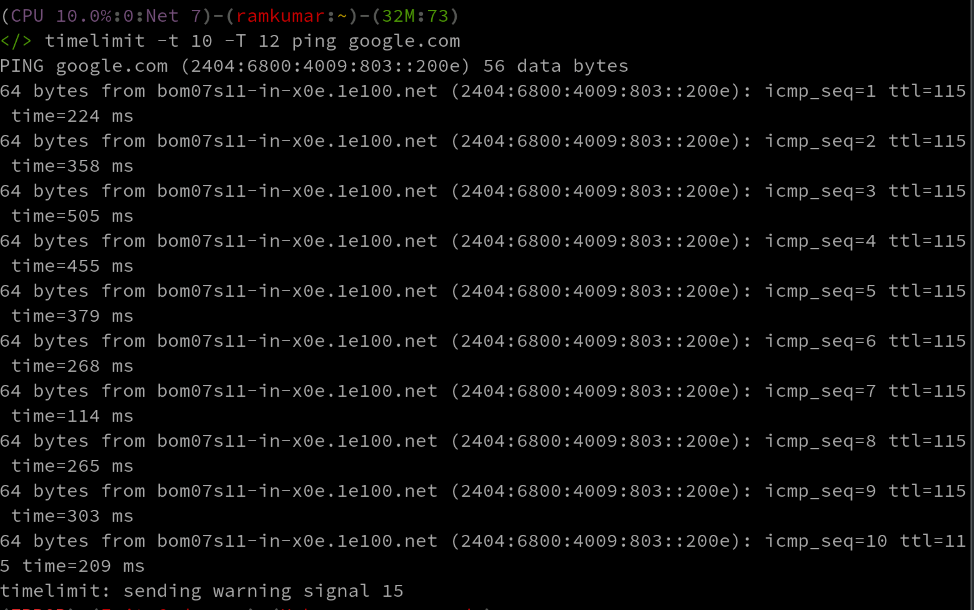
timelimit -t 10 -T 12 ping google.comPings google.com and sends a termination signal after 10 seconds and kills it with a termination signal after 12 seconds.
Key Options for the timelimit Program
Option | Description | Default Value |
|---|---|---|
-t warntime | Time before sending warning signal | 3600 seconds |
-T killtime | Time before sending kill signal | 120 seconds after warntime |
-s warnsig | Signal to send as warning | SIGTERM (15) |
-S killsig | Signal to send to kill | SIGKILL (9) |
Example with custom signals:
timelimit -t 30 -T 35 -s SIGINT -S SIGTERM long_running_script.shThis will run long_running_script.sh, send a SIGINT after 30 seconds and if it's still running, send a SIGTERM after 35 seconds.
Conclusion
Both `timeout` command and `timelimit` program are powerful control means for long-running commands on the Linux level. Even though the `timeout` is available in any Linux distribution, usually providing minimum functionality, its termination process is less flexible than that one of `timelimit`. Select the right tool for your needs as well as the system configuration.
