

Table of contents
How to get your Llama API key (3 steps)



Connecting Llama—the open source AI model from Meta—with your internal applications and products can fundamentally change how your employees use your systems and how customers leverage your solutions.
But before you can access and use the large language model (LLM) through one of its API endpoints, you’ll need to generate a unique API token in Llama. We’ll help you do just that in 3 simple steps.
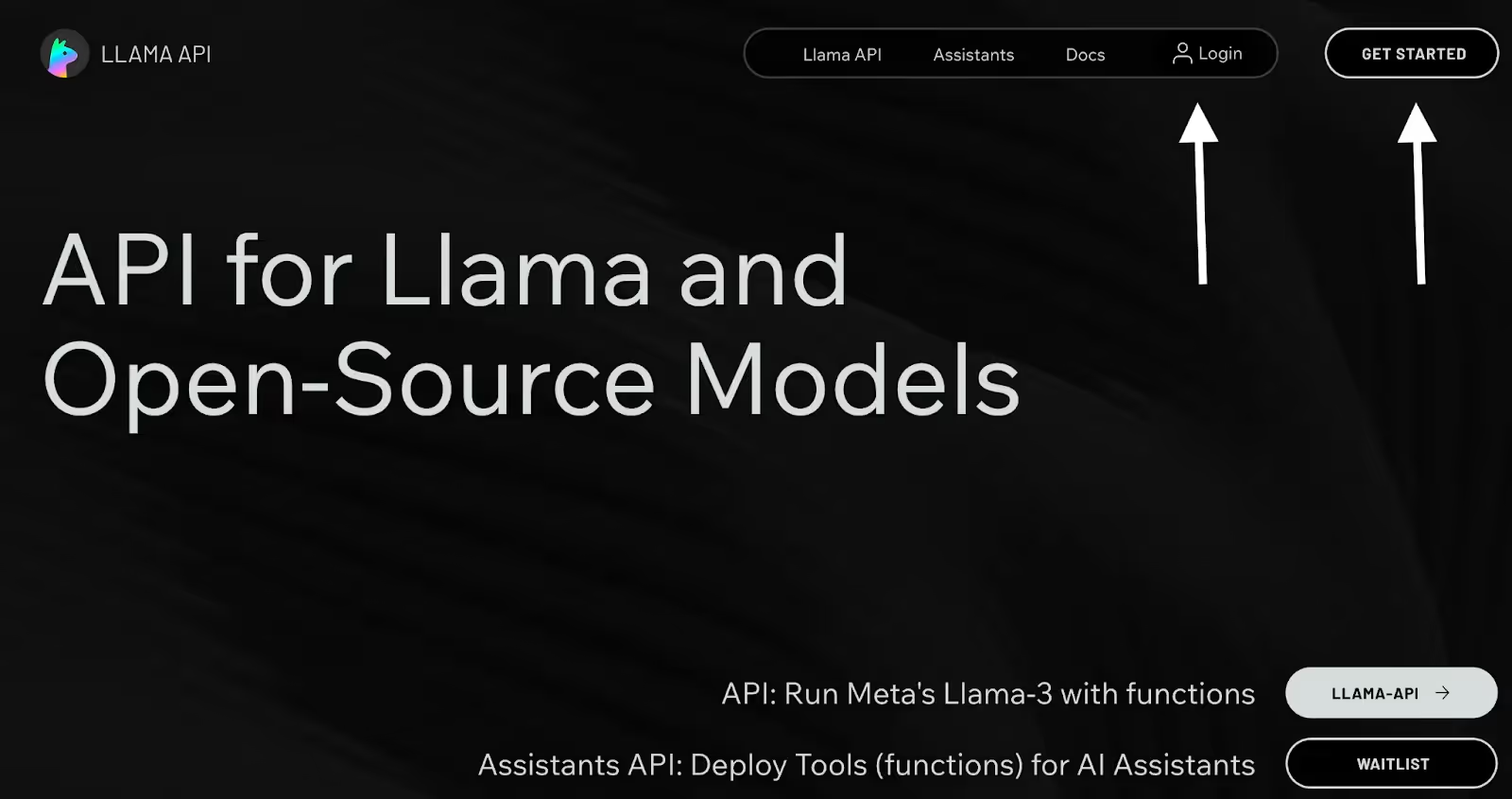
1. Create an account or login
You can do either in a matter of seconds from Llama’s API page.
Related: How to get a Gemini API key
2. Create an API token
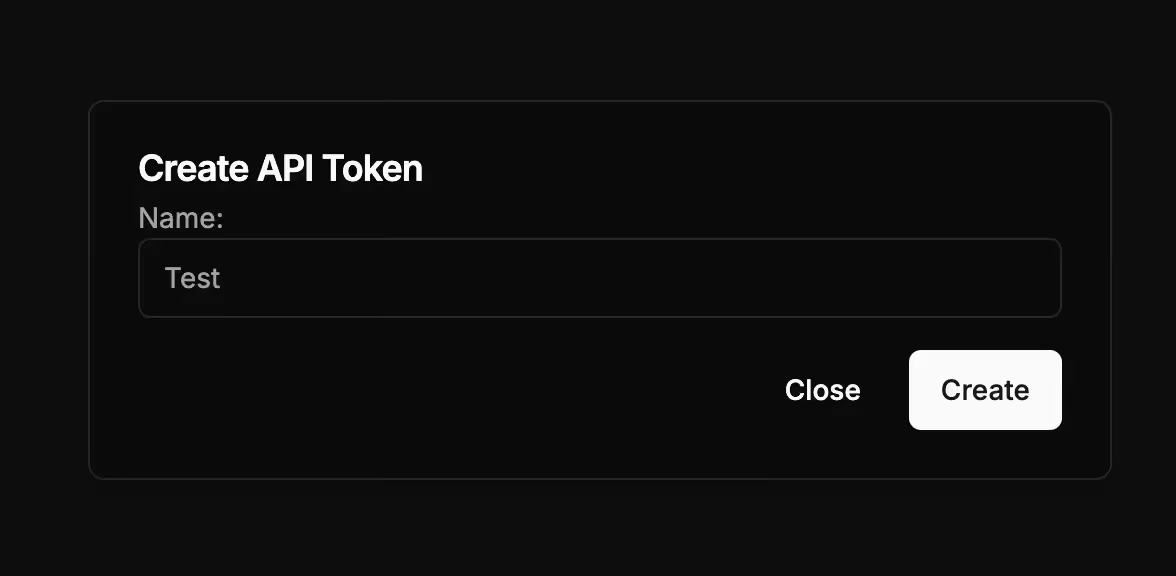
As soon as you’re logged in, you should see a screen that prompts you to create an API token.
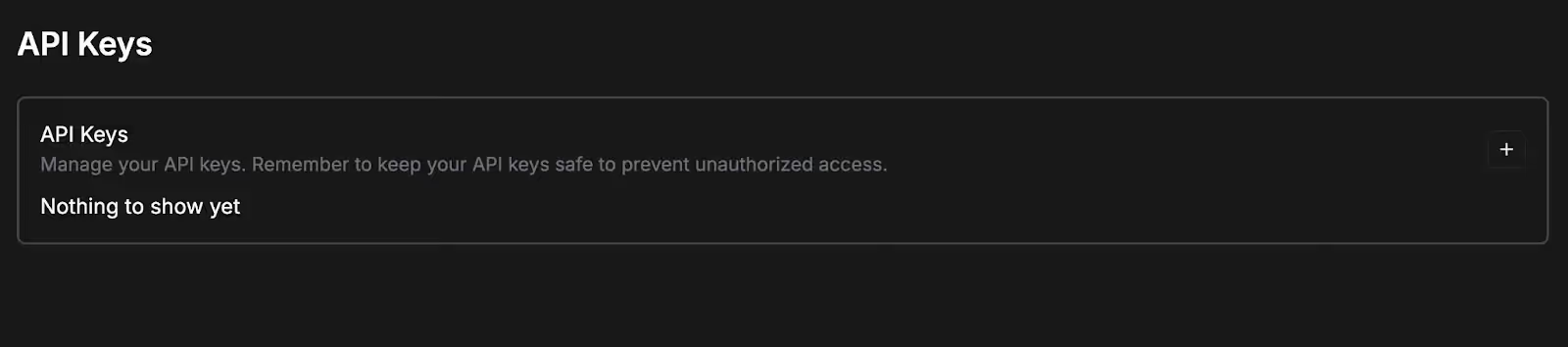
Go ahead and click on the + button; give your API token a name; and then click “Create.
{{this-blog-only-cta}}
3. Copy your API token
Your API token should now be auto-generated.
You should copy and store it in a secure place to prevent unauthorized access.
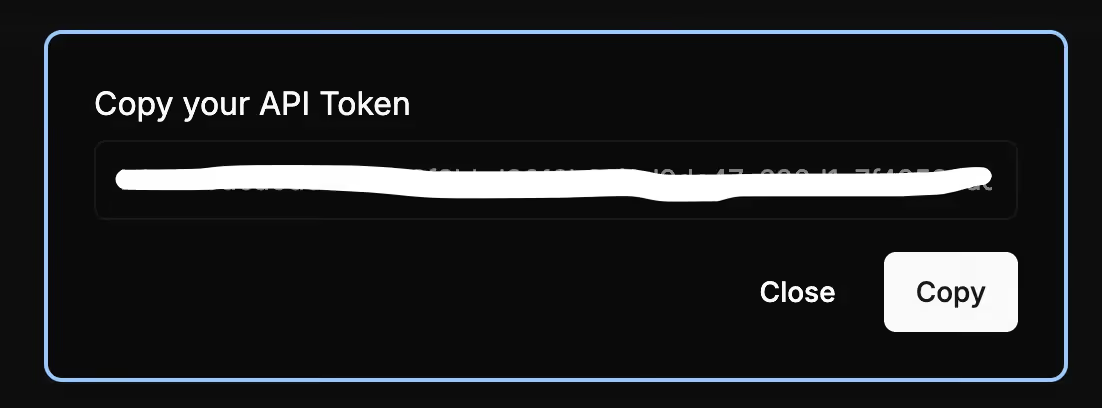
Once the API token is created, you can copy it, change the token’s name, and delete it. You can also easily create additional tokens by following steps outlined above.
Related: How to create your Grok API key
Other considerations for building to Llama’s API
Before building to Llama’s API, you should also look into and understand the following areas:
Pricing
Your costs will vary depending on the Llama 3.1 model you use and the cloud provider you use to manage the model (e.g., AWS).
Moreover, the costs are measured per 1 million tokens consumed and are broken down by inputs and outputs. The former are the costs associated with analyzing and processing requests while the latter are associated with generating and delivering responses.
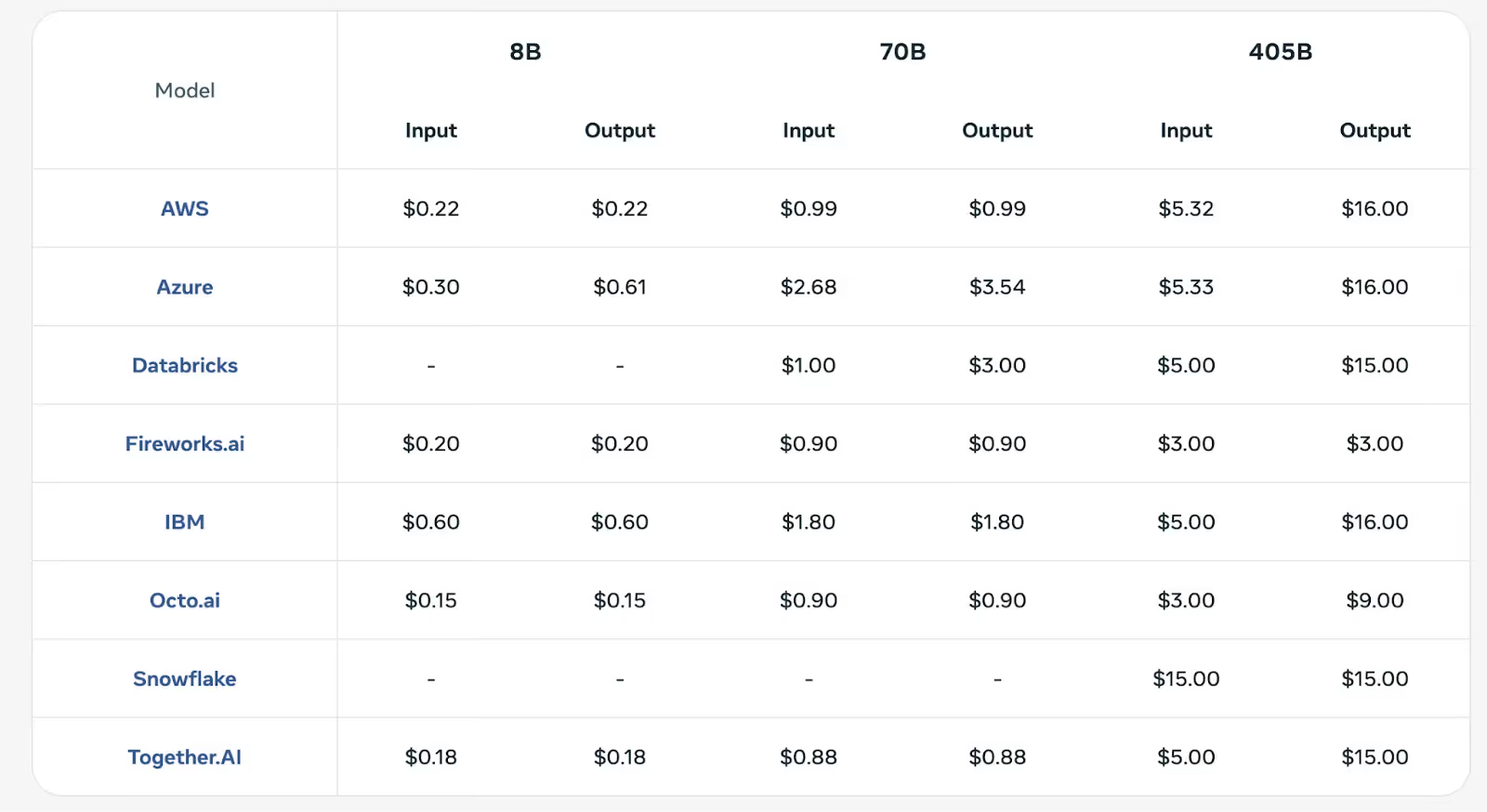
Learn more about Llama 3.1’s API pricing.
Rate limits
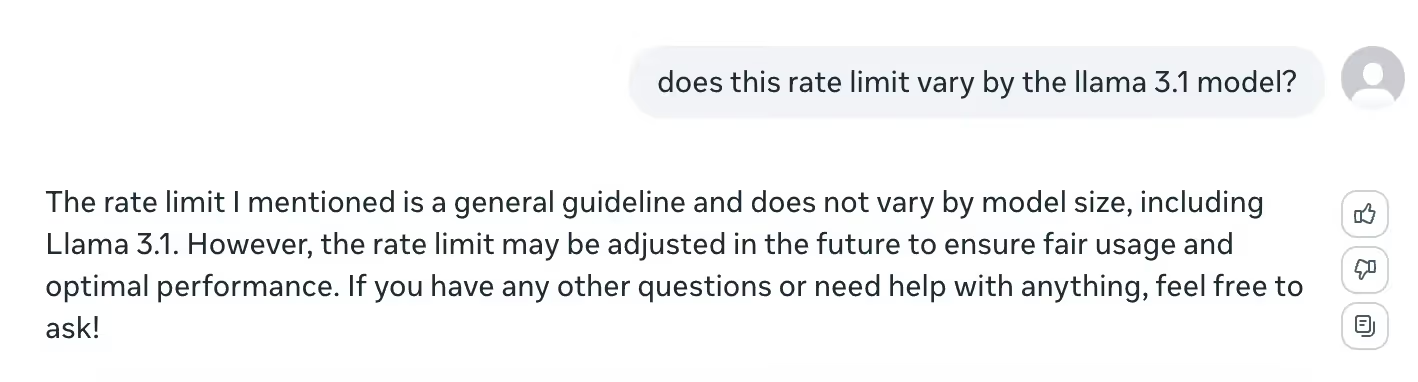
While it’s hard to find a concrete rate limit for any Llama 3.1 model, the LLM provides an answer if you ask it directly; you can ask 20 questions in a 60 second window before experiencing “a brief cooldown period.”
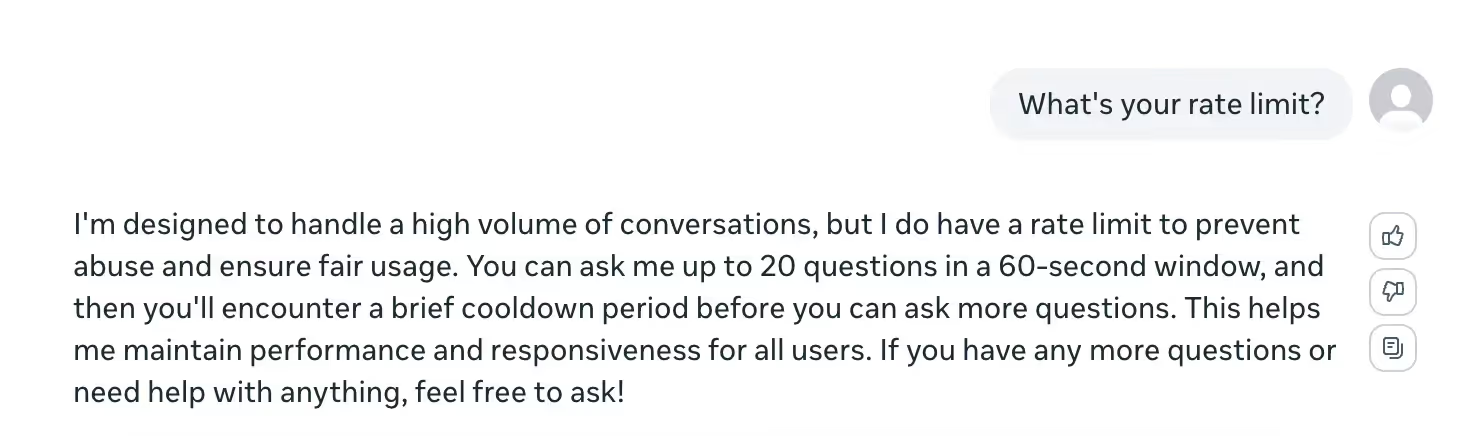
This applies to any of its 3.1 models.
Errors to look out for
Similar to the above, you can learn about and prepare for potential errors by asking Llama about the ones that tend to come up most frequently.
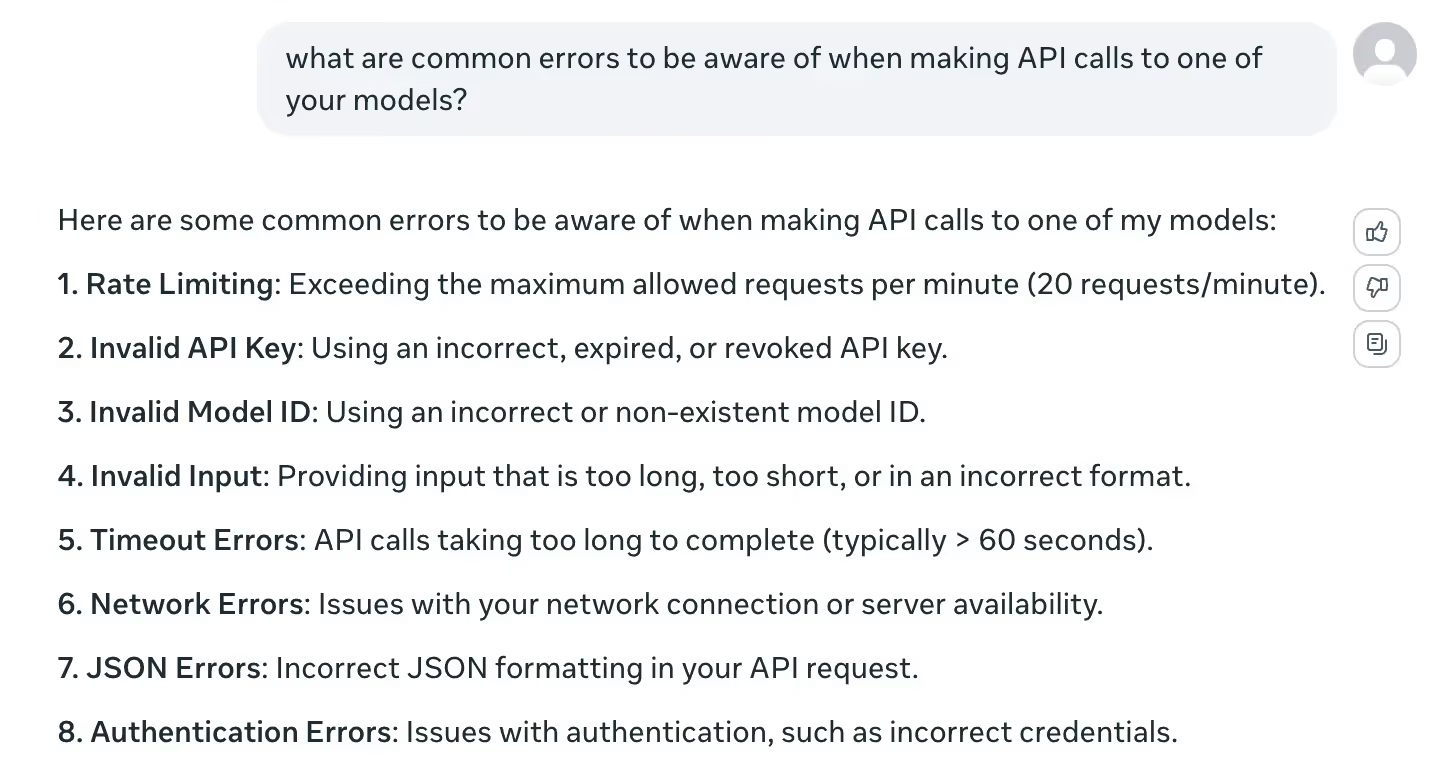
This includes a 429 Too Many Requests error (i.e., if you exceed 20 requests per minute); a 408 Request Timeout error (the client didn’t complete the request within a predefined time limit); and a 401 Unauthorized error, which means the request doesn’t include any credentials or they were invalid.
Leverage Llama’s models effectively with Merge Gateway
Merge Gateway is a unified LLM gateway for production AI. It offers one API to run and manage model traffic, with intelligent routing, cost controls, and deep request visibility built in.
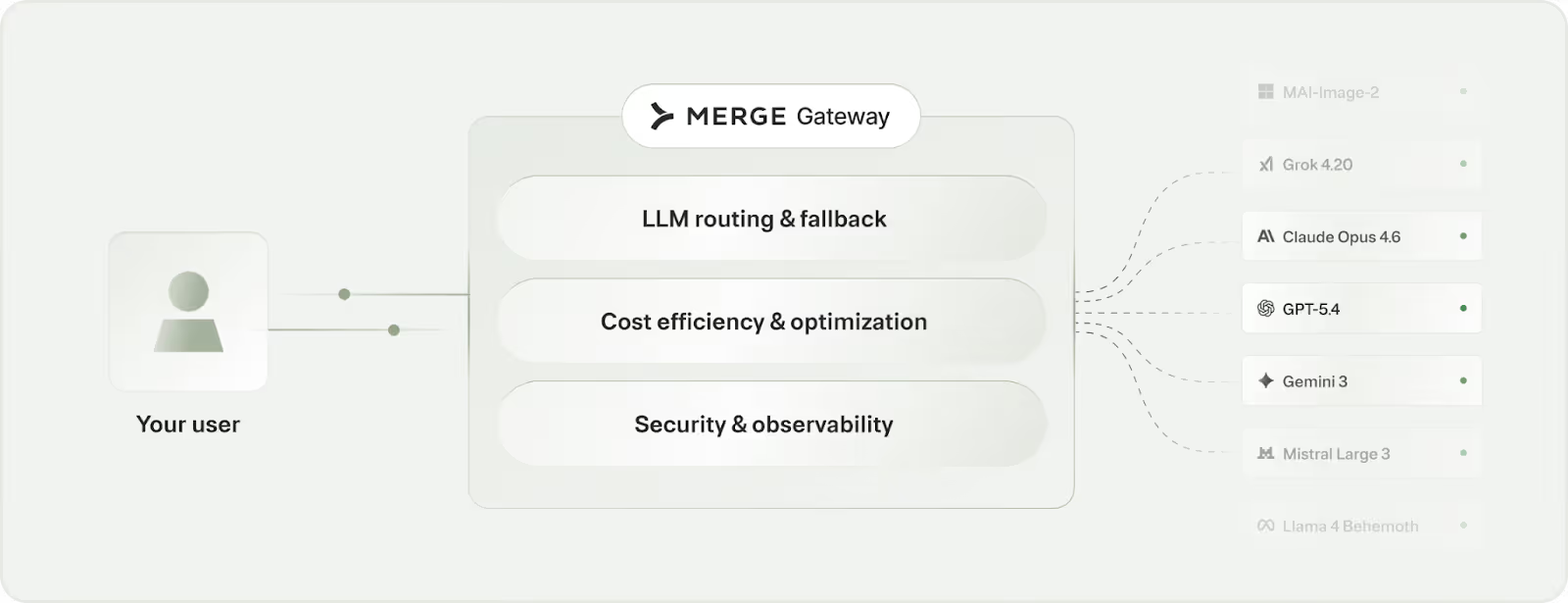
It offers:
- Dynamic model routing: Match each request to the best-fit model to balance cost, latency, and output quality
- Budget controls at every layer: Set spend caps and usage policies by team, project, environment, or customer tier to keep costs predictable
- Production-grade telemetry + failover: Trace requests end to end with detailed logs and routing context, with automatic fallback when a provider slows down or goes offline
Try Merge Gateway for free today!
.jpg)
.png)
.png)


