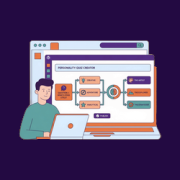
I was looking for a fresh way to grow my email list in WordPress, and personality quizzes caught my attention right away. They’re engaging, fun to take, and feel personal to each visitor. The challenge is that many quiz tools can feel complicated or require… Read More »
It’s frustrating when customers place orders in your online store that are too small to be profitable, or so large that they deplete your stock and create shipping nightmares. Setting minimum and maximum order limits in WooCommerce solves this problem. It can help you keep your… Read More »
Many website owners collect user feedback but never act on it, so they keep making the same guesses about what to build, write, or fix next. A customer feedback loop changes that by turning survey responses into a clear list of the improvements that will… Read More »
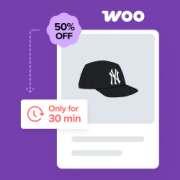
The most frustrating part of running a WooCommerce store is watching a customer add a product to their cart only to disappear at the final second. You did the hard work of getting them to your site, but you miss out on the sale. When… Read More »
Building a survey in WordPress is easy. But the problem is that most surveys are too long and static. Visitors lose interest halfway through and abandon them, leaving you withincomplete data you can’t act on. I’ve found that the best way to fix this is… Read More »
Hiding your best WooCommerce reviews on product pages is like keeping your top salespeople in the back room. When reviews are scattered or hidden, most visitors never see them. And that means missed chances to earn trust and make sales. By showing your reviews on… Read More »
When I first needed an online booking system for my WordPress site, I went straight to Calendly like everyone else. It worked fine for a while, but I quickly noticed a frustrating pattern: I was paying a monthly subscription for a tool that lived completely… Read More »
The best discounts are the ones you don’t have to manage yourself. A lot of WooCommerce store owners want bulk pricing, VIP deals, and smart promotions, but they get stuck because they assume this needs custom code or manual edits. Instead, I recommend setting dynamic… Read More »
If shoppers can’t find what they want in your WooCommerce store within a few clicks, they’ll leave. And that’s exactly what happens to many small business owners. As their product catalogs grow, they lose potential customers because they can’t easily filter products. That’s why I… Read More »
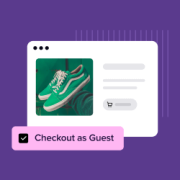
I once tried to buy a pair of headphones I really wanted. But when I got to the checkout page, the store asked me to sign in. Since it was just a one-time purchase, I didn’t want to create an account and start getting promotional… Read More »
Used to store interaction and conversion data for campaigns in conjunction with Revenue Attribution.
1 year
_gat_omTracker*
Set, controlled and used by Google Analytics to collect and store data and then send that data to Google Analytics. OptinMonster provides the name if there is no existing tracker found on that page.
-
omCountdown-{id}-{elementId}
Used for countdown elements {elementId} in campaigns {id} to determine when it should complete.
-
om-{id}-closed / omSlideClosed-{id}
Used specifically with slide-in campaigns {id} to determine if it has been closed or not by a visitor.
30 days
om-success-cookie / omSuccessCookie
Used to determine if a visitor has successfully opted in to any campaign on your site to unlock content when using our Content Locking feature.
365 days
om-success-{id} / omSuccess-{id}
Used to determine if a visitor has successfully opted in to a campaign with the ID of {id} on your site.
365 days
omSeen-{id}
Used to determine if a visitor has been shown a campaign by the slug.
30 days
om-{id}
Used to determine if a visitor has interacted with a campaign ID of {id} on your site.
30 days
_omappvs
Used to determine when a new visitor becomes a returning visitor.