

Entries by tag: tutorials
This is a tutorial for Photoshop, later versions including 7 and CS. Basic knowledge of PS is expected in order to follow this tutorial. This is very image-heavy; dialup users are warned.
( Read more...Collapse )
Now that you have solid, gradient, and pattern layers, they work like any other layer. You can switch layer modes, use masks, or rasterize them to erase bits of them. The following icon was made using the three layers shown above, set to different modes, masked, etc.
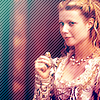
I hope this tutorial will help you make the most of your digital art in Photoshop. If you make anything guided by this tutorial, I'd love to see it!
( Read more...Collapse )
Now that you have solid, gradient, and pattern layers, they work like any other layer. You can switch layer modes, use masks, or rasterize them to erase bits of them. The following icon was made using the three layers shown above, set to different modes, masked, etc.
I hope this tutorial will help you make the most of your digital art in Photoshop. If you make anything guided by this tutorial, I'd love to see it!
We'll be going from 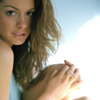 to
to  in just a few steps. Moderate knowledge of Photoshop is assumed, as is basic familiarity with Curves.
( Read more...Collapse )
And you're done, ready to add texture, a border, text, light effects, whatever. I hope this has helped you, and if you use it, please let me see what you end up with!
to in just a few steps. Moderate knowledge of Photoshop is assumed, as is basic familiarity with Curves.( Read more...Collapse )
And you're done, ready to add texture, a border, text, light effects, whatever. I hope this has helped you, and if you use it, please let me see what you end up with!
#1: ctrl-Q sends you into quick mask mode-- with your brush tool, paint over the area you want selected, then hit ctrl-Q a second time. The area you painted will now be selected and ready for you to flood-fill, mask, etc.
( More tips here.Collapse )
( More tips here.Collapse )
We're going to go from 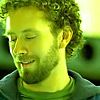 to
to 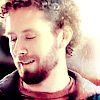 in seven steps. This tutorial is for people with at least an intermediate knowledge of PSCS. Its intent it to show how adjustment layers can drastically change an image, and inspire people to experiment with their software instead of just following a tutorial by rote.
( Read more...Collapse )
to in seven steps. This tutorial is for people with at least an intermediate knowledge of PSCS. Its intent it to show how adjustment layers can drastically change an image, and inspire people to experiment with their software instead of just following a tutorial by rote. ( Read more...Collapse )
 to
to 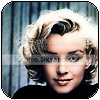 : tutorial for PSCS.
Here’s a tutorial on the three ways I’m aware of desaturating a colour image. More methods will be added as I learn them. Each results in a slightly different effect—different tonalities, contrasts, crispness.
( Read more...Collapse )
Hope this helps you in making your digital art even better.
( Read more...Collapse )
Hope this helps you in making your digital art even better.
- Current Mood:
 productive
This is for the darling  dragonfly_dance, who asked me how to use brushes (specifically brushes of borders for icons), but if it can be of use to the rest of you, that's gravy. Feel free to ask questions, but please do read this carefully so you don't ask me things you'd have found if you'd looked harder.
Get comfy, and have PS open so you can play along at home. First, read this. It will (hopefully) explain how to get a brush "in your hand" as it were. Note: each step has its own example image; when I refer to 'arrow 1' I mean arrow 1 in the example image linked to at the end of each step.
( Read more...Collapse )
dragonfly_dance, who asked me how to use brushes (specifically brushes of borders for icons), but if it can be of use to the rest of you, that's gravy. Feel free to ask questions, but please do read this carefully so you don't ask me things you'd have found if you'd looked harder. Get comfy, and have PS open so you can play along at home. First, read this. It will (hopefully) explain how to get a brush "in your hand" as it were. Note: each step has its own example image; when I refer to 'arrow 1' I mean arrow 1 in the example image linked to at the end of each step.
( Read more...Collapse )
Recently monanotlisa requested a tutorial for this icon: 
Behind the cut lies the brand spanking new tutorial. ( When Wes is out of TimeCollapse )
If you have any questions, please ask and I'm more than happy to do tutorials for any other icons.
monanotlisa requested a tutorial for this icon: Behind the cut lies the brand spanking new tutorial. ( When Wes is out of TimeCollapse )
If you have any questions, please ask and I'm more than happy to do tutorials for any other icons.
Page Summary
- crazydiamond_ : tutorial: fill layers in PS [+8]
- crazydiamond_ : tutorial: prepping and colouring a base [+2]
- crazydiamond_ : more quick tips for Photoshop [+2]
- crazydiamond_ : colorization tutorial [+6]
- crazydiamond_ : brief tips and hints for PSCS [+0]
- crazydiamond_ : Marilyn icon tutorial. [+8]
- crazydiamond_ : Desaturation Tutorial for PS [+4]
- crazydiamond_ : Photoshop tutorial: how to use a brush. [+0]
- houses7177 : Wes Time Tutorial [+17]
Syndicate


Designed by chasethestars
chasethestars
Comments
How many is "a lot", out of curiousity?