- AI Video Translator

Make videos ready for the world with an AI video translator
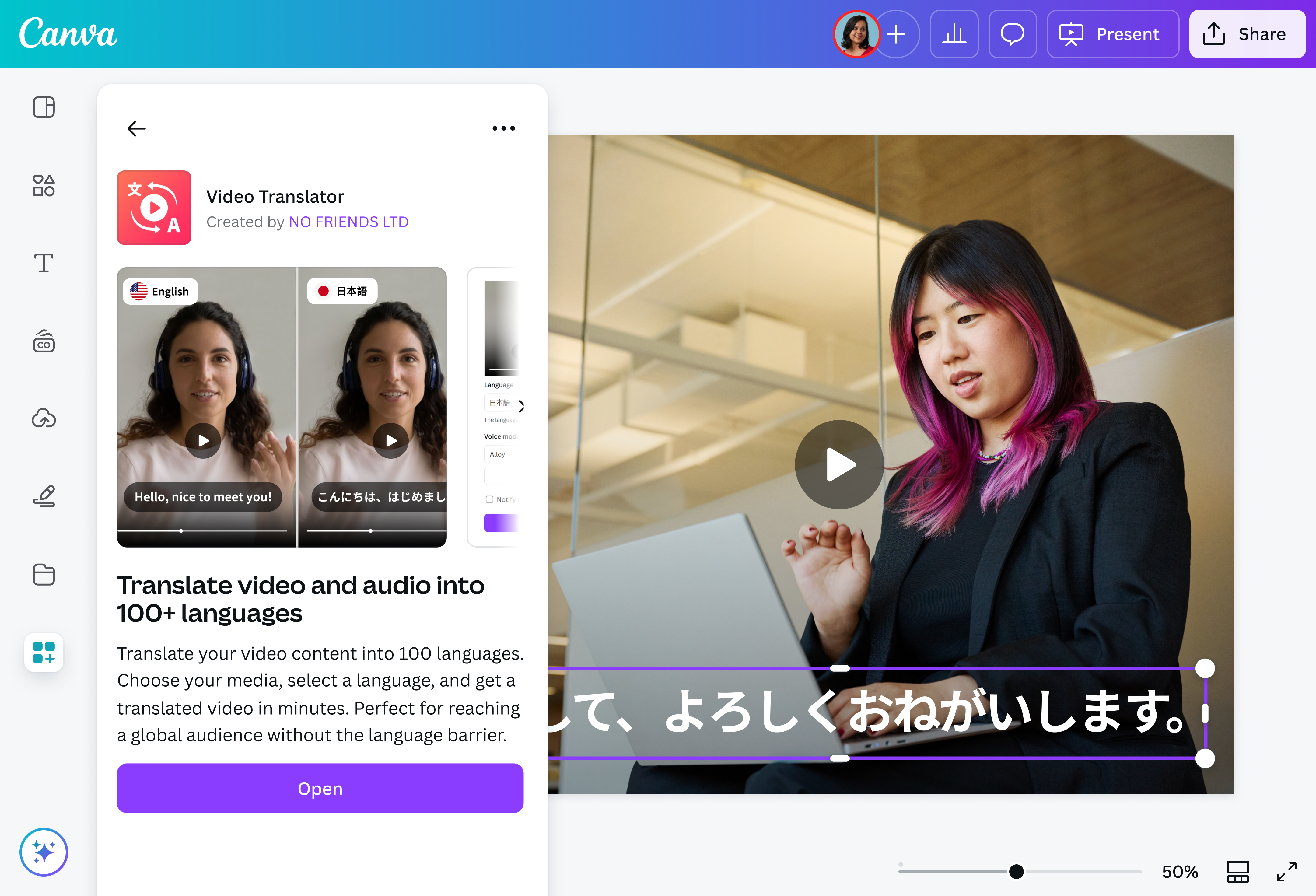
Connect with diverse audiences in their native tongues with just one video. The AI translator on Canva allows you to deliver your message in over 30 languages—no voice actors or sound studios needed.
Your voice in multiple languages

Say goodbye to out-of-sync audio and awkward lip movements. With the free video translator on Canva, you can easily dub videos into multiple languages using advanced AI. Simply select a video from your design, then choose from Japanese, Italian, Filipino, Arabic, and more. Create natural-sounding voiceovers in your chosen language—while preserving the speaker’s original voice and tone.
Expand your reach, effortlessly

Reach audiences around the world by translating your video with AI that makes you sound fluent in every language. Quickly create clear, accessible tutorials, localize video ads(opens in a new tab or window) for global markets, or start trending with relatable YouTube shorts(opens in a new tab or window) or Instagram reels(opens in a new tab or window). Use the online video translator to transform any footage into multilingual content that delivers your message in a truly local way.
Streamlined content creation

Save time, effort, and costs with the free AI video translator on Canva. Instantly translate videos using AI while keeping the original voice quality and personality intact—no more lengthy post-production or complex video translation software. With natural-sounding AI voices and an intuitive platform, you can create high-quality content faster than ever, without compromising sound or style.
All you need for scroll-stopping videos

Canva has all the tools you need to craft amazing video content. Use the AI video translator app to dub your videos into multiple languages, then continue editing using our AI-powered video editor(opens in a new tab or window). Generate captions(opens in a new tab or window), apply animation effects, and highlight the best moments. No green screen? No problem. With our Video Background Remover (Pro)(opens in a new tab or window), remove and switch up backgrounds with just one click.
How to use AI to translate a video

Frequently asked questions
- The AI video translator app supports the following languages: English, Japanese, Chinese, German, Hindi, French, Korean, Portuguese, Italian, Spanish, Indonesian, Dutch, Turkish, Filipino, Polish, Swedish, Bulgarian, Romanian, Arabic, Czech, Greek, Finnish, Croatian, Malay, Slovak, Danish, Tamil, Ukrainian, and Russian.
- Yes. The AI video translator is designed to preserve the speaker’s original voice, tone, and personality. This means you won’t get robotic, flat-sounding dubbing. Instead, you’ll have a realistic, natural-sounding voiceover that feels like a genuine extension of your original content.
- Yes, you can use the free video translator to translate videos up to one minute long. To translate longer videos and unlock more features, consider upgrading your plan. Learn more at https://www.easydubbing.co/pricing.

@IGchef_andrewb
