

The reality for engineering teams
Production infrastructure becomes a liability before anyone notices
Engineering teams in regulated industries don't set out to own a platform. But as the product grows, the AWS stack someone built in the early days starts requiring full-time attention, with compliance and security overhead compounding on top of it. These are the failure modes we see most often.
One engineer becomes the accidental platform owner
The AWS stack was never supposed to be a full-time job. But every compliance question, infrastructure incident, and security review flows through whoever built it. The rest of the team can't ship without them, and that person is stuck on call for infrastructure decisions instead of product work.
Compliance prep costs unplanned engineering sprints
SOC 2, HIPAA audits, and enterprise security reviews arrive on short notice and land on engineering. Pulling logs, verifying access controls, documenting what the stack actually does... it takes weeks and none of it was in the roadmap. The process repeats every time a new review arrives.
Controls drift as the system grows
The original setup was careful. But as new services, environments, and engineers are added, IAM policies widen, logging coverage becomes inconsistent, and isolation assumptions break down. The drift is invisible until an auditor or enterprise customer asks a question the team can't answer cleanly.
New services inherit no defaults
Adding a new application, worker, or database means reconfiguring network boundaries, access controls, and logging from scratch. There's no template that carries the security model forward: just another set of decisions to get right under time pressure.
Enterprise deals stall on infrastructure questions
A sale is about to close. Then the security questionnaire arrives and it goes to engineering. Who has production access? How long are logs retained? How is PHI isolated? When did the last configuration change happen? Finding complete, attributable answers takes longer than anyone expected, and deals wait.

Scale the product without scaling the platform team
Add applications, services, and databases as the product grows without adding infrastructure headcount or inheriting new operational debt.
Pass security reviews without a sprint of prep
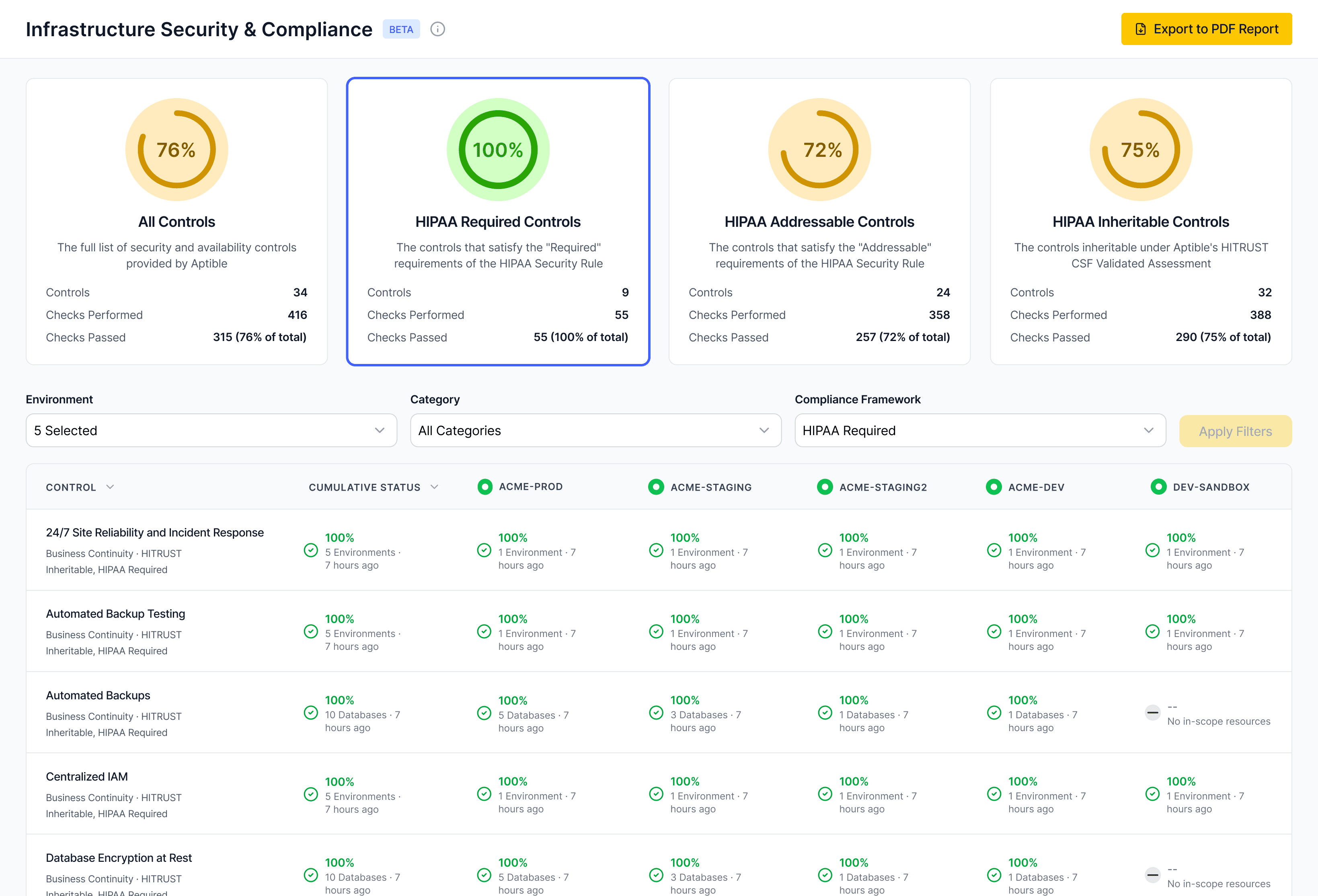
Answer diligence questions about access history, PHI isolation, encryption, and log retention directly from the platform, without reconstructing evidence after the fact.
Add services safely without redefining the security model
Introduce new components to the stack without reconfiguring network boundaries, rebuilding access controls, or starting logging from scratch.
Keep controls consistent as the team and system change
Enforce least-privilege access and auditability as engineers join, leave, and change roles. Controls hold without requiring manual review cycles to catch what drifted.
FAQs
How much control do we keep compared to AWS or Kubernetes?
You keep control over apps, services, scaling, container profiles, environment configuration, databases, endpoints, and your deploy pipeline through the Aptible CLI, Terraform provider, and dashboard.
The Terraform provider covers apps, databases, scaling, autoscaling policies, backup retention policies, and endpoints. Some operations are CLI and Terraform only, like scaling a service past 32 containers up to 128. You also set container profiles, database scaling, database IOPS and throughput, and PostgreSQL parameters including shared_preload_libraries.
Aptible manages the layer below: VPCs, hosts, load balancers, IAM, security groups, platform patching, and security configuration. The escape hatch is a network integration: VPC peering or a site-to-site VPN connects your dedicated stack to your own AWS account, so anything Aptible doesn’t run can live in your VPC and talk to your Aptible resources privately.
Enterprise also offers a self-hosting option, as listed on the pricing page.
Can we keep S3, RDS, analytics, and AI vendors in place while hosting regulated workloads here?
Yes. Aptible supports mixed architectures, so you can keep external services and connect them through VPC peering or a site-to-site VPN on a dedicated stack.
VPC peering is a trusted network connection between the two VPCs. Aptible doesn’t support peer-level rules restricting the connection to specific Aptible resources, because resources use dynamic IPs inside the stack’s CIDR range. If you need finer-grained control, support will discuss alternatives.
Aptible’s integrations overview is the best place to review supported integration patterns.
What doesn't run on Aptible?
Aptible is built for Linux-compatible containerized apps and Aptible-managed databases.
Workloads that fit poorly include anything needing persistent local disk plus horizontal scaling, because a service with a Persistent Disk runs on exactly one container pinned to one availability zone; workloads needing host-level access or elevated kernel privileges; and specialized AWS-native services Aptible doesn’t provide directly.
Logs must go to stdout and stderr, since file-based logs aren’t captured. Horizontal scaling tops out at 128 containers per service. And aptible ssh gives you an ephemeral container rather than a shell in a running app container, so ps won’t show your app’s processes.
How do scaling, rollbacks, and high availability work?
Services scale horizontally and vertically, manually or automatically, from the dashboard, CLI, or Terraform. Aptible’s app scaling documentation covers manual scaling, autoscaling, scaling limits, and restart-free scaling.
Apps at two or more containers are distributed across availability zones automatically, and database replicas are spread across AZs too. Horizontal autoscaling is available on Production and above, vertical on Enterprise; both evaluate every five minutes on a 30-minute p99 lookback.
By default, a scaling operation restarts the service’s containers. Enable Restart Free Scaling to add and remove containers without restarting the others, though services with TCP, TLS, or gRPC endpoints always take a full restart.
Rollbacks are automatic on a failed deploy or infrastructure failure, and available on demand by redeploying a previous image with no rebuild. They revert code and configuration, not data.
Multi-region disaster recovery is not automatic. Aptible’s business continuity guidance explains that Aptible doesn’t run your apps in another region or retain your images for regional failover, so in a regional outage you coordinate with Aptible to restore. Cross-region backup copies are available in your retention policy, and maintaining a secondary stack in the destination region improves your RTO.
How are platform patches, maintenance, and database upgrades handled, and what notice do we get?
Aptible schedules platform and security maintenance and notifies your Ops Alert contact at least two weeks ahead when possible, plus a post on status.aptible.com. Windows typically fall between 9pm and 9am ET on weekdays, or 6pm and 10am ET on weekends. Critical security or reliability work can come with less notice or none.
You can usually take pending maintenance on your own schedule: a restart, deploy, or scaling operation on the affected resource satisfies it before the window. Check what’s pending with aptible maintenance:apps and aptible maintenance:dbs.
Major database version upgrades are yours to initiate through dump and restore or PostgreSQL logical replication. Aptible’s database upgrade methods explain those options. An in-place major version upgrade is a maintenance operation Aptible performs, so open a ticket for that.
What operational work does your SRE team take off our plate?
Aptible’s SRE team handles platform reliability, host health, managed database operations, infrastructure incidents, backups, maintenance, and security monitoring for Aptible-managed infrastructure.
Aptible’s reliability division of responsibilities explains that Aptible is responsible for host health, moving containers off unhealthy hosts, AWS hardware maintenance, restarting containers that exit or run out of memory, resolving database restart loops and reporting the root cause to your Ops Alert contact, reviewing databases above 98% disk use roughly daily, keeping replicas spread across availability zones, and taking and monitoring daily backups.
Aptible’s reliability overview, container recovery documentation, and pricing page summarize the platform reliability model and plan packaging.
</content>
</page>
<parent-data-source-schema url="collection://28e509e5-6b41-81dc-8c76-000b639a57ee">
The SQLite table definition for this page’s parent data source. Use these column names and option values to set this page’s properties, create sibling pages, or query the data source.
These columns are read-only, so don’t set them: “Created date”, “Last updated”.
<sqlite-table>
CREATE TABLE IF NOT EXISTS “collection://28e509e5-6b41-81dc-8c76-000b639a57ee” (
url TEXT UNIQUE,
createdTime TEXT, -- ISO-8601 datetime string, automatically set. This is the canonical time for when the page was created.
“Content Track” TEXT, -- one of [“Distribution and Partnership”, “Multimedia”, “Guide Hub (Chapters)”, “Engineering / Developer Series”, “Strategic / Thought Leadership”]
“Writer(s)” TEXT, -- JSON array of zero or more user IDs
“Link to inspo (if applicable)” TEXT,
“Content Type” TEXT, -- JSON array with zero or more of [“Newsletter”, “Changelog”, “Video”, “Blog”, “Guide/Tutorial”, “Livestream/Webinar”, “Arcade”, “Demo”, “Community Message”, “LinkedIn Post”, “Refresh”, “FAQ”, “Aptible’s Opinion”, “List”, “Case Study”, “Internal”, “Q&A/Interview”, “Podcast”]
“Created date” TEXT NOT NULL, -- ISO-8601 datetime string, automatically set. This is the canonical time for when the page was created.
“Timeline” TEXT, -- one of [“Within next 6 months”, “By end of Q2”, “Within two weeks”, “ASAP”]
“date:Due date:start” TEXT, -- ISO-8601 date or datetime string. Use the expanded property (date:<column_name>:start) to set this value.
“date:Due date:end” TEXT, -- ISO-8601 date or datetime string, can be empty. Must be NULL if the date is a single date, and must be present if the date is a range. Use the expanded property (date:<column_name>:end) to set this value.
“date:Due date:is_datetime” INTEGER, -- 1 if the date is a datetime, 0 if it is a date, NULL defaults to 0. Use the expanded property (date:<column_name>:is_datetime) to set this value.
“Link to published” TEXT,
“Status” TEXT, -- one of [“Idea”, “Not started”, “Outlined”, “Drafted”, “In progress”, “Published”, “Nixed”, “Done”]
“Last updated” TEXT NOT NULL, -- ISO-8601 datetime string, automatically set. This is the canonical time for when the page was last edited.
“Listed Author(s)” TEXT, -- JSON array of zero or more user IDs
“Topic” TEXT, -- JSON array with zero or more of [“Doomsday”, “HIPAA”, “LLMs”, “Misc”, “SOC 2”, “MCP Gateway”, “AI”, “CART”, “PaaS”, “FAQ”]
“Title” TEXT
)
</sqlite-table>
</parent-data-source-schema>
